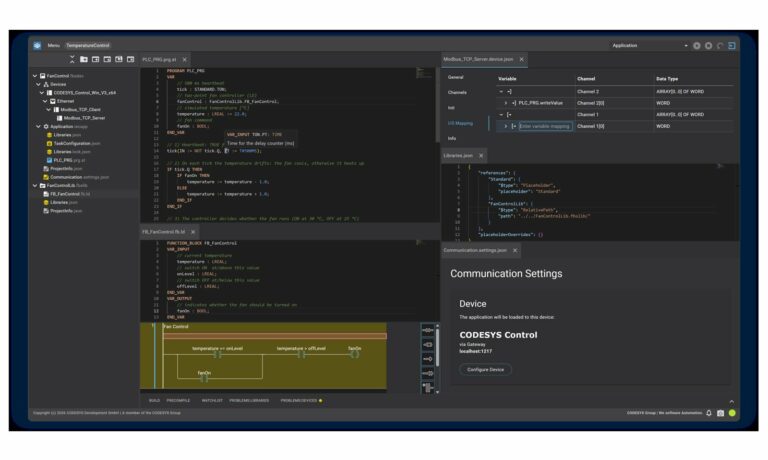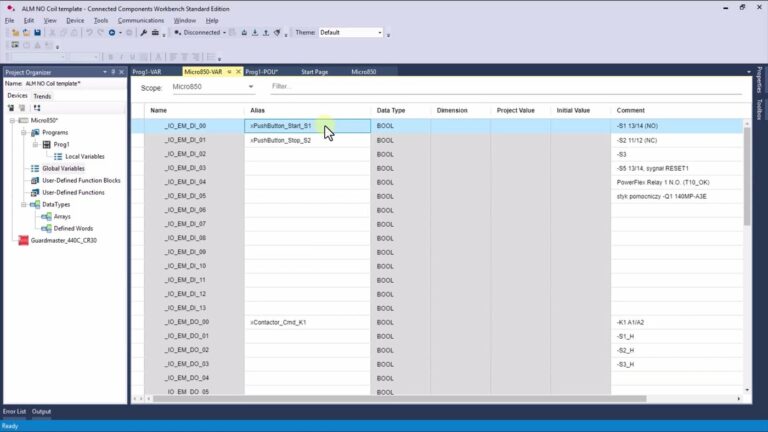
Briefly about Structured Text (ST) programming
Structured Text, often abbreviated as ST, stands as a PLC programming language outlined by the IEC 61131-3 standard. It bears a closer resemblance to conventional programming languages like Python or Java rather than using graphical language blocks typical of LAD or FBD. Essentially, Structured Text is purely textual!
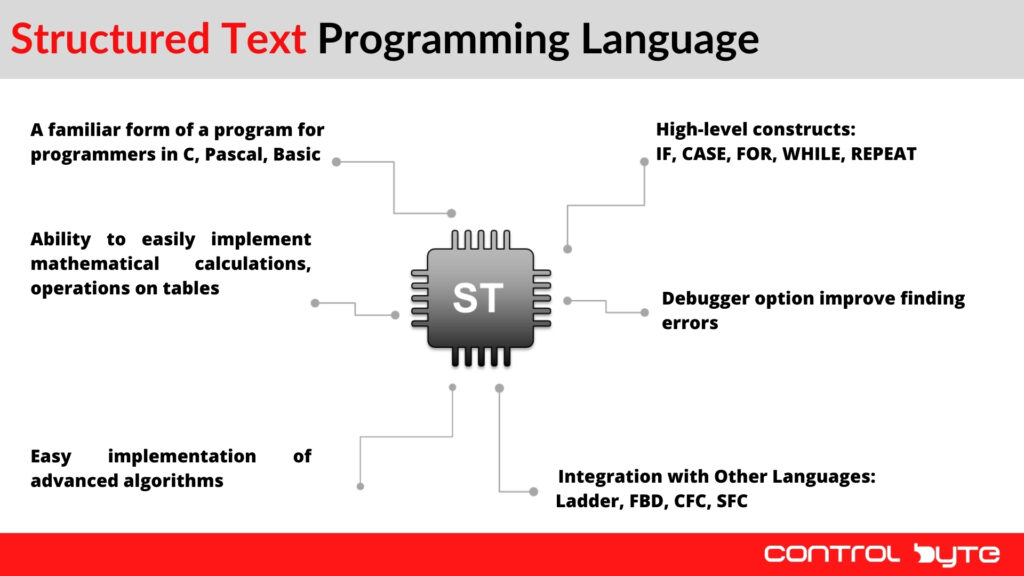
Structured Text vs ladder logic and the other IEC 61131-3 languages
IEC 61131-3, the standard for programmable logic controllers, defines five PLC programming languages: Ladder Diagram (LD), Function Block Diagram (FBD), Sequential Function Chart (SFC), Instruction List (IL) and Structured Text (ST). Ladder logic was designed to look like relay schematics, so an electrician or technician can follow a rung, see which contact is open and which coil (OTE in Rockwell terms) is energized. Structured Text is a high-level language with a syntax inspired by Pascal, so a programmer coming from Python, C or Java feels at home after a few hours.
Neither language is "better" - they solve different problems. A good automation engineer mixes them in one project:
- Ladder logic - interlocks, simple boolean conditions, motor starters, anything the maintenance team must troubleshoot online at 3 a.m.
- Structured Text - math, loops, array manipulation, string handling, recipes, state machines, communication buffers and any algorithm that would need dozens of rungs in a ladder diagram.
- Function Block Diagram - signal flow, PID loops and analog processing.
The same structured text programming skills work on almost every platform: CODESYS (and the many controllers built on it, such as Beckhoff TwinCAT), Siemens TIA Portal (where ST is called SCL), Rockwell Studio 5000 (a Structured Text routine inside a program), B&R Automation Studio, Schneider and others. Instruction List and Siemens STL are deprecated, so for new projects on modern PLCs the text language of choice is ST. Even when a vendor adds proprietary extensions, the core syntax stays the same, so it is easy to convert code between platforms.
Basic rules of syntax of the ST language
Structured Text syntax follows several basic rules:
- Initially, every statement in program ends with a semicolon.
- While the use of spaces and tabs isn't mandatory, a proficient programmer will employ them to enhance readability.
- Furthermore, ST does not differentiate between uppercase and lowercase letters, yet adopting camelCase for variable naming (such as xValve1) is considered a best practice.
- Variable names are typically defined using Hungarian notation, which involves adding a prefix that indicates the variable's type, for example, xLight for a BOOL type, and iTemperature for an INT type.
Creating first project in Codesys
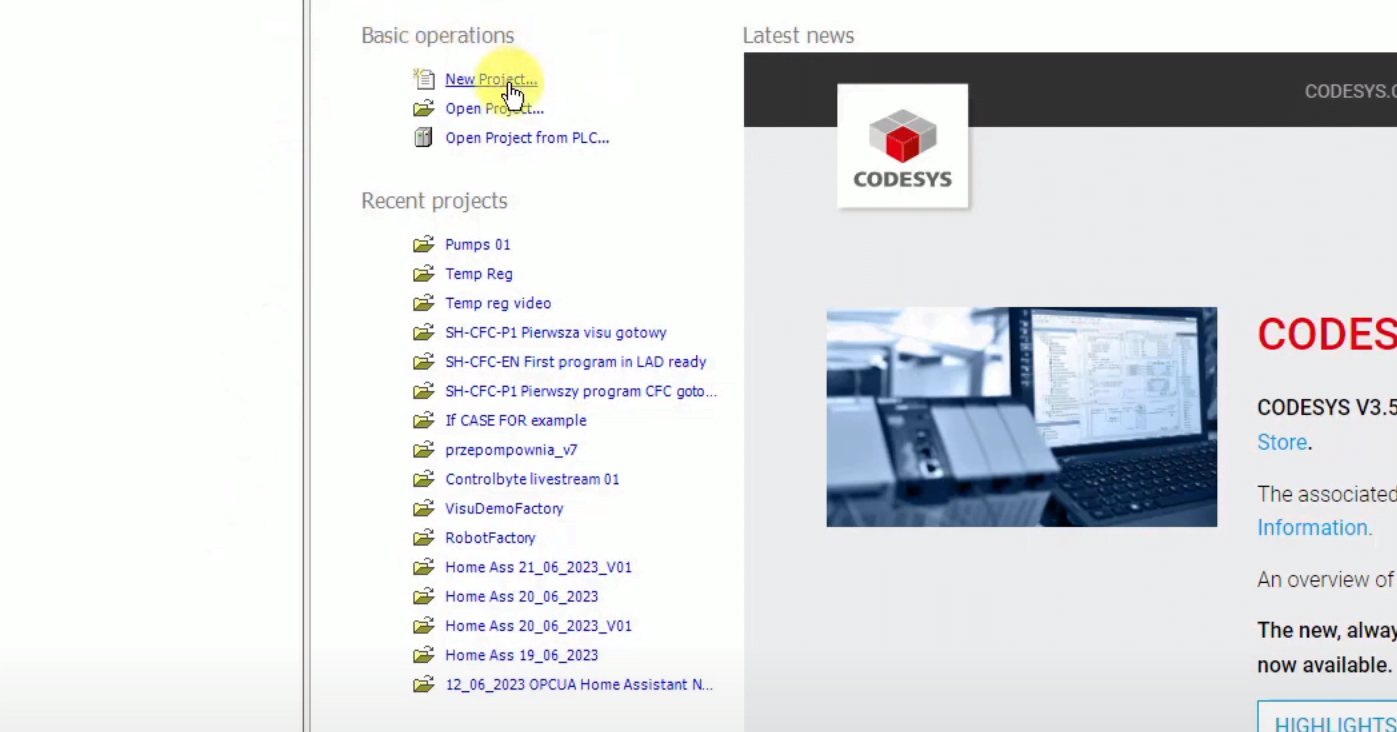
1. Open Codesys and click New project...
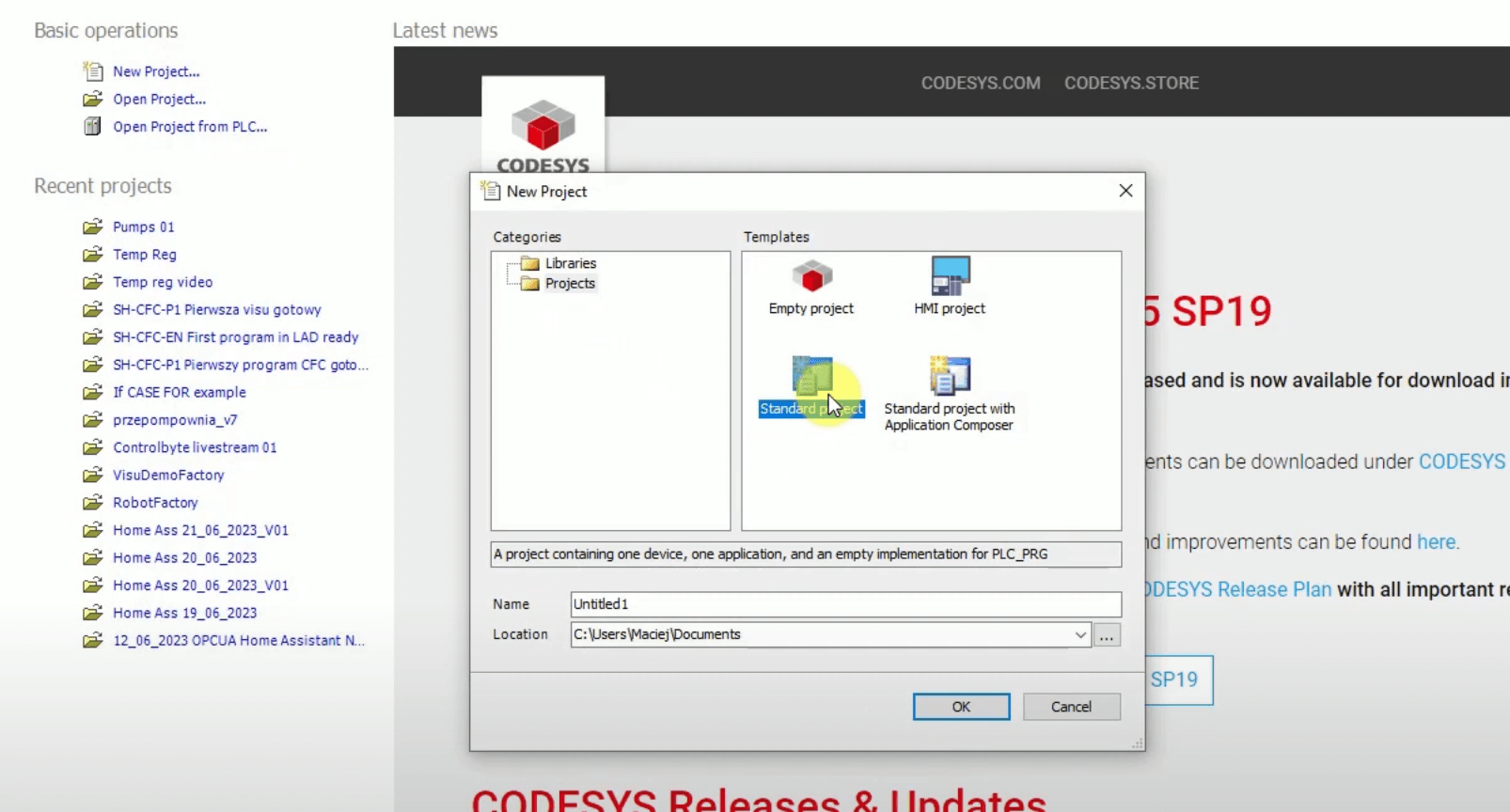
2. Choose a Standard project.
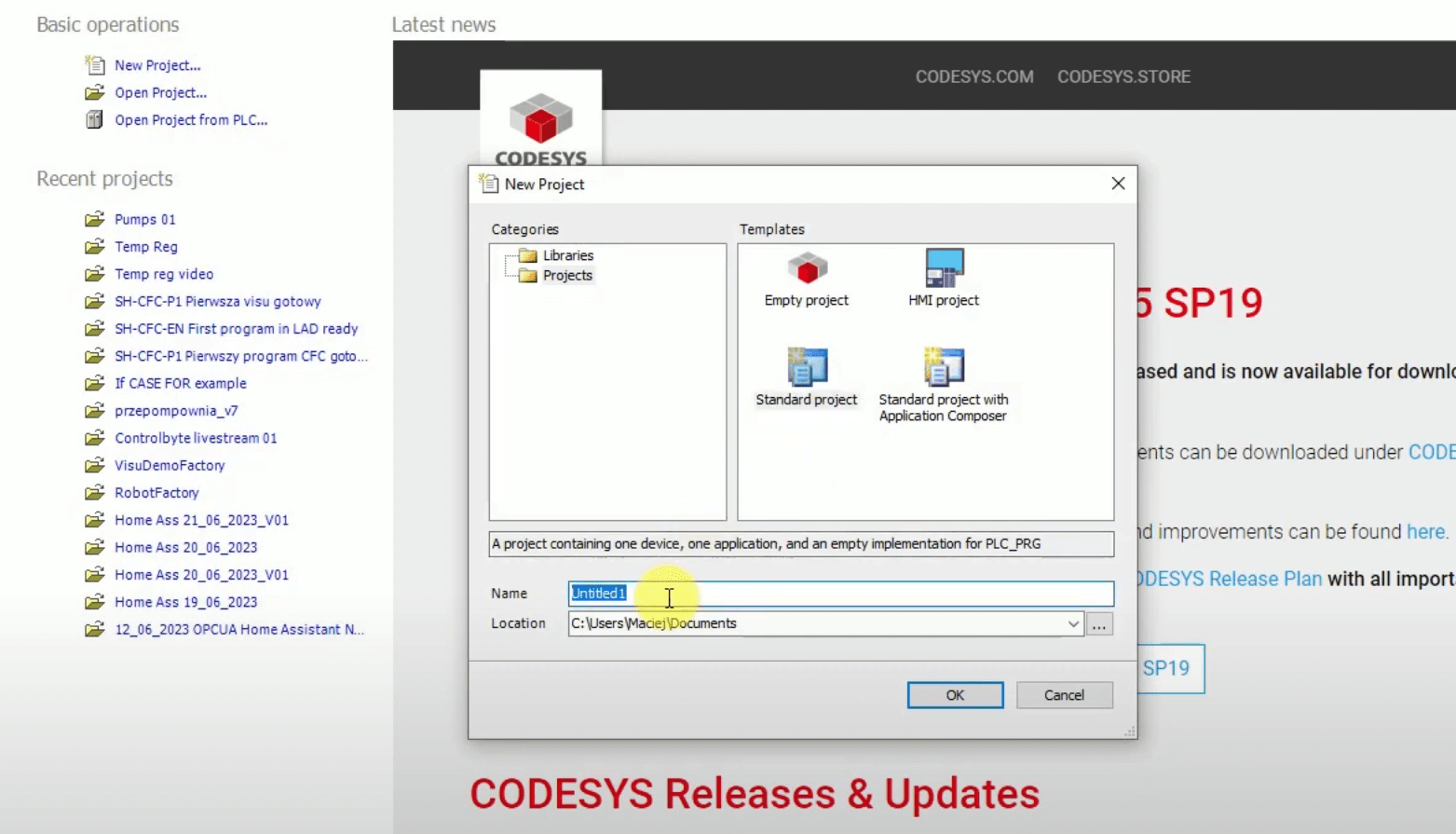
3. Type a name of your project, for example, "Project1". And click the OK button.
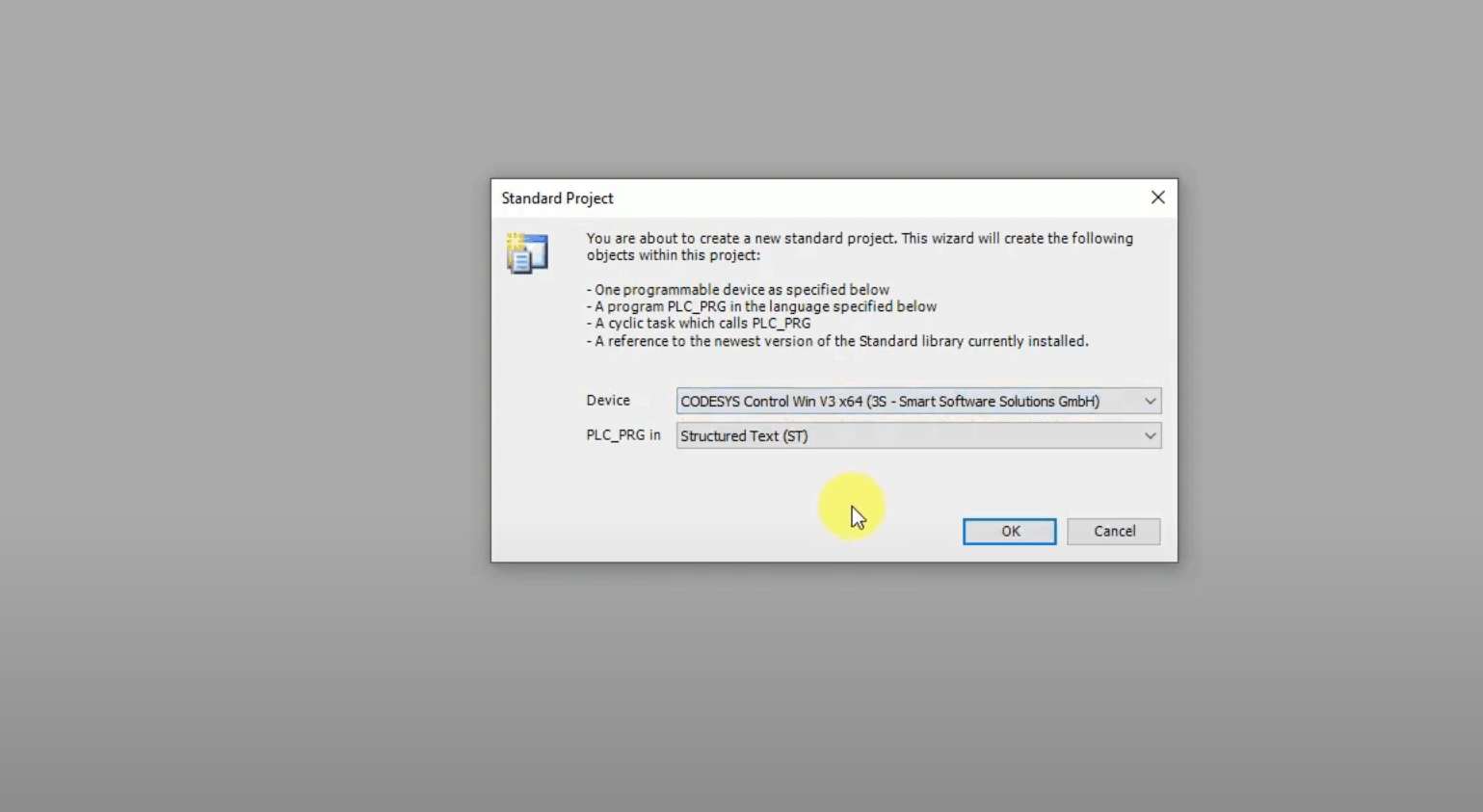
4. Choose a device, as in the photo below, and choose Structured Text language.
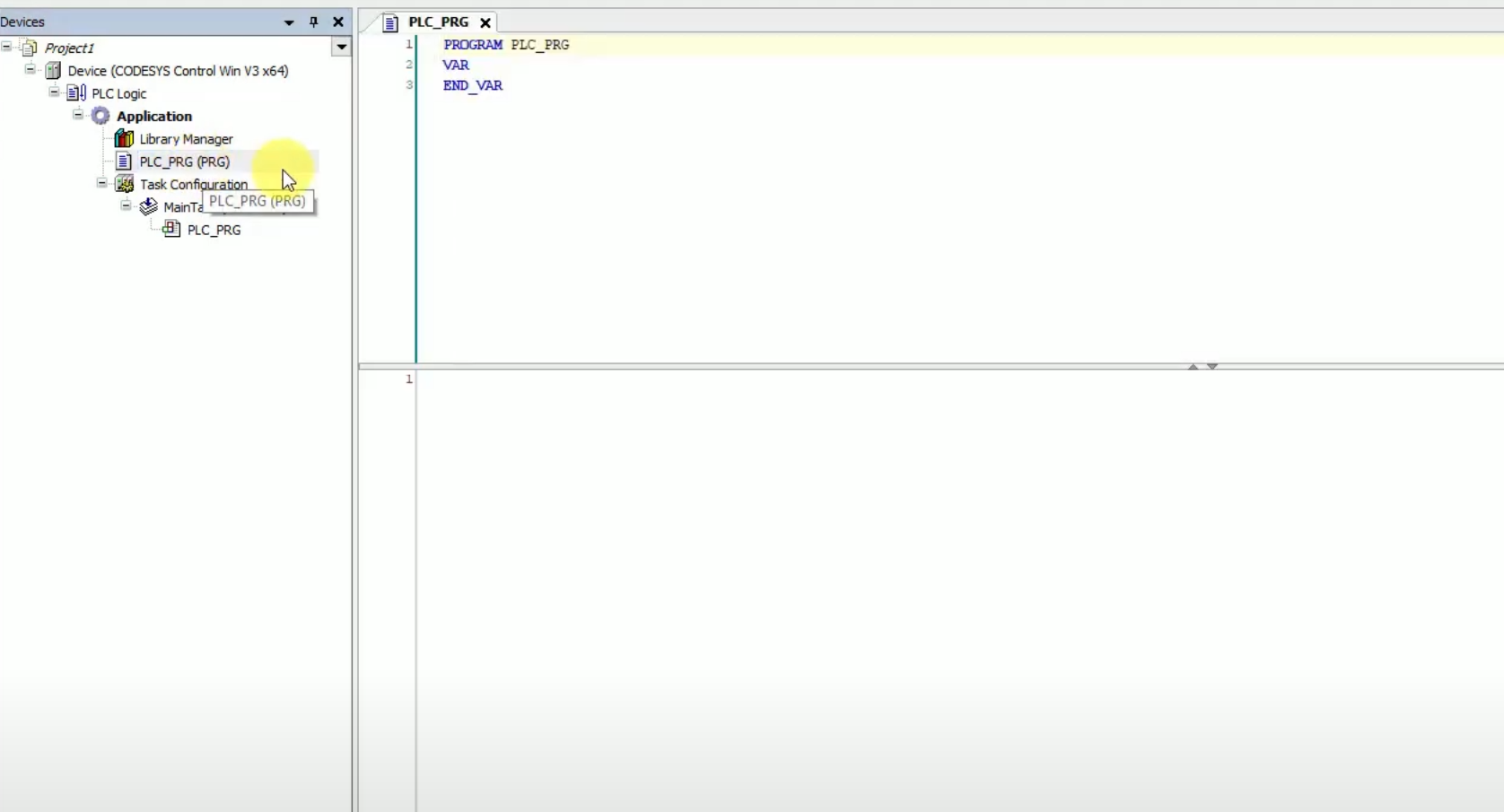
5. Open your program by double clicking on PLC_PRG on the left-side menu.
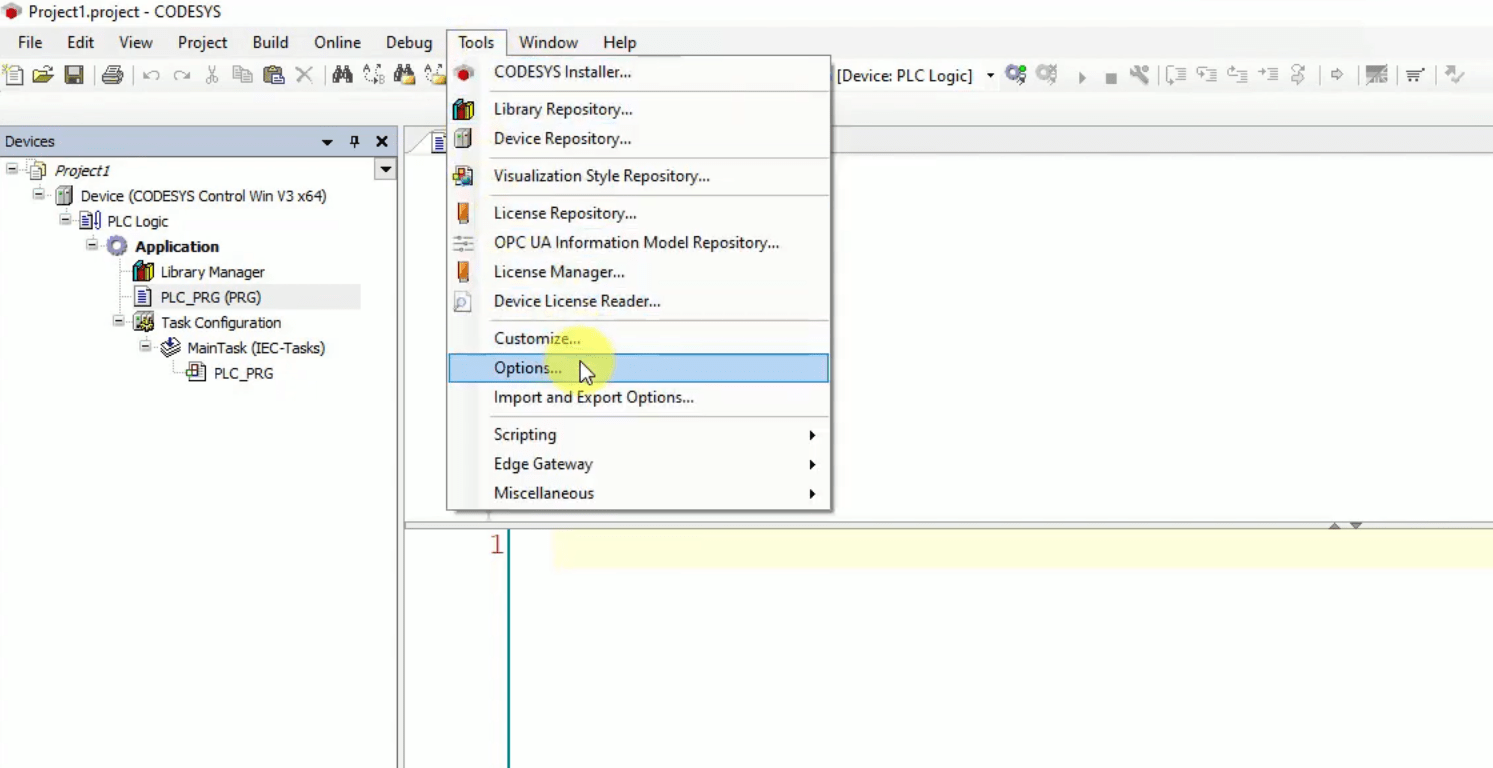
6. Let's configure a project - go to Tools -> Options...
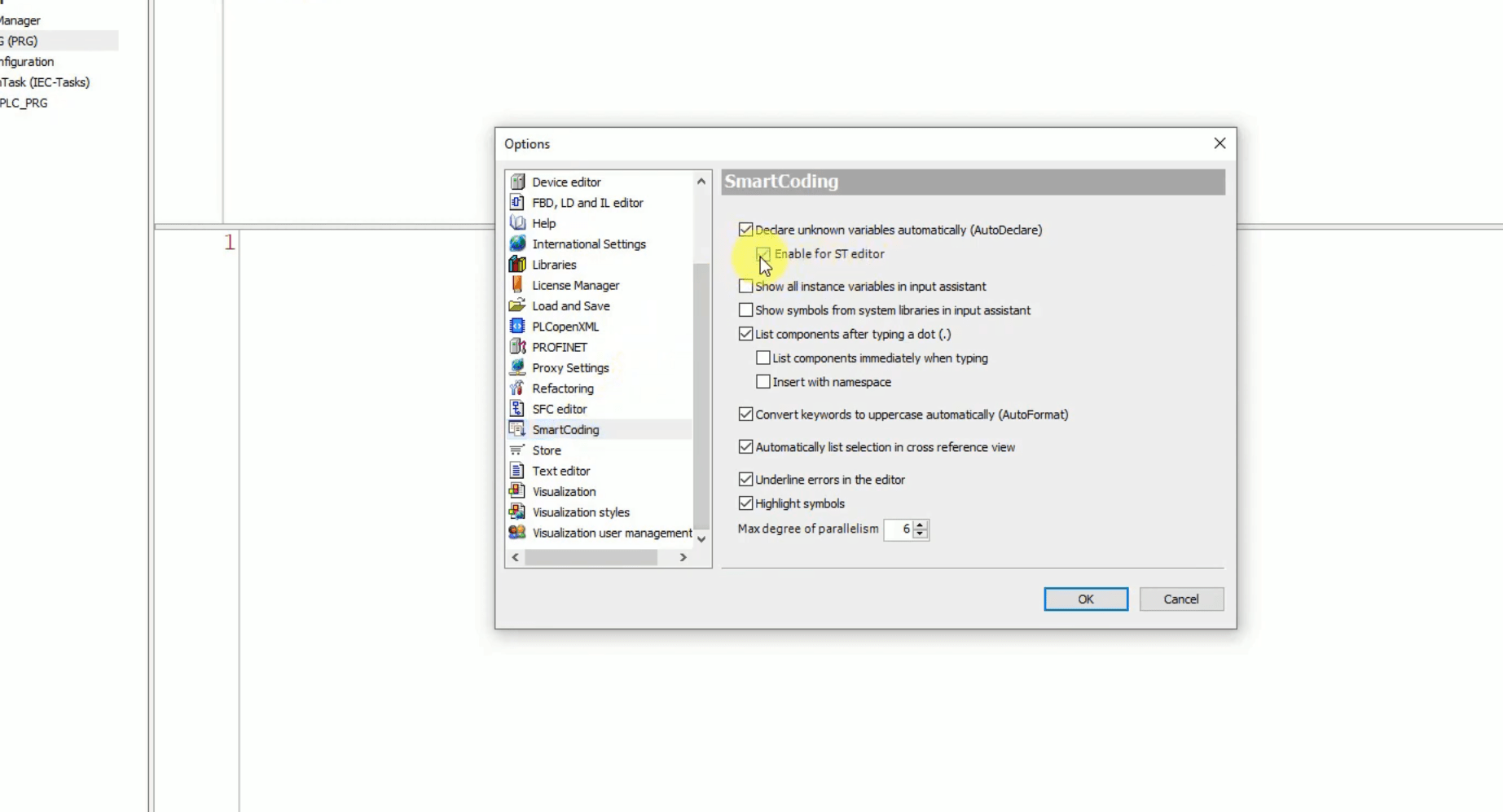
7. Select SmartCoding -> Check "Enable for ST editor". This option will allow us to quickly declare variables.
8. Write the first line of code- if xPbutton_1 and xPbutton_2 are pressed, enter "TRUE" into xLamp.
In ST this looks like this:
xLamp := xPbutton_1 AND xPbutton_2;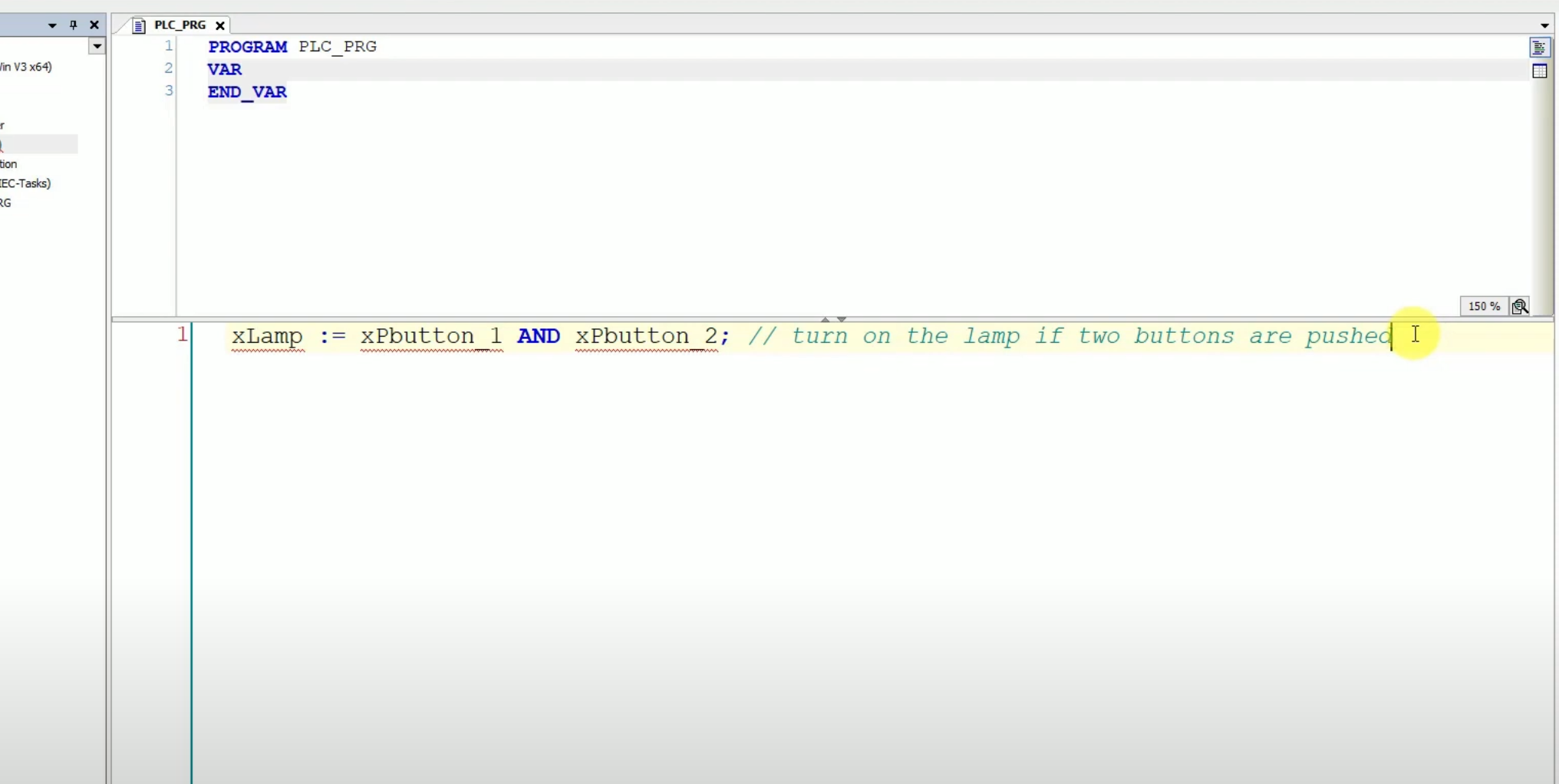
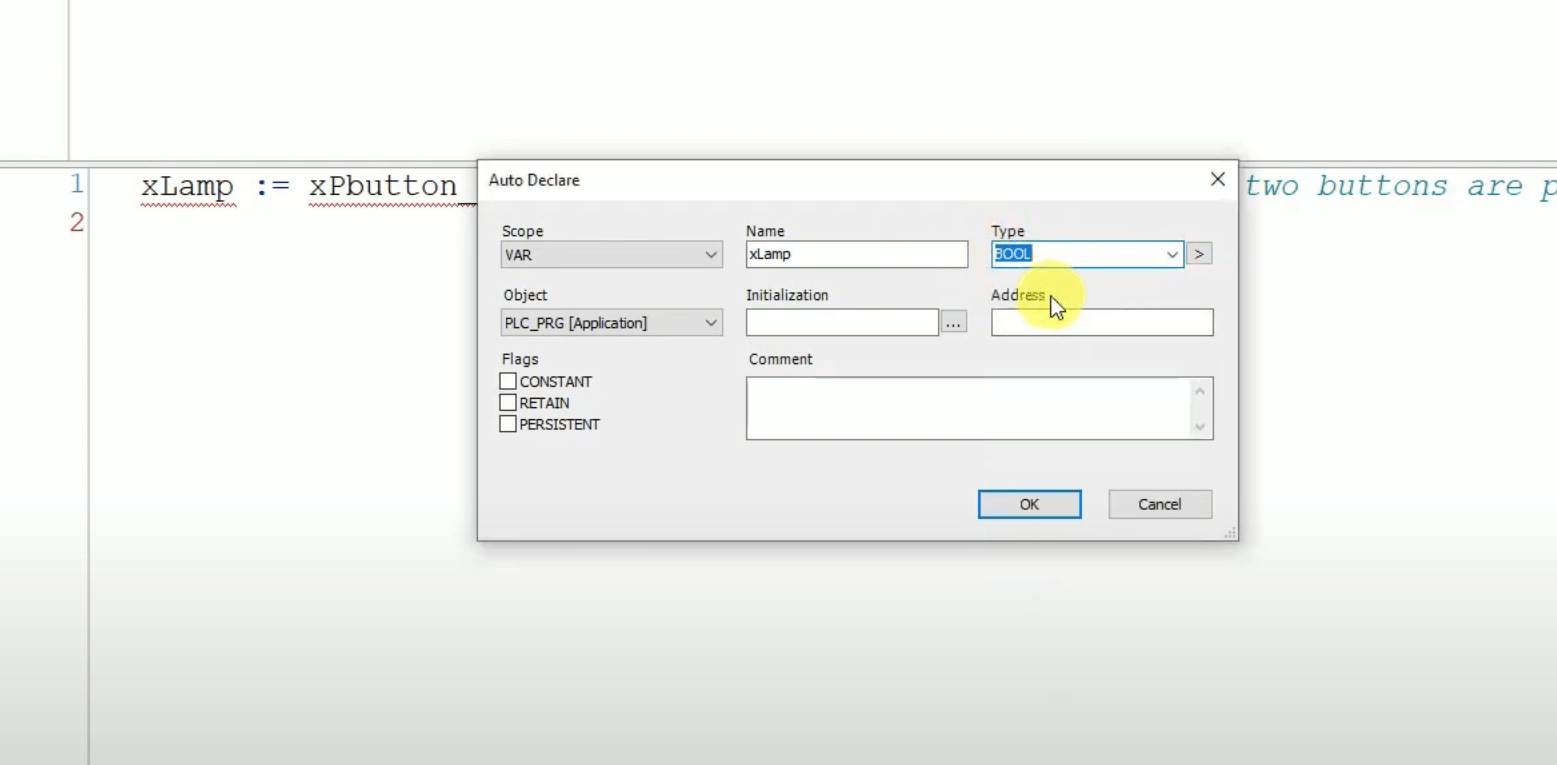
9. Now, we have a code, but our variables are not declared. Click ENTER on the keyboard, and you will see declaring windows. Choose the type "BOOL" for all of variables by clicking OK
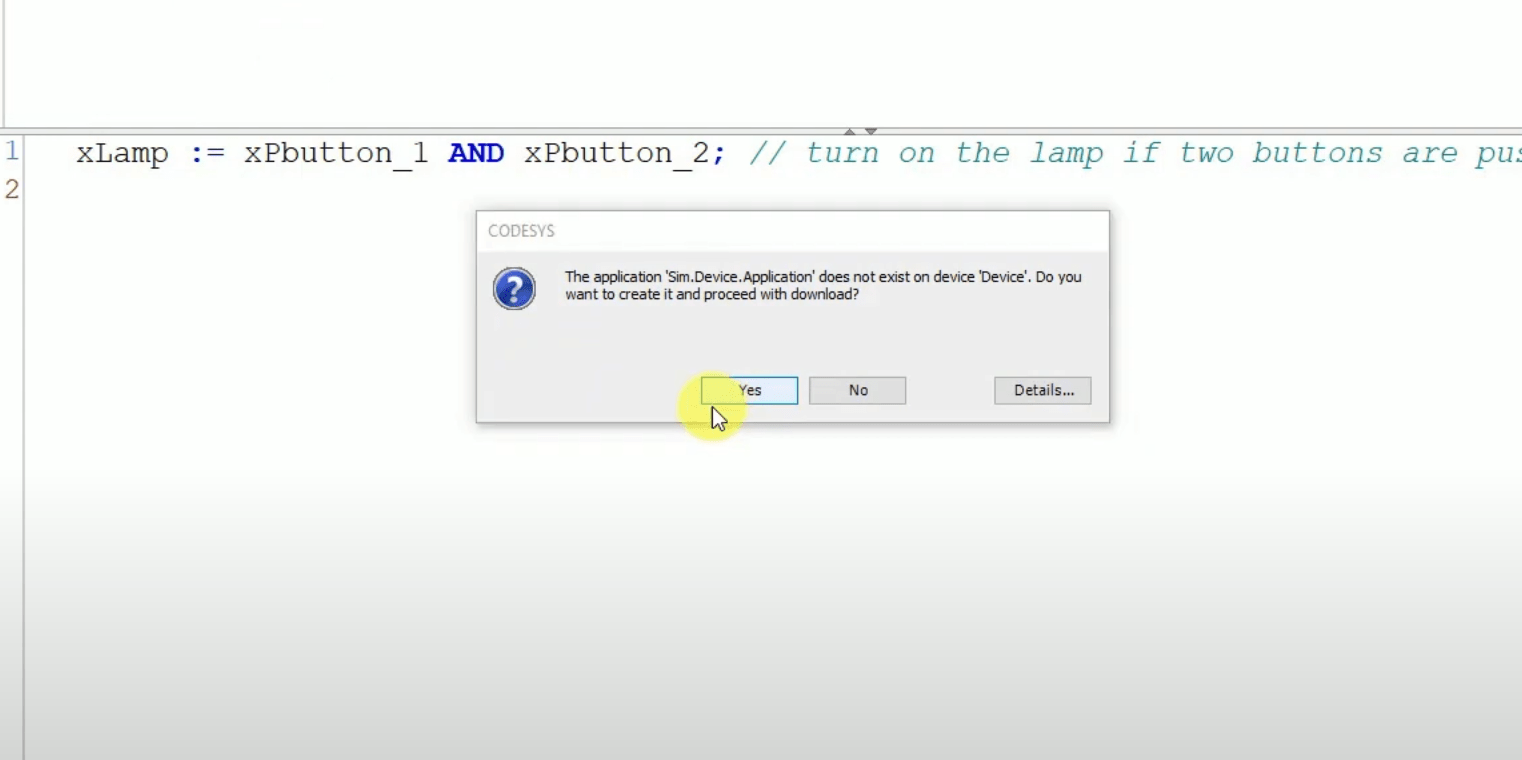
10. Now, let's start our program on PLC simulator. Go to Online -> Login

11. Click Yes. Now our program will be uploaded to the PLC simulator.
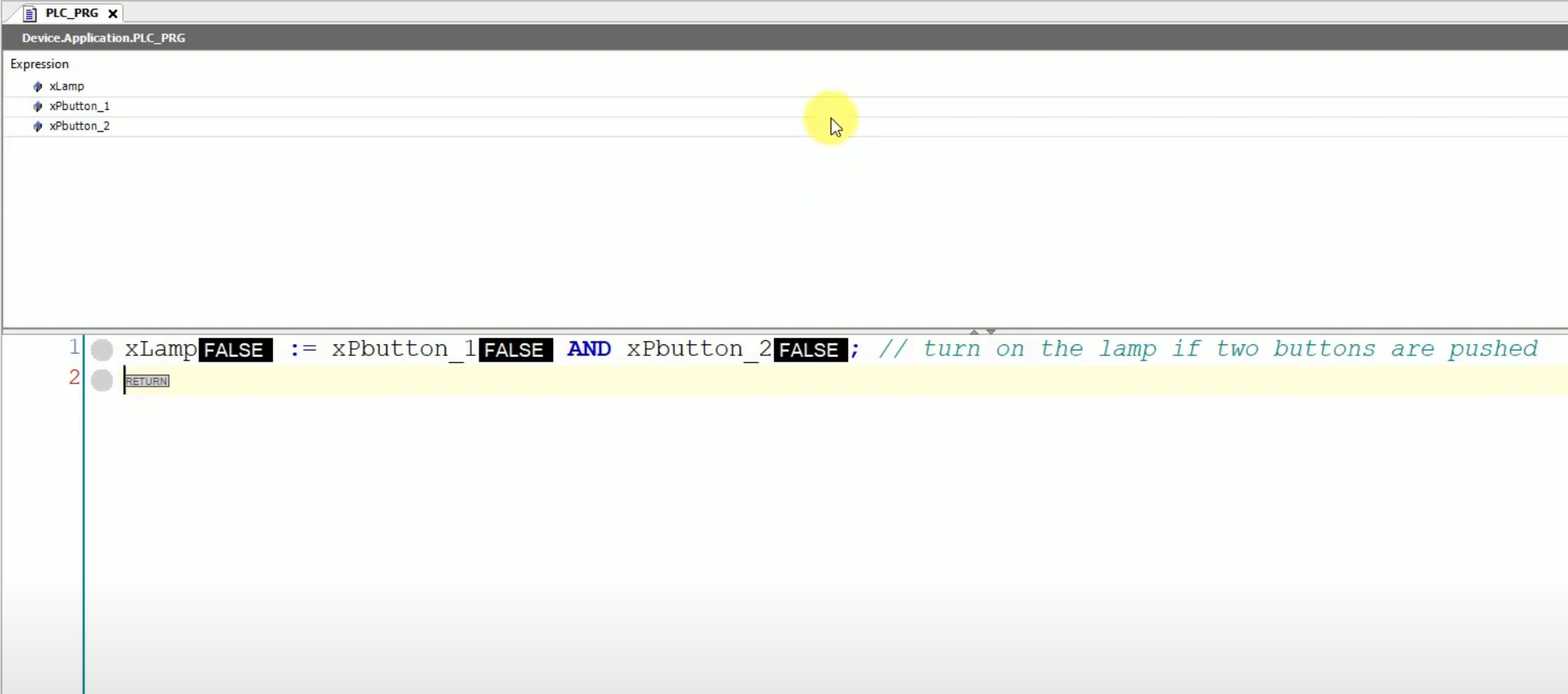
12. We have started the simulations and see the current states of the variables.
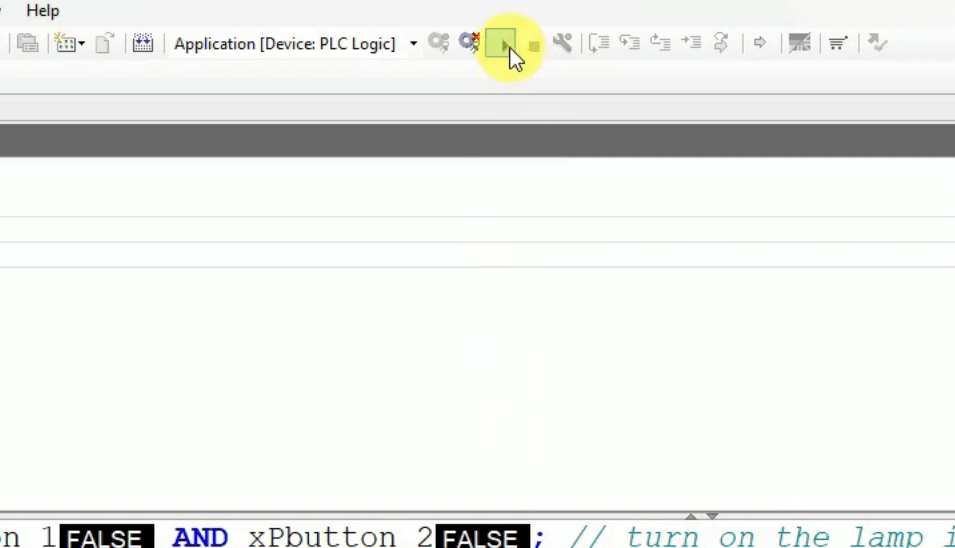
13. Click > icon to set the PLC in RUN mode.
14. By double clicking left mouse button you can prepare a new value of the variable, for example "TRUE". Then press F7 to force the prepared values, or Ctrl+F7 to write them once.
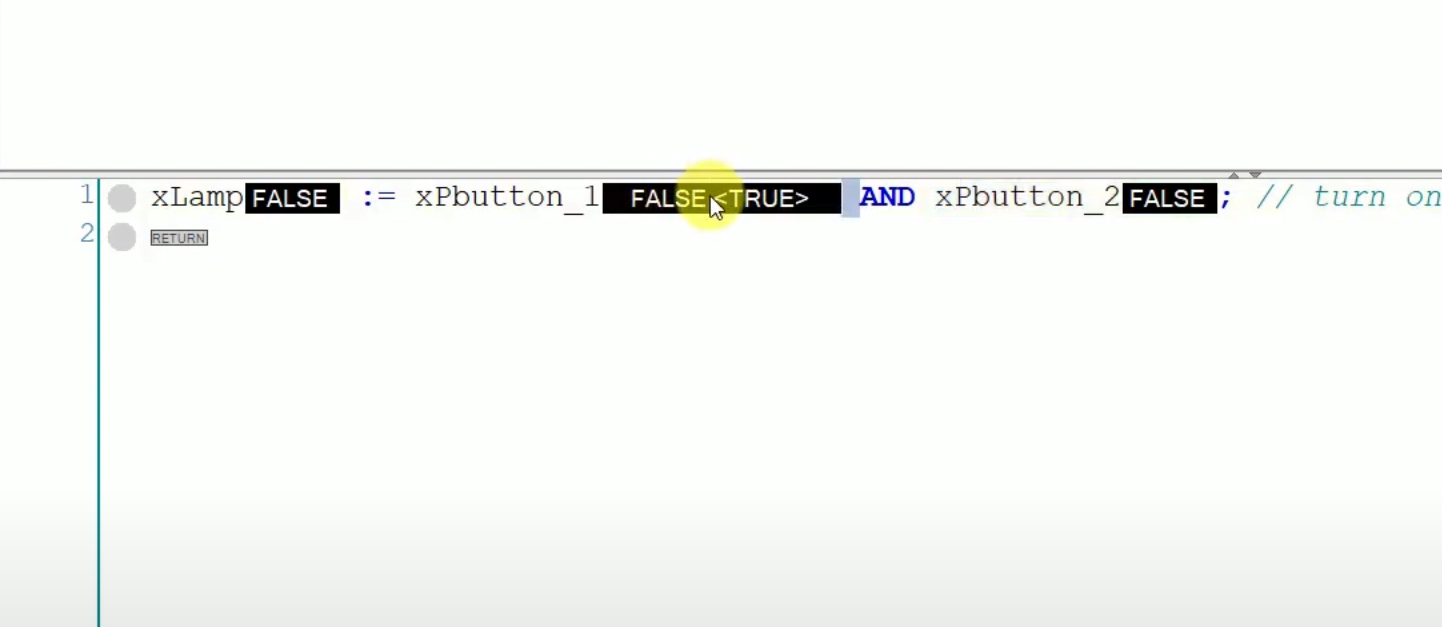
15. Change a value of two buttons and your program will be working properly!
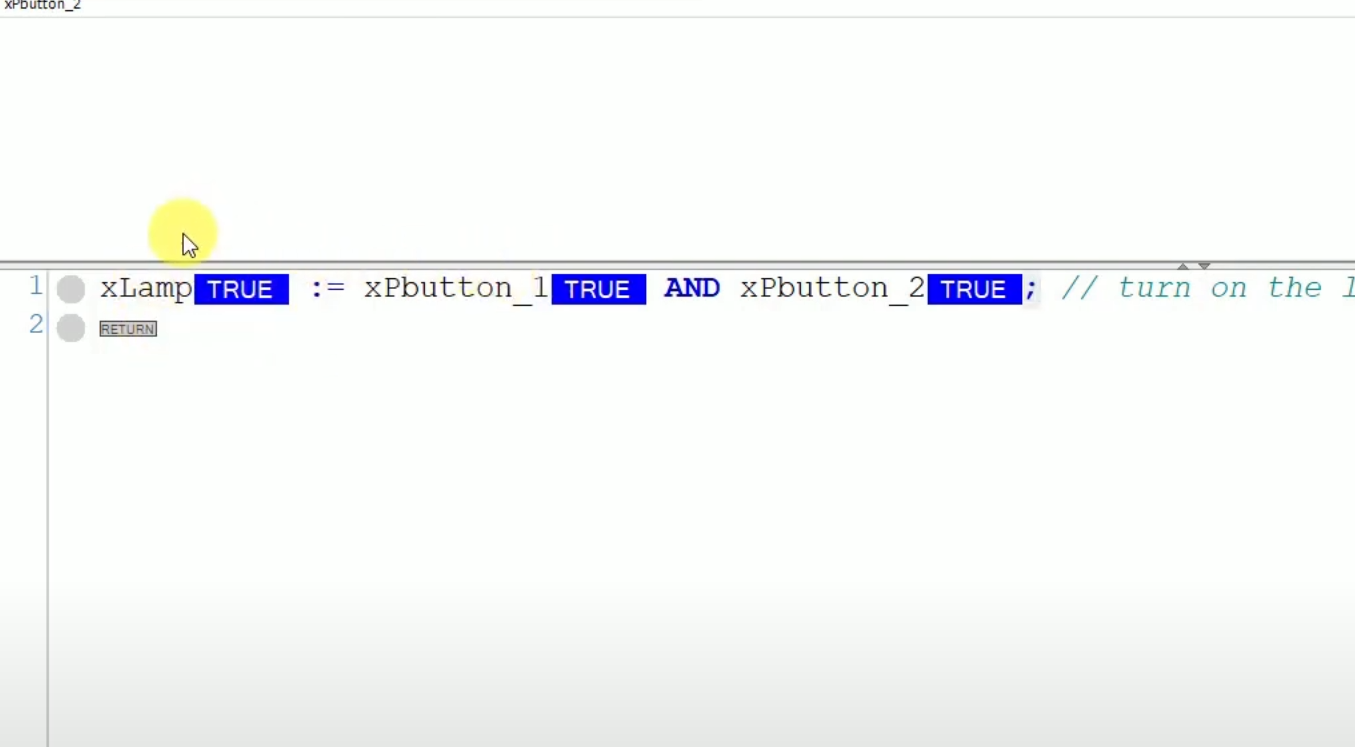
You have already created your first working program in ST. Now start writing your own programs. Good luck with your programming!
Structured Text programming: the instructions you will use every day
Once your first program runs, the next step is to learn the handful of statements that make up most real ST code. Each statement still ends with a semicolon, and assignments always use := (a single = is a comparison).
IF and CASE - decisions
Use IF for conditions and CASE for a state machine. CASE keeps a sequence readable, which is hard to achieve with many ladder rungs:
IF rTemperature > 80.0 THEN
    xFan := TRUE;
ELSIF rTemperature < 70.0 THEN
    xFan := FALSE;
END_IF;

CASE iStep OF
    0: IF xStart THEN iStep := 10; END_IF;
    10: xValve1 := TRUE;
        IF xTankFull THEN iStep := 20; END_IF;
    20: xValve1 := FALSE;
        xMixer := TRUE;
ELSE
    iStep := 0;
END_CASE;
FOR loop and arrays
A FOR loop processes an array in a few lines. Remember that the whole loop executes inside one PLC scan, so never wait for an input inside a loop - long or endless loops trigger the watchdog and stop the controller.
rSum := 0.0;
FOR i := 1 TO 10 DO
    rSum := rSum + arTemperatures[i];
END_FOR;
rAverage := rSum / 10.0;
Calling a function block
Timers, counters and your own function blocks are instances you declare once and call every cycle. The call below starts a TON timer with named parameters:
fbDelay(IN := xSensor, PT := T#5S);
xMotor := fbDelay.Q;
WHILE and REPEAT loops, operators like MOD, AND, OR, XOR and NOT, and built-in functions like LIMIT, MAX or CONCAT complete the basics. CODESYS also supports object-oriented programming in ST (methods, properties and interfaces in function blocks), which is useful once your projects grow and you need more functionality without copying code. You can find more examples in our article on CODESYS program flow control: IF, CASE and loops, and if you work with Siemens, read about the SCL text language in TIA Portal.
Tips for writing and troubleshooting Structured Text
- Keep one task per program or function block and define a clear interface (VAR_INPUT, VAR_OUTPUT) - this makes integration and reuse much easier.
- Use comments with (* ... *) or // to explain why, not what.
- Monitor variables online in the editor: CODESYS shows live values next to each line, so you can see which branch of an IF is executed.
- Avoid writing the same output in several places of the code - the last assignment in the scan wins, which makes debugging hard.
- Do not nest IF statements more than three levels deep; a CASE state machine is easier to modify later.
If you want to go further with guided exercises on a virtual PLC, the Structured Text programming in CODESYS course takes you from the basics to complete control applications.
Structured Text - FAQ
Is Structured Text case sensitive?
No. IEC 61131-3 Structured Text is not case sensitive, so xLamp, XLAMP and xlamp are the same variable and keywords like IF or if are both accepted. Using a consistent naming convention still makes the code easier to read.
Is Structured Text a programming language like Python?
Yes, it is a full high-level programming language with variables, data types, loops, functions and conditions. The difference is that it runs cyclically on a PLC: the program is executed from top to bottom in every scan, and outputs are updated after the scan.
How to learn Structured Text programming?
Install CODESYS on your PC (the development environment is free) and use the PLC simulator, as shown above. Start with boolean logic, then timers and counters, then IF, CASE and FOR loops. Rewriting small ladder logic programs you already know into ST is one of the fastest ways to learn.

Allen-Bradley hardware used in our materials (Micro800 controllers, HMI panels and accessories) is supplied by our technology partner Elmark Automatyka, an authorized Rockwell Automation distributor.