Online course | Industrial automation basics
Industrial automation basics
and electrical diagrams
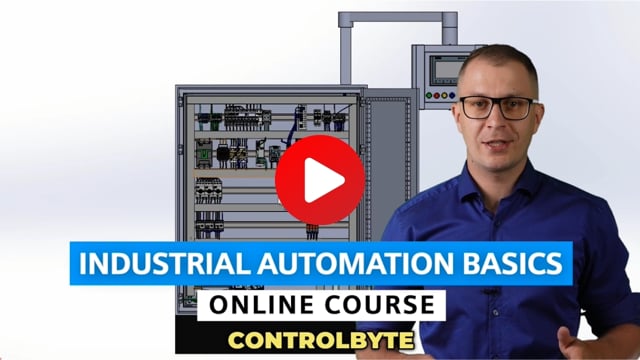
- Read and understand electrical diagrams
- Know sensors, relays, contactors and drives
- Understand how a control cabinet and a machine work
The foundation every automation engineer needs: sensors, actuators, relays, contactors, drives, control cabinets and how to read electrical diagrams, explained on real examples.
Get access
Lifetime access, certificate of completion and instructor support on Discord. Price: €189.
14-day money-back guarantee · Lifetime access · VAT invoice
Trusted by engineers from leading industrial companies









Finder, a manufacturer of relays, power supplies and control cabinet equipment, is a technology partner of ControlByte.
Lenze, a manufacturer of inverters, servo drives and machine automation solutions, is a technology partner of ControlByte.
Wieland Electric, a manufacturer of safety and automation components, is a technology partner of ControlByte. In the machine safety module, a webinar with Wieland Electric covers the law and standards, how a machine becomes safe and how to select safety functions.

Partex, a manufacturer of wire and control cabinet marking systems, is a content partner of ControlByte. In the labeling module you design wire markers, push button plates and device labels in Partex MarkOnline and install them in the cabinet according to the schematic.
Premium Solutions, an authorized SOLIDWORKS reseller, is a technology partner of ControlByte.
What you will learn in this industrial automation course
- Read electrical diagrams of a real machine and trace every device in a 3D model of its control cabinet
- Select and protect three-phase motors: contactors, motor protection circuit breakers and start-up methods (DOL, star-delta, soft starter, VFD)
- Read a motor nameplate: voltage and star or delta connection, duty types S1 to S10, insulation classes
- Design the machine supply and the control cabinet: disconnecting device, enclosure selection and cooling calculations
- Know which measurements and tests IEC 60204-1 requires before handover: visual inspection, protective bonding continuity, insulation resistance and functional tests
- Build the 24 V DC control supply and protect it with fuses, miniature circuit breakers and electronic circuit breakers
- Wire an S7-1200 PLC: power supply, push buttons, inductive sensors, WAGO multilevel terminal blocks and transistor or relay outputs
- Connect 0-10 V and 4-20 mA analog sensors in 2-, 3- and 4-wire configurations
- Read the wiring of a SINAMICS V20 inverter and a V90 servo drive, including Safe Torque Off
- Learn the basics of machine safety with Wieland Electric: the law and standards, how a machine becomes safe and how to select safety functions for the pallet wrapper
- Work with real manufacturer tools: Eaton datasheets, the Rittal configurator and the Siemens TIA Selection Tool
Why do engineers choose ControlByte courses?
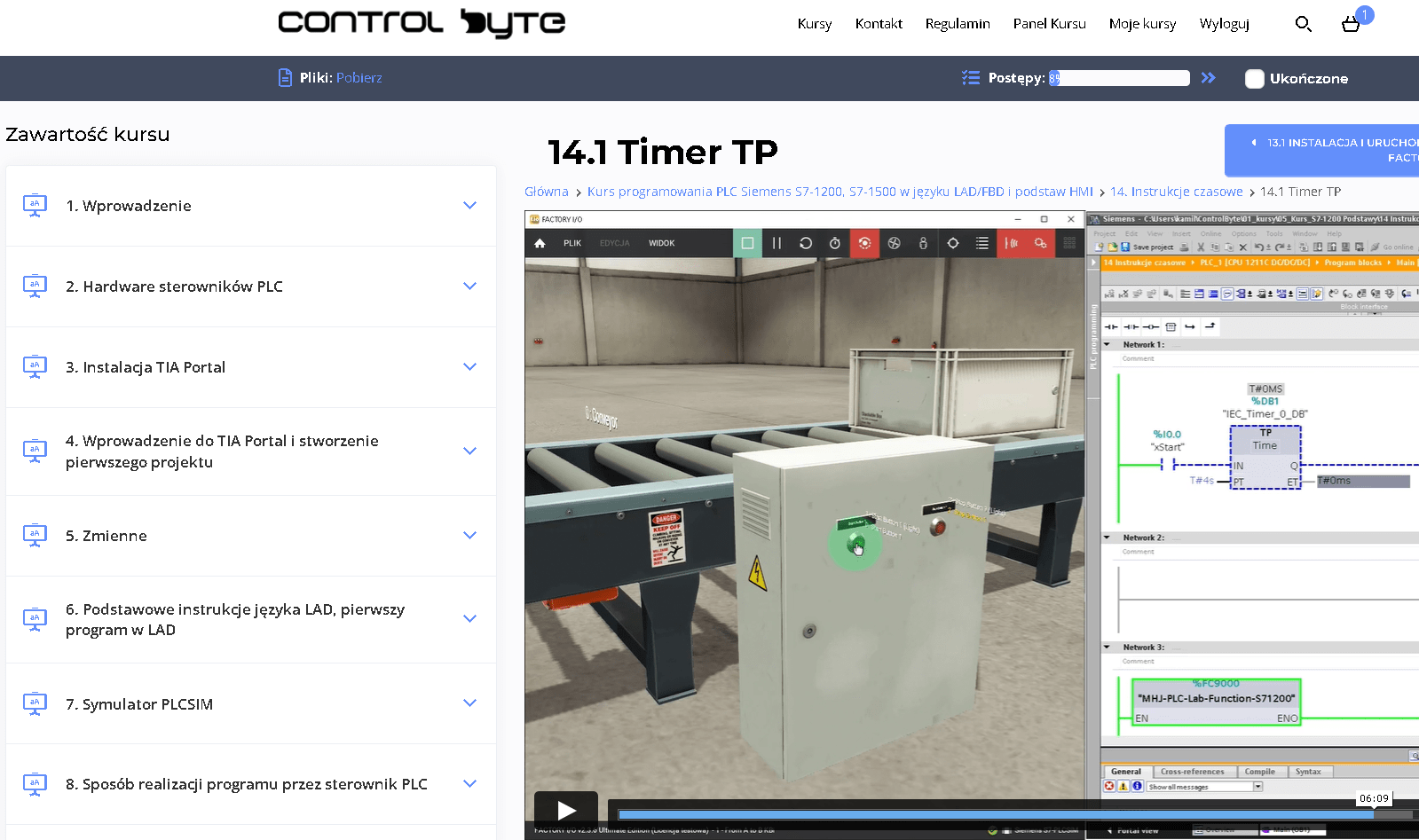
- Video lessons on our e-learning platform, available 24/7
- Exercises based on ready project templates that you build step by step
- Free simulators, so you do not need your own PLC to practice
- Learn at your own pace, from any device, with lifetime access
- Instructor support on Discord and feedback on your homework
Who is this industrial automation course for?
- PLC Programmers
- Automation Engineers
- Electrical Engineers
- Industrial Engineers
- Maintenance Technicians
- Control System Technicians
- Instrumentation Technicians
- This course welcomes beginners, making it an ideal starting point for aspiring PLC programmers to build confidence and skills in automation.
What you get after enrolling
- 80 practical video lessons (about 7 hours)
- Automation Design Guide
- Certificate of completion
- Lifetime access and all future updates
- Instructor support on Discord
Your instructors

Matthew Kurantowicz, MSc
Automation engineer · PLC programmer · Co-founder of ControlByte
“ In this course you will learn to work the way we do on real projects: step by step, with exercises you can repeat on your own, even if you are new to industrial automation.

Jacob K. Biedulski, MSc
Automation and Robotics · PLC programmer · Co-founder of ControlByte
Course modules and sample projects
Course project
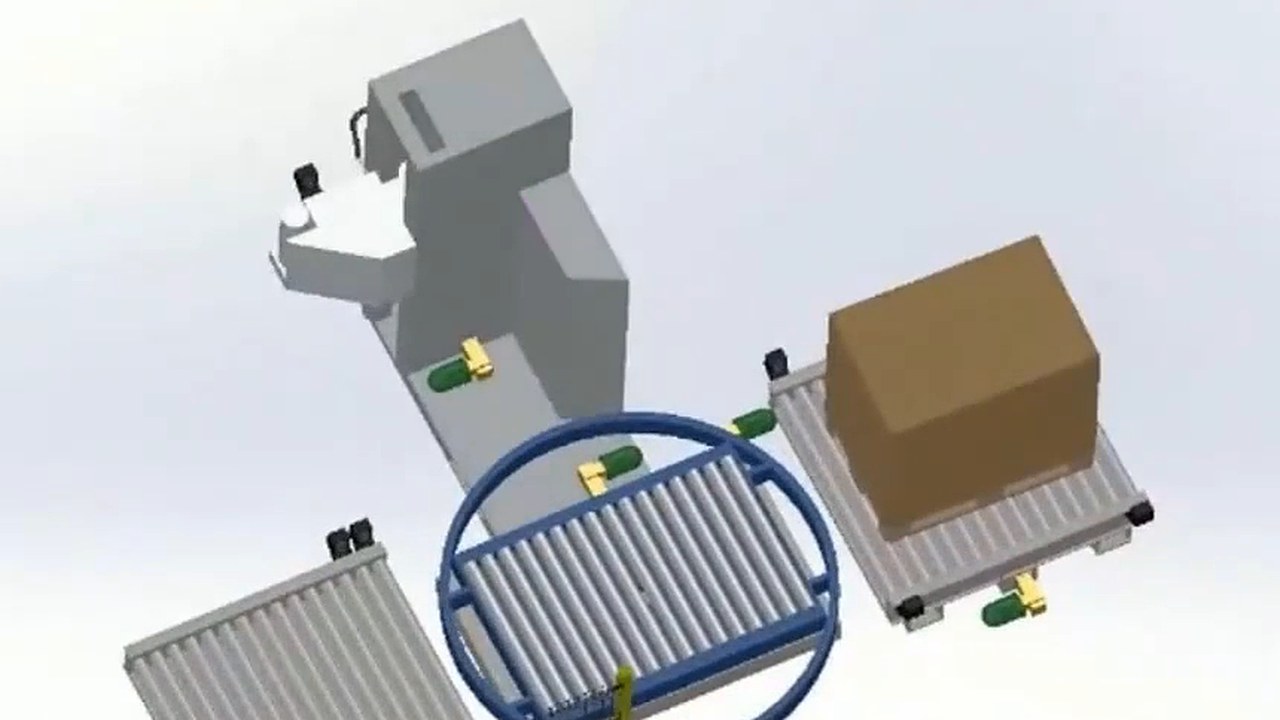
Pallet wrapper: the machine and its electrical schematic
- How the pallet wrapper works and the design assumptions
- Electrical schematic (PDF), Automation Design Guide and 3D model of the control cabinet
- How to read a schematic: IEC symbols, sheets, columns and cross-references
- Standards and directives: CE marking, harmonized standards and IEC 60204-1
Course module
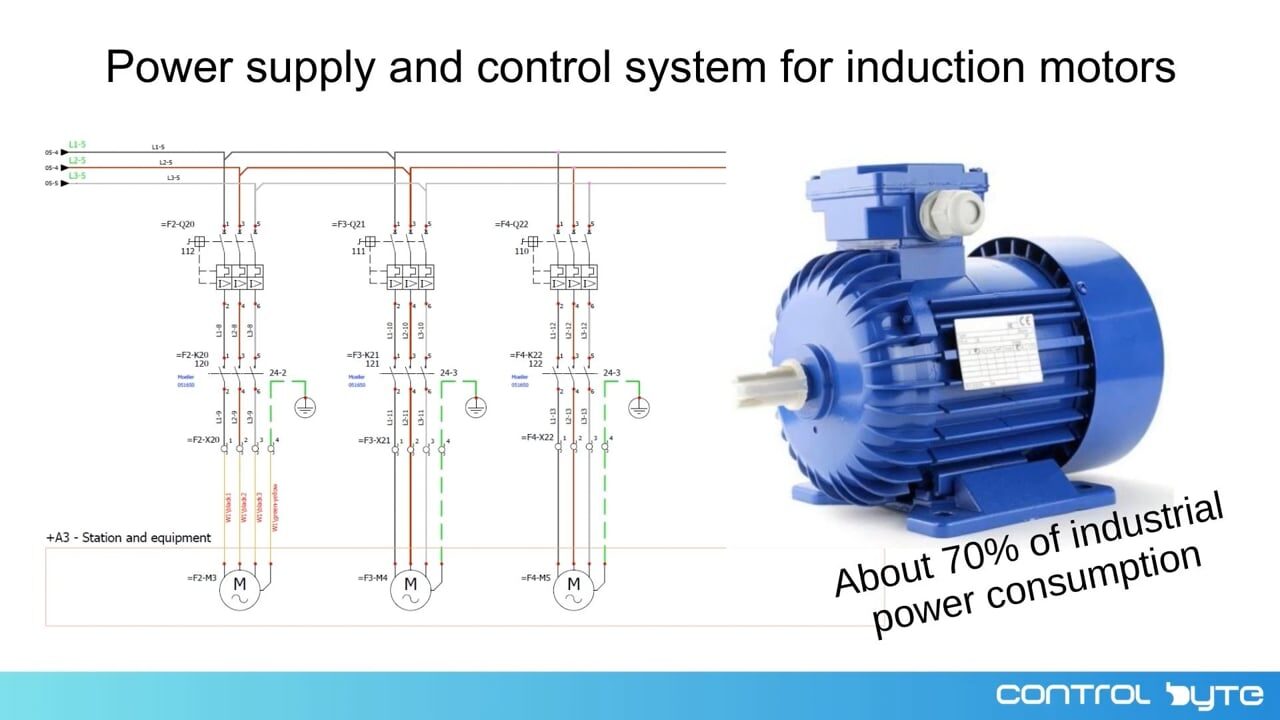
Three-phase motors, contactors and motor protection
- Induction motors: construction, current, speed and torque
- Start-up methods: DOL, star-delta, soft starter and VFD
- Selecting a contactor (Eaton DILEM) and a motor protection circuit breaker (Eaton PKZM0)
- Motor nameplate: star or delta, duty types S1 to S10, insulation classes
Course module
Machine supply and the control cabinet enclosure
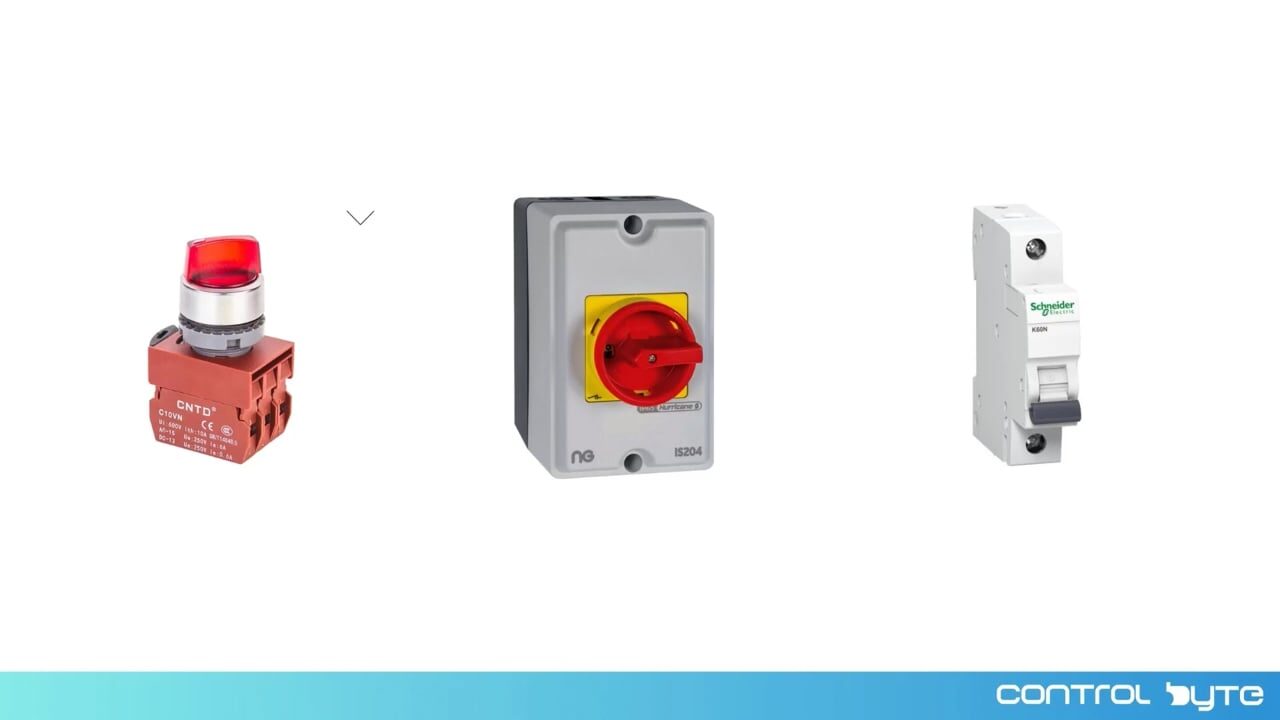
- Supply disconnecting device: where IEC 60204-1 requires it and which types it allows
- Switch-disconnector: construction, operating handle and mounting
- Selecting a control cabinet enclosure from an online catalog
- Configuring an enclosure with system lights in the Rittal configurator
Course module
Tests before handover and cabinet climate control
- Measurements and tests required by IEC 60204-1: visual inspection, protective bonding continuity, insulation resistance and functional tests
- Fan-and-filter units and where to find the data
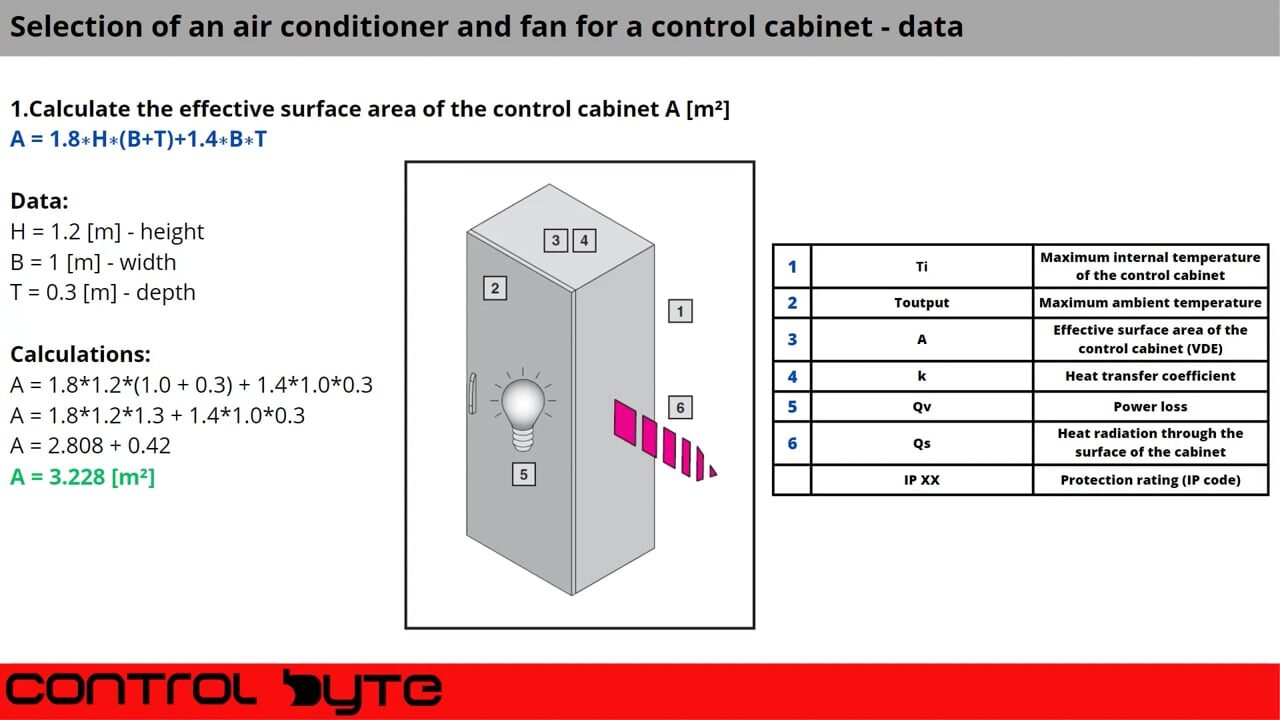
- Heat load, surface area and cooling power calculations
- Selecting an air conditioner and a fan in the Rittal configurator
Course module
Protection devices in the control cabinet
- Service socket circuit: MCB and RCBO on the schematic, in datasheets and in the 3D model
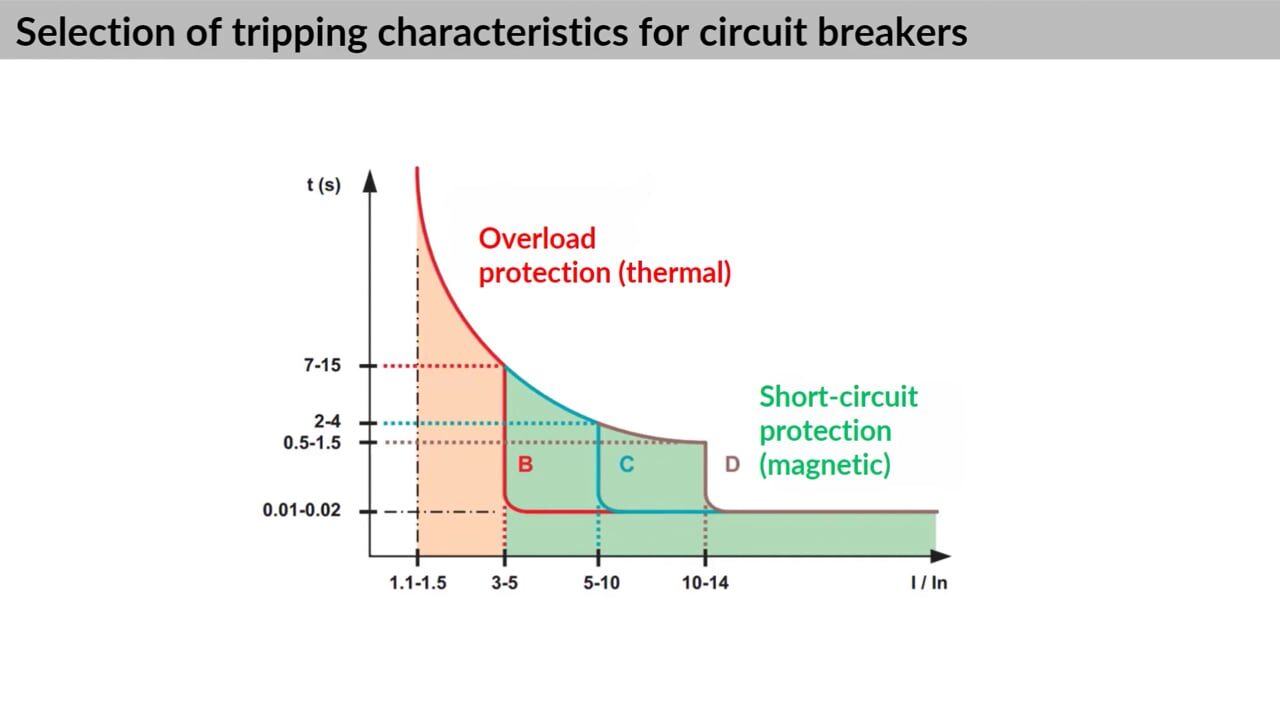
- MCB tripping characteristics B, C and D and how to choose one
- RCD sensitivity levels and protection of socket circuits
Course module
24 V DC control supply
- Three methods of supplying control circuits according to IEC 60204-1
- Earthed control circuits and ground fault protection
- S7-1200 power supply requirements in the Siemens system manual
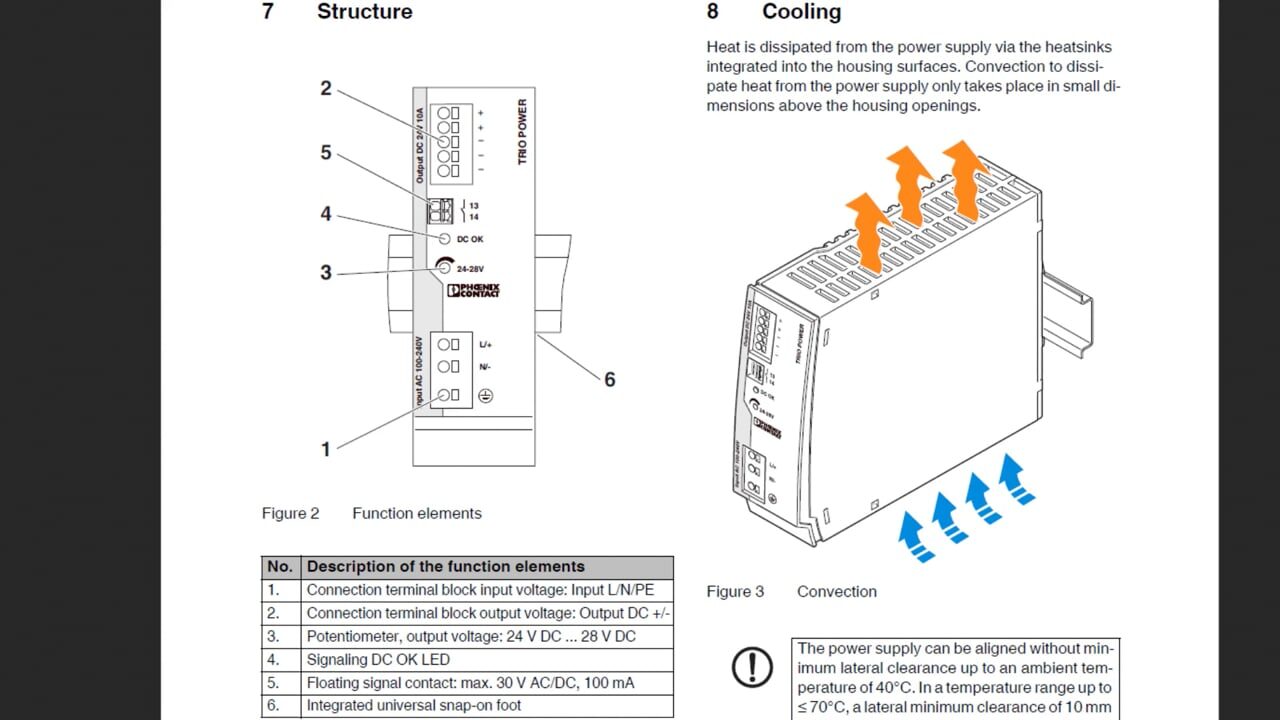
- 24 V DC switch-mode power supply: datasheet, wiring and PELV
Course module
Protecting 24 V DC circuits
- Selecting a cartridge fuse for the PLC from the datasheet
- Time-current curves and protection of PLC outputs
- Miniature circuit breakers in DC circuits
- Electronic circuit breakers: channels, current setting, pros and cons
Course module
Wiring the S7-1200 PLC
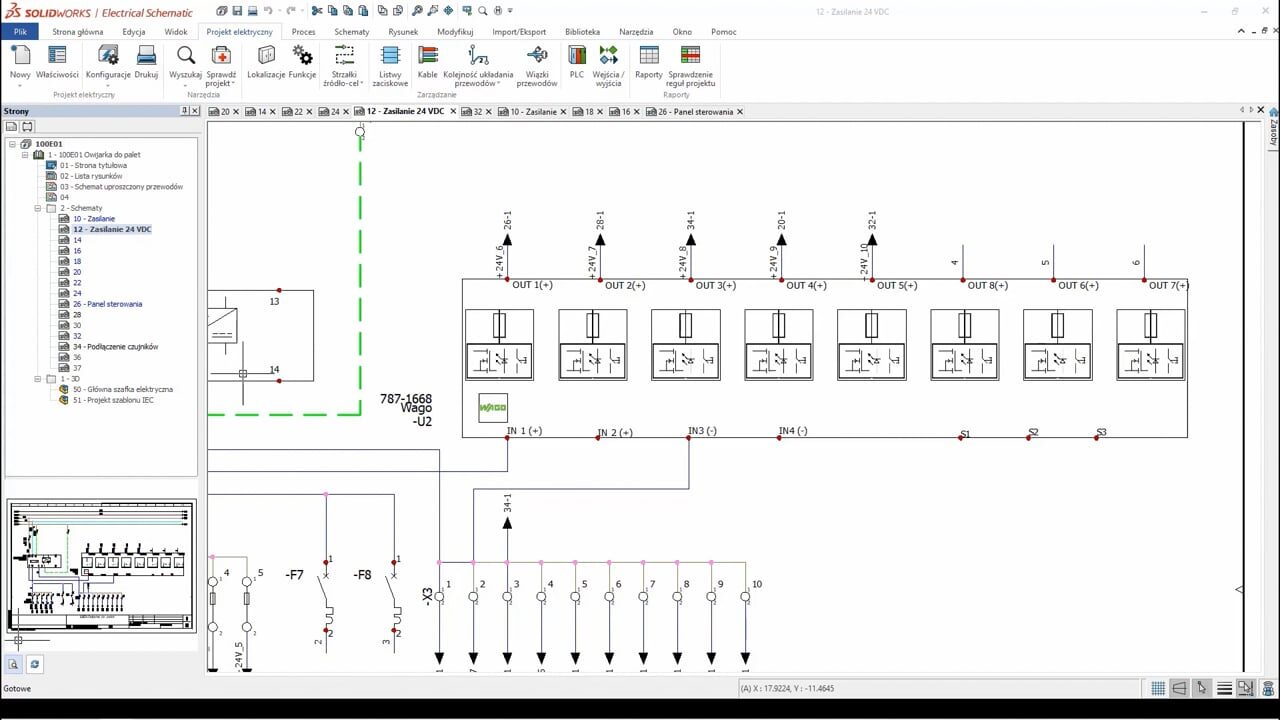
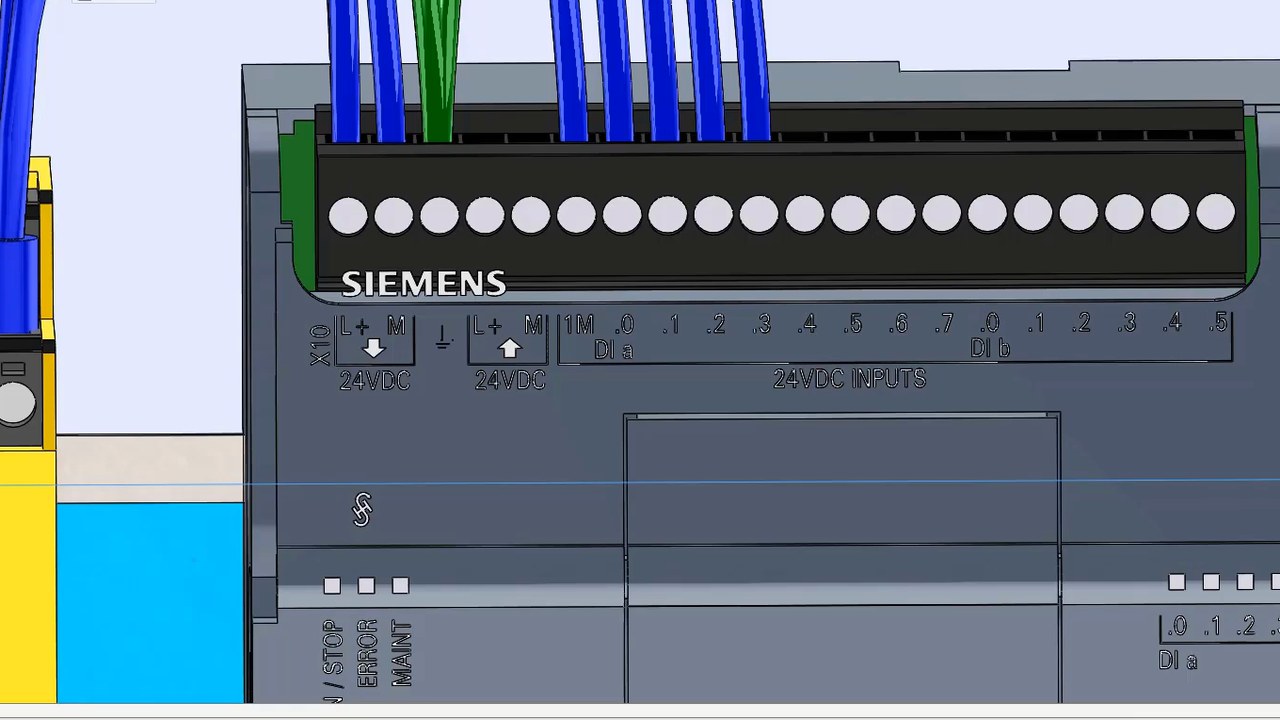
- PLC power wiring on the schematic and in the 3D model
- Push buttons and inductive sensors on digital inputs
- WAGO multilevel terminal blocks for sensors
- Transistor vs relay outputs and the PLC configuration in the Siemens TIA Selection Tool
Course module
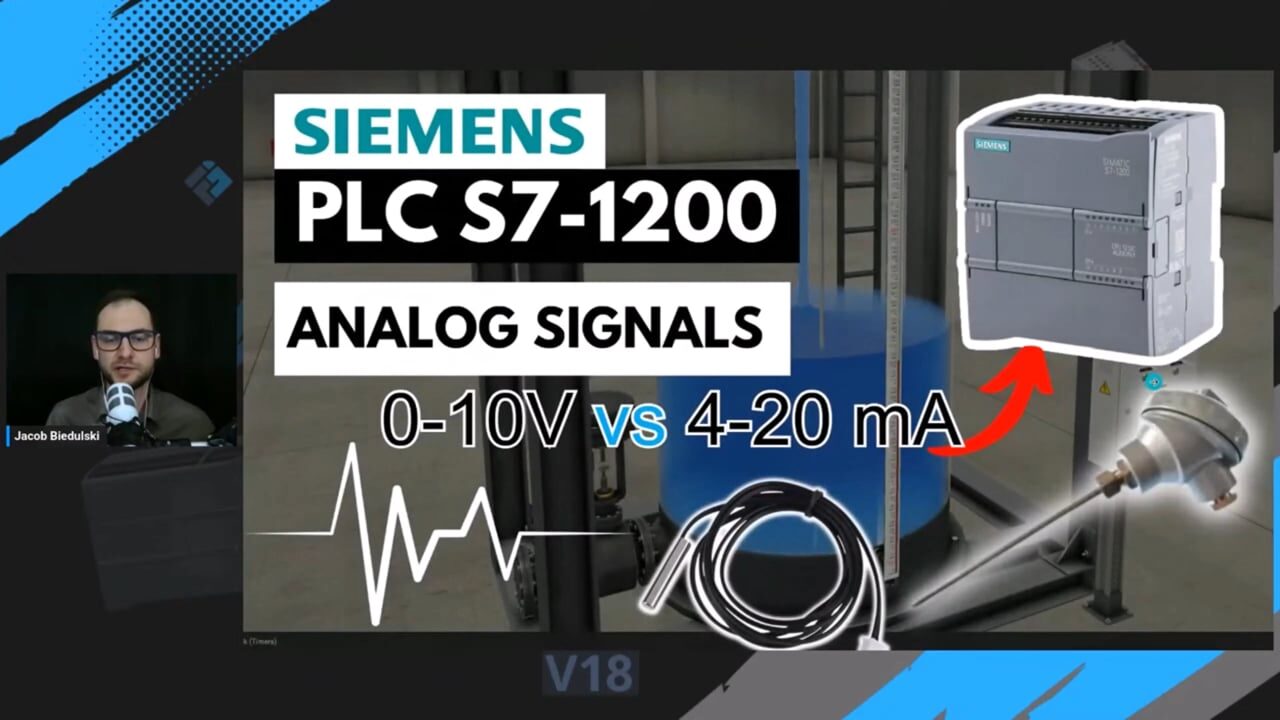
Analog I/O
- Analog signals, ADC and DAC converters, 13-bit vs 16-bit resolution
- 0-10 V or 4-20 mA: choosing the sensor signal
- Wiring 0-10 V and 4-20 mA sensors in 2-, 3- and 4-wire configurations
- Voltage drop, shielded and twisted pair cables
Course module
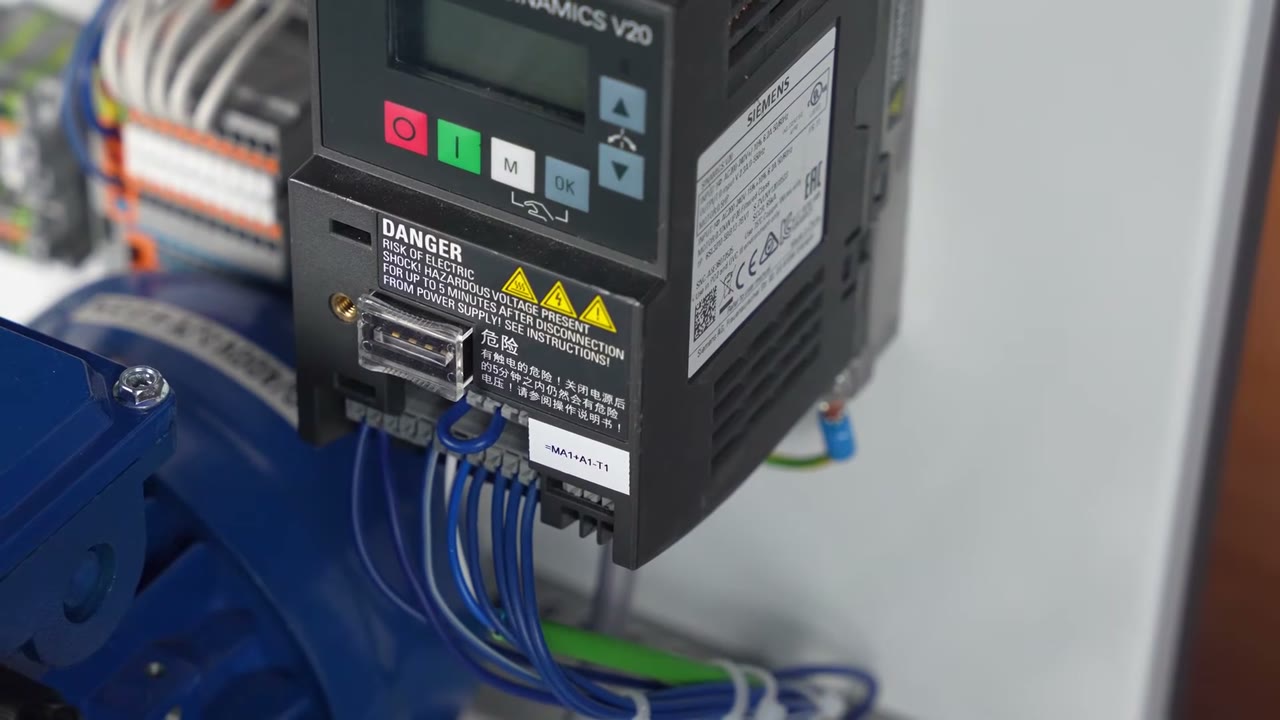
Inverter and servo drive
- SINAMICS V20 inverter for the turntable: schematic, inputs and Safe Torque Off
- How to use the SINAMICS V20 documentation
- SINAMICS V90 servo drive for the foil dispenser: schematic, STO and wiring
- Selecting a servo drive and motor in the Siemens configurator
Course module
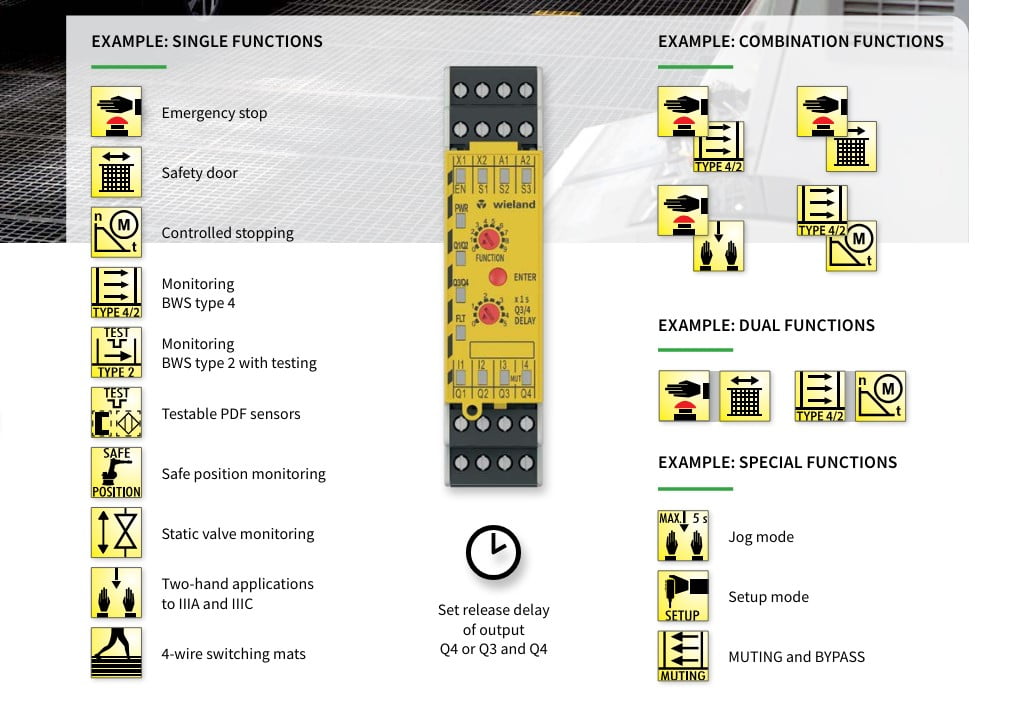
Machine safety with Wieland Electric
- Law and standards in machine safety
- How a machine becomes safe
- Selecting safety functions for the pallet wrapper
- What you need to know to modernize and service machines
Course module
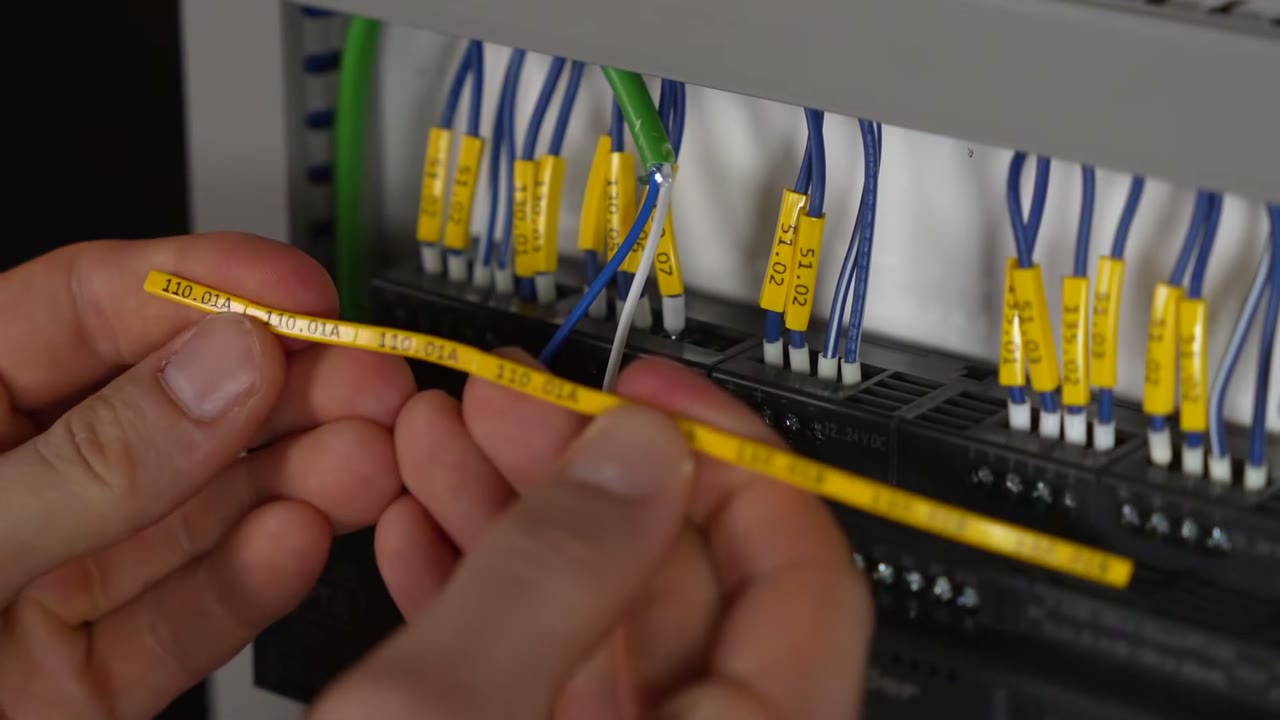
Labeling a control cabinet with Partex MarkOnline
- Wire markers in Partex MarkOnline: PA+10 for power wires, PA+02 for control wires
- Push button and indicator plates, PLTC device labels and the nameplate
- Importing markings from the clipboard and ordering
- Installing the markers according to the schematic
Bonus module
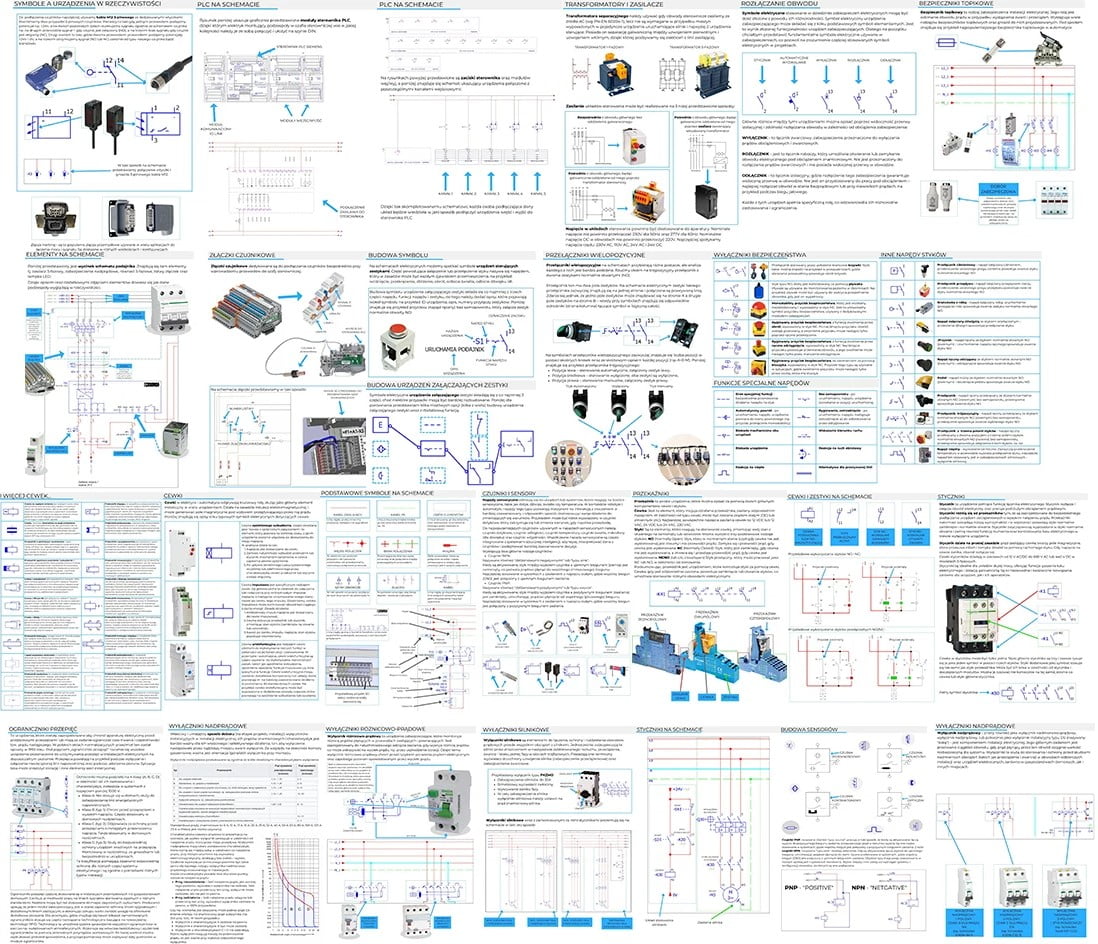
Diagram drawing guide (PDF)
- The most frequently used electrical symbols with explanations
- Photos of equipment and how to read their terminals
- Sensors, buttons, switches, disconnectors and fuses
- Relays, contactors and the topology of the diagram
Industrial automation course curriculum - full table of contents
- 1.1. Course overview: what you learn, the tools and how the challenges work 4:52
- 2.1. Join our Discord: get help and share your challenge solutions 2:00
- 3.1. Download the electrical schematic of the pallet wrapper (PDF) 0:44
- 3.2. Download the Automation Design Guide: component symbols and real devices (PDF) 0:56
- 3.3. Challenge: identify a component symbol on the schematic with the Design Guide 1:19
- 3.4. Challenge: open the 3D model of the control cabinet and find a device 2:25
- 4.1. Pallet wrapper project: how the machine works and the design assumptions Free lesson 4:55
- 4.2. How to read the machine layout: sections, locations and device labels 4:23
- 5.1. How to read an electrical schematic: IEC symbols, E-CAD tools and the mains supply 3:38
- 5.2. Mains supply on terminal strip X1 and the non-energized state of symbols 3:37
- 5.3. Wire tags and device labels: find any device from the schematic in the cabinet 1:13
- 5.4. Sheets and columns: navigate the schematic with cross-references 2:46
- 5.5. 24 V DC power supply G1 and how the schematic distributes it Free lesson 2:23
- 5.6. Challenge: follow potential arrows and find a device in the parts list 2:15
- 7.1. Three-phase induction motors: construction, main parts and supply basics 10:07
- 7.2. Induction motor characteristics: current, speed and torque 8:05
- 7.3. Motor start-up methods compared: DOL, star-delta, soft starter and VFD 4:05
- 7.4. Direct-on-line (DOL) starting: circuit, starting current and torque 5:45
- 7.5. Contactors: how they work, utilization categories and selection criteria 5:39
- 7.6. Challenge: select a contactor for a 4 kW blower (Eaton DILEM) 4:03
- 7.7. Motor protection circuit breakers (MPCB): tripping characteristics and coordination types 5:28
- 7.8. Challenge: select a motor protection circuit breaker (Eaton PKZM0) for the blower 3:51
- 7.9. Motor nameplate, part 1: voltage rating and star or delta connection Free lesson 6:38
- 7.10. Motor nameplate, part 2: duty types S1 to S10 6:16
- 7.11. Motor nameplate, part 3: insulation classes A to H and built-in temperature sensors 5:27
- 7.12. Motor nameplate - quiz
- 8.1. Supply disconnecting device: purpose, symbol and place in the cabinet 1:37
- 8.2. Supply connection: where IEC 60204-1 requires a disconnecting device and which types it allows 3:42
- 8.3. Switch-disconnector: construction, operating handle and mounting requirements 4:06
- 9.1. Selecting a control cabinet enclosure: online catalog review 10:56
- 9.2. Measurements and verification tests of machine electrical equipment (IEC 60204-1, clause 18) 7:57
- 9.3. Challenge: configure an enclosure with system lights in the Rittal configurator 2:15
- 9.4. Control cabinet cooling: fan-and-filter units and where to find the data Free lesson 3:35
- 9.5. Climate control theory: heat load, temperature difference and heat transfer 3:53
- 9.6. Climate control calculations: surface area, heat dissipation and cooling power 2:53
- 9.7. Climate control in the Rittal configurator: selecting an air conditioner and a fan 3:31
- 9.8. Challenge: calculate and select a fan and an air conditioner 2:49
- 9.9. Solution: climate control challenge, calculations step by step 3:11
- 10.1. Service socket circuit: MCB and RCBO on the schematic 2:57
- 10.2. Service socket circuit: MCB and RCBO datasheets and markings 3:47
- 10.3. Service socket circuit: wiring in the 3D model compared with the schematic 1:31
- 10.4. MCB tripping characteristics B, C and D and how to choose one 4:45
- 10.5. RCD selection: sensitivity levels and protection of socket circuits 3:11
- 11.1. Supplying control circuits: three methods according to IEC 60204-1 6:59
- 11.2. Earthed control circuits: ground fault protection on the schematic and in the 3D model 6:56
- 11.3. S7-1200 PLC power supply requirements in the Siemens system manual Free lesson 9:34
- 11.4. 24 V DC switch-mode power supply, part 1: schematic, datasheet and input wiring 8:58
- 11.5. 24 V DC switch-mode power supply, part 2: output wiring, PELV and protection 9:04
- 12.1. Fuses, part 1: selecting a cartridge fuse for the PLC from the datasheet 6:40
- 12.2. Fuses, part 2: time-current curves and protecting PLC outputs 6:48
- 12.3. Miniature circuit breakers in 24 V DC circuits: DC rating and tripping curve 4:17
- 12.4. Electronic circuit breakers: channels, current setting, pros and cons 7:02
- 13.1. Connecting power to the PLC, part 1: power terminals in the S7-1200 manual 5:43
- 13.2. Connecting power to the PLC, part 2: power wiring on the schematic and in the 3D model 5:40
- 13.3. PLC I/O channels on the schematic: grouping terminals by function across sheets 3:58
- 14.1. PLC digital inputs: signal sources, wiring and the input circuit 9:11
- 14.2. Push buttons on PLC inputs, part 1: input channels on the schematic and in 3D 8:39
- 14.3. Push buttons on PLC inputs, part 2: supply from the electronic breaker and wiring order 7:46
- 14.4. Inductive sensor on a PLC input, part 1: input module and its power supply 8:41
- 14.5. Inductive sensor on a PLC input, part 2: input terminals and sensor wiring 7:41
- 14.6. Multilevel terminal blocks, part 1: WAGO sensor terminal blocks and the 3D model 7:18
- 14.7. Multilevel terminal blocks, part 2: schematic symbols, supply distribution and sensor wiring 7:36
- 15.1. PLC outputs: transistor vs relay outputs and how to choose 6:03
- 15.2. PLC digital outputs on the schematic: SM 1223 module, loads and wiring 5:45
- 16.1. Homework: configure the PLC system in the Siemens TIA Selection Tool 15:45
- 17.1. Analog signals: introduction, ADC and DAC converters 8:14
- 17.2. Analog resolution and scaling: 13-bit vs 16-bit converters in TIA Portal 9:51
- 17.3. 0-10 V or 4-20 mA: choosing the signal of an analog sensor 7:14
- 17.4. Wiring a 3-wire 0-10 V sensor to the S7-1200 analog module 7:17
- 17.5. Wiring a 4-wire 0-10 V sensor with an isolated signal ground 2:25
- 17.6. 0-10 V signal problems: voltage drop and how to prevent it 3:08
- 17.7. Cables for analog sensors: shielded and twisted pair 2:31
- 17.8. Current loop or voltage signal: pros and cons 1:23
- 17.9. Wiring a 2-wire, loop-powered 4-20 mA sensor 4:16
- 17.10. Wiring a 4-wire 4-20 mA sensor 3:16
- 17.11. Quiz - analog
- 18.1. Frequency inverter for the turntable: schematic, inputs, STO and protection 8:39
- 18.2. SINAMICS V20 inverter: how to use the documentation 6:31
- 18.3. Servo drive for the foil dispenser: SINAMICS V90 schematic, STO and wiring 7:23
- 18.4. Challenge: select a servo drive and motor in the Siemens configurator 4:12
- 19.1. Introduction to machine safety (webinar with Wieland Electric) 55:56
- 19.2. What you need to know about safety systems to modernize and service machines
- 20.1. How to label a control cabinet: Partex MarkOnline, PA+10 power wire markers and PA+02 control wire markers 3:05
- 20.2. Importing markings from the clipboard, push button and indicator plates, PLTC device labels, nameplate and order 4:18
- 20.3. Installing the markers according to the schematic: power wires, RS485, VFD, push buttons and nameplate 5:42
- 21.1. Get your course certificate and share it on LinkedIn 4:44
Sample lessons
Watch free fragments of the course before you buy.
Pallet wrapper project: how the machine works and the design assumptions
Watch the lesson →24 V DC power supply G1 and how the schematic distributes it
Watch the lesson →Standards and directives: CE marking, harmonized standards and IEC 60204-1
Watch the lesson →What Industry Experts Are Saying About Us
Dobot Robotics - Our Industry Partner
Automa.Net - Our Industry Partner
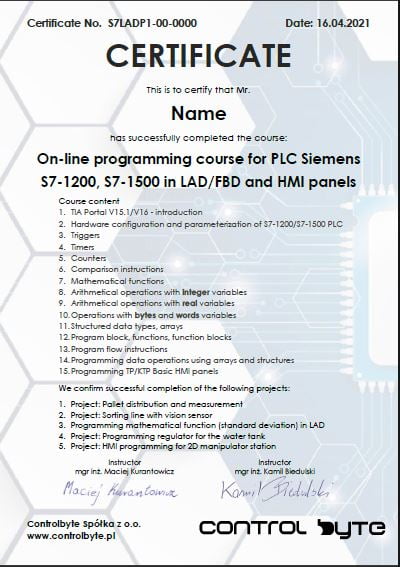
Get your certificate and share it on LinkedIn
- Gain a skill highly valued by employers in automation
- Publish the certificate on LinkedIn and add it to your CV
- Lifetime access to the materials - come back whenever you need
Support on Discord

You are not alone - an international community of automation engineers and PLC programmers is waiting for you.
- Lifetime access to the support server with the instructors
- Code reviews of your programs on a dedicated channel
- Answers to your questions on business days
- Conversations with other automation engineers from around the world
Bonuses included with the course

Discord forum and chat for students
Join our private Discord server for PLC programmers. Ask questions, share projects and get help from instructors and fellow engineers.
Homework review and feedback
Send us your homework. We review it and send comments so your programs get better and better.

Certificate of completion
A personalised certificate with a unique number that you can share on LinkedIn and add to your CV.

Lifetime access and updates
Permanent access to all course materials, updates and new content added in the future.
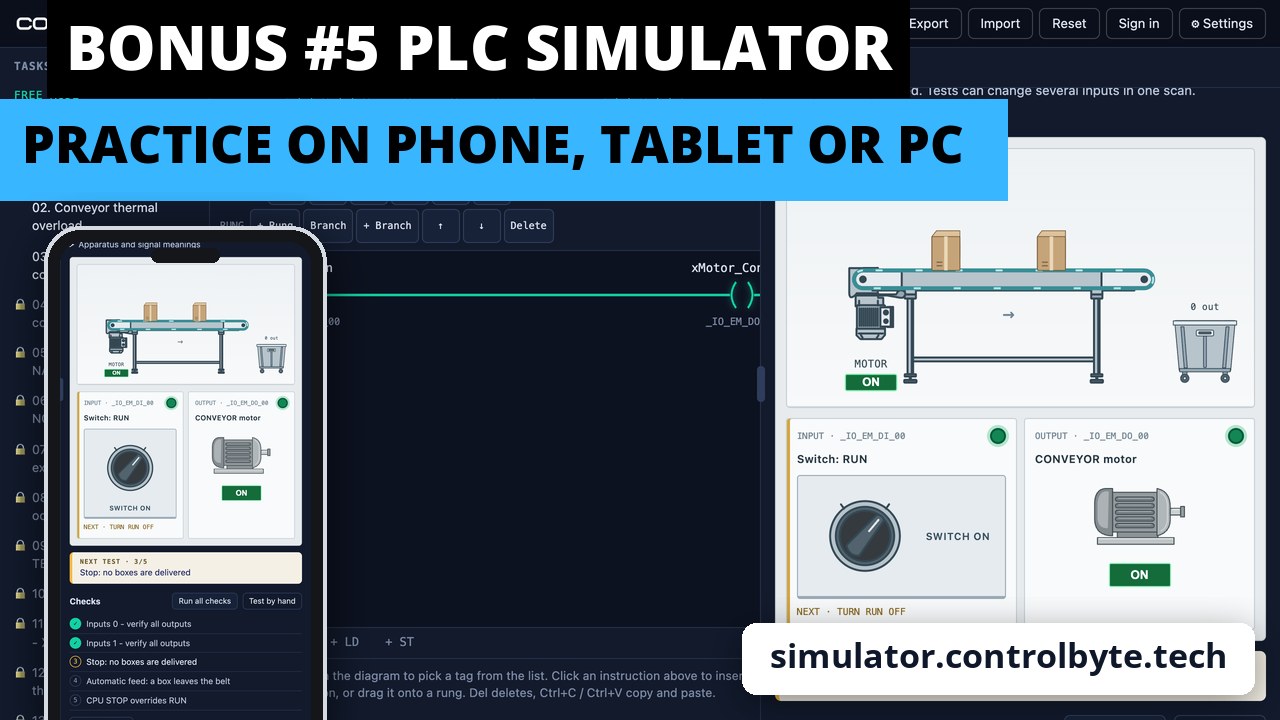
Virtual PLC Simulator in your browser
Write your first ladder logic programs and test them on animated machines at simulator.controlbyte.tech. Practice on your phone, tablet or PC with no installation. Course students unlock all tasks.
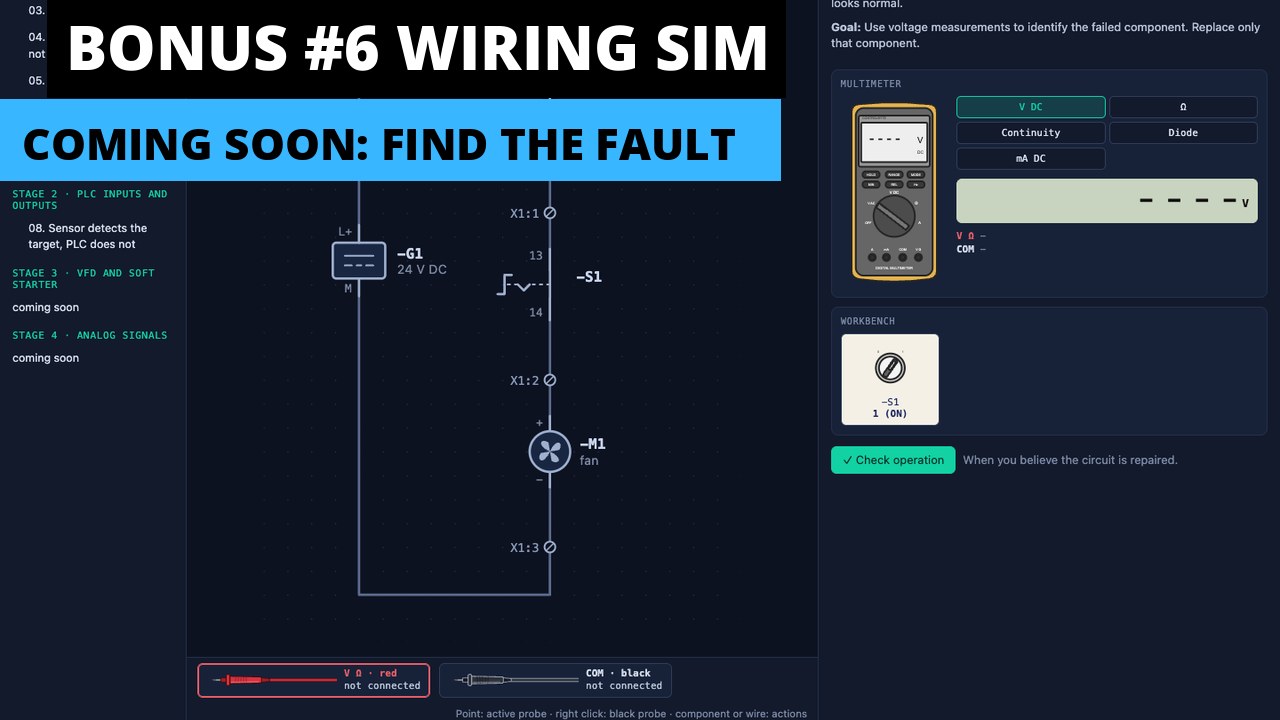
Coming soon: Wiring Sim electrical circuit simulator
We are building a browser simulator for troubleshooting 24 V DC circuits: place the multimeter probes, find the fault and verify the repair. In development, no launch date yet. Free for course students at launch.
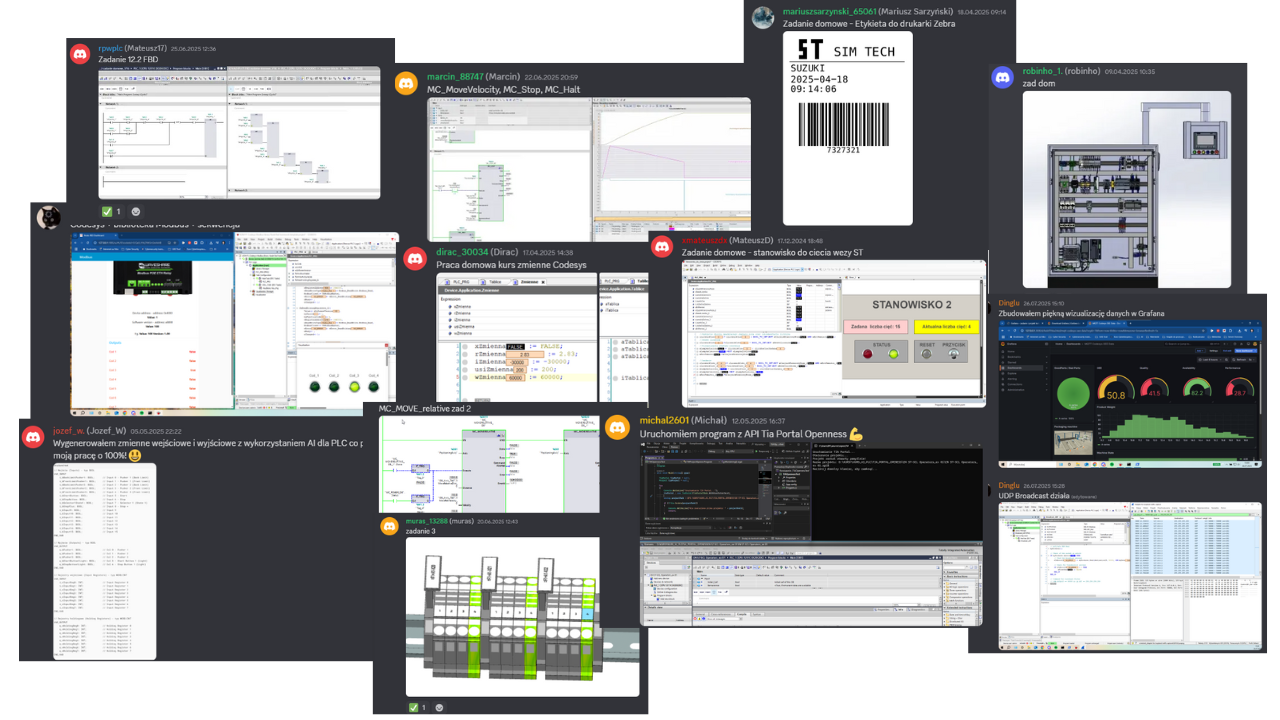
Homework from our students
A few screenshots and photos students share on Discord while completing assignments.
Course price
Before we show you the price, see exactly what you get:
Buying for your company? PLC training for teams: all ControlByte courses, the PLC Simulator and trainer support in one annual plan, from 3 learners.
You get a satisfaction guarantee
We guarantee you will be satisfied with the course. If it is not what you expected, you have 14 days to request a refund and we will return the full amount.
- 14 days to request a refund
- On the market since 2019
- Secure online payments
- VAT invoice for companies
- CardVisa, Mastercard (Stripe)
- PayPalpay with your PayPal account
- Bank transferon request for companies
Satisfaction guarantee - 14 days to request a refund
Ready to start?
Thanks to our proven training formula and cost optimization, you can get this course for:
Industrial automation basics and electrical diagrams course
A foundation course for future automation engineers, maintenance electricians and students: how a machine, its control cabinet and its electrical diagram fit together, explained on a real pallet wrapper project. Industrial automation connects sensors, PLCs, drives, HMI panels and SCADA systems into one control system that runs a manufacturing line. Before you write your first PLC program it pays to understand that architecture: where the signals come from, how the electrical diagram describes them and how the control cabinet is built. This course gives you that real-world foundation, so later PLC, HMI and SCADA training makes sense from day one.
Reading electrical wiring diagrams
Symbols, cross references, power and control circuits, how to follow a signal from the sensor through the terminal strip to the PLC input.
Motors, supply and protection
Electric motors, machine supply systems, overcurrent protection, enclosure selection and measurements in low-voltage switchgear according to IEC 60204-1.
Devices in the control cabinet
Relays, contactors, power supplies, drives, safety components and the PLC: where each one sits in the cabinet and how it appears on the diagram.
Automation Design Guide and community
You receive the Automation Design Guide PDF and join the Discord group, where you can ask about your own projects after the course.
Industrial automation course - frequently asked questions
Click "Get access" on this page. You will go to the checkout where you pay online (card, PayPal). Your login details for the platform arrive by e-mail right after the payment is confirmed.
Lifetime. You can come back to the lessons whenever you want, and you also get all future updates of the course.
No special requirements. You will start with the basics of automation systems design, reading electrical diagrams and more! The course is designed so that you can complete it on free simulators and trial versions of the software shown in the lessons.
Yes. After completing the course you receive a ControlByte certificate of completion that you can share on LinkedIn and add to your CV.
You have 14 days to request a full refund, no questions asked.
Ask the instructors on our Discord support server or in the comments under the lesson. We reply on business days.
With a 14-day money-back guarantee
Start today. Lifetime access · Discord support · Certificate.
Get access
Regular price €280 | Current price €189
14 days to request a refund · Lifetime access · Support