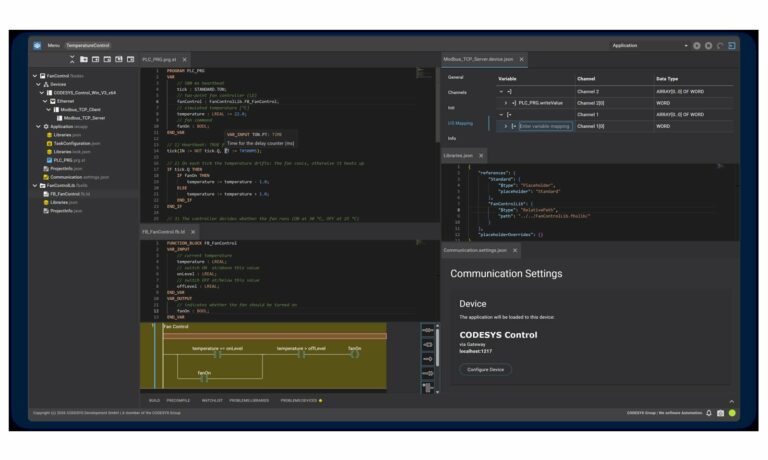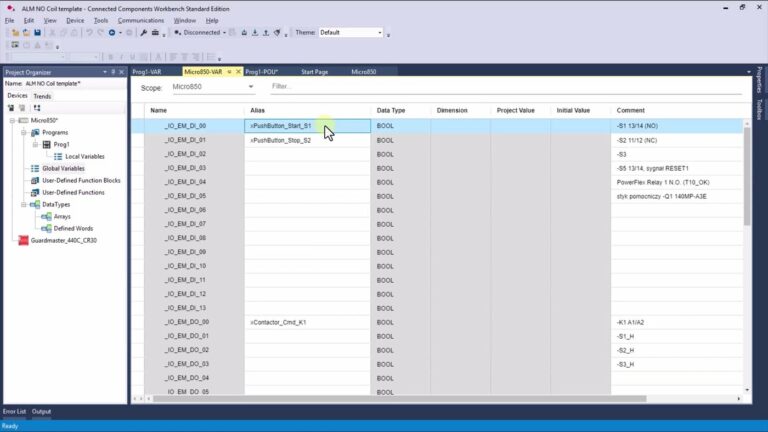
Most PLC programmers work with graphical languages such as LAD or FBD. The fourth industrial revolution, however, sets new challenges for automation engineers. Many applications now require calculations and data processing to happen at the lowest level of the industrial device stack, that is, directly in the PLC.
To build more advanced applications, you need to know a high-level text language, and for Siemens controllers that language is SCL (Structured Control Language).
Programming languages for PLCs
IEC 61131-3 is an international standard for programming in industrial automation. It was developed by the International Electrotechnical Commission (IEC) and defines standards for programming languages, development environments and user interfaces in industrial automation systems. The standard ensures interoperability between different automation systems by establishing common rules for programming and communication, which makes it easy to build and integrate different systems into one coherent whole. IEC 61131-3 is widely used across the automation industry worldwide. You can read the official scope on the IEC 61131-3 page.
IEC 61131-3 defines five programming languages for industrial automation systems:
- LD (Ladder Diagram), which lets you build programs with ladder schematics. It is popular among electricians and known for its simplicity and intuitiveness.
- FBD (Function Block Diagram), which lets you build programs from function blocks. It is aimed at electrical and electronics engineers.
- SFC (Sequential Function Chart), which lets you build programs with sequential diagrams. It is aimed at process and automation engineers.
- ST (Structured Text), which lets you build programs in a structured text language. It is aimed at programmers and software engineers.
- IL (Instruction List), which lets you build programs from instruction lists. It is aimed at electricians and electronics engineers.
All of these languages conform to IEC 61131-3 and can be used to program PLCs in industrial applications. Each has its own strengths and weaknesses, so the right choice depends on the individual needs and preferences of the programmer.
SCL and the IEC 61131-3 standard
Siemens PLC programming languages conform to IEC 61131-3, including SCL. SCL is the Siemens equivalent of the ST (Structured Text) language.
SCL syntax
SCL syntax is based on the constructs of procedural languages, such as loops and conditional statements, which makes it possible to write efficient and precise control algorithms. SCL also supports Boolean logic, which lets you perform operations on logic values (true/false) and compare values using comparison operators (for example greater than, less than).
Boolean operations in SCL
SCL offers Boolean instructions that let you perform logic operations on Boolean values, that is, TRUE or FALSE.
Example Boolean instructions in SCL:
- AND: the AND instruction checks whether both Boolean values are true at the same time. If both are true, it returns TRUE, otherwise it returns FALSE. For example, "A AND B" returns TRUE if both A and B are true.
// Check whether both A and B are true
IF (A AND B) THEN
    // Execute these statements if A and B are true
    ...
ELSE
    // Execute other statements if A or B is false
    ...
END_IF
- OR: the OR instruction checks whether at least one of the Boolean values is true. If at least one is true, it returns TRUE, otherwise it returns FALSE. For example, "A OR B" returns TRUE if A is true, or B is true, or both.
// Check whether at least one of A or B is true
IF (A OR B) THEN
    // Execute these statements if at least one of A or B is true
    ...
ELSE
    // Execute other statements if both A and B are false
    ...
END_IF
- NOT: the NOT instruction negates a Boolean value. If the value is true, it returns FALSE, otherwise it returns TRUE. For example, "NOT A" returns TRUE if A is FALSE, and FALSE if A is TRUE.
// Negate the value of variable A
A := NOT A;
If you want to go deeper into these operators with hands-on examples, see Boolean operations in SCL, part 1.
IF...ELSE conditional statements
The IF-ELSE conditional statement in SCL lets you run specific instructions depending on whether a condition is met or not. It has three parts: the condition in the IF statement, the section of instructions executed when the condition is met in the THEN branch, and the section of instructions executed when the condition is not met in the ELSE branch. It can also include an additional ELSIF clause, which checks another condition when the first one is not met. The example below illustrates the use of the IF-ELSE conditional statement in SCL:
// Check whether variable A is greater than B
IF (A > B) THEN
    // If so, execute these statements
    ...
// Otherwise check whether A equals B
ELSIF (A = B) THEN
    // If so, execute other statements
    ...
// Otherwise execute the statements in the ELSE branch
ELSE
    ...
END_IF
The IF-ELSE conditional statement is useful for implementing a wide range of algorithms in PLCs, allowing the program to react dynamically to changing conditions in the control process. See also the IF...THEN instruction in SCL, part 2.
Comparison operators
Comparison operators in SCL let you check the relationship between the values of variables or expressions. They return the result as a BOOL value, TRUE or FALSE.
These are the operators:
- = equality, checks whether two values are equal
- <> inequality, checks whether two values are different
- < less than, checks whether the left value is smaller than the right value
- > greater than, checks whether the left value is greater than the right value
- <= less than or equal, checks whether the left value is smaller than or equal to the right value
- >= greater than or equal, checks whether the left value is greater than or equal to the right value
Comparison operators are often used inside IF-ELSE conditional statements to check whether given conditions are met. The example below illustrates the use of comparison operators in SCL:
// Check whether variable A is greater than B
IF (A > B) THEN
    // If so, execute these statements
    ...
ELSE
    // Otherwise execute other statements
    ...
END_IF
Tank level control program with digital level sensors
The SCL program below controls the liquid level in a tank using digital low-level and high-level sensors and an on/off pump. It uses the Boolean NOT instruction and the IF-ELSE conditional statement.
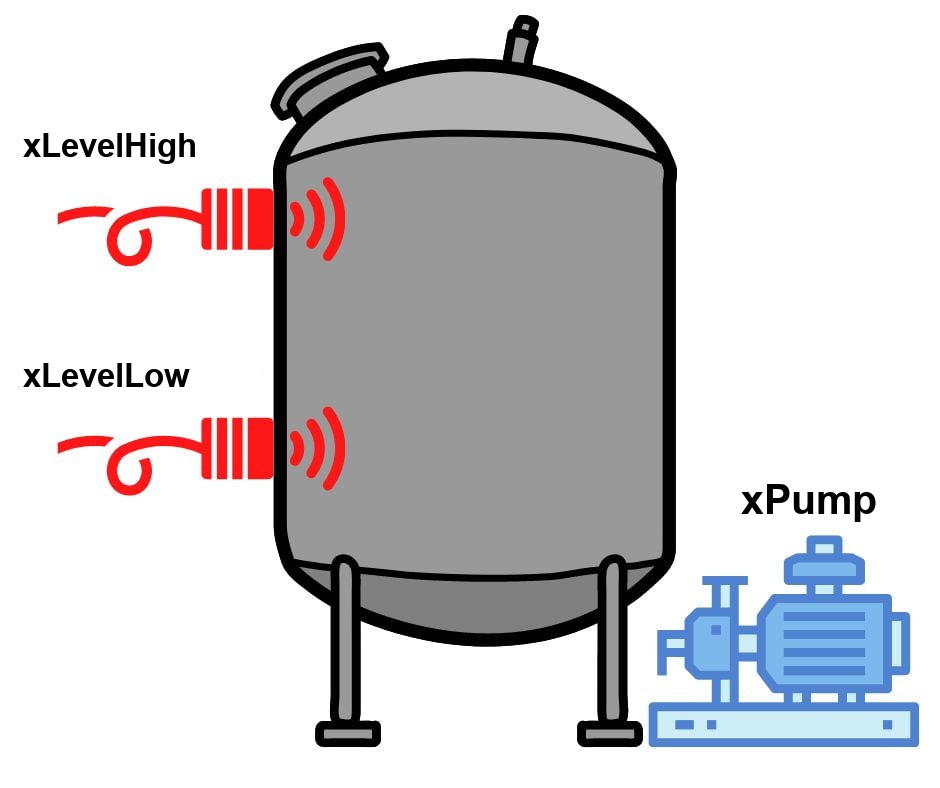
// Check whether the liquid level is below the low level
IF (NOT xLevelLow) THEN
    // If so, turn the pump on
    xPump := TRUE;
// Otherwise check whether the liquid level is above the high level
ELSIF (xLevelHigh) THEN
    // If so, turn the pump off
    xPump := FALSE;
END_IF
Hysteresis means the pump is turned on only after the liquid drops below the low level, and turned off only after it rises above the high level. This avoids a situation where the pump constantly switches on and off when the level sits close to the thresholds, which would cause unnecessary energy use and wear. The low and high level values can be adjusted to a specific application to get optimal behavior of the level control system.
Tank level control program with an analog level sensor
The SCL program below controls the liquid level in a tank using an analog level sensor and an on/off pump. It uses the IF-ELSE conditional statement and comparison operators to check the current level and switch the pump on or off at the right moment.
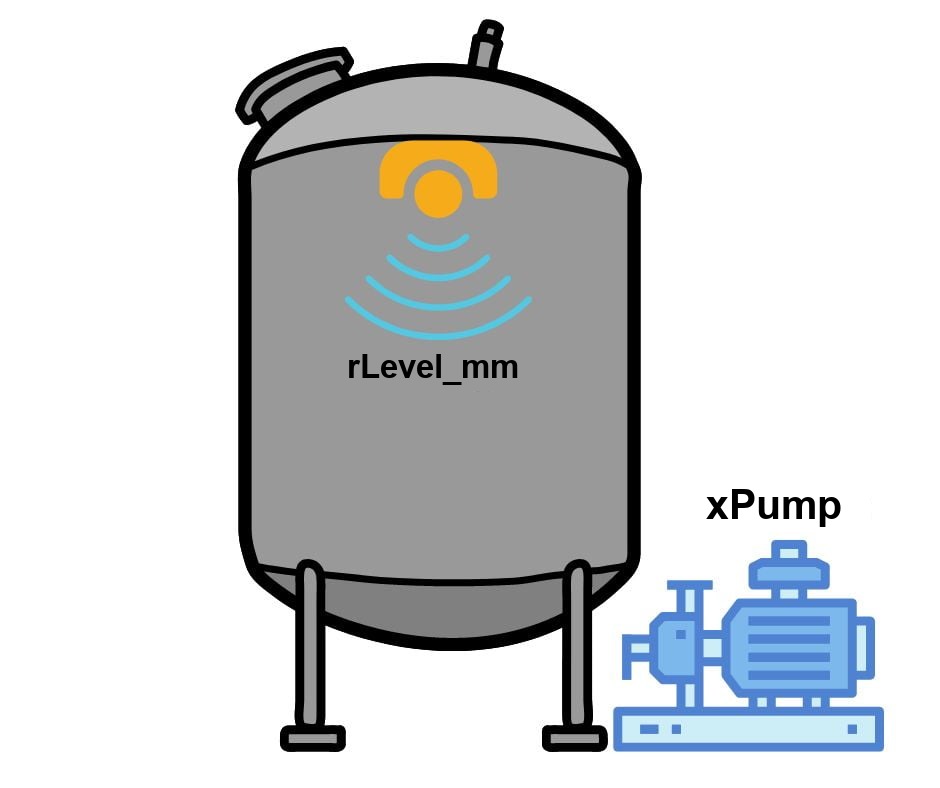
// Store the low and high setpoints in variables
rSetpointLow_mm  := 500.0;
rSetpointHigh_mm := 1000.0;

// Check whether the current level is below the low setpoint
IF (rLevel_mm < rSetpointLow_mm) THEN
   // If so, turn the pump on
   xPump := TRUE;
// Otherwise check whether the current level is above the high setpoint
ELSIF (rLevel_mm > rSetpointHigh_mm) THEN
   // If so, turn the pump off
   xPump := FALSE;
END_IF
This program keeps the tank level within the desired range between the low and high thresholds by switching the pump. You can freely modify and adapt it to specific needs, for example by changing the level setpoints or adding extra instructions for more advanced control behavior.
SCL programming in TIA Portal: creating your first block
In Siemens TIA Portal, SCL is available for SIMATIC S7-1200 and S7-1500 controllers (in STEP 7 Classic it was the S7-SCL option for S7-300/400). To start SCL programming, open your project, go to Program blocks, double-click Add new block, choose a function block (FB), function (FC) or organization block (OB) and select SCL as the language. The editor shows the block interface (Input, Output, InOut, Static, Temp) at the top and the code area below.
A few things that make SCL in TIA Portal easier to work with:
- Comments: use // for a single line and (* ... *) for a block comment. Good comments are the first thing a colleague reads when troubleshooting your code.
- REGION ... END_REGION lets you fold the code into named sections, which keeps long blocks readable.
- Monitoring: click Monitoring on/off (the glasses icon) and TIA Portal shows live values next to each line of code, so you can debug the program while the PLC is running.
- Compile often - errors and warnings point to the exact line and column.
Loops, arrays and data types in SCL
The real advantage of a text-based language shows up when you process data. A FOR loop over an array replaces dozens of rungs of ladder logic:
// Find the maximum temperature in an array of 10 sensors
#rMax := #arTemp[1];
FOR #i := 2 TO 10 DO
    IF #arTemp[#i] > #rMax THEN
        #rMax := #arTemp[#i];
    END_IF;
END_FOR;
SCL supports all standard data types (Bool, Int, DInt, Real, LReal, Time, String), arrays, structures and PLC data types (UDT). WHILE and REPEAT loops are also available, but remember that the whole loop runs inside one PLC scan: a loop that waits for an input never ends and the CPU goes to STOP when the cycle time is exceeded. CASE statements are the cleanest way to write a step sequence, and SCL code is easy to reuse in libraries and to version-control.
SCL vs ladder logic and STL
SCL does not replace LAD or FBD. Simple interlocks and motor control are still easier to read in ladder logic, especially for maintenance staff looking at the program on an HMI or a laptop. Use SCL for complex math, data handling, string operations, recipes and communication. STL (Statement List) is the older low-level language of STEP 7; it is not available on the S7-1200, and for new projects on the S7-1500 Siemens recommends SCL instead.
If you already know Structured Text from CODESYS, read our introduction to Structured Text programming - the syntax is almost identical. To learn SCL step by step with practical exercises in TIA Portal, see the full Siemens SCL language course.
In summary: what is SCL ideal for?
SCL has a rich set of mathematical operators for basic arithmetic such as addition, subtraction, multiplication and division. It also supports more advanced calculations, such as square roots, powers and logarithms.
SCL syntax lets you program functions and function blocks that process data in an extremely compact way. The same program written in a graphical language would take up many times more space in the code editor.
The SCL code below implements a function that computes the roots of a quadratic equation of the form ax^2 + bx + c = 0. The function takes three inputs, the coefficients a, b and c, and writes the two roots to its outputs. The return value is TRUE when real roots exist and FALSE when they do not (negative discriminant or a = 0). The listing is in the external source format; in the TIA Portal block editor you declare the same inputs, outputs and temp variables in the interface table, and the # prefix marks local variables.
FUNCTION "fcQuadraticRoots" : Bool
   VAR_INPUT
      a : Real;
      b : Real;
      c : Real;
   END_VAR
   VAR_OUTPUT
      rRoot1 : Real;
      rRoot2 : Real;
   END_VAR
   VAR_TEMP
      rDelta : Real;
   END_VAR
BEGIN
   // Calculate the discriminant
   #rDelta := #b * #b - 4.0 * #a * #c;
   // Real roots exist only for a <> 0 and a non-negative discriminant
   IF #a <> 0.0 AND #rDelta >= 0.0 THEN
      #rRoot1 := (-#b + SQRT(#rDelta)) / (2.0 * #a);
      #rRoot2 := (-#b - SQRT(#rDelta)) / (2.0 * #a);
      #fcQuadraticRoots := TRUE;
   ELSE
      // No real solution: zero the outputs and report it in the return value
      #rRoot1 := 0.0;
      #rRoot2 := 0.0;
      #fcQuadraticRoots := FALSE;
   END_IF;
END_FUNCTION
Want to keep going? Continue with our hands-on SCL series: Boolean operations #1, the IF...THEN instruction #2 and triggers and timers #3.
SCL programming - FAQ
Is SCL the same as Structured Text?
SCL is the Siemens implementation of Structured Text (ST) from IEC 61131-3. The basic syntax, operators and control statements are the same; the differences are in details such as the # prefix for local variables, Siemens-specific instructions and system data types.
Can I convert ladder logic to SCL in TIA Portal?
There is no one-click conversion of an existing LAD network into SCL, so you rewrite the logic by hand or with help from an AI assistant. We show one approach in converting TIA Portal ladder logic to SCL with AI.