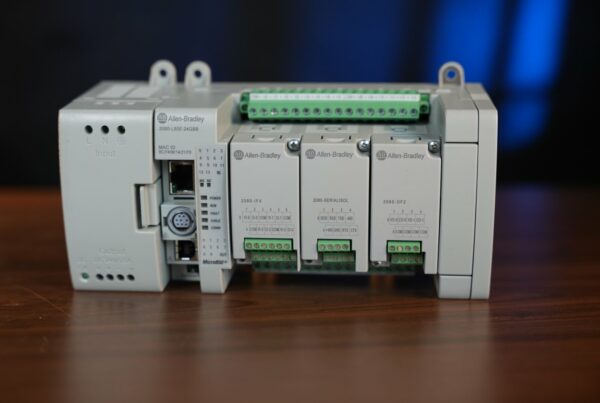
Allen-Bradley controllers from Rockwell Automation are one of the most popular industrial automation ecosystems in the world. In this post you will get to know the entire portfolio: from the economical Micro800 series, through the modular CompactLogix, all the way to the chassis-based ControlLogix platform programmed in the Studio 5000 environment.
We will go over the architecture of the 1756 system: the power supply, chassis, processors, the EN2T communication module, and the input/output modules. This is the foundation that every automation engineer starting out with Allen-Bradley hardware needs to know.
This is the first part of the series on Allen-Bradley controllers. In the upcoming posts: installing Studio 5000 and your first program and Boolean logic in ladder logic.
The Allen-Bradley controller portfolio forms a consistent and scalable structure that adapts to the level of complexity of any automation project.
The solutions start with the economical Micro800 series, programmed in the Connected Components Workbench environment, ideal for controlling standalone machines using simple, compact modules.
One level up is the CompactLogix family, which offers a chassis-free, modular design along with integrated motion control (Motion) and safety, setting the standard for modern production lines.
The highest performance is delivered by the chassis-based ControlLogix platform, which allows multiprocessor operation and the construction of high-availability systems with full hardware redundancy. The entire system, except for the Micro800 series, is programmed in a single Studio 5000 Logix Designer environment, which guarantees easy code migration and consistent diagnostics at every level of project complexity.
Micro800 series controllers
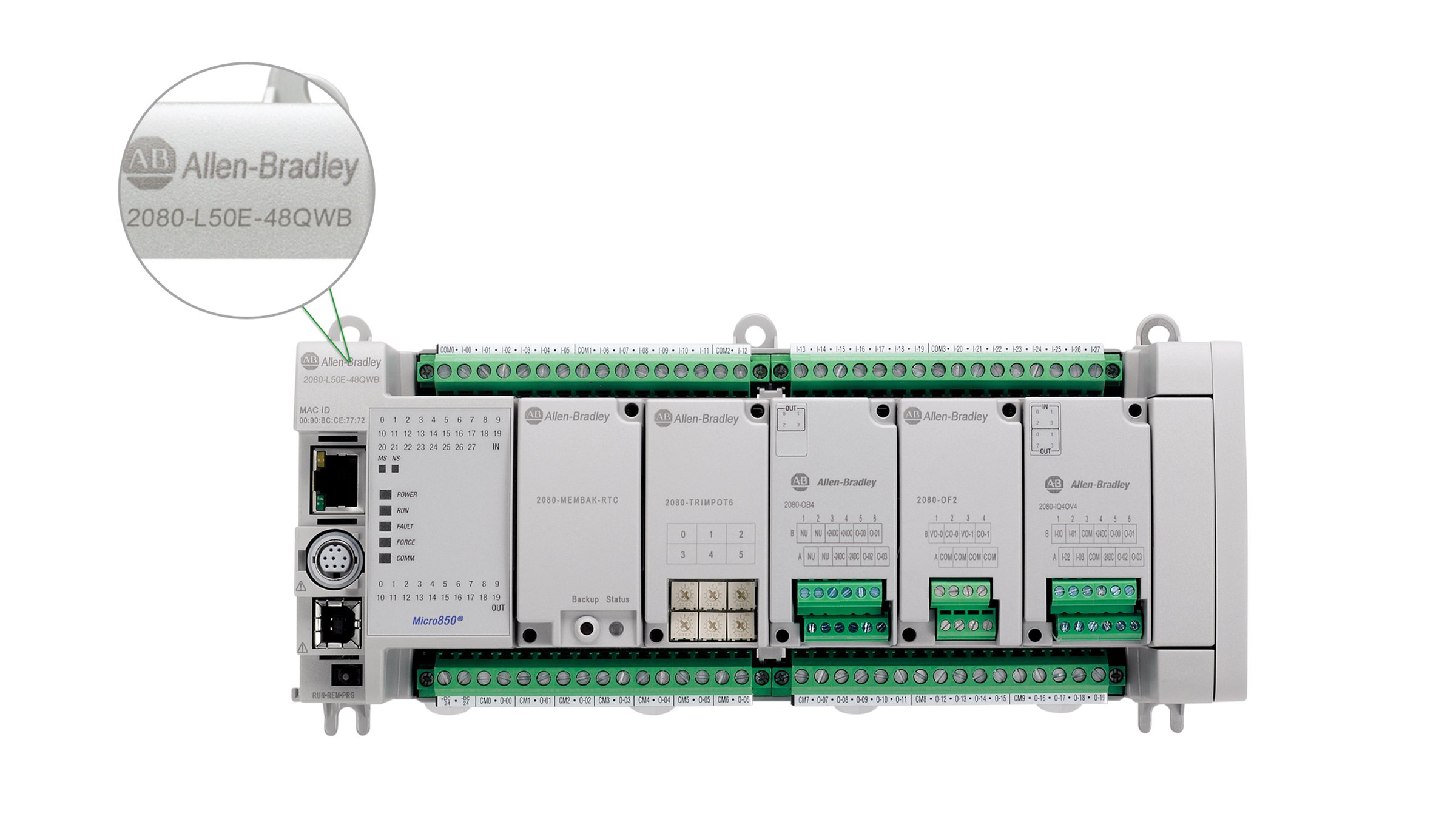
The Micro800 series is a family of PLC controllers programmed in the Connected Components Workbench environment, compliant with the IEC 61131-3 standard. The key technological distinction of this series is its modular Plug-in design, which allows you to extend functionality with additional communication ports, analog inputs, or specialized modules without changing the physical size of the base unit. These controllers support advanced motion control functions through high-speed counters HSC and pulse-train outputs PTO, while also providing flexible connectivity over EtherNet/IP and Modbus TCP.
CompactLogix series controllers
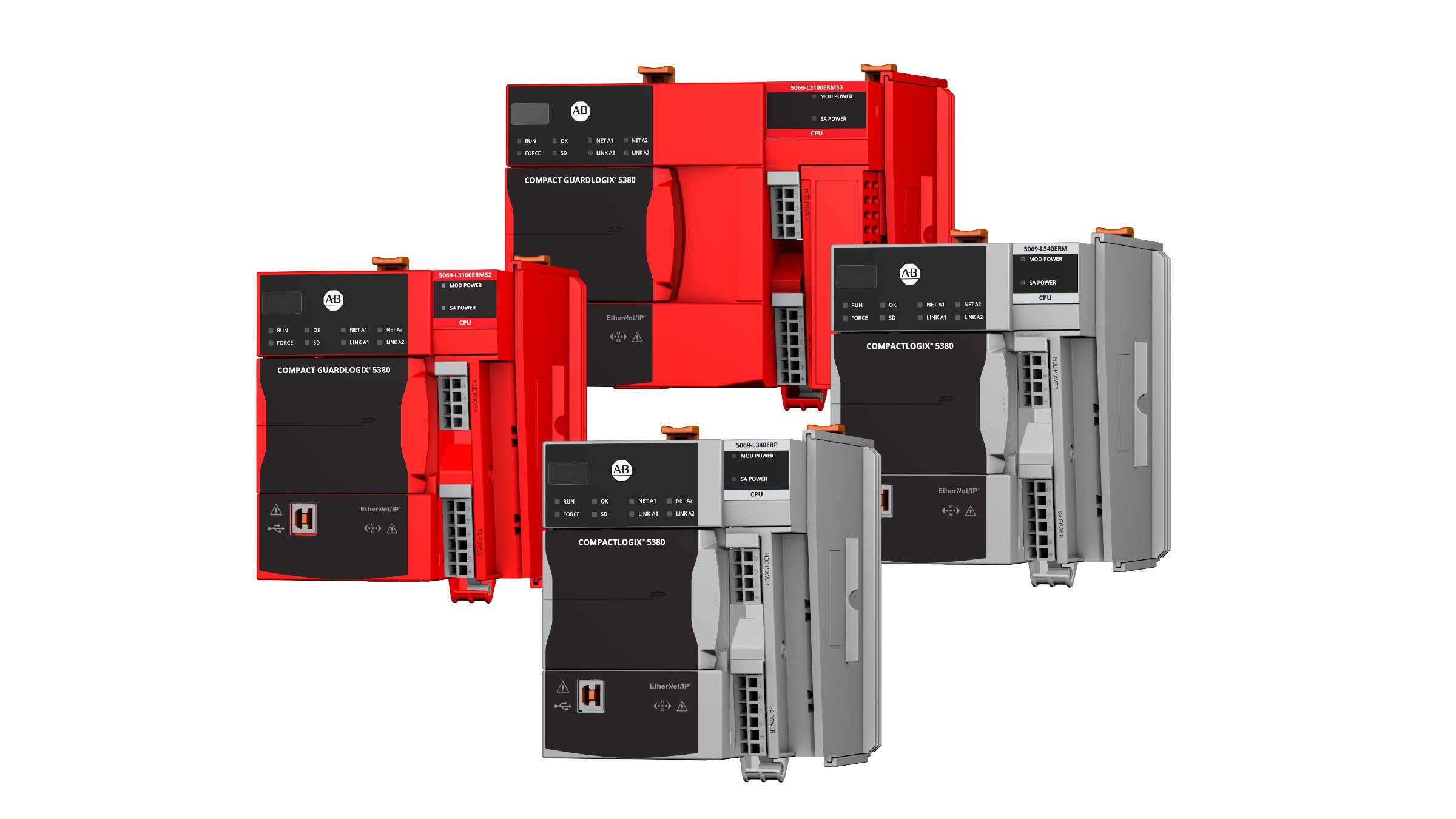
CompactLogix is a series positioned between simple controllers and the most advanced industrial systems, running in the professional Studio 5000 Logix Designer environment. This system uses the same control engine as the powerful ControlLogix processors, which makes it easy to move code between different machines and to work on the standard used in the largest factories in the world. For the user, the key feature is Integrated Motion, which enables control of servo drives over the EtherNet/IP network using ready-made, intuitive motion instructions built into the controller. The entire design is modular, meaning you can snap dedicated input/output modules onto the rail next to the central unit, giving yourself instant diagnostics and precise real-time signal processing.
ControlLogix (1756) series controllers
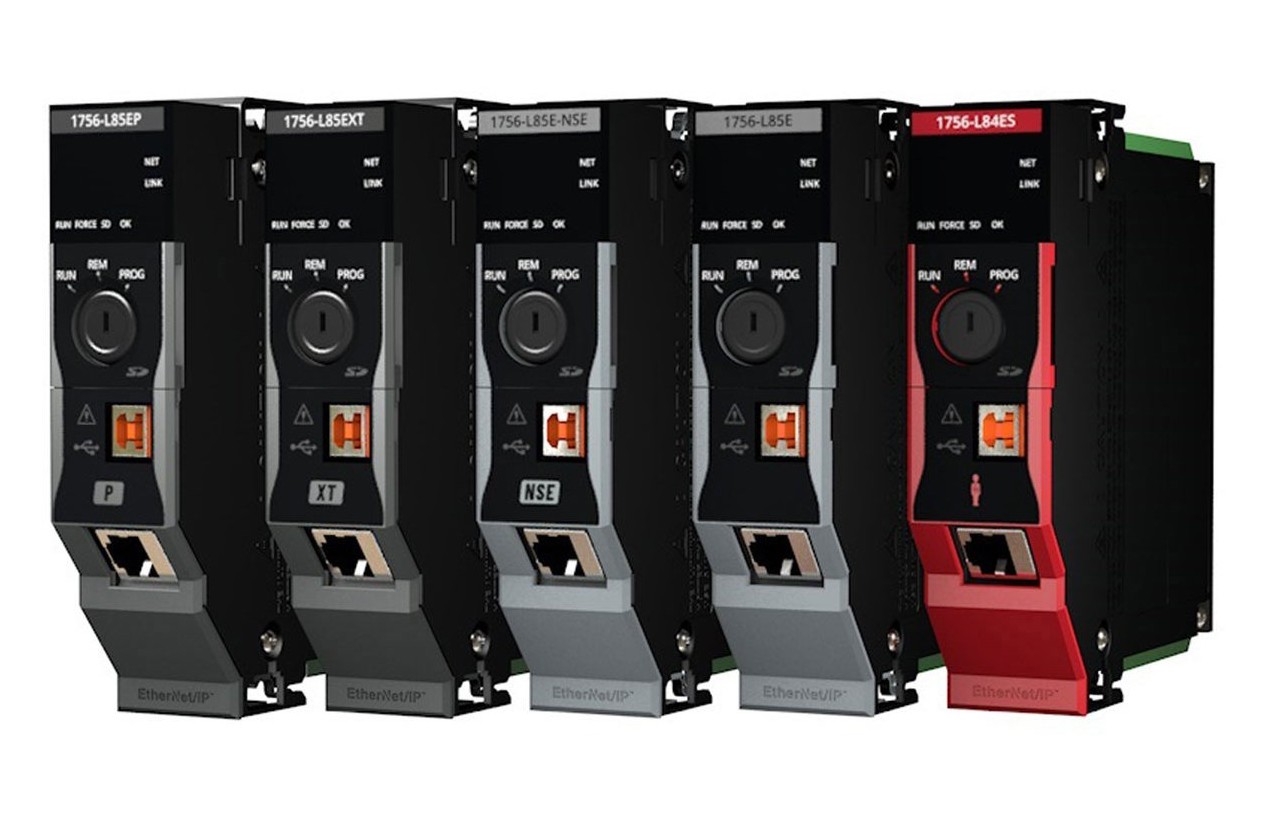
The highest performance is delivered by the chassis-based ControlLogix platform, which allows multiprocessor operation and the construction of high-availability systems with full hardware redundancy. The entire ecosystem, except for the Micro series, is programmed in a single Studio 5000 environment, which guarantees easy code migration and consistent diagnostics at every level of project complexity.
The 1756 ControlLogix series is the flagship product of Rockwell Automation, known for its reliability in the harshest industrial conditions. Building a professional control system, however, requires learning the fundamentals. In the world of Rockwell Automation, the building blocks are the Power Supply and the chassis (Chassis) of the ControlLogix series. In this post we will walk through the basics that everyone starting out with the 1756 family needs to know.
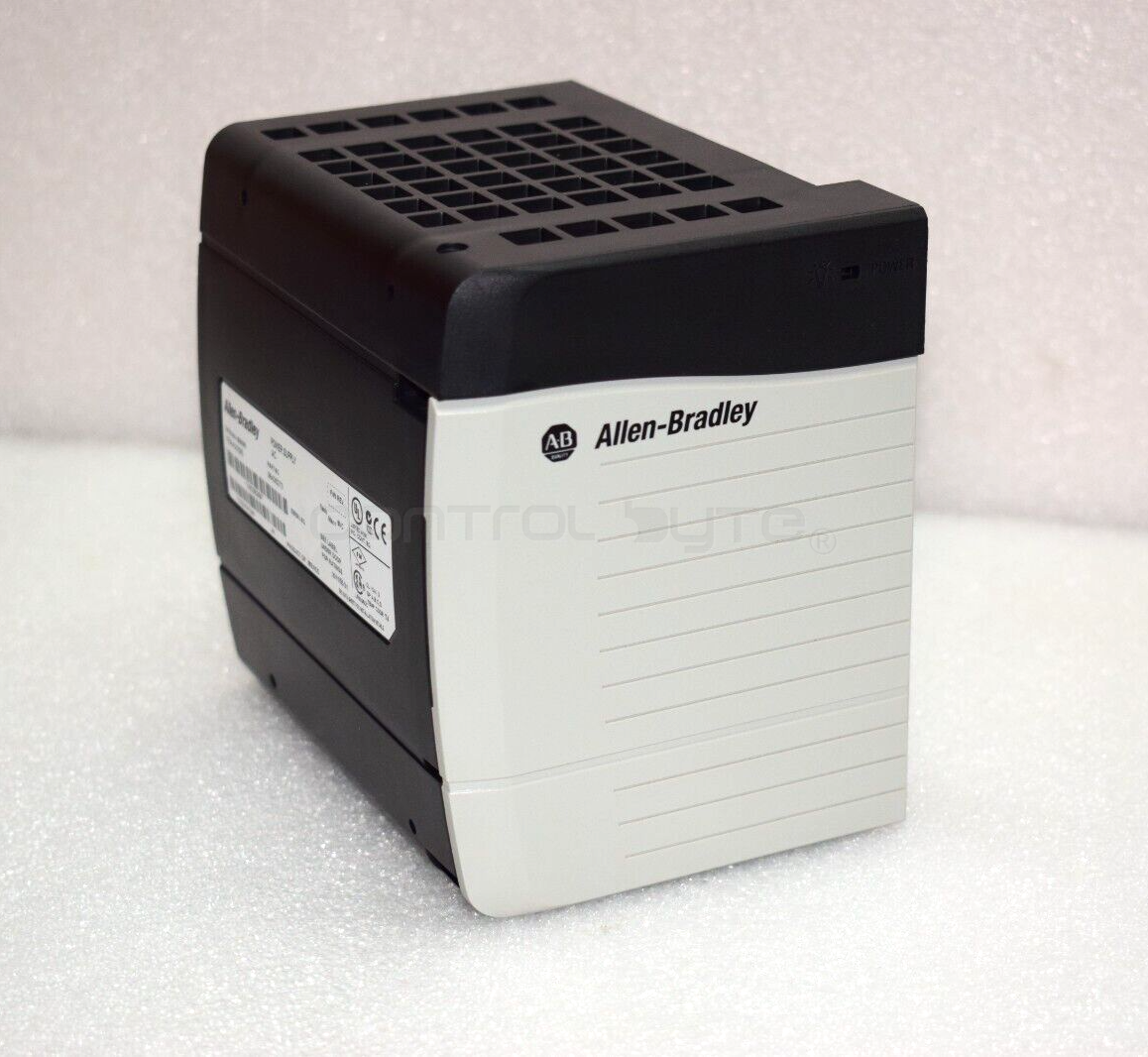
ControlLogix (1756) power supply
Choosing a specific power supply for the chassis mainly depends on a few important factors:
- AC alternating voltage or DC direct voltage - Depending on the power available in the control cabinet, we can choose
1756 - PA72for AC power and1756 - PB72for DC power respectively - Power redundancy - Some applications require redundancy to be provided in case of a power loss or failure. In this case, two
1756 - PA75R(AC) or1756 - PB75R(DC) power supplies are mounted for a single chassis, and a special1756 - PSCA2module is installed in place of the chassis power supply - Harsh operating conditions - In special cases the power supply may be exposed to operation, for example, at high temperatures. For this reason there is a dedicated group of power supplies
1756 - PAXT(AC) and1756 - PBXT(DC). They are also available in redundant versions1756 - PAXTRand1756 - PBXTR.
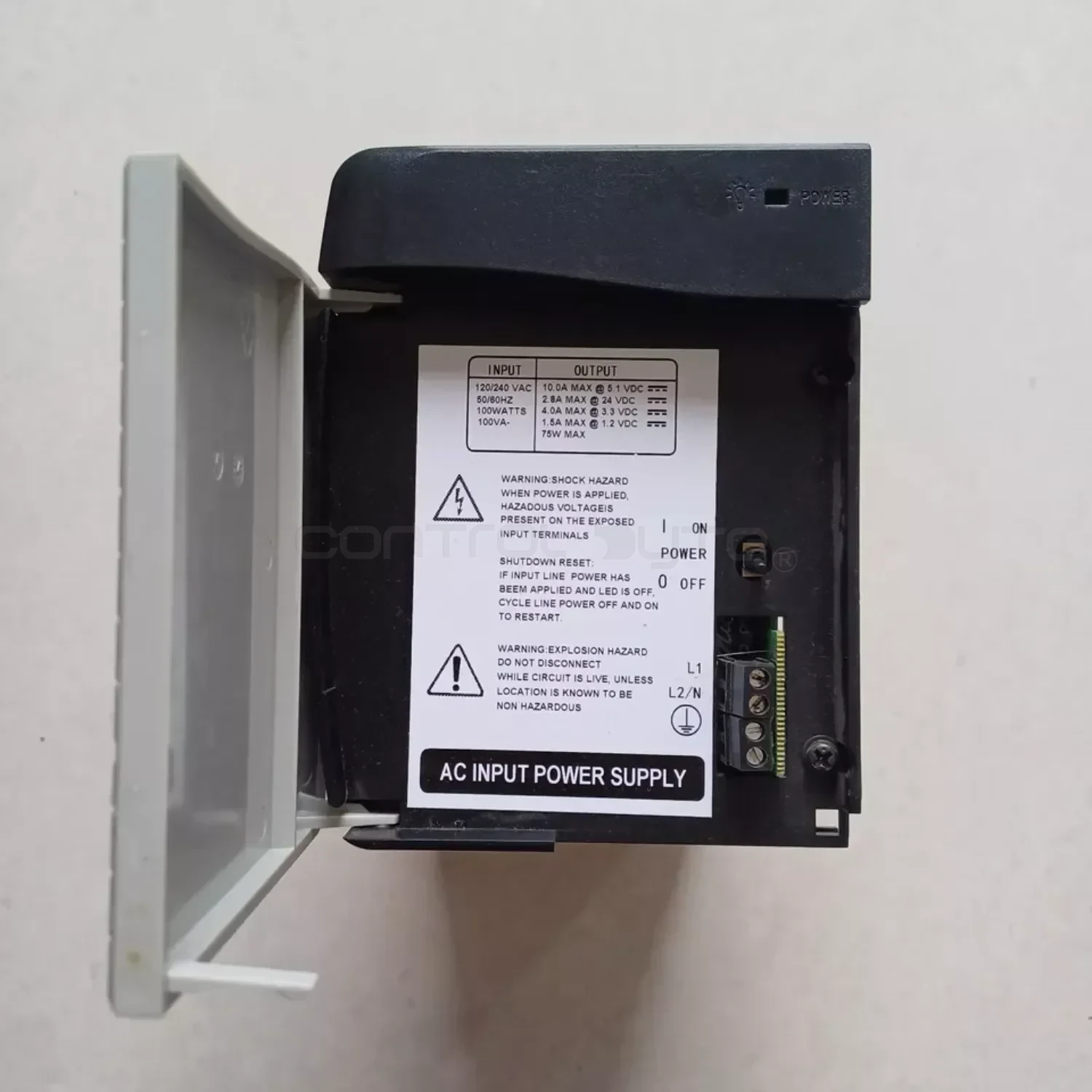
Below is an example of the 1756 - PA72 power supply:
ControlLogix (1756) chassis
The chassis (Chassis) has slots into which modules such as the processor, communication modules, and input/output modules are installed. The power supply is mounted in the chassis, while the electronic layer of the chassis (backplane) provides power to the modules. Slot numbering starts at 0.
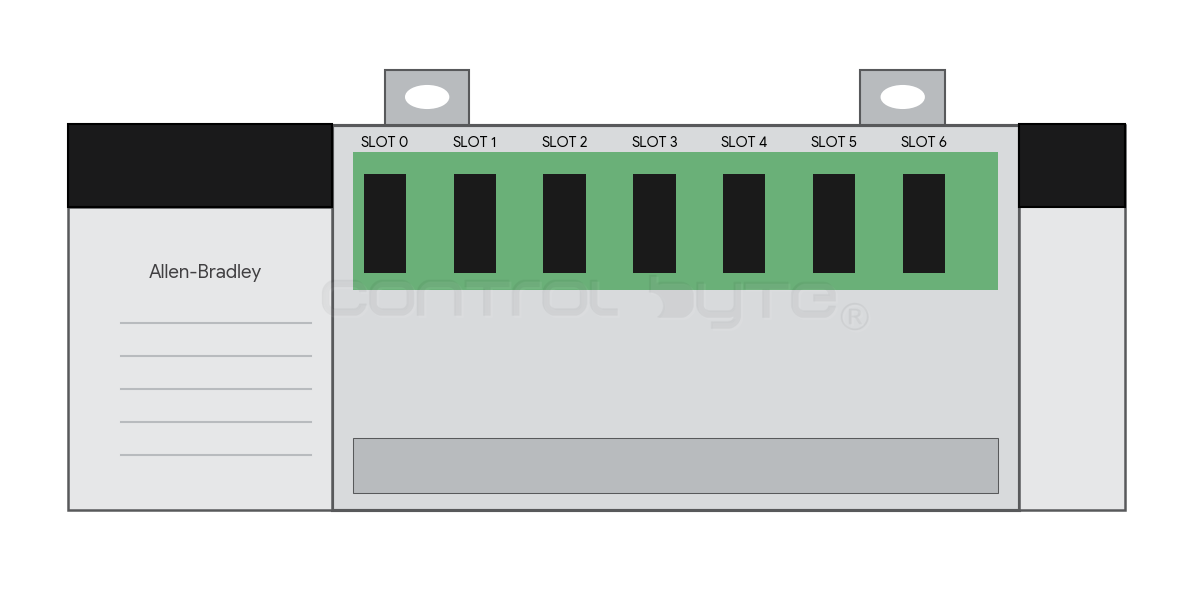
Depending on the number of modules needed for the control system, we distinguish the following types of chassis:
1756-A4: 4 slots (small applications, e.g. a simple machine).1756-A7: 7 slots (small and medium applications).1756-A10: 10 slots (medium and large applications).1756-A13: 13 slots (extensive systems with multiple network cards).1756-A17: 17 slots (very large applications).
ControlLogix (1756) processors overview
- Generation 5500 (
1756 - L5x) - These were the first processors in the ControlLogix series; they had a very small amount of memory and required a battery to retain the program memory. Programming was done through theRS-232serial port or over Ethernet (although in that case an Ethernet module1756 - ENET,ENBTwas required). Current status:End Of Life. - Generation 5560 (
1756 - L6x) - These units already had more memory than their predecessors; they also featured a serial port and required a battery to retain the program. Programming was done the same way as for the 5550 generation. They currently haveDiscontinuedstatus. - Generation 5570 (
1756 - L7x) - No serial port, a built-in USB port for programming and diagnostics. Communication over Ethernet requires an additional module in the chassis,1756 - ENBTor the newerEN2T,EN2TR. From this generation onward, a battery for program retention is no longer required. They have a memory card slot onto which you can load the program as a backup copy in case of a failure. Memory from 2MB to 32MB (depending on the processor version). Current status:Active Mature, which means they are still supported but the manufacturer recommends considering newer generations. - Generation 5580 (
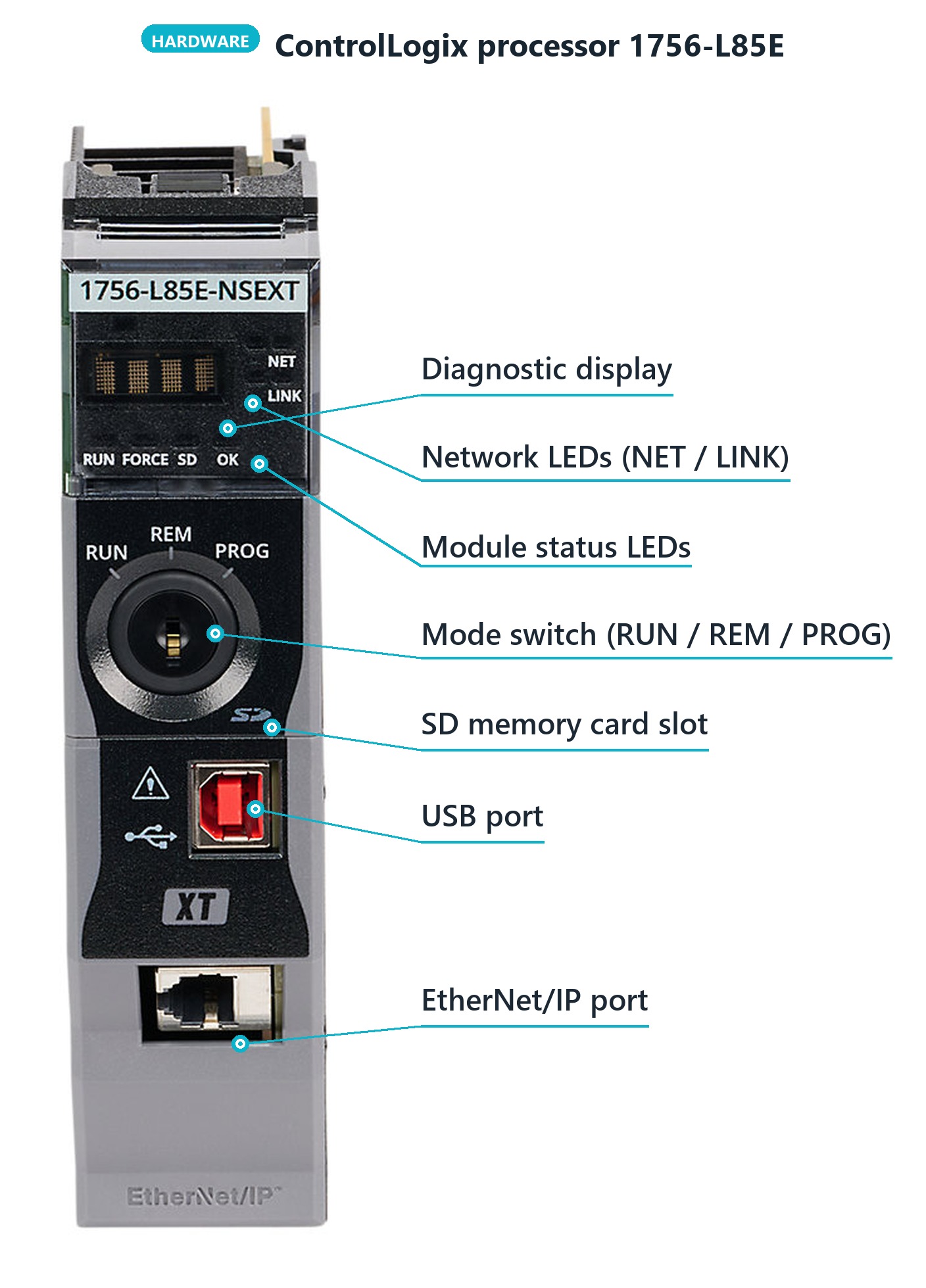
1756 - L8x) - The successor to the 5570 generation. Their main advantage is a built-in Ethernet port directly on the front of the processor, so an additional communication module is unnecessary. They offer higher performance than older models, as well as more memory and a display for diagnostics. Because the Ethernet port is integrated into the processor, communication with distributed I/O islands happens almost instantly, which dramatically improves control precision. Current status: Active. - Generation 5590 (
1756 - L9x) - The latest and most powerful generation of controllers from Rockwell Automation, introduced as the successor to the L8 series (5580). It has two Ethernet ports, higher performance, faster scan time, and more memory than the 5580 generation. Current status: Active
Below is an illustration of an example processor 1756 - L85E
ControlLogix 1756-EN2T communication module
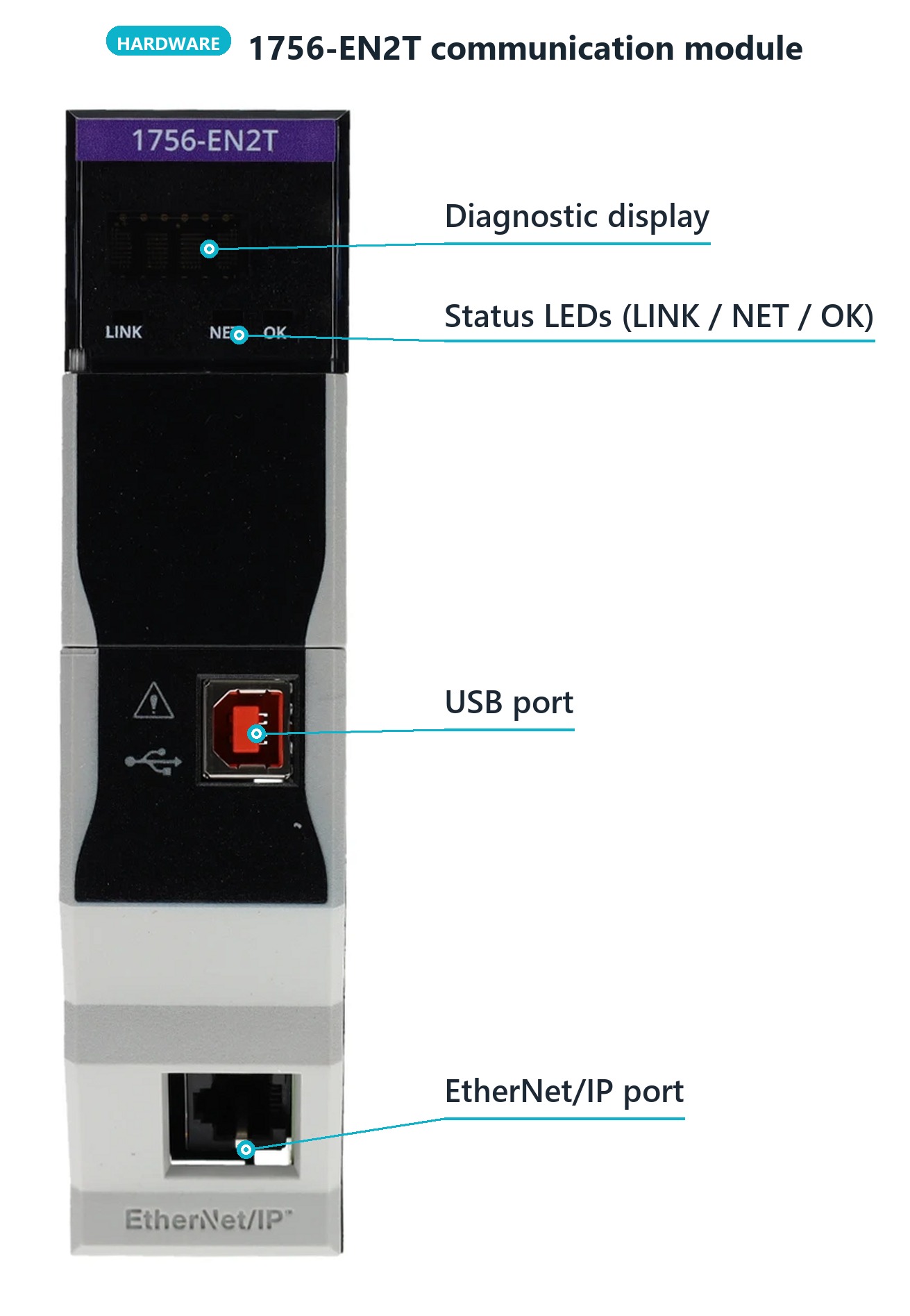
1756 - EN2T is the most popular communication card for ControlLogix systems. It acts as a "bridge" between the plant network and the processor, enabling controller programming, HMI panel support, control of distributed I/O islands, and drives. It has one Ethernet port (10/100 Mbps) and a built-in diagnostic display that continuously shows the IP address and module status. It is valued for its stability, high performance (up to 128 TCP connections and 256 CIP connections), and easy configuration thanks to the USB port on the front panel.
Below is an illustration of the 1756 - EN2T card
ControlLogix (1756) input/output (I/O) modules
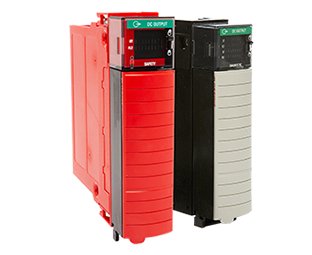
The 1756 series input and output (I/O) modules are the key link between the processor and real-world devices such as sensors, push buttons, and actuators. The offering includes a wide range of solutions: from standard digital and analog cards to specialized high-speed counter and motion control modules. Their modular design allows installation in any slot of the chassis, and it is also possible to safely replace a card without having to shut down power to the entire system. A very practical solution is the removable terminal blocks, which allow a module to be quickly swapped without disconnecting individual wires. Advanced diagnostic versions of these cards can additionally detect faults in external circuits, e.g. a broken wire or a short circuit, which dramatically reduces troubleshooting time.
ControlLogix (1756) I/O modules - examples
1756-IB16(Digital inputs) - A standard module with 16 inputs at 24V DC, ideal for connecting control push buttons, photoelectric sensors, and inductive sensors.1756-OB16E(Digital outputs) - A card with 16 outputs at 24V DC, equipped with electronic short-circuit protection (the letter "E" - Electronic Fusing), most often controlling solenoid valves and indicator lamps.1756-IF8(Analog inputs) - A universal module with 8 channels handling current signals (4-20 mA) and voltage signals (0-10 V), essential for reading data from pressure, flow, or level transmitters.1756-OF8(Analog outputs) - A card with 8 analog outputs, used for precise control of drives (speed setpoint) or for opening/closing control valves.1756-IRT8I(Temperature module) - A high-class module with 8 isolated channels that supports both RTD resistance sensors (e.g. Pt100) and thermocouples, ensuring stable temperature measurement in industrial processes.1756-OW16I(Relay outputs) - A module with 16 isolated relay contacts, which allows safe control of circuits at various voltages (both AC and DC) without the need for external isolators.
CompactLogix system overview
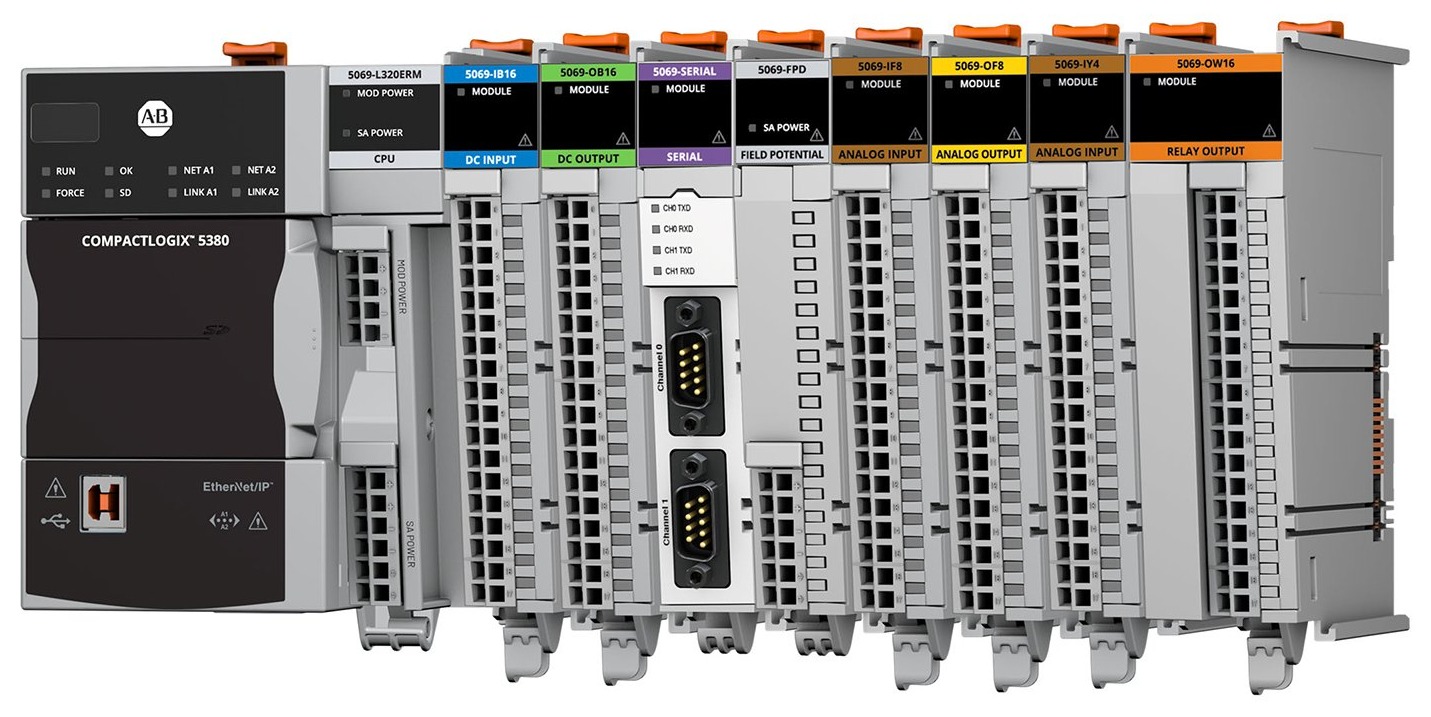
The CompactLogix series is a smaller version of the ControlLogix system that does not require a separate chassis, because the modules are mounted directly on a DIN rail and connected side by side. These controllers have built-in EtherNet/IP communication ports and a USB port for programming, and newer models also offer an integrated diagnostic display. The system supports the same instructions as the 1756 series, which makes it easy to move program code between platforms. The processor and the I/O bus are usually powered through dedicated terminals on the front of the unit, which eliminates the need for external bus power supplies.
CompactLogix (5380 / 5370) processors overview
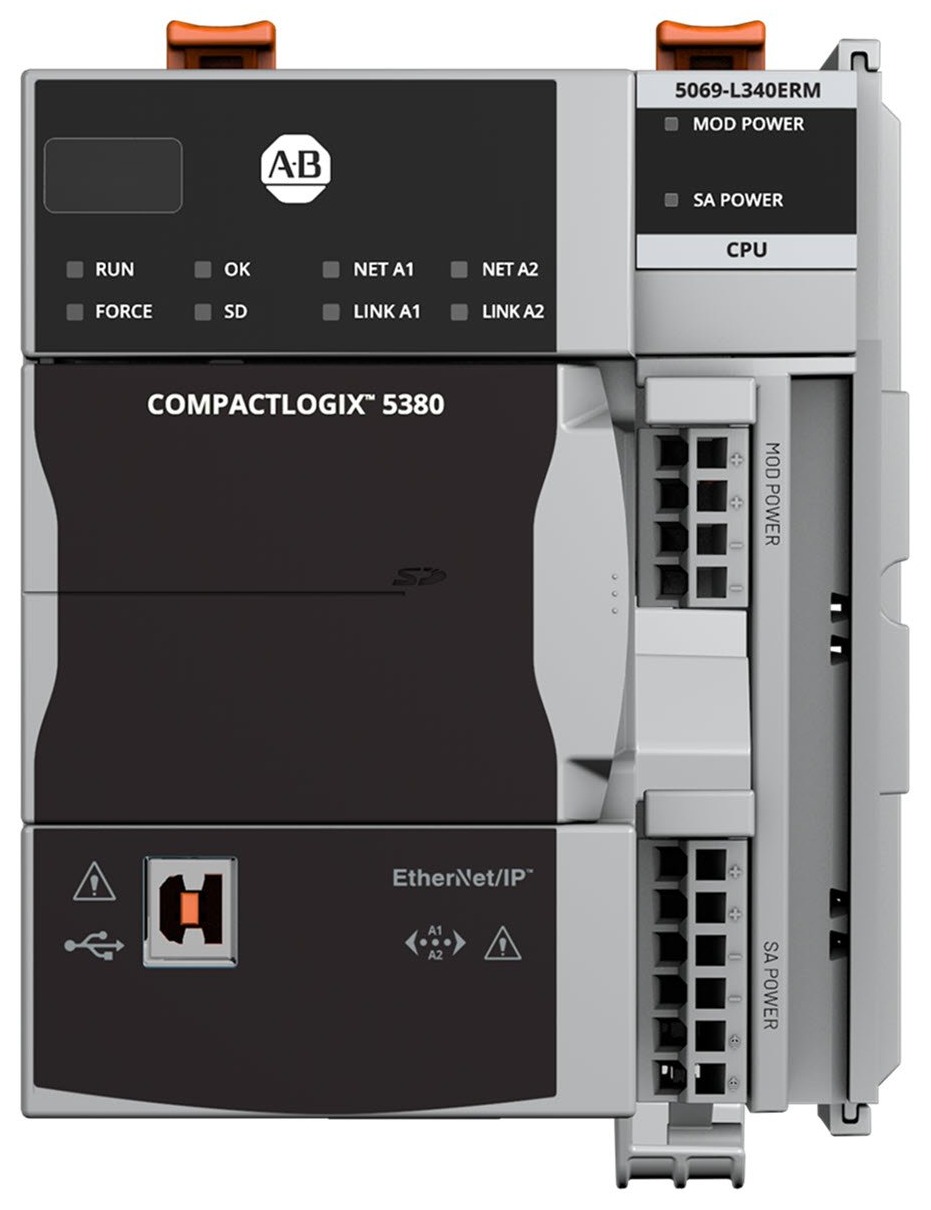
- Generation (CompactLogix 5320 / 5330 - models
1769-L20and L30) - Introduced around the year 2000, it offered very limited memory (from 64 KB to 256 KB) and communication based solely onRS-232serial ports. - Generation (Models
1769-L3x, e.g. L31, L32E, L35E) - A series from 2003-2010 that introduced EtherNet/IP ports (models ending in "E") and support for CompactFlash cards, but still required regular replacement of lithium batteries. - Generation (CompactLogix 5370 - series
1769-L1, L2, L3) - Still very popular today, it eliminated batteries in favor of capacitors and SD cards and introduced dual EtherNet/IP ports with DLR ring support. - Generation (CompactLogix 5380 - series
5069) - The latest generation with 1 Gbps ports, a diagnostic display, and the ability to configure two independent IP addresses, which dramatically increased performance and network security
Summary
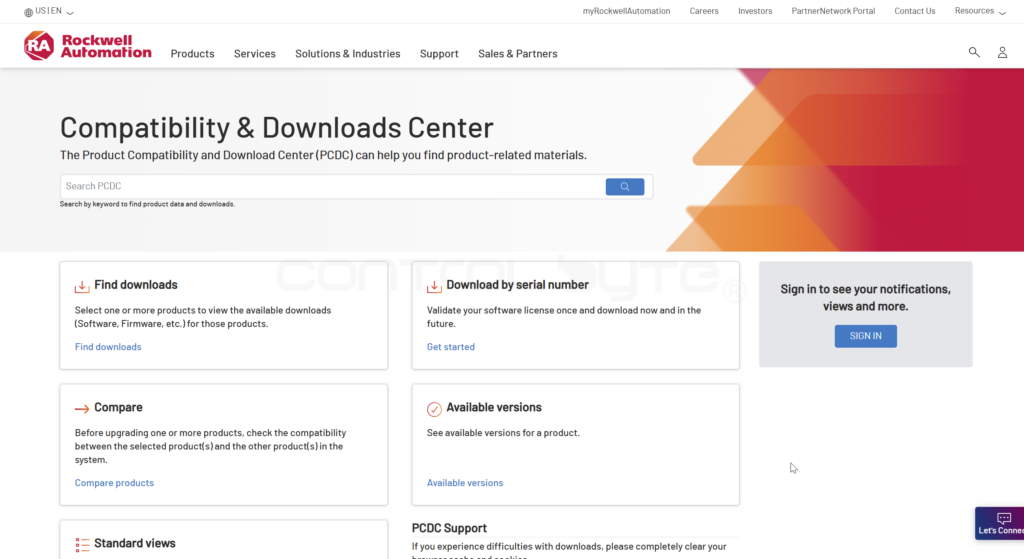
You now know the Allen-Bradley controller portfolio as well as the architecture of the ControlLogix and CompactLogix systems. You can find the full hardware offering on the Rockwell Automation website. In the next post we will install the Studio 5000 software and write our first program.
Next in the series
Studio 5000 Logix Designer: installation and first program
Install the software, set up the comms and write your first ladder program, step by step.
Author