TIA Portal trial version
TIA Portal offers 21-day trial version with full functionality. You can create your program, download to PLC and upload with no restrictions.
You can test for 21 days every TIA Portal version. For our course, we recommend
- TIA V16 - 21 days free trial
- TIA V17 - 21 days free trial
Download TIA Portal V16
Here you can find the link to TIA Portal V16.
Create a Siemens account
Firstly, register in Siemens Portal. You need to create your account to download TIA Portal files.

Download the installation files
Download DVD 1 Setup.

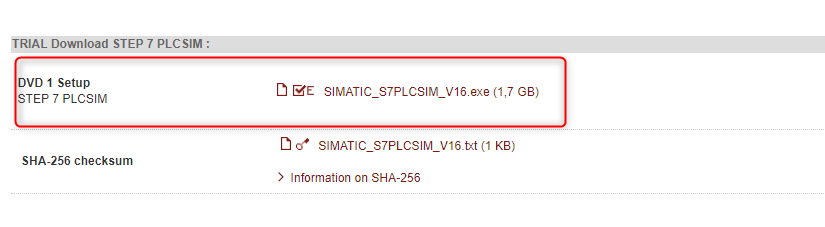
Download DVD 1 Setup PLCSIM
Install TIA Portal V16
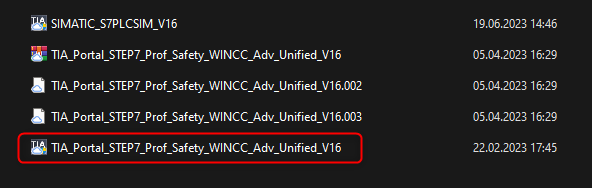
Run the file: TIA_Portal_STEP7_Prof_Safety_WINCC_Adv_Unified_V16.exe and install TIA Portal V16

Reboot your PC.
Install PLCSIM
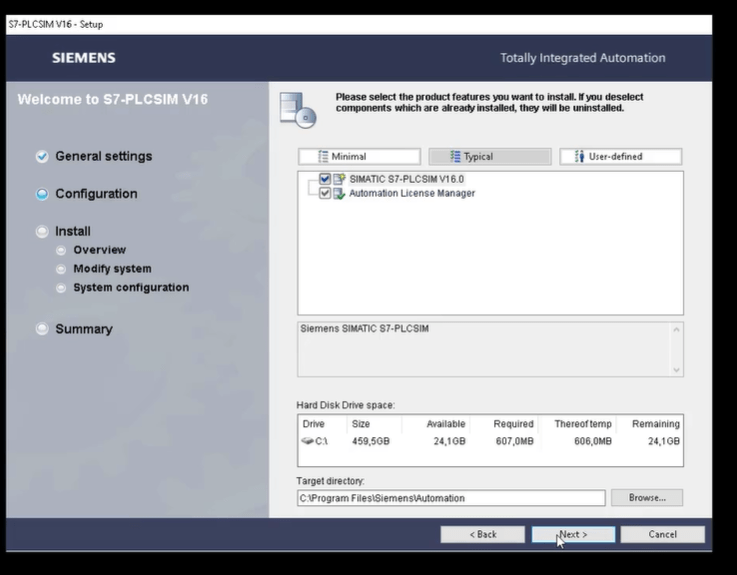
Run the file: SIMATIC_S7PLCSIM_V16.exe and install TIA Portal PLCSIM
Reboot your PC
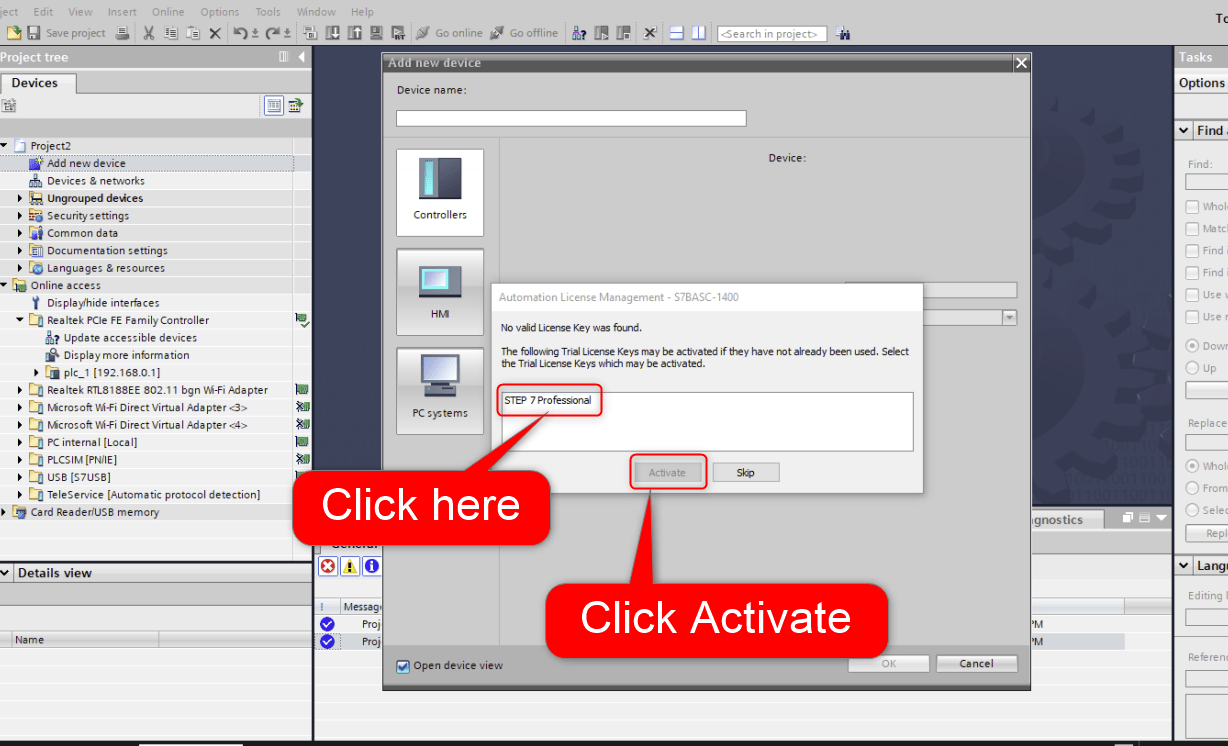
Activate the trial license
After creating first project activate trial license when adding PLC to your project.

Now you can start developing your PLC code 🙂
Video tutorial
Author