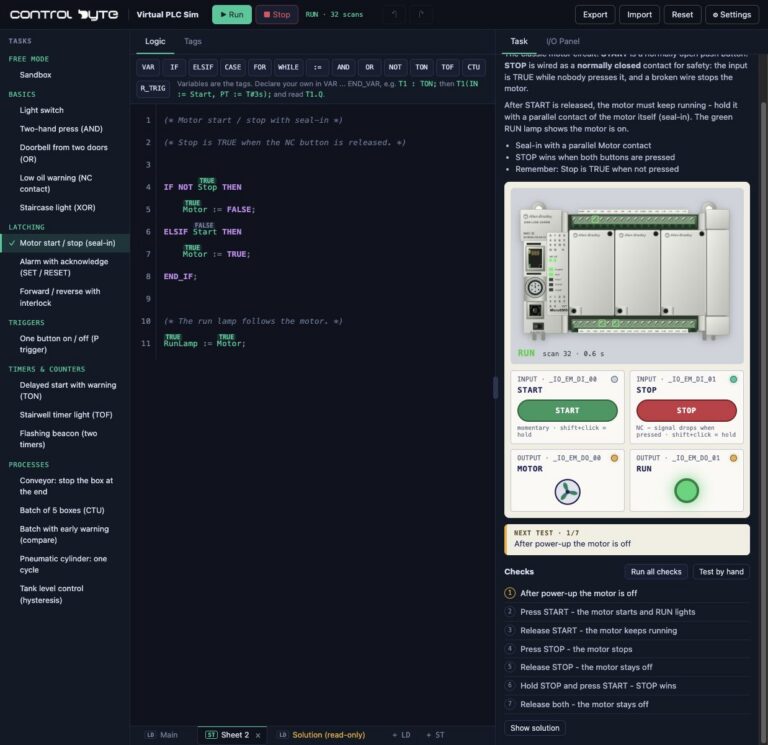
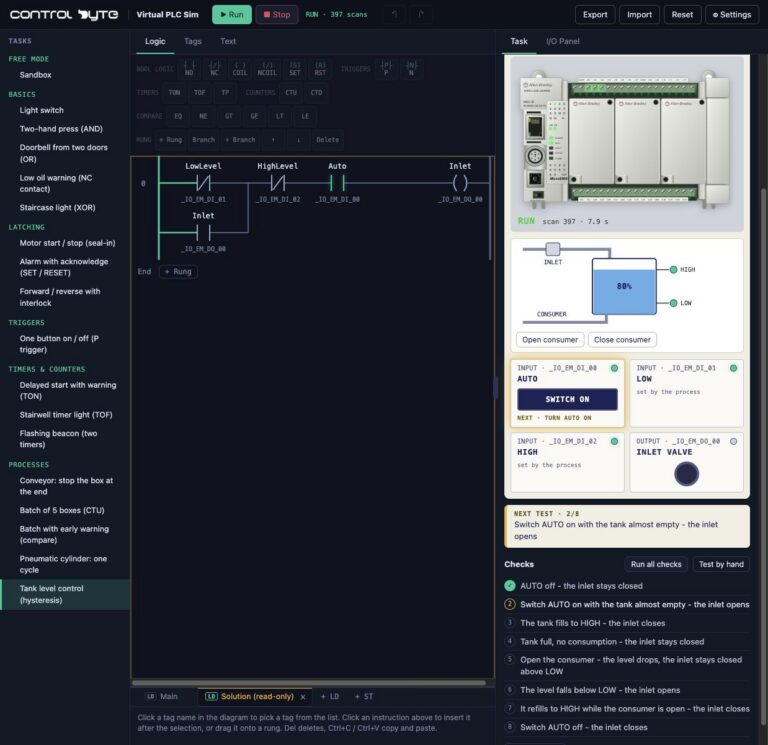
A PLC simulator lets you write and run a PLC program without a physical controller, power supply or wired panel. It is the fastest way to start learning PLC programming and a safe way to test logic before it reaches a machine. In this guide we compare the main types of free PLC simulators: browser-based tools, vendor simulators and 3D process simulators. We explain what each one can and cannot do, and show how to run your first ladder logic program in a free online PLC simulator in a few minutes.
What is a PLC simulator?
A PLC simulator behaves like a controller. It reads inputs, executes the program in a scan cycle and updates outputs. The difference is that inputs come from the screen instead of real sensors and push buttons, and outputs drive virtual lamps, motors and valves instead of contactors. You can test a program without the risk of damaging anything.
PLC simulation is useful in three situations:
- Learning PLC programming. You start with contacts, coils and timers instead of buying hardware.
- Testing logic before commissioning. You check sequences, interlocks and alarms before the program goes to the machine.
- Training. Every learner gets their own station, and an instructor can give the whole group the same task.
A simulator does not replace real hardware. It will not verify wiring, hardware configuration, industrial networks or the timing of a specific CPU. For learning logic and thinking like a PLC programmer, it is more than enough.
Types of PLC simulators
"PLC simulator" covers very different tools. Knowing the difference saves time.
Browser-based PLC simulators
You open a web page, write ladder logic and run it immediately, with no installation and often no account. These tools do not emulate a specific controller's firmware, but they are the quickest path to your first working program. This group includes Virtual PLC Sim from ControlByte, as well as other ladder logic simulators such as PLC Fiddle and plcIOsim.
Vendor PLC simulators
Controller vendors include simulation in their engineering software:
- Siemens S7-PLCSIM simulates S7-1200 and S7-1500 controllers inside TIA Portal. It comes with STEP 7 licences, and TIA Portal offers a time-limited trial. S7-PLCSIM Advanced is a separately licensed virtual controller used for virtual commissioning and for connecting external software such as Factory I/O.
- Rockwell Connected Components Workbench has a free Standard edition for Allen-Bradley Micro800 controllers. It includes a Micro800 simulator with demo limits; the full simulator is part of the paid Developer edition.
- CODESYS is a free IEC 61131-3 development system with a simulation mode. Its Control Win soft PLC runs in demo mode with a time limit until you license it.
- OpenPLC is an open-source IEC 61131-3 editor and runtime that you can run on a PC or a single-board computer.
The advantage of vendor tools is full compatibility with the real engineering workflow. The downside is installation, system requirements and licences.
3D process simulators
Factory I/O is not a PLC. It is a 3D virtual factory with conveyors, sensors and actuators that you connect to a real PLC or to a PLC simulator. It shows clearly how your program controls a real process, but you still need a separate tool to write the program. Read more on our Factory I/O page.
Free PLC simulators compared
| Tool | Type | Installation | Languages | Best for |
|---|---|---|---|---|
| Virtual PLC Sim | online PLC simulator | none, browser | Ladder, ST, SCL | learning from zero, quick exercises |
| S7-PLCSIM (TIA Portal) | vendor simulator | yes, with TIA Portal | LAD, FBD, SCL, GRAPH | Siemens S7-1200/1500 |
| Connected Components Workbench | vendor simulator | yes | LD, FBD, ST | Allen-Bradley Micro800 |
| CODESYS | IEC 61131-3 IDE | yes | LD, FBD, ST, SFC | many vendors, Structured Text |
| OpenPLC | open-source runtime | yes | LD, FBD, ST, SFC, IL | hobby projects, low-cost hardware |
| Factory I/O | 3D process simulator | yes | none, connects to a PLC | realistic machine scenes |
Which PLC simulator is best? It depends on your goal. If you already have a TIA Portal licence and you are learning Siemens, start with PLCSIM. If you work with Allen-Bradley, use Connected Components Workbench. If you want to understand the logic first, with no installation and no cost, open a free online PLC simulator and move to the vendor tools once the basics are solid.

Allen-Bradley hardware used in our materials (Micro800 controllers, HMI panels and accessories) is supplied by our technology partner Elmark Automatyka, an authorized Rockwell Automation distributor.
Virtual PLC Sim: a free online PLC simulator
Virtual PLC Sim is the PLC simulator we built at ControlByte for our learners and for anyone who wants to learn by doing. It runs in a desktop browser, and the sandbox and starter exercises are free with no account needed.
Key features:
- Three PLC profiles: Allen-Bradley Micro850 (LD and ST), Siemens S7-1200 (LAD and SCL) and Siemens LOGO! (LAD).
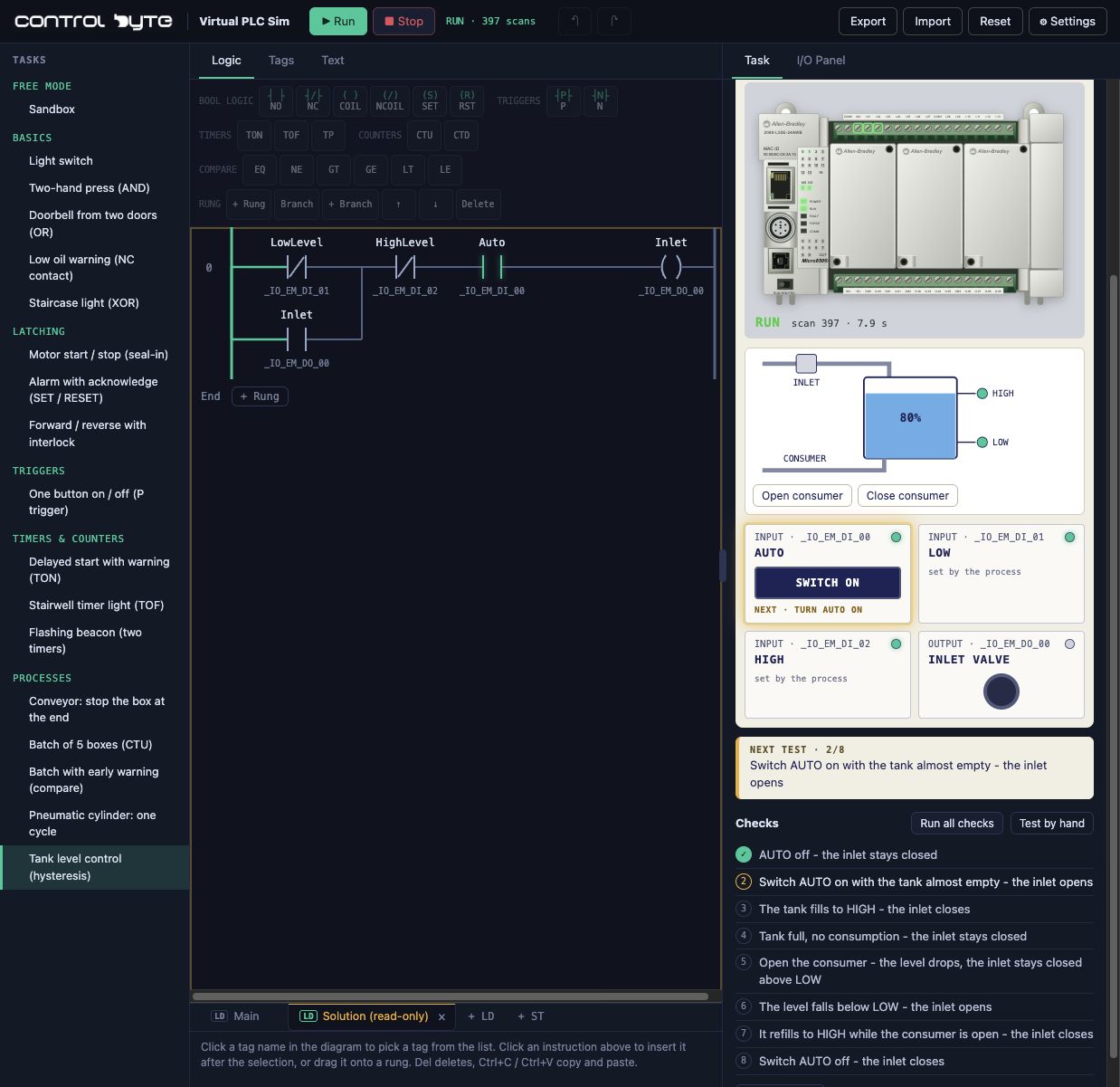
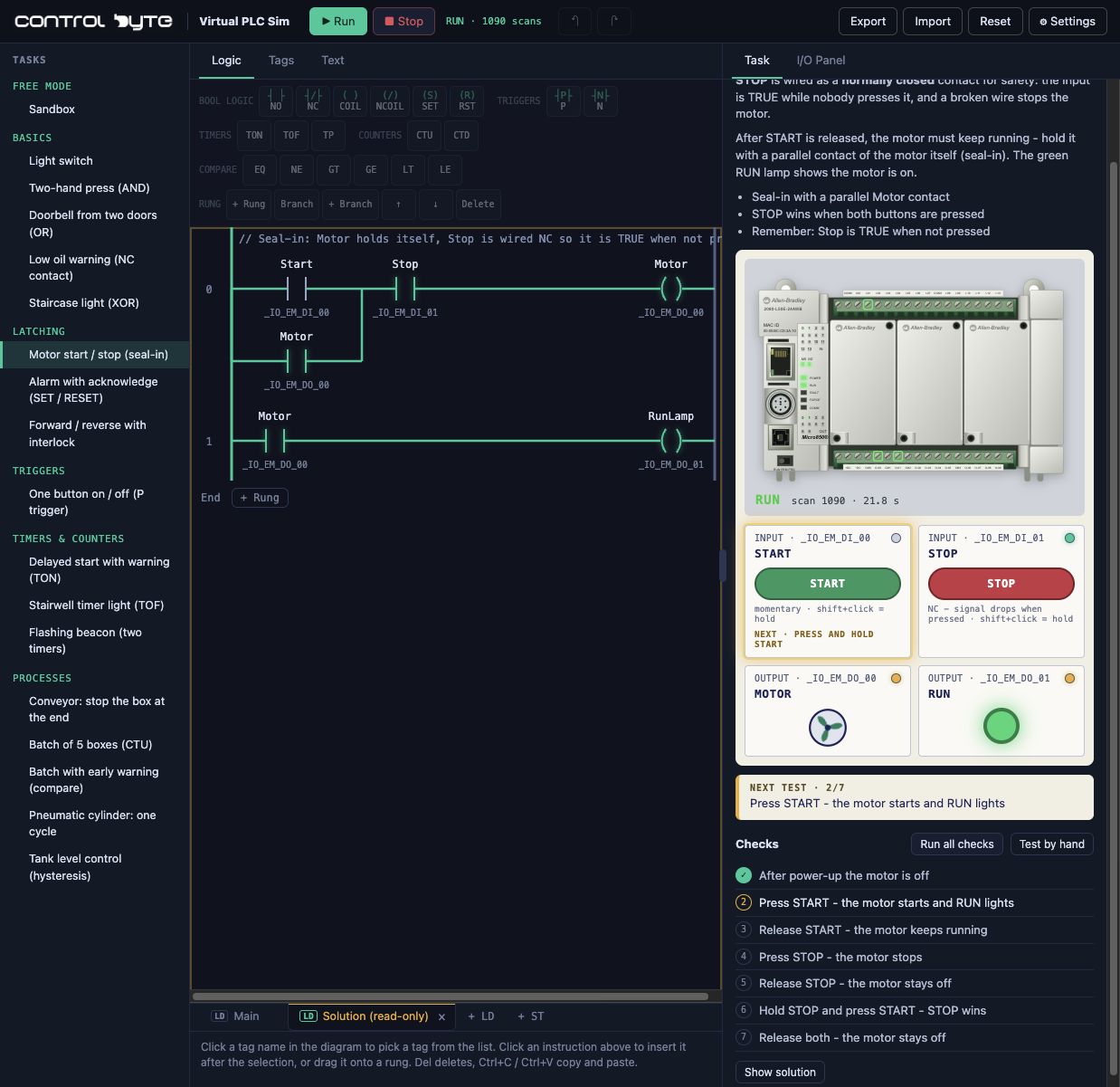
- Ladder and text editors: NO and NC contacts, coils, SET and RESET, edges, TON, TOF and TP timers, counters and comparisons. Available instructions depend on the selected profile.
- Live view: watch signal flow, tag values and outputs on every scan.
- Virtual stations: conveyors with boxes, sensors, tanks and cylinders react to your program.
- Automatic checks: every exercise has test cases that the simulator runs for you.
It is an independent learning tool with its own execution engine. It is not Siemens or Allen-Bradley software and does not emulate their firmware, so exercise programs are for learning, not for controlling real machinery. For the full feature list and every exercise, read our complete guide to Virtual PLC Sim.
Your first program in a free PLC simulator
The simplest starter task is a conveyor with boxes: one maintained switch runs the conveyor motor.
- Open the online PLC simulator and choose the free "Conveyor with boxes" exercise.
- In the first rung, add a normally open contact assigned to the RUN selector input.
- At the end of the rung, add a coil assigned to the conveyor motor output.
- Press Run on the virtual CPU, then switch the station's RUN selector on. The boxes start moving.
- Switch RUN off and stop the CPU. The motor must stop in both cases.
- Run the exercise checks. The simulator tests the output in every required state.
This exercise teaches something that confuses many beginners: running the CPU is not the same as switching on the machine. The CPU executes your program, while the selector only supplies an input signal. The full walkthrough with screenshots is in Your First PLC Program: Conveyor Start/Stop.
What to practise next
Once the first rung works, practise the patterns you will find in every machine:
- NOT logic: an "empty station" lamp when the sensor sees no carton. Tutorial: PLC NOT Logic.
- AND logic: the conveyor runs only when the collection bin is present. Tutorial: PLC AND Logic.
- Start/stop with seal-in: the classic motor circuit with STOP priority. Tutorial: PLC Motor Start/Stop with Seal-In Logic.
- TON timer: a delayed conveyor start with a warning. Tutorial: PLC Timer Tutorial.
For a full learning sequence, follow our PLC programmer roadmap. If you prefer code, see The SCL Text Language and PLC Programming.
Limits of PLC simulation
A good PLC simulator teaches logic, but not everything. Keep this in mind before you call a program ready for a machine:
- a simulator cannot check wiring, power supply or installation faults,
- it does not replace hardware configuration, module addressing or industrial network setup,
- scan times and power-loss behaviour can differ from a real CPU,
- a virtual process is simpler than a real machine.
A practical path looks like this: logic in a browser simulator, then the vendor environment and its simulator, and finally a real controller or a training stand such as our ControlByte PLC Trainer with an Allen-Bradley Micro800.
From simulator to a PLC programming course
The simulator checks your logic. A course also teaches the engineering workflow, project setup and the tools of a specific platform. ControlByte learners get extra process exercises in the simulator: tanks, cylinders, box counters and PID level control.
- Siemens S7-1200/1500 in LAD/FBD - ladder logic and the TIA Portal workflow.
- Structured Text Programming in CODESYS - text-based PLC programming.
- All PLC courses - compare by platform and level.
FAQ
Is there a free PLC simulator?
Yes. Virtual PLC Sim has a free sandbox and starter exercises with no account required. Some vendor tools are also free, such as the CODESYS development system and the Standard edition of Connected Components Workbench, but their simulators have demo limits. S7-PLCSIM requires a TIA Portal licence.
Can I learn ladder logic without a PLC?
Yes. A ladder logic simulator lets you practise contacts, coils, seal-in circuits, timers and counters without any hardware. You will still need a real controller later to learn wiring and hardware configuration.
Do online PLC simulators need installation?
No. A browser-based PLC simulator runs in a modern desktop browser. Vendor simulators need the full engineering software installed.
Is an online PLC simulator the same as PLCSIM?
No. PLCSIM simulates a Siemens controller inside TIA Portal. An online PLC simulator is an independent learning tool that runs in the browser and does not emulate vendor firmware.