LOGO! 9 is the new generation of the popular Siemens logic module (the successor to LOGO! 8) and a big step forward. Below we walk through the entire technical presentation slide by slide: from what is new in the base modules, through EU CRA compliant security, all the way to the roadmap and migration.
All the content and every illustration come from official Siemens technical material (LOGO! 9 Technical Slides). You can find the product specification on the manufacturer's page: Siemens LOGO!.
Key new features in LOGO! 9 compared to LOGO! 8
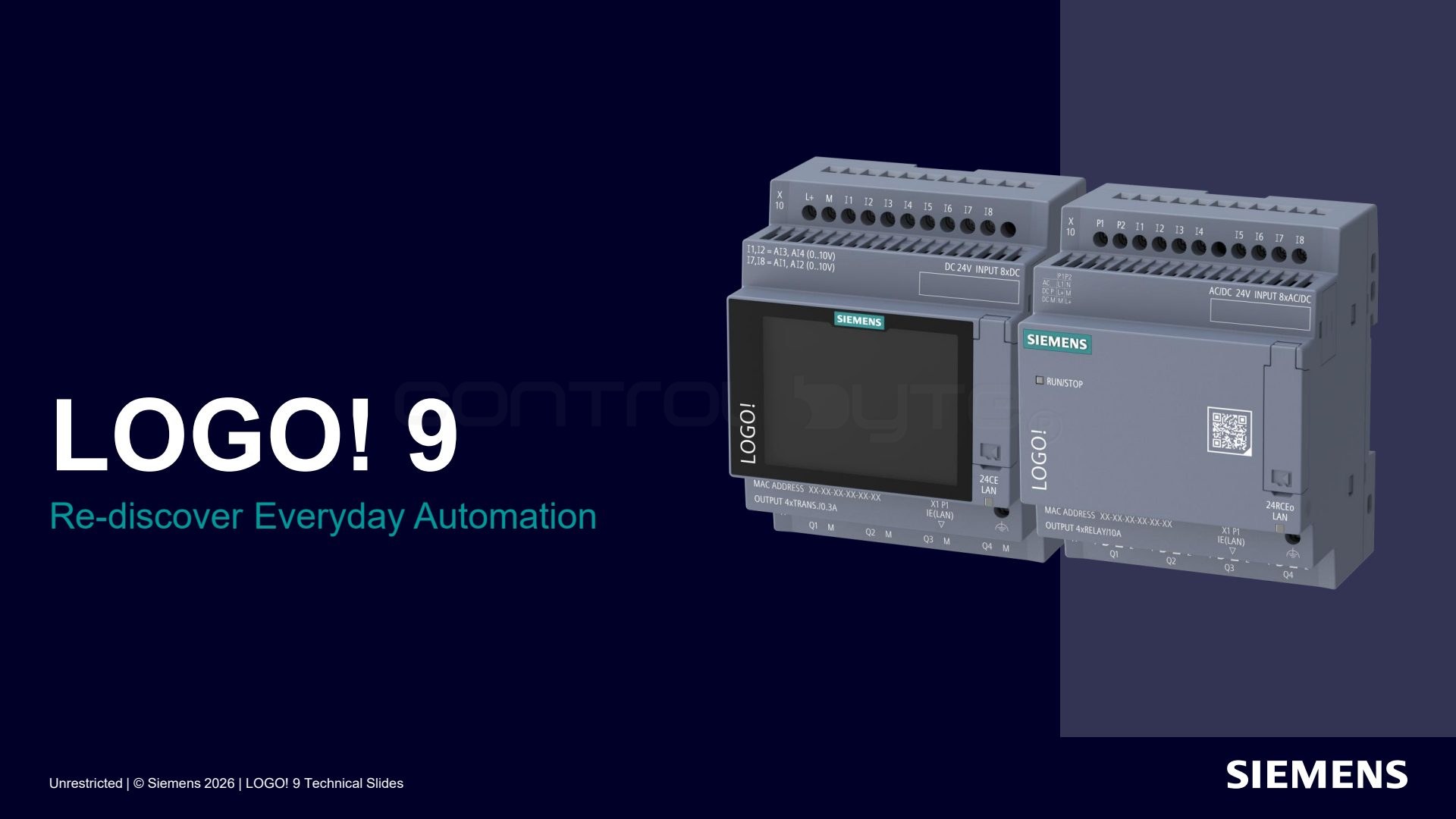
LOGO! 9 is the latest generation of the Siemens logic module, presented under the slogan "Re-discover Everyday Automation". Compared to LOGO! 8, Siemens focuses on a color touchscreen, twice the program memory (800 function blocks), more local and network I/O, secure communication, and MicroSD card formatting directly on the module.
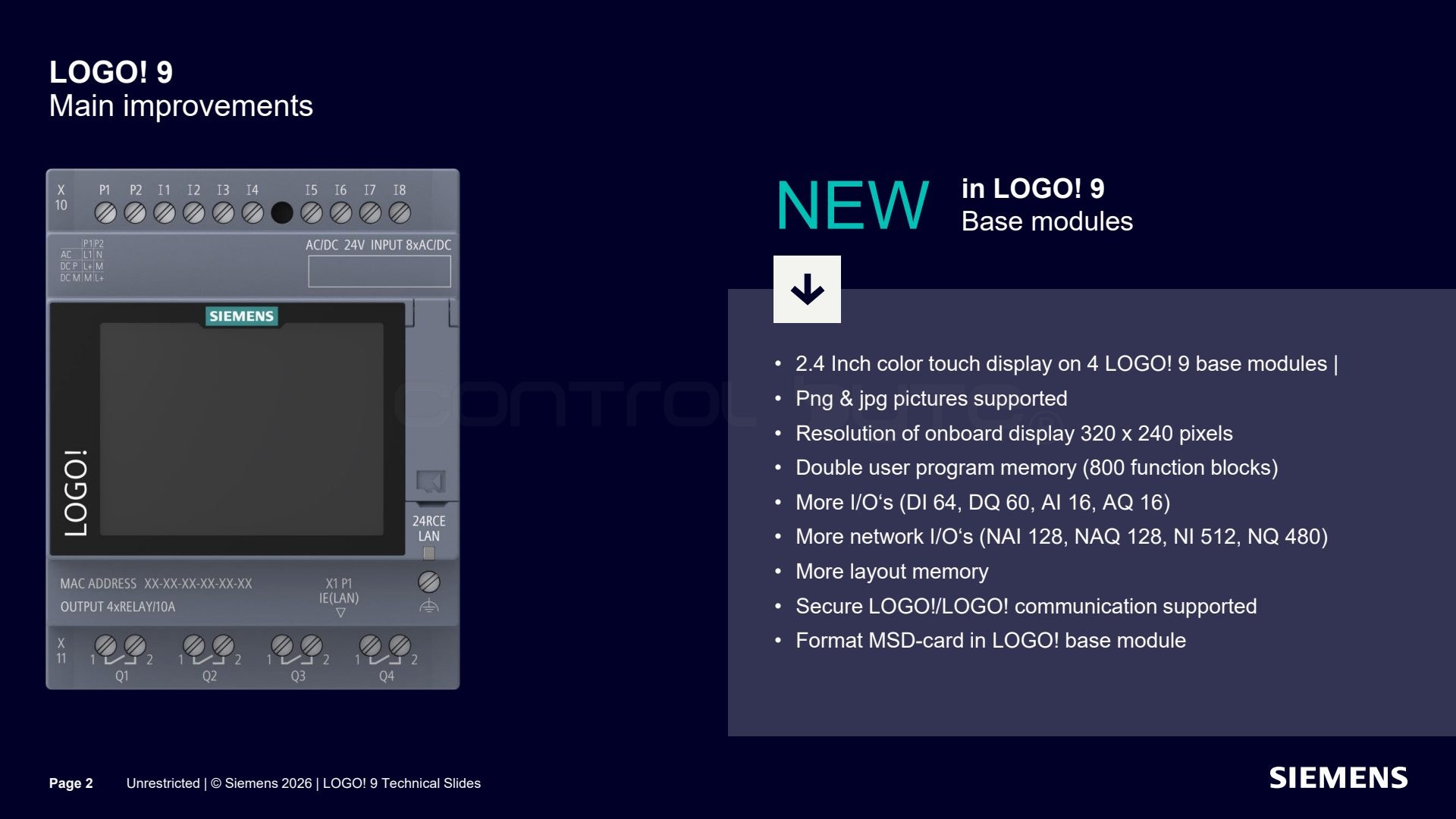
The four LOGO! 9 base modules received a 2.4 inch color touchscreen with a resolution of 320 x 240 pixels and support for PNG and JPG images. Program memory doubled, up to 800 function blocks. The I/O range was expanded (DI 64, DQ 60, AI 16, AQ 16) along with network I/O (NAI 128, NAQ 128, NI 512, NQ 480), more memory per page layout, secure LOGO!/LOGO! communication, and on-device MicroSD card formatting.
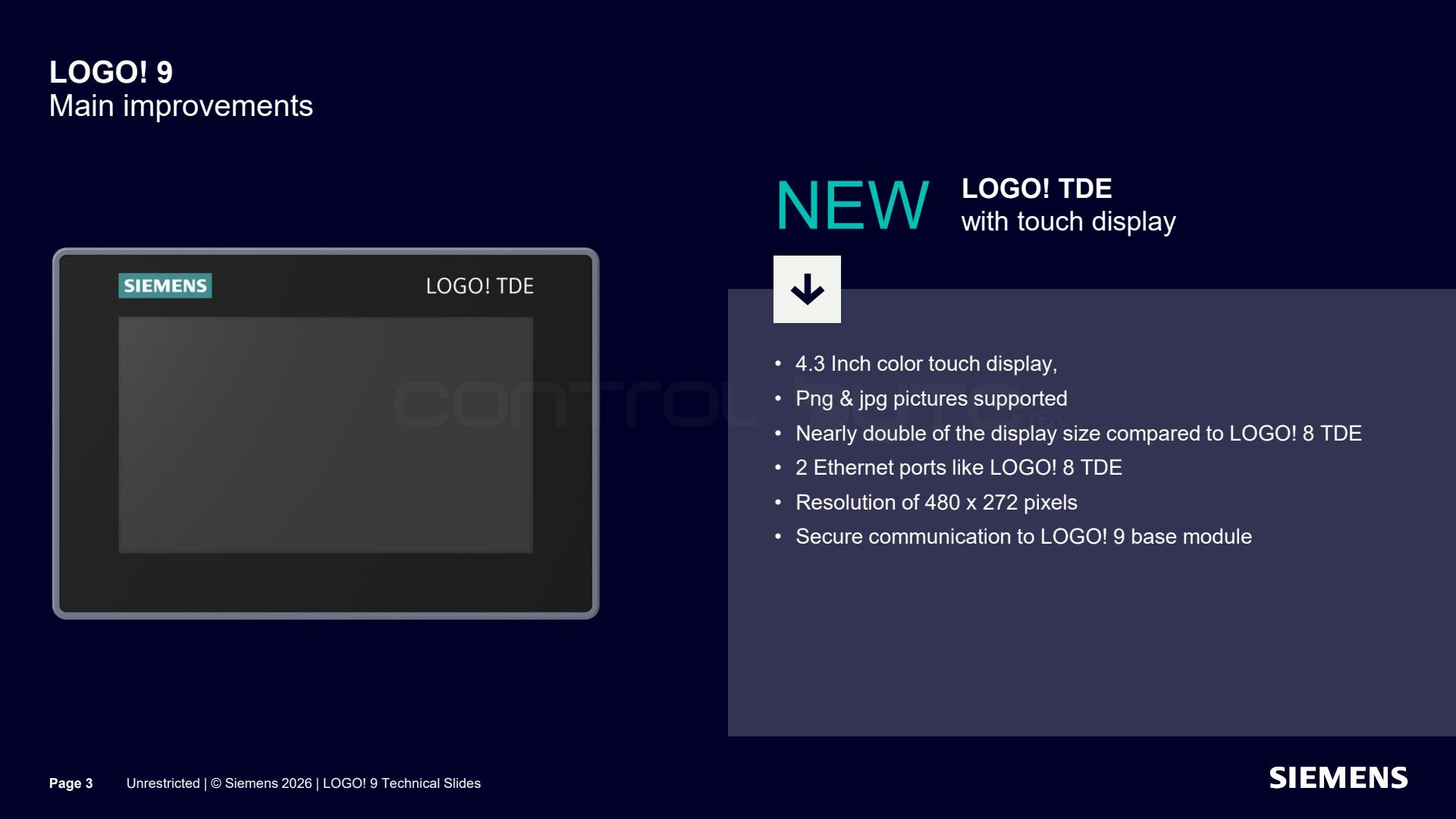
LOGO! 9 also debuts a refreshed LOGO! 9 TDE panel with a 4.3 inch color touchscreen at 480 x 272 pixels. The screen is nearly twice as large as the panel for LOGO! 8, supports PNG and JPG images, keeps the two Ethernet ports known from the LOGO! 8 TDE, and communicates securely with the LOGO! 9 base module.
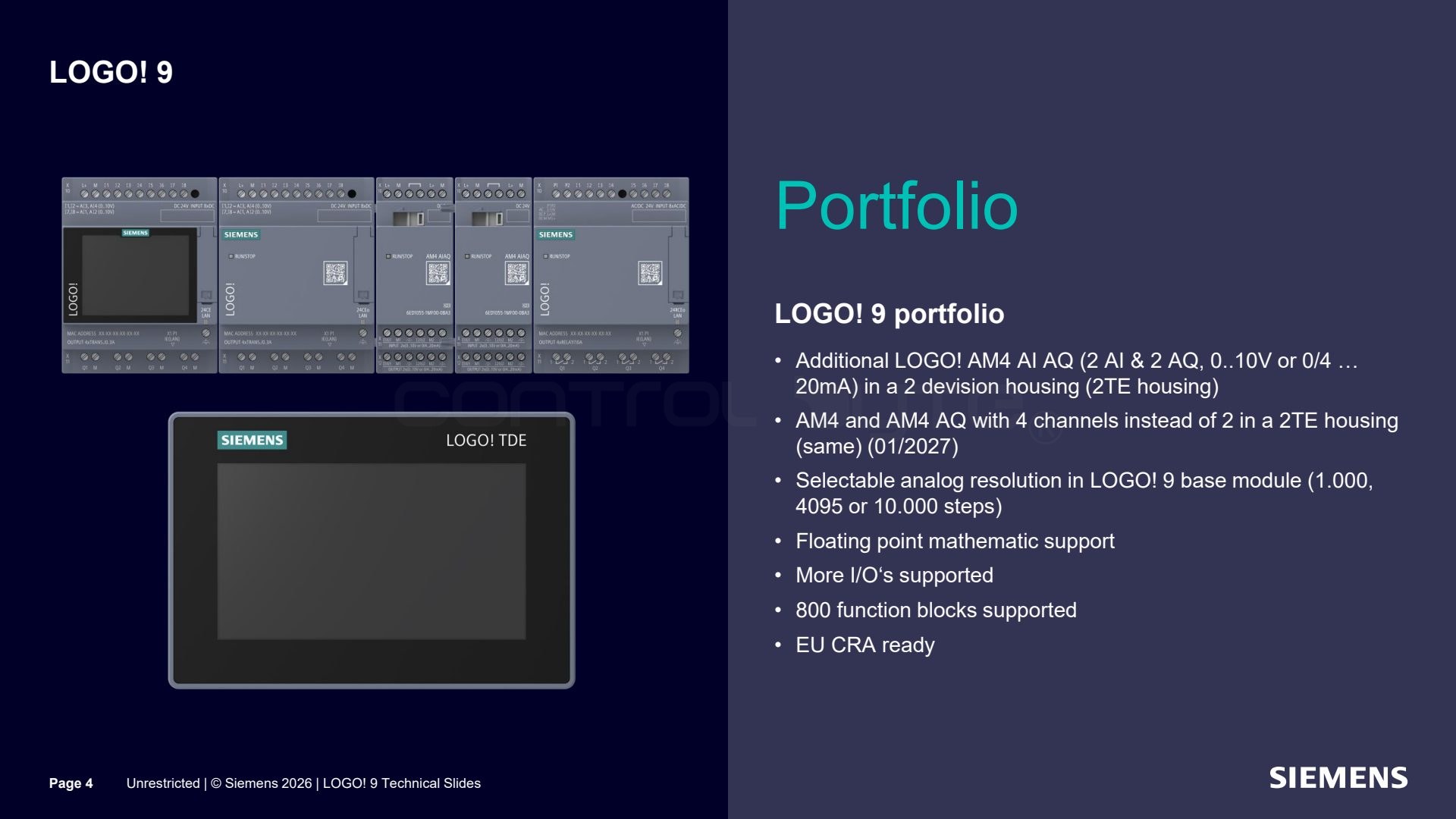
The LOGO! 9 portfolio is extended by the new LOGO! AM4 AI AQ module (2 analog inputs and 2 analog outputs, 0 to 10 V or 0/4 to 20 mA) in a 2TE housing. AM4 and AM4 AQ modules with four channels instead of two were also announced (01/2027). On the base module you can select the analog resolution (1000, 4095, or 10000 steps), floating point math is supported along with 800 function blocks, and the devices are ready for EU CRA requirements.
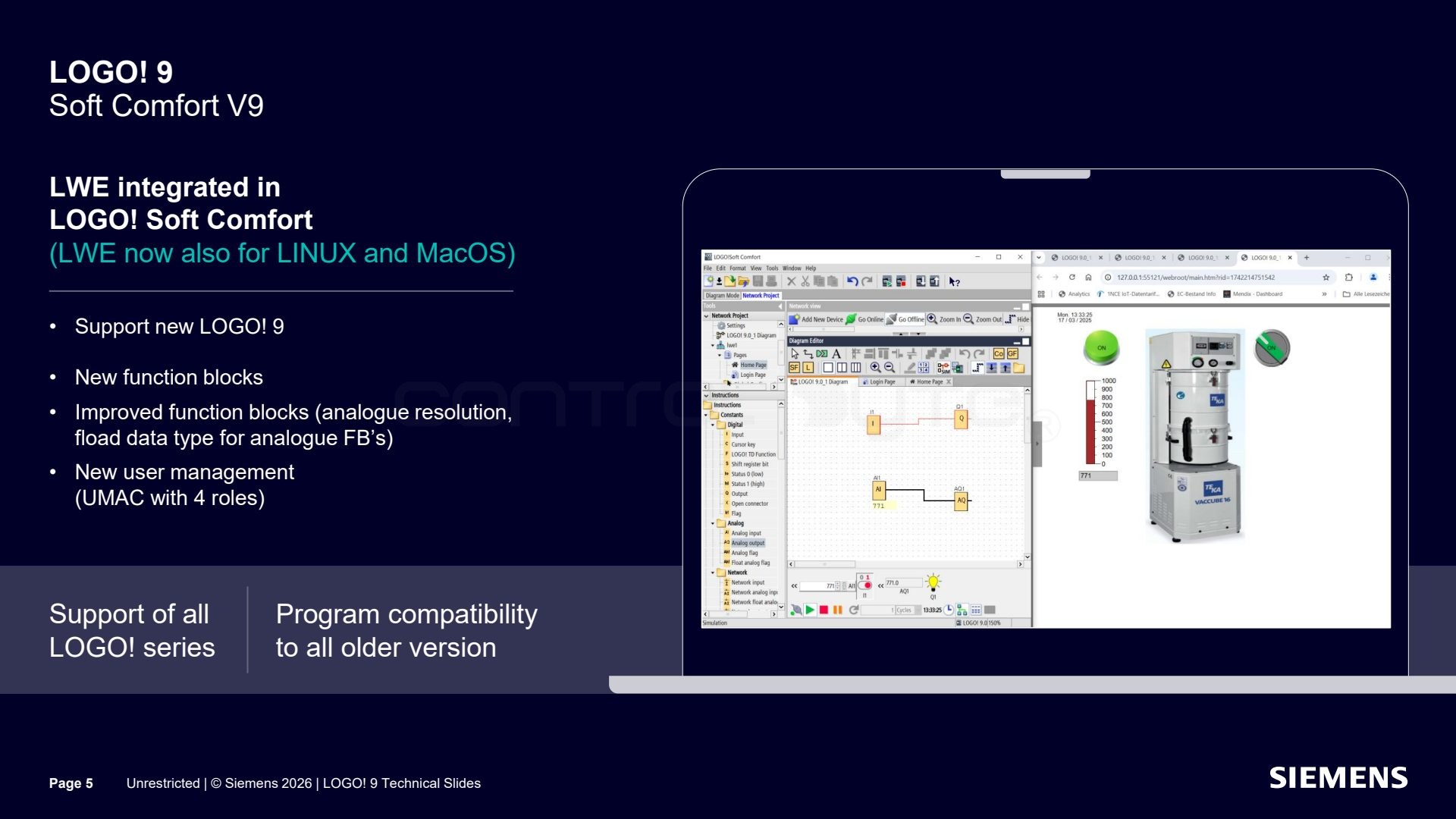
LOGO! Soft Comfort V9 is the new version of the engineering software. The web editor (LWE) is now integrated and also runs on Linux and macOS. The software supports the new LOGO! 9, introduces new and improved function blocks (analog resolution, floating point type for analog blocks), new UMAC user management with four roles, and stays compatible with programs from all earlier LOGO! versions.
Security by default and EU CRA compliance
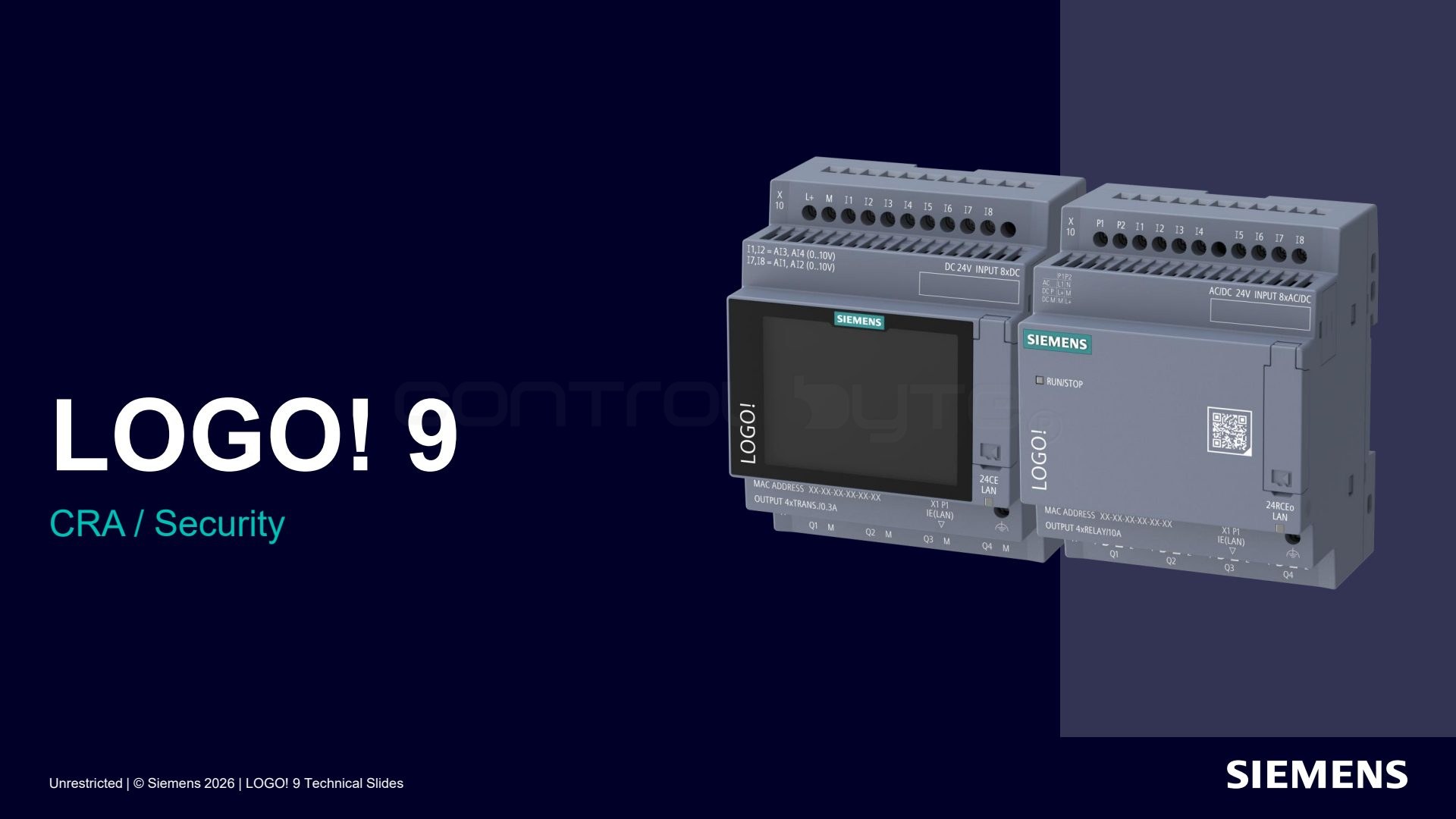
LOGO! 9 puts strong emphasis on cybersecurity and compliance with the European EU CRA regulation (Cyber Resilience Act). Below we show how the security configuration looks step by step.
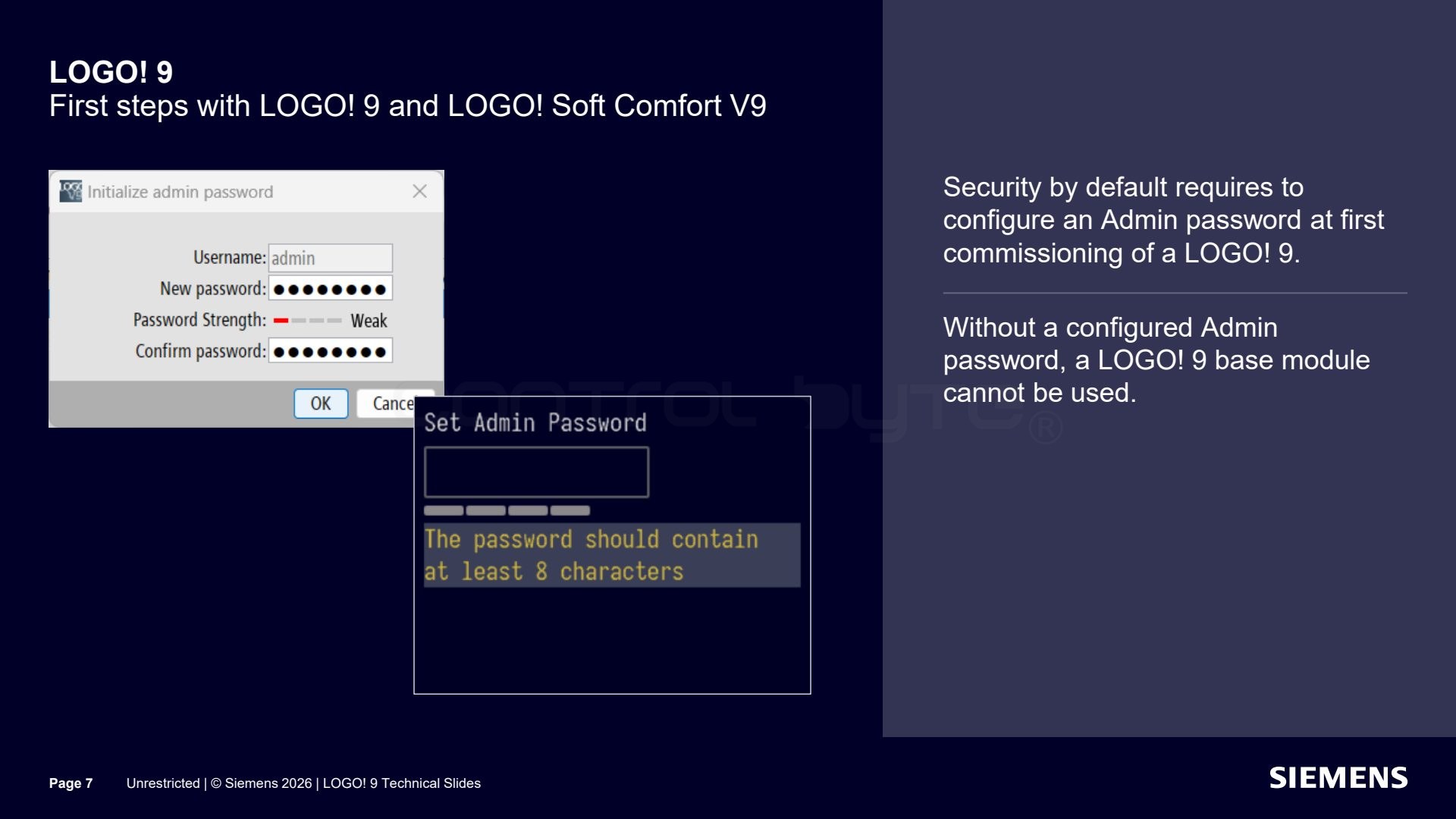
The security by default principle requires setting an administrator password at the very first startup of LOGO! 9. Without an administrator password set, the base module cannot be used.
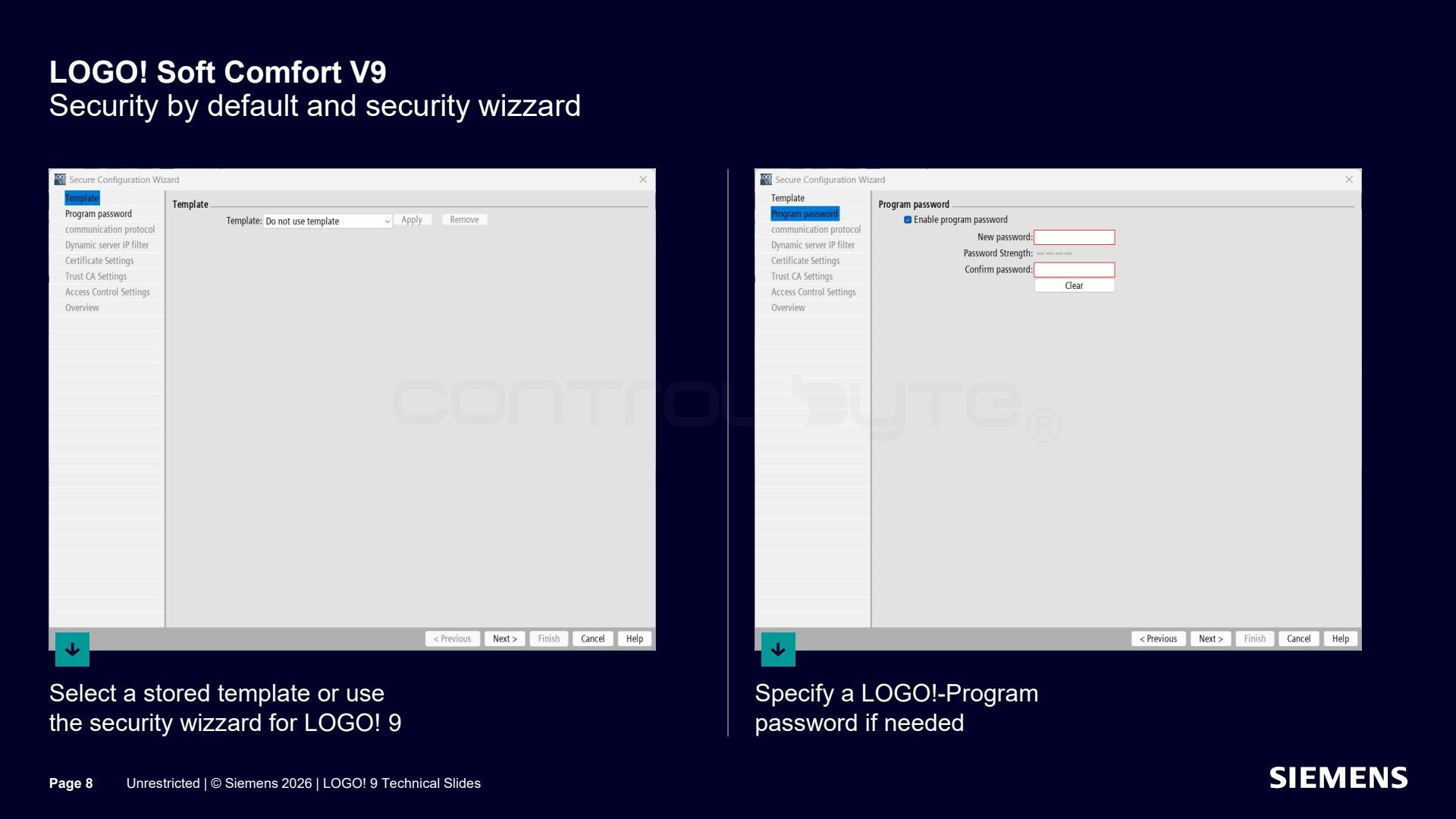
The security configuration is made easier by the security wizard in LOGO! Soft Comfort V9. At the start you can pick a saved template or step through the wizard for LOGO! 9, and if needed define a LOGO! program password.
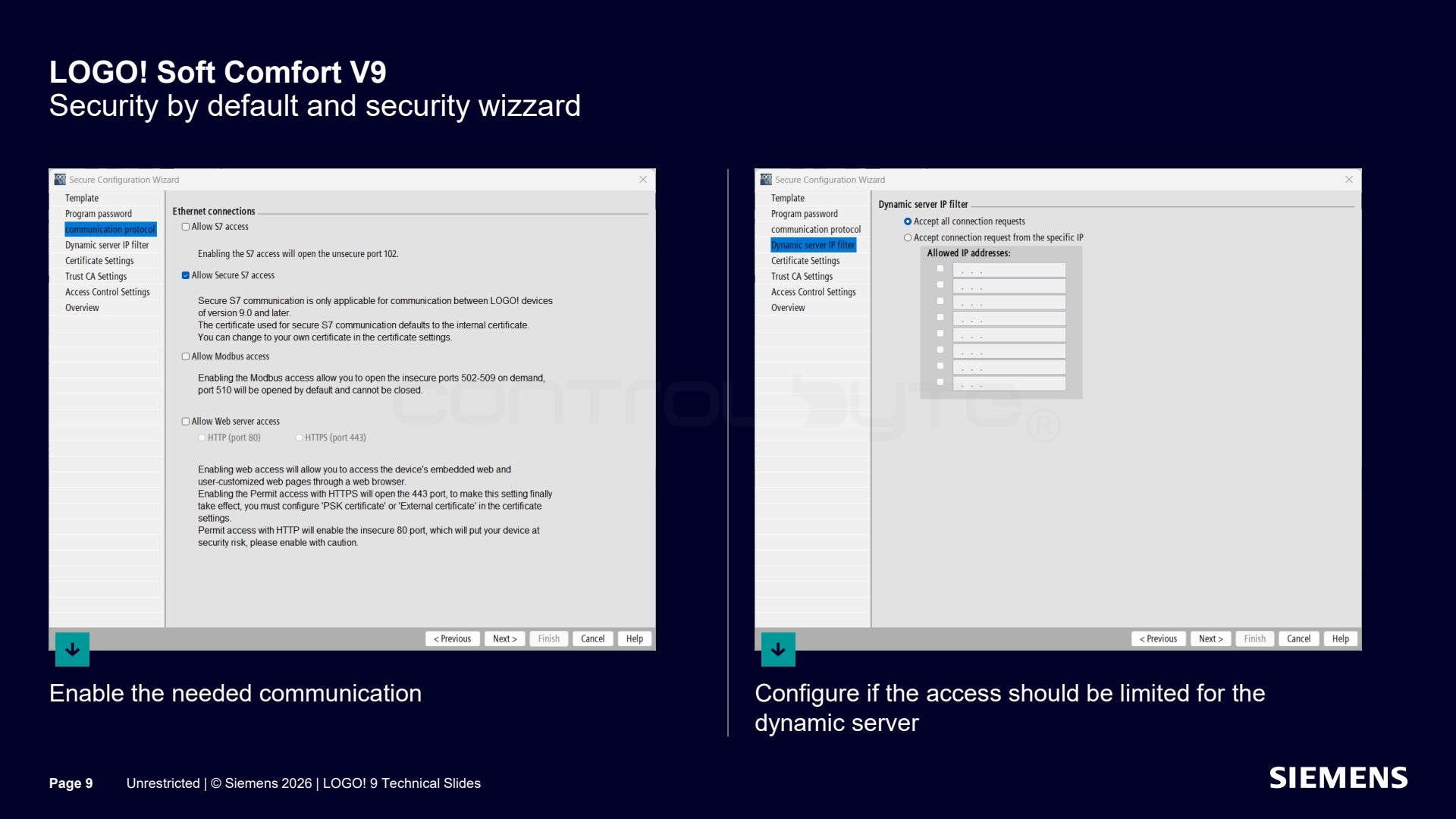
In the next step you enable the communication you need and decide whether access should be restricted for the dynamic server.
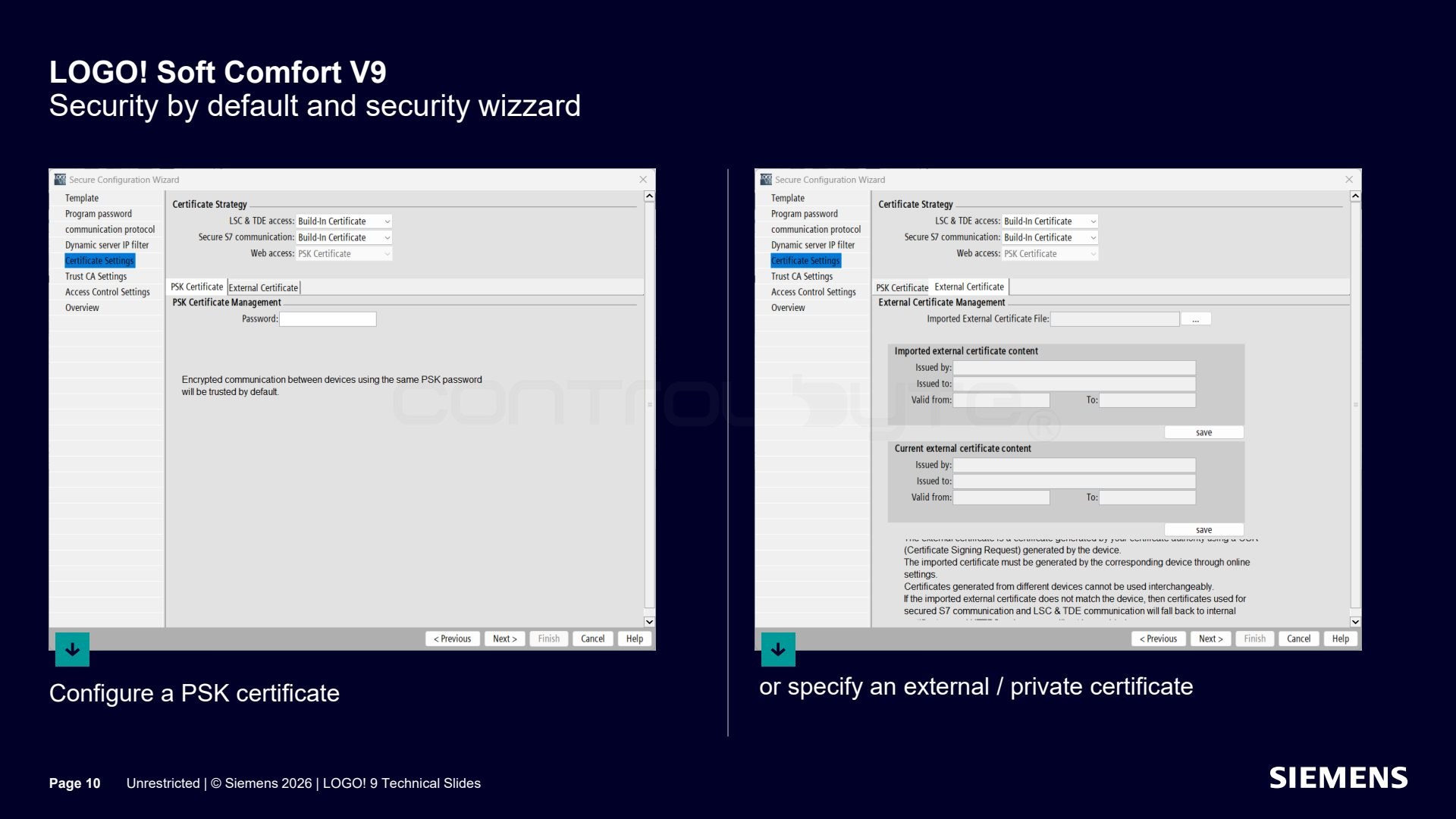
Next you configure a PSK certificate or point to your own or an external certificate, depending on the requirements of your installation.
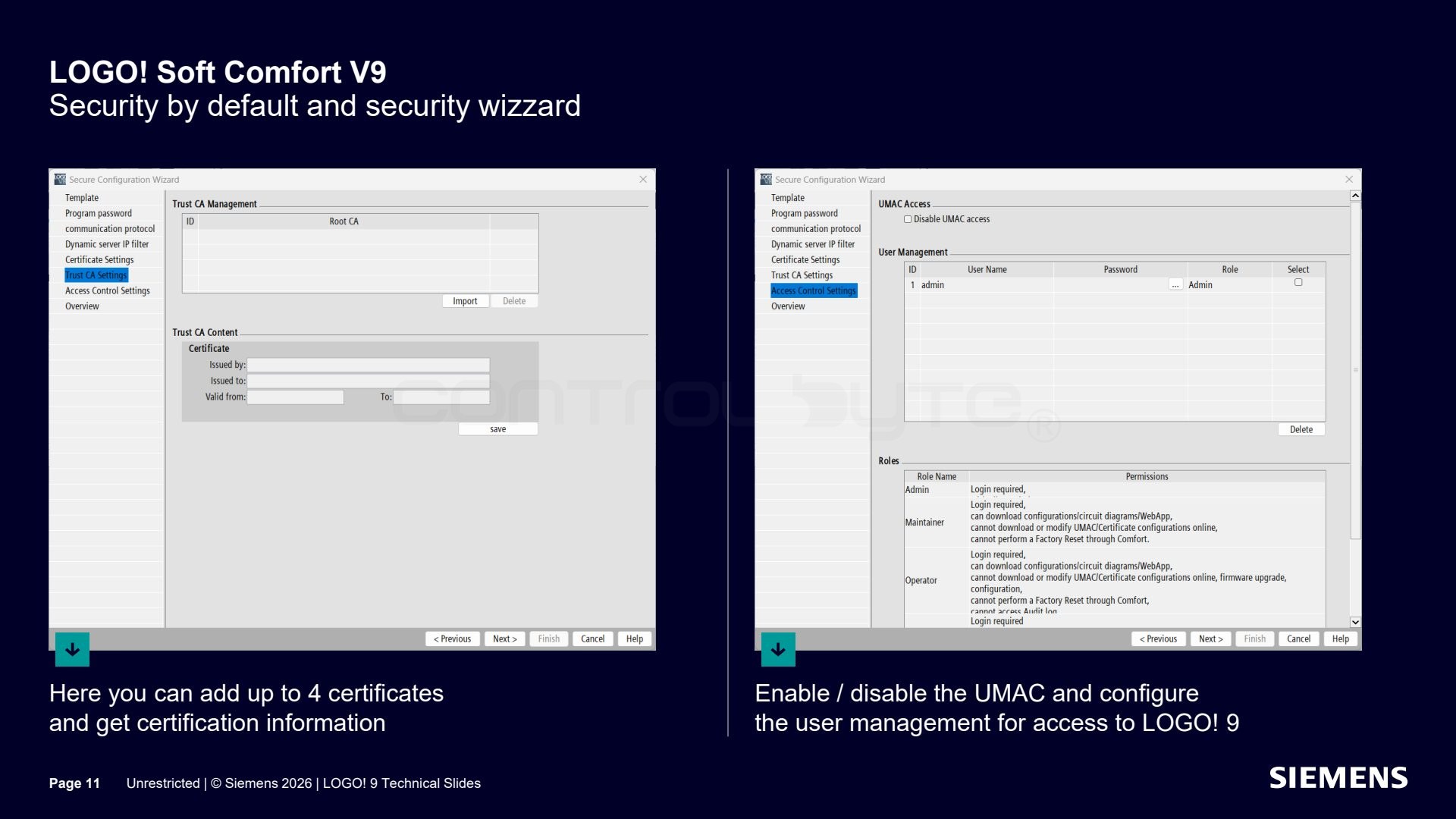
You can add up to four certificates and review the certification information. In the same place you enable or disable UMAC and configure user access management for LOGO! 9.
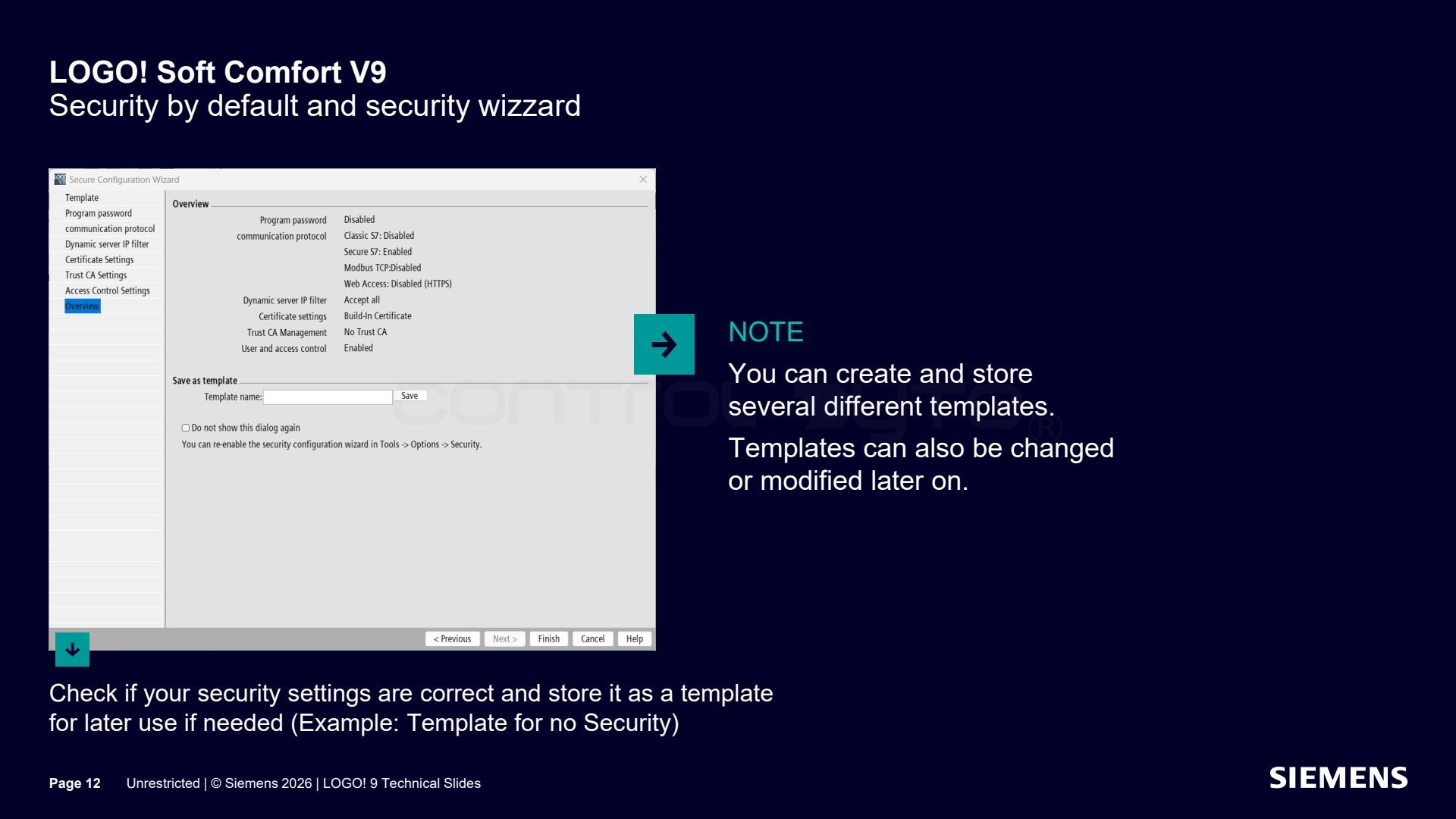
Finally you verify that the security settings are correct and save them as a template for later use. You can create and store several different templates (for example a template with no security) and modify them later.
Program download and online/offline configuration
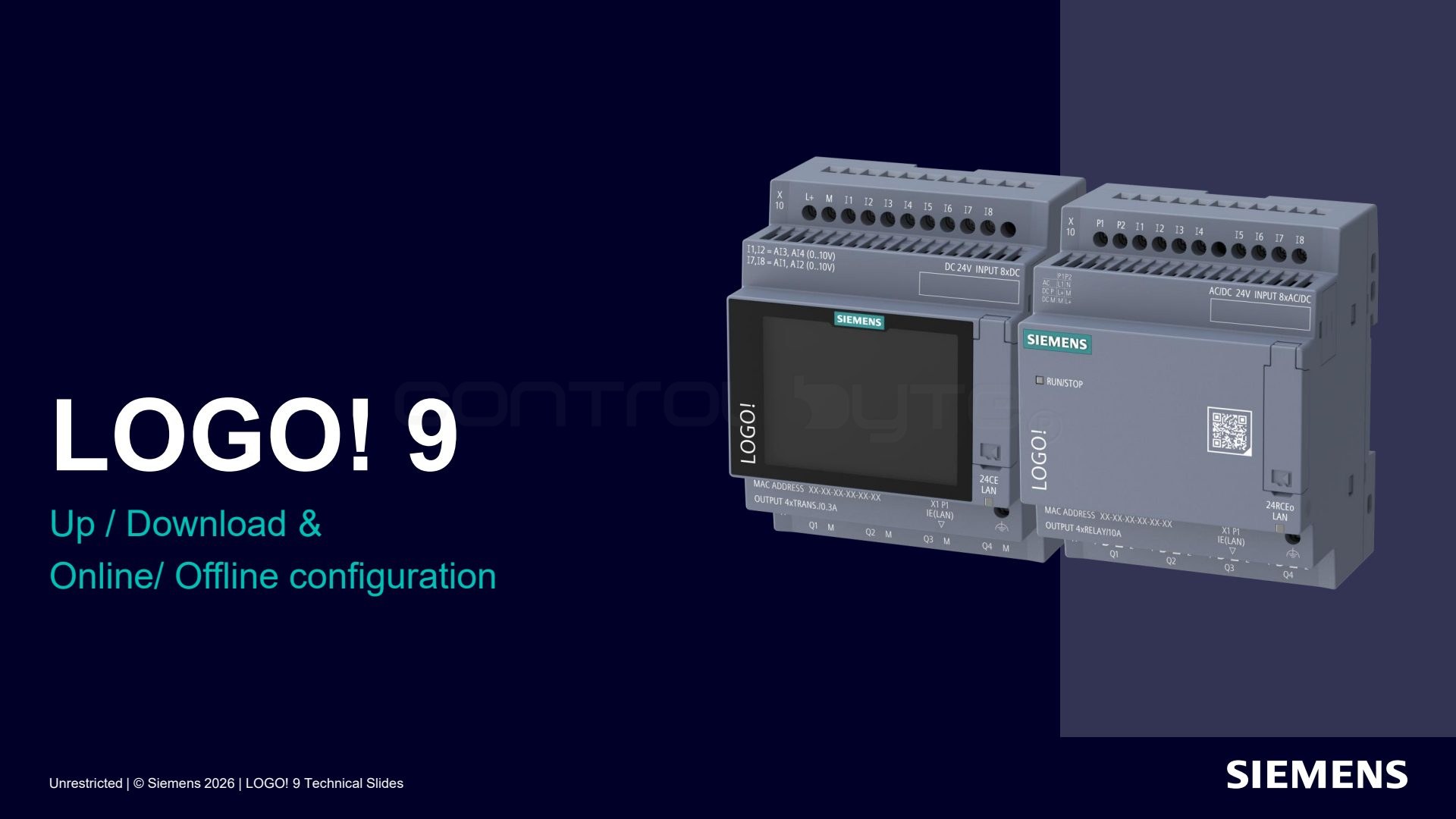
LOGO! Soft Comfort V9 also tidies up program download and the configuration of settings in online and offline mode.
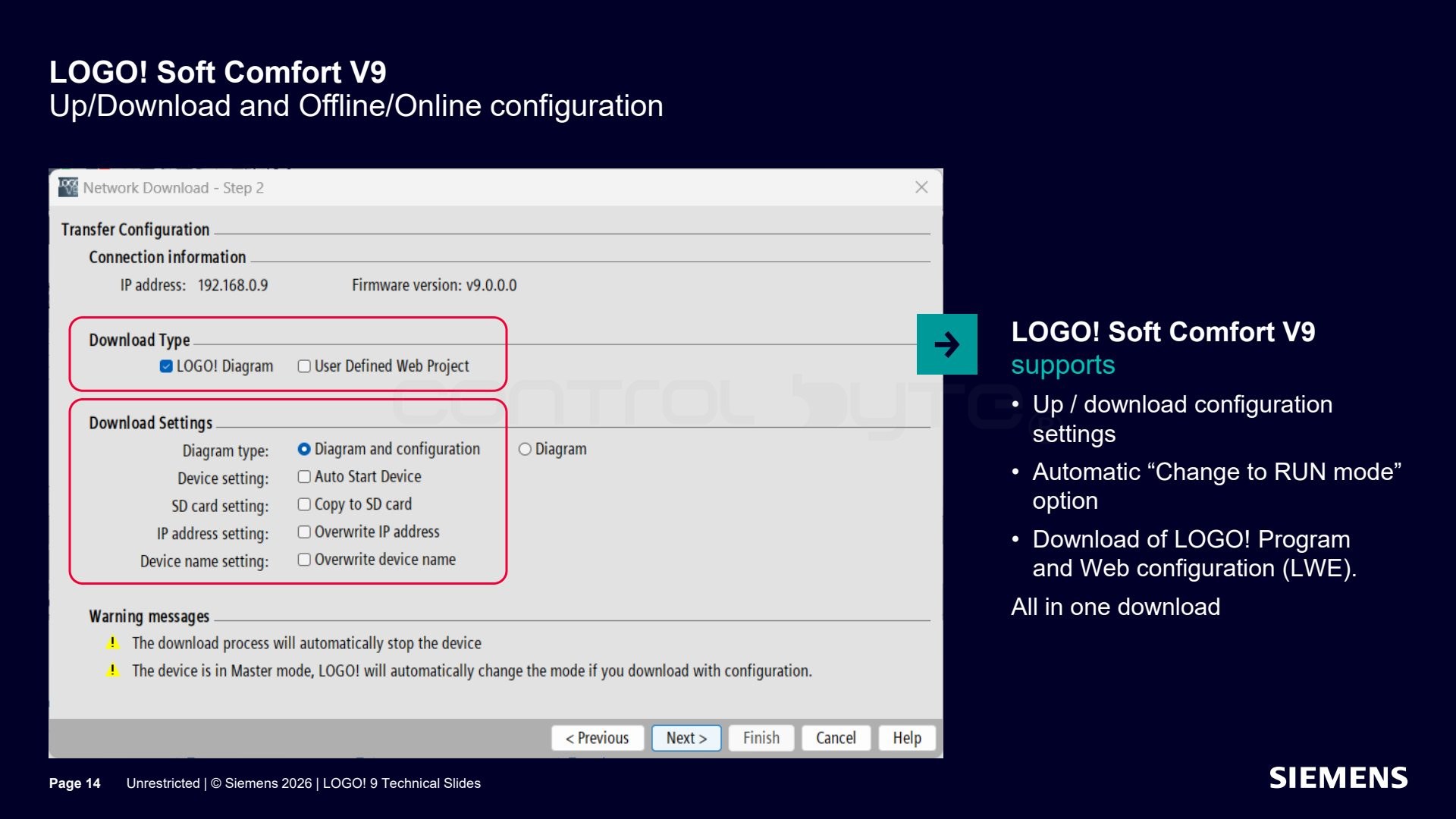
The software supports upload and download of configuration settings, an automatic option to switch to RUN mode after downloading, and downloading the LOGO! program together with the web pages (LWE) configuration in a single download.
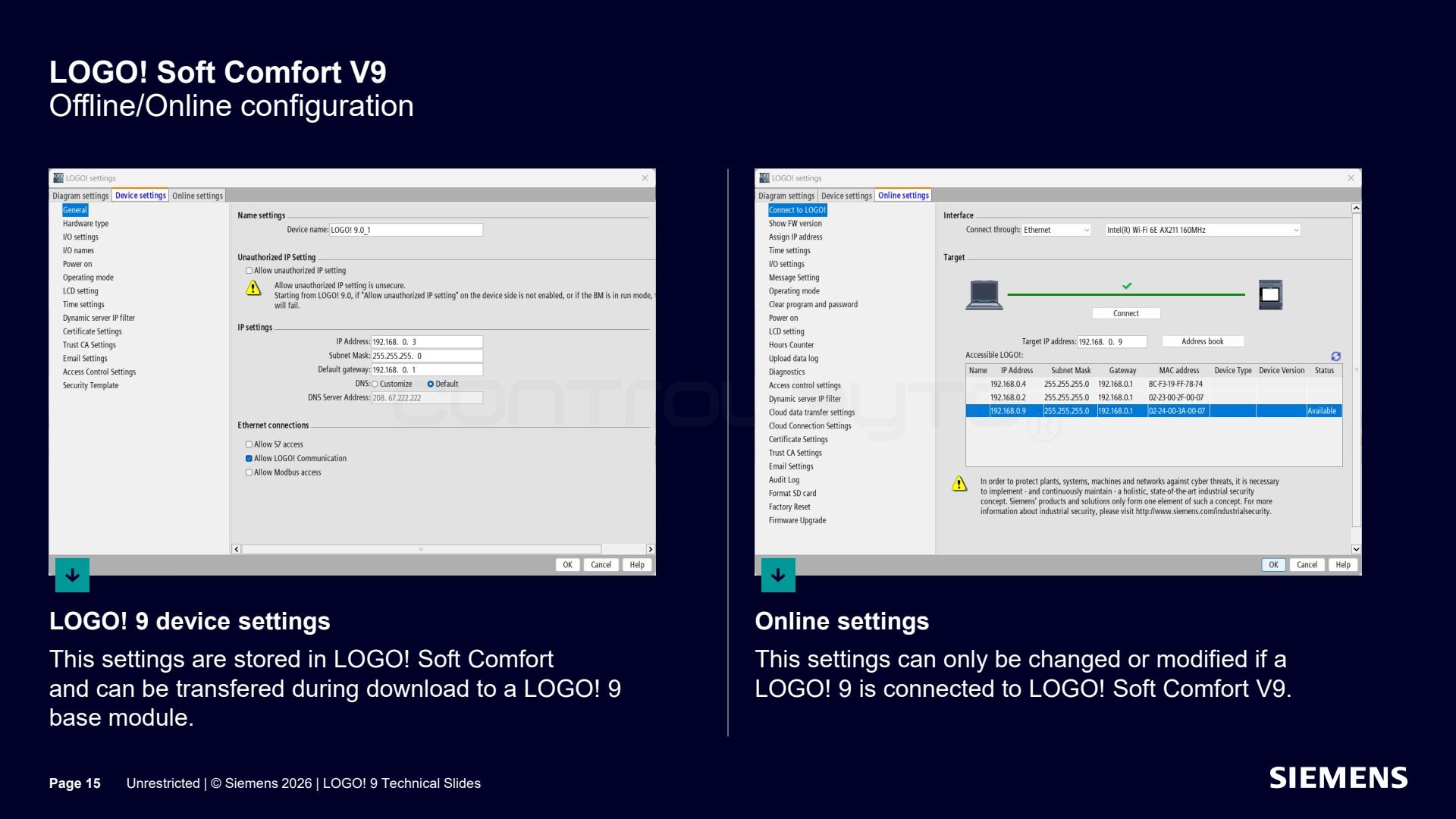
LOGO! 9 device settings are stored in LOGO! Soft Comfort and can be transferred to the base module during download. Online settings can only be changed while LOGO! 9 is connected to LOGO! Soft Comfort V9.
LCD messages in LOGO! 9
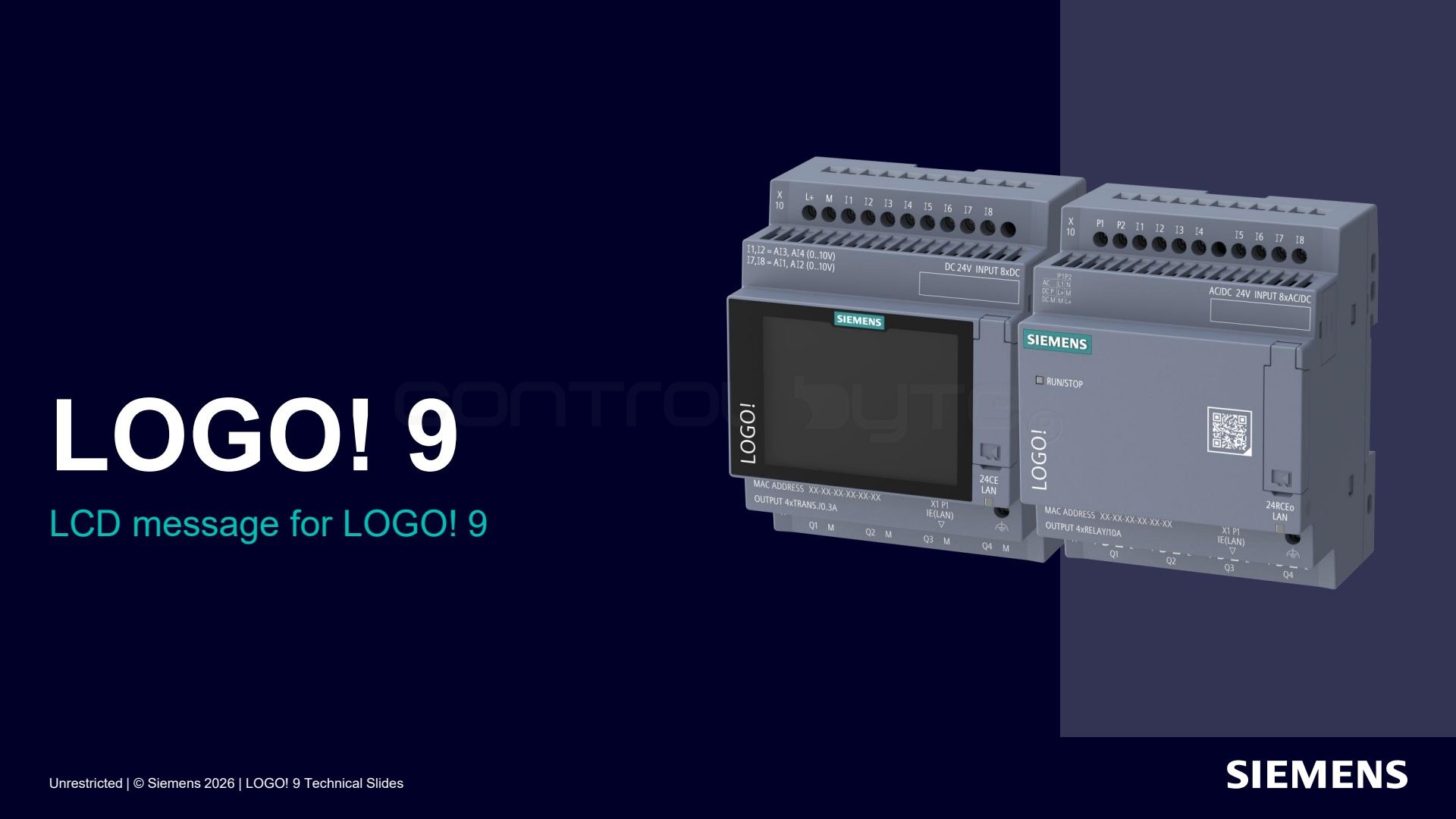
LOGO! 9 introduces a new way of working with messages on the LCD display.
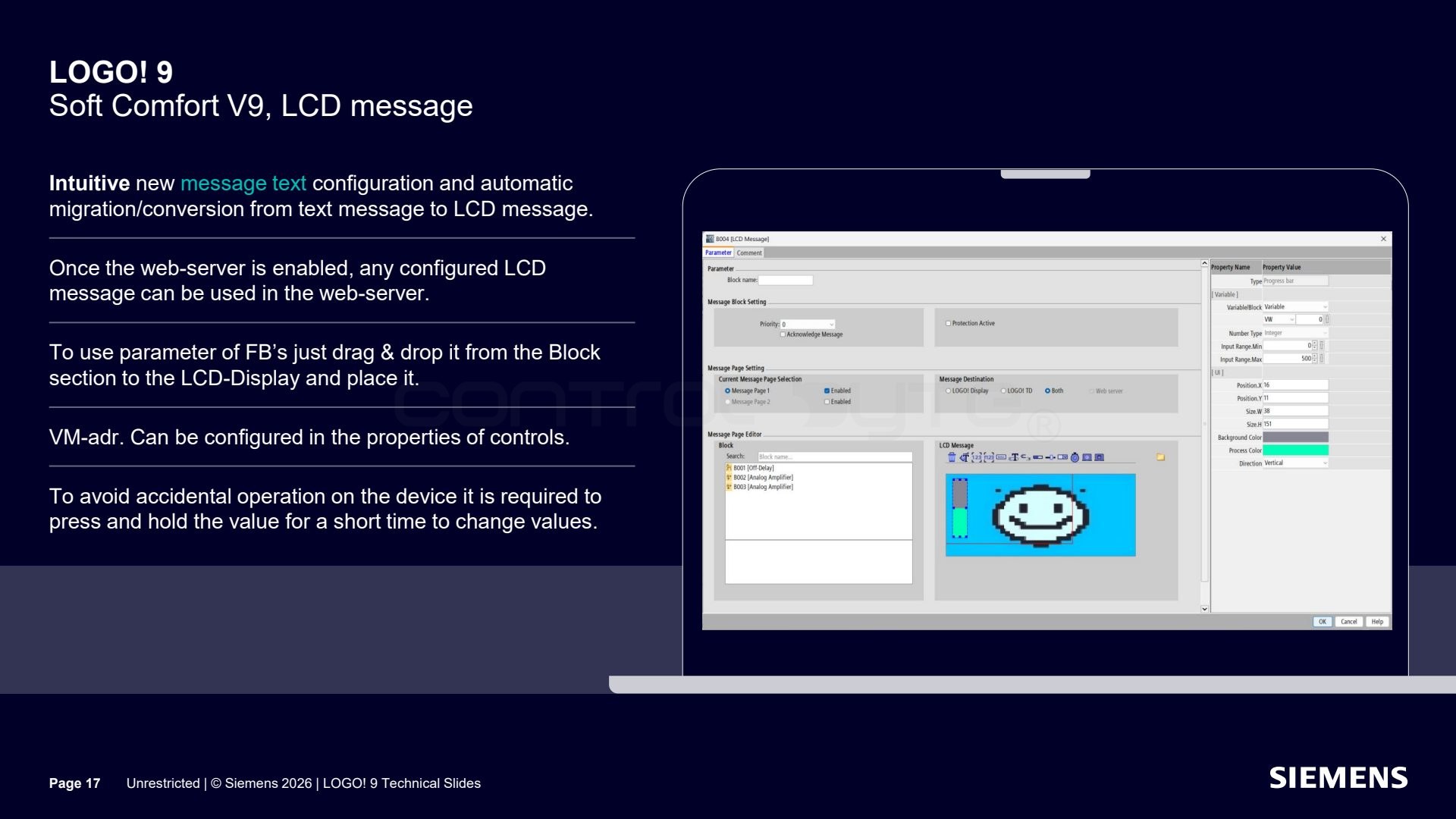
Configuring text messages is now more intuitive, and existing messages are automatically migrated and converted from the text message format into LCD messages. Once the web server is enabled, every configured LCD message can be reused on the page. You add function block parameters to the display by drag and drop, set the VM address in the control properties, and to change a value on the device you have to hold it briefly, which prevents accidental operation.
Extended data format and floating point numbers
Another new feature is the extended data format in LOGO! 9.
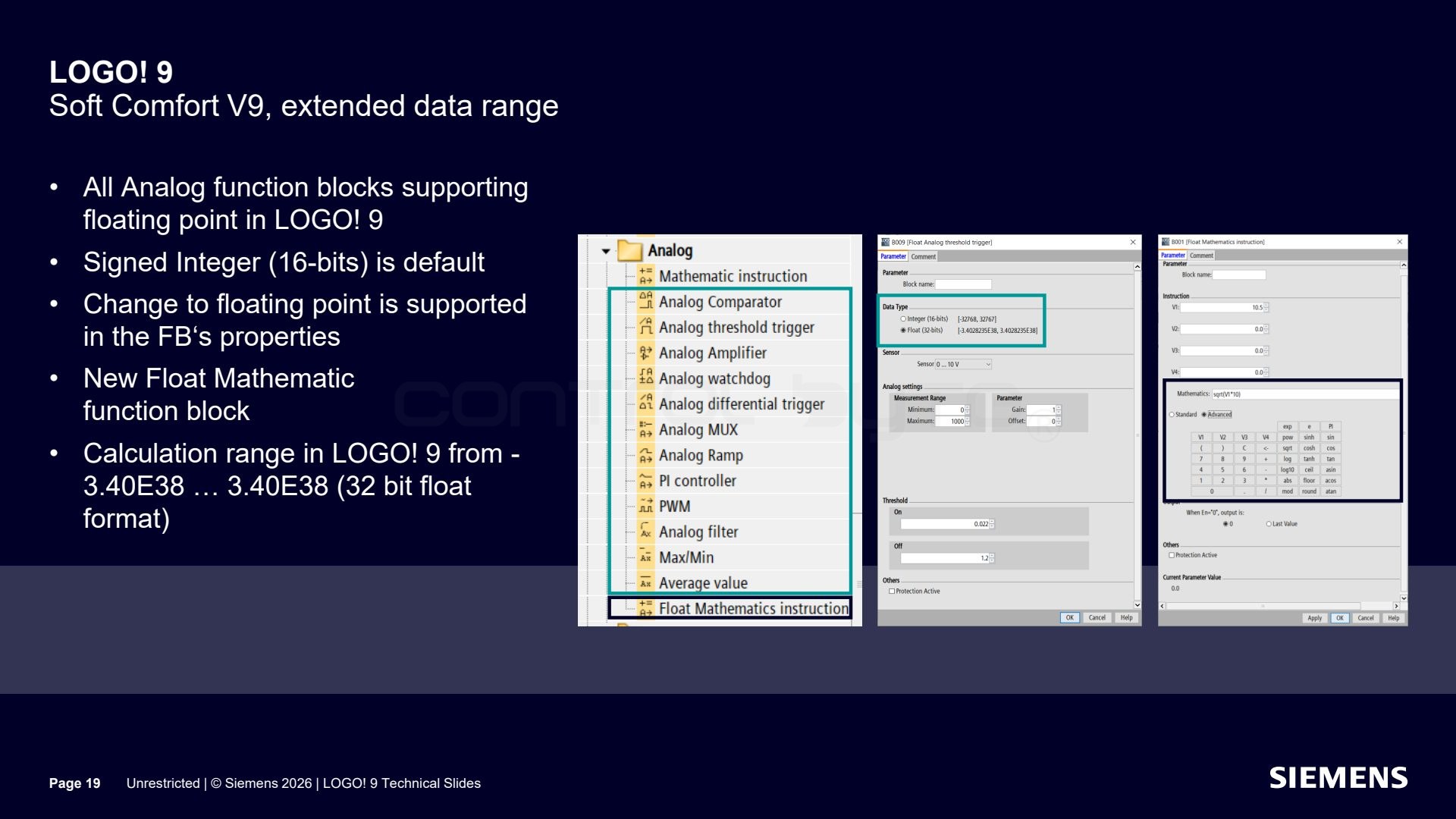
In LOGO! 9 all analog function blocks support floating point numbers. The default format is a 16-bit signed integer, and the switch to floating point format is set in the block properties. A new Float Mathematic block was added, and the calculation range spans from -3.40E38 to 3.40E38 (32-bit floating point format).
Extended analog resolution
LOGO! 9 also lets you adjust the analog resolution to the needs of your application.
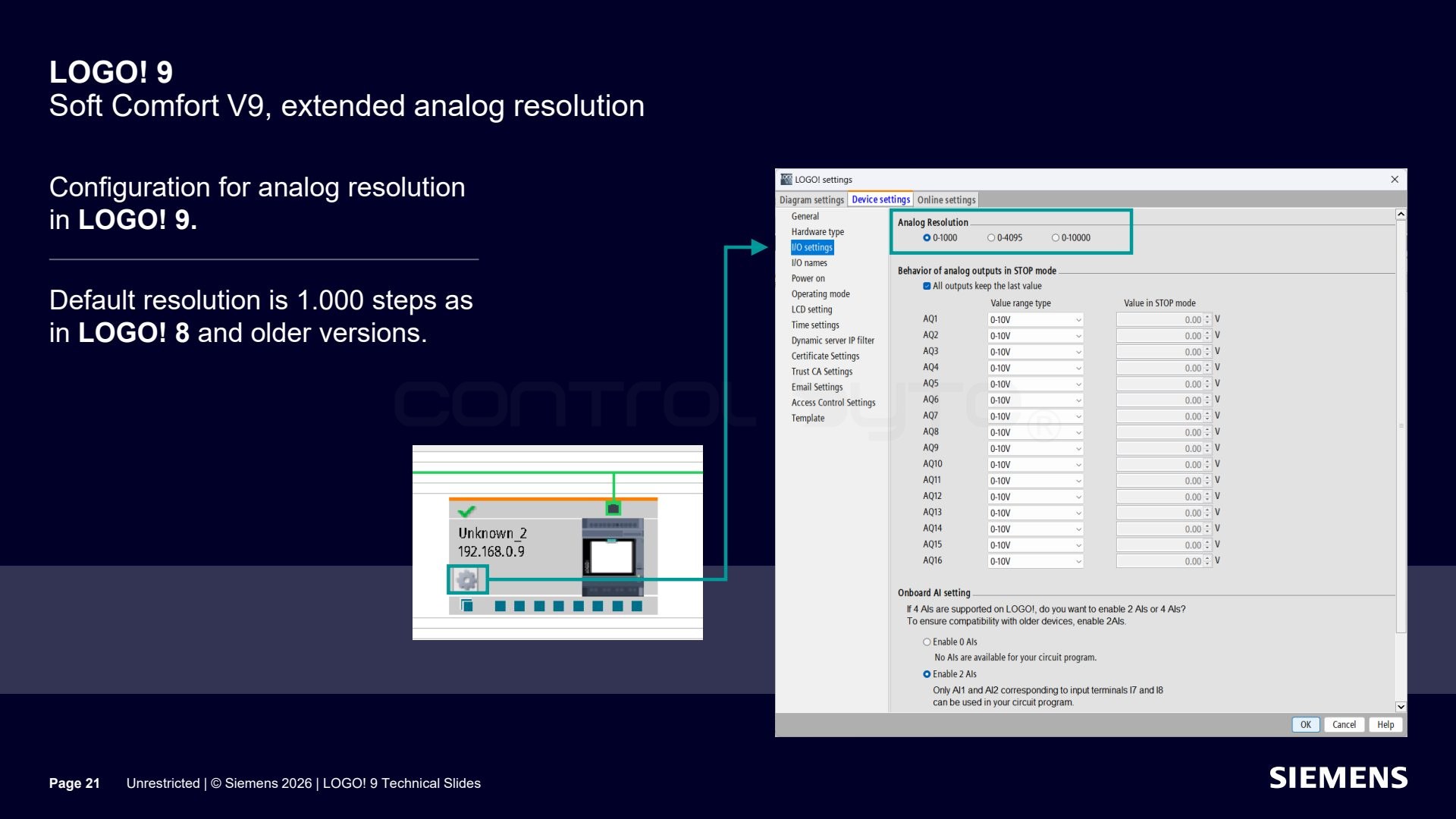
The analog resolution is configured in the LOGO! 9 settings. The default is 1000 steps, just like in LOGO! 8 and earlier versions, which makes migrating existing projects easier.
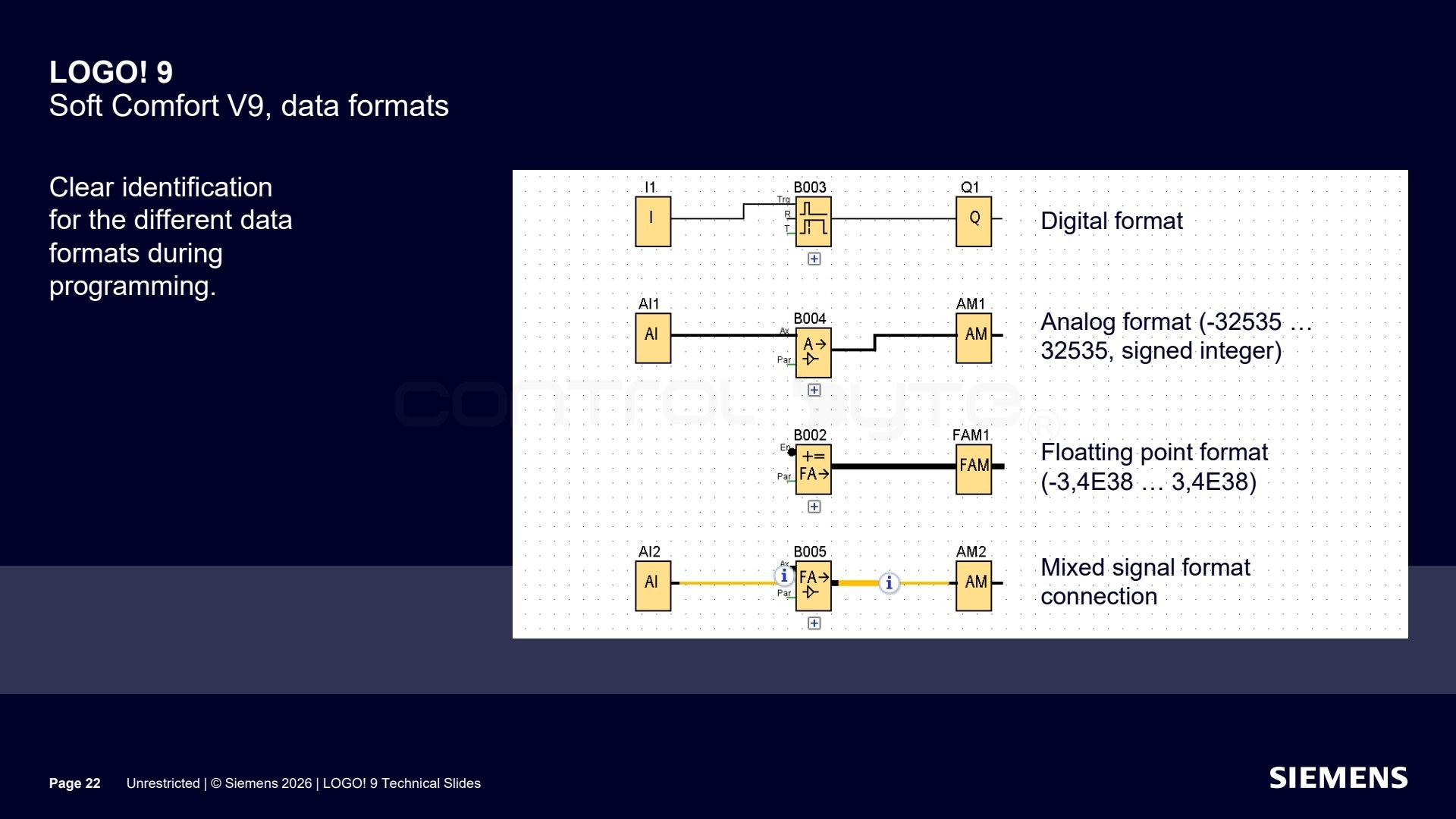
During programming the individual data formats are clearly marked: digital format, analog (-32535 to 32535, signed integer), floating point (-3.4E38 to 3.4E38), and a mix of mixed signals.
Audit log file
LOGO! 9 also gains an event log (log file).
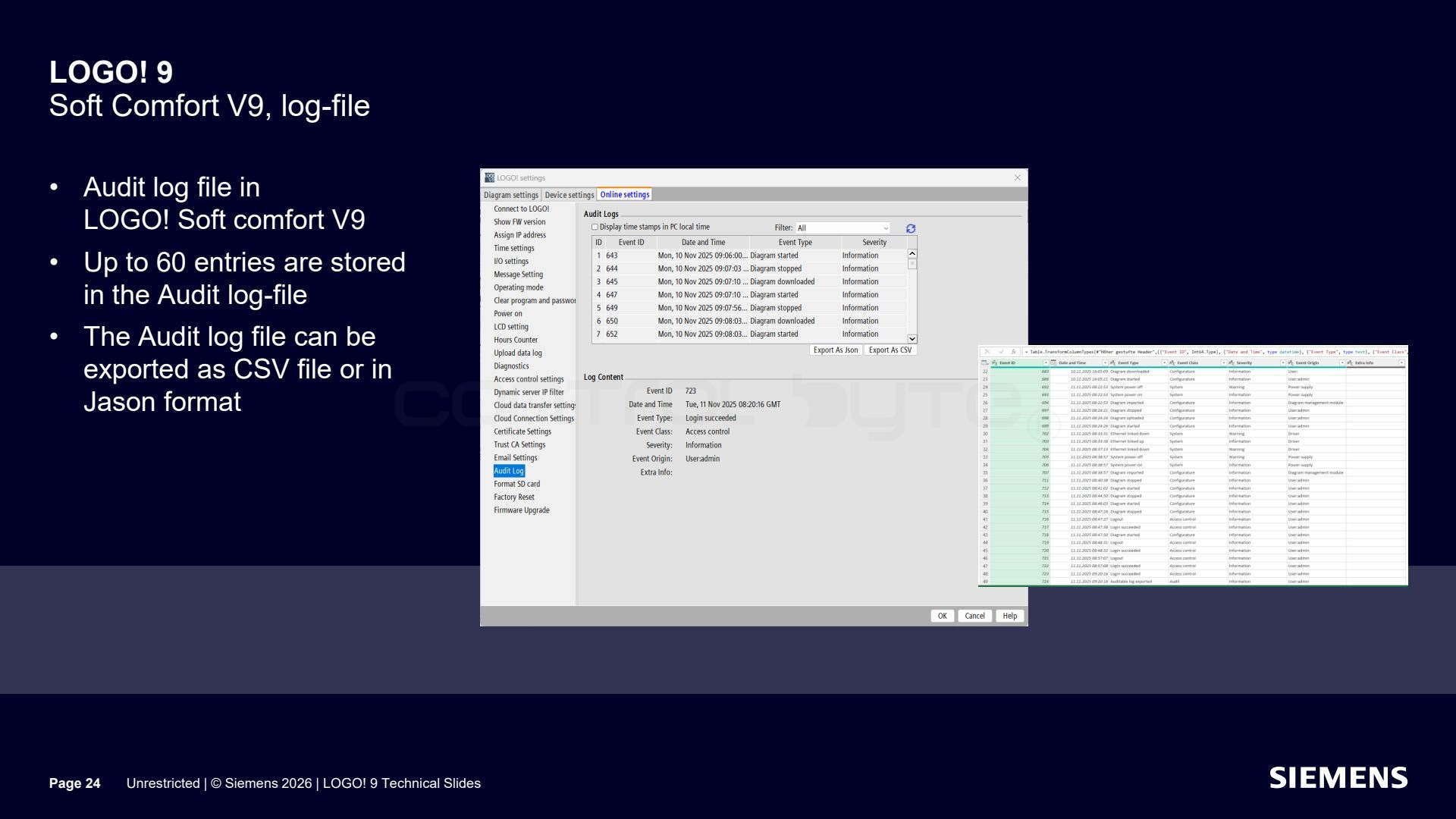
In LOGO! Soft Comfort V9 there is an audit log that stores up to 60 entries. The log can be exported to a CSV file or in JSON format.
First steps with LOGO! 9
Before you start working with LOGO! 9, it is worth knowing the first configuration steps.
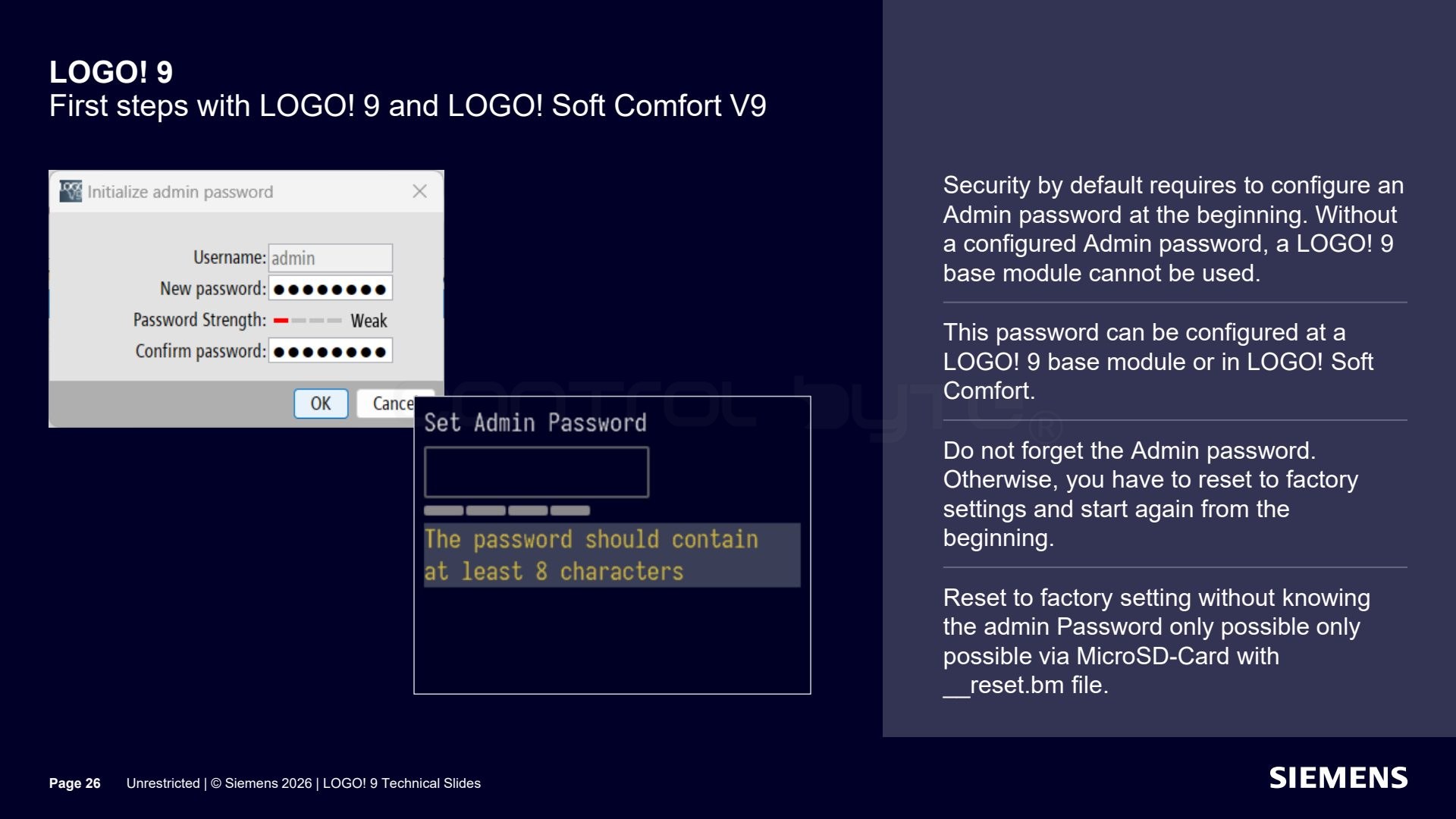
Security by default requires setting an administrator password at the start. You can do it on the LOGO! 9 base module or in LOGO! Soft Comfort. Do not forget this password: without it, a factory reset is only possible through a MicroSD card with a __reset.bm file.
Working with the MicroSD card in LOGO! 9
A new operation feature is working with the MicroSD card directly in the device.
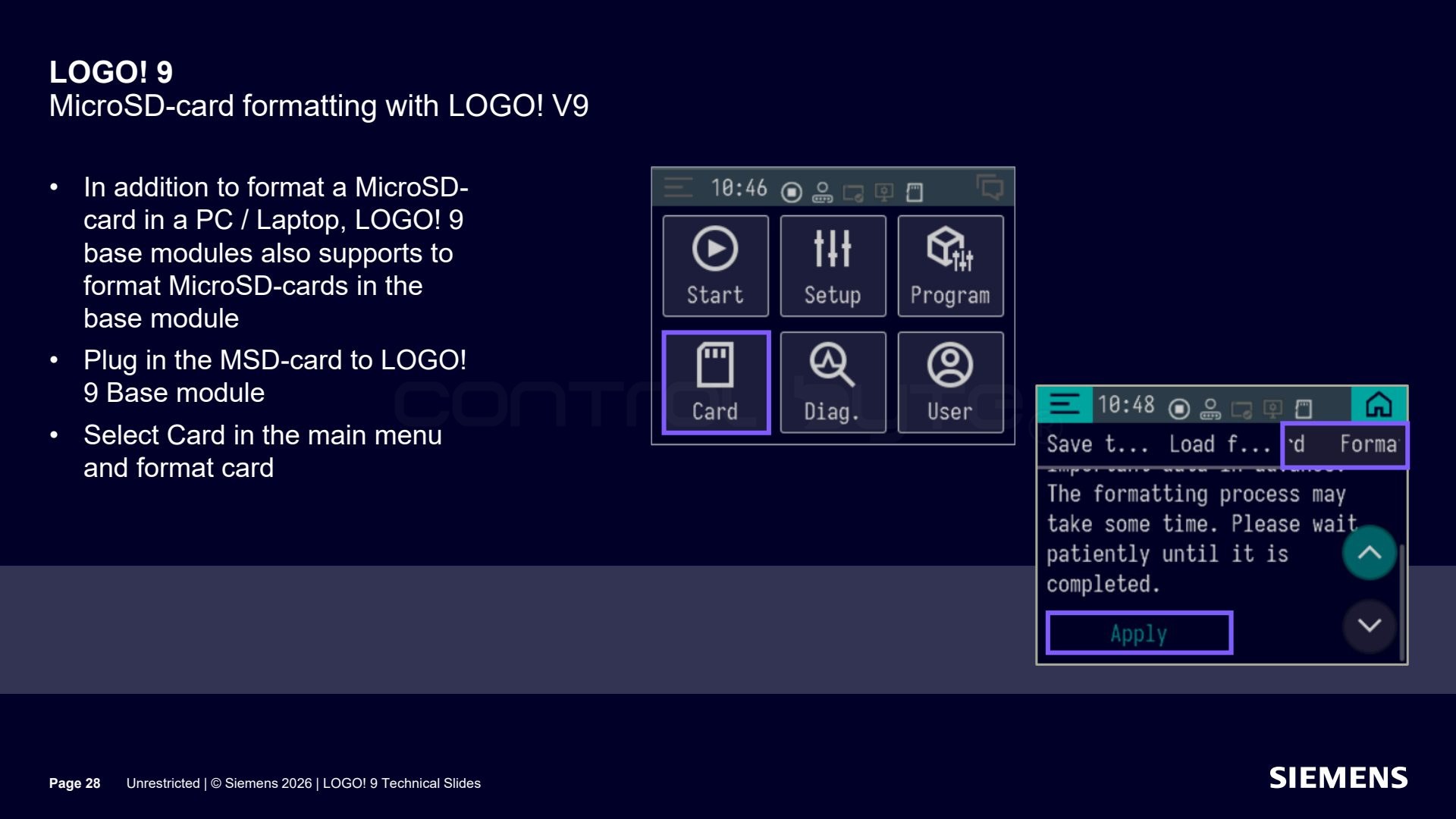
Besides formatting the MicroSD card on a computer, the LOGO! 9 base modules let you format it directly in the device. Just insert the card into the base module, select the "Card" item in the main menu, and format the card.
Web page design (LWE) for LOGO! 9
A big change is the integrated web page design for LOGO! 9.
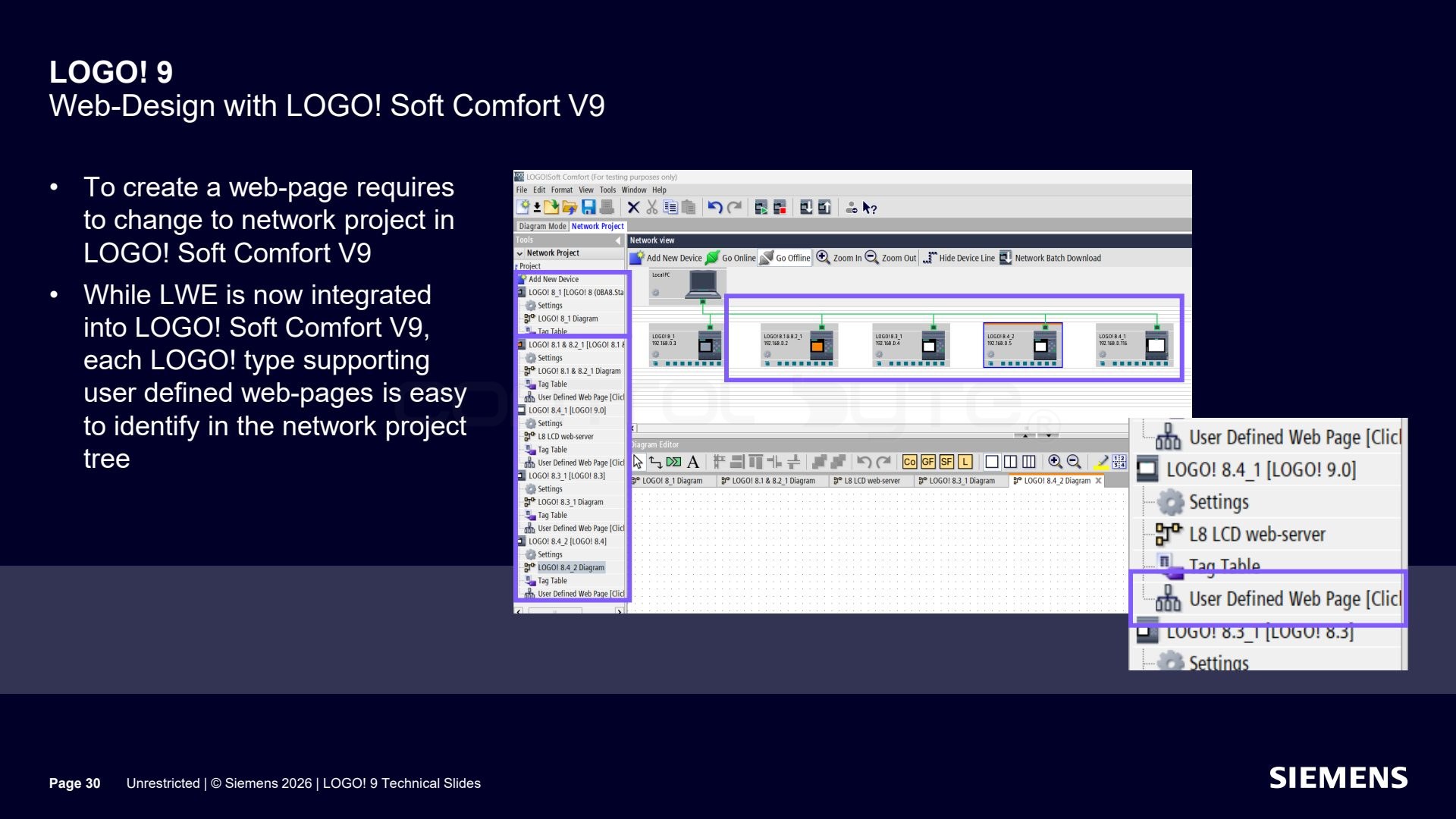
Creating a web page requires going to the network project in LOGO! Soft Comfort V9. Thanks to LWE being integrated into the software, every LOGO! type that supports its own web pages is easy to recognize in the network project tree.
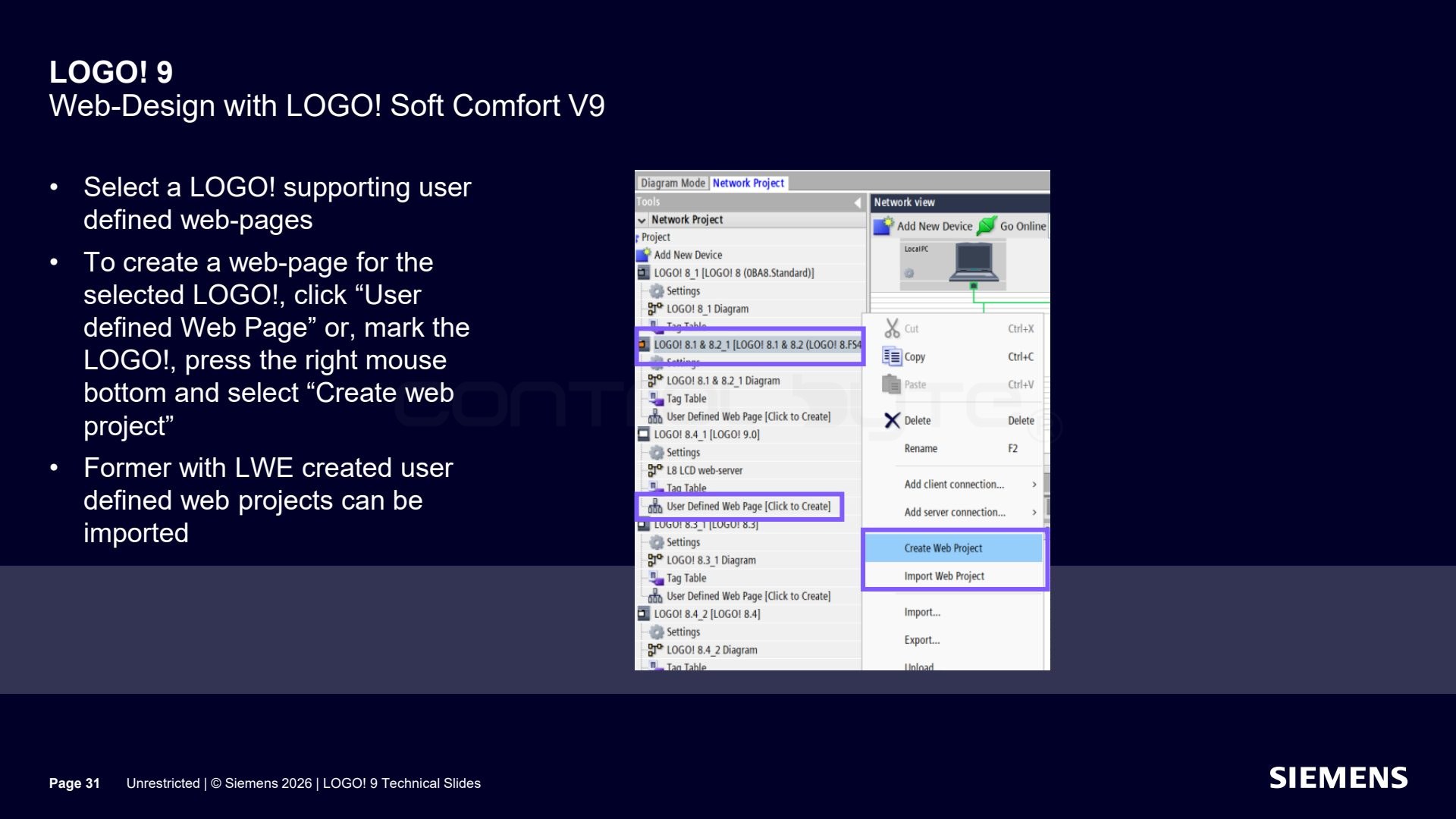
You select a LOGO! that supports its own web pages and create a page with the "User defined Web Page" button, or by right-clicking the LOGO! and choosing "Create web project". Previously created LWE projects can be imported.
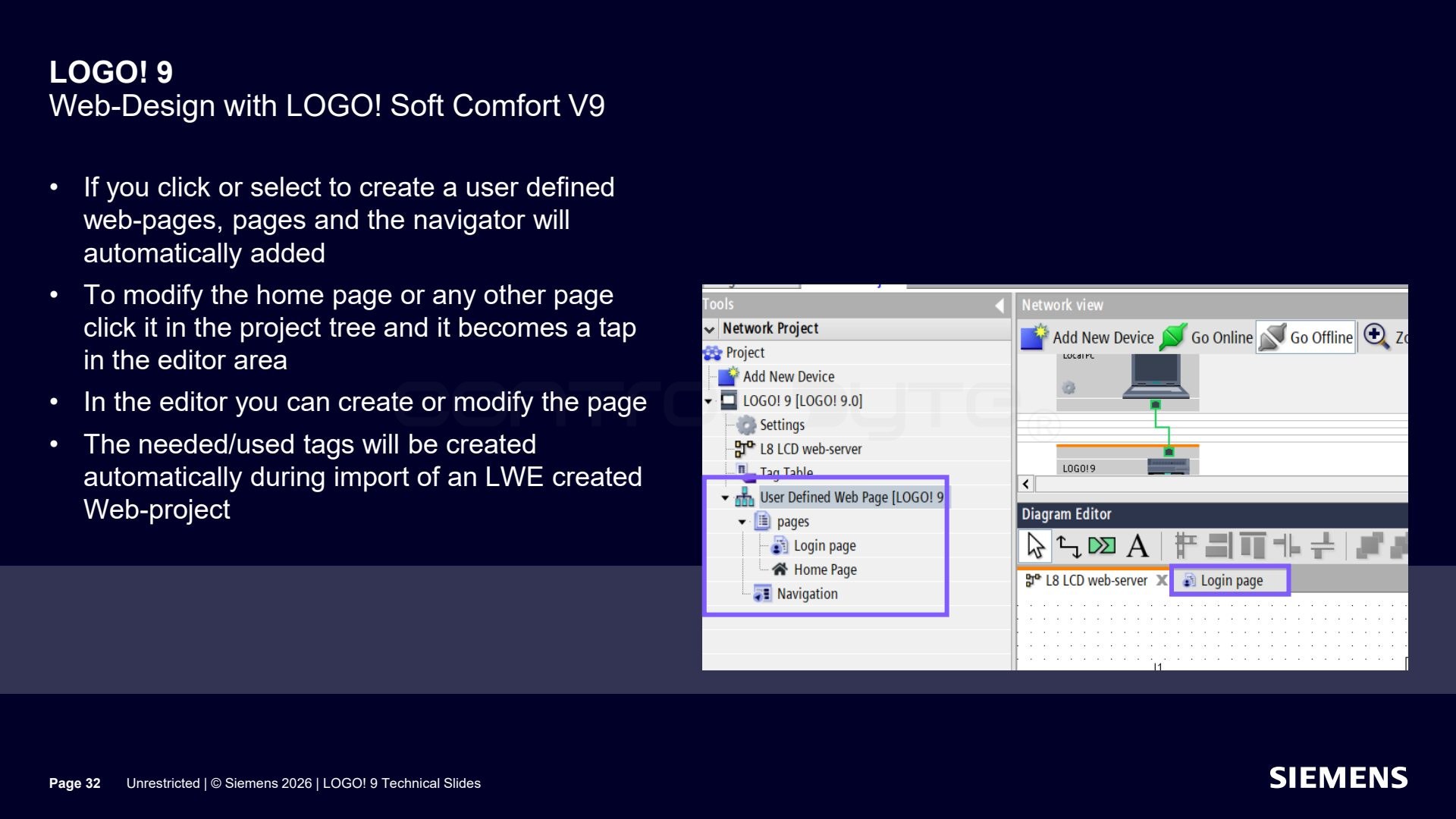
After the user page is created, the pages and the navigator are added automatically. To modify the home page or any other page, you click it in the project tree and it opens in the editor. The needed tags are created automatically when importing a project from LWE.
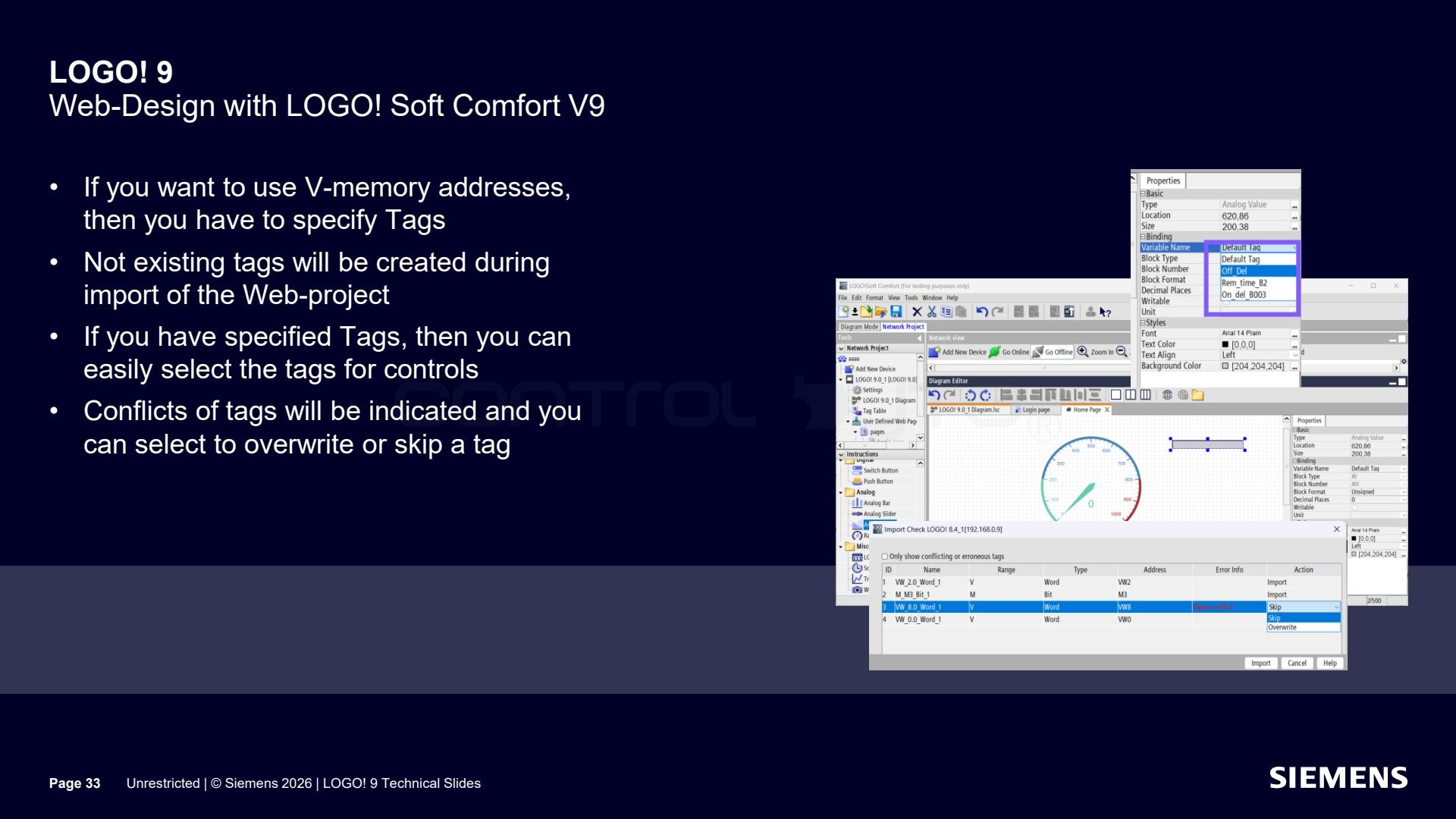
If you want to use V-memory addresses, you have to define tags. Missing tags will be created during the import of the web project. With tags defined, you can easily assign them to controls, and tag conflicts will be flagged so you can overwrite or skip them.
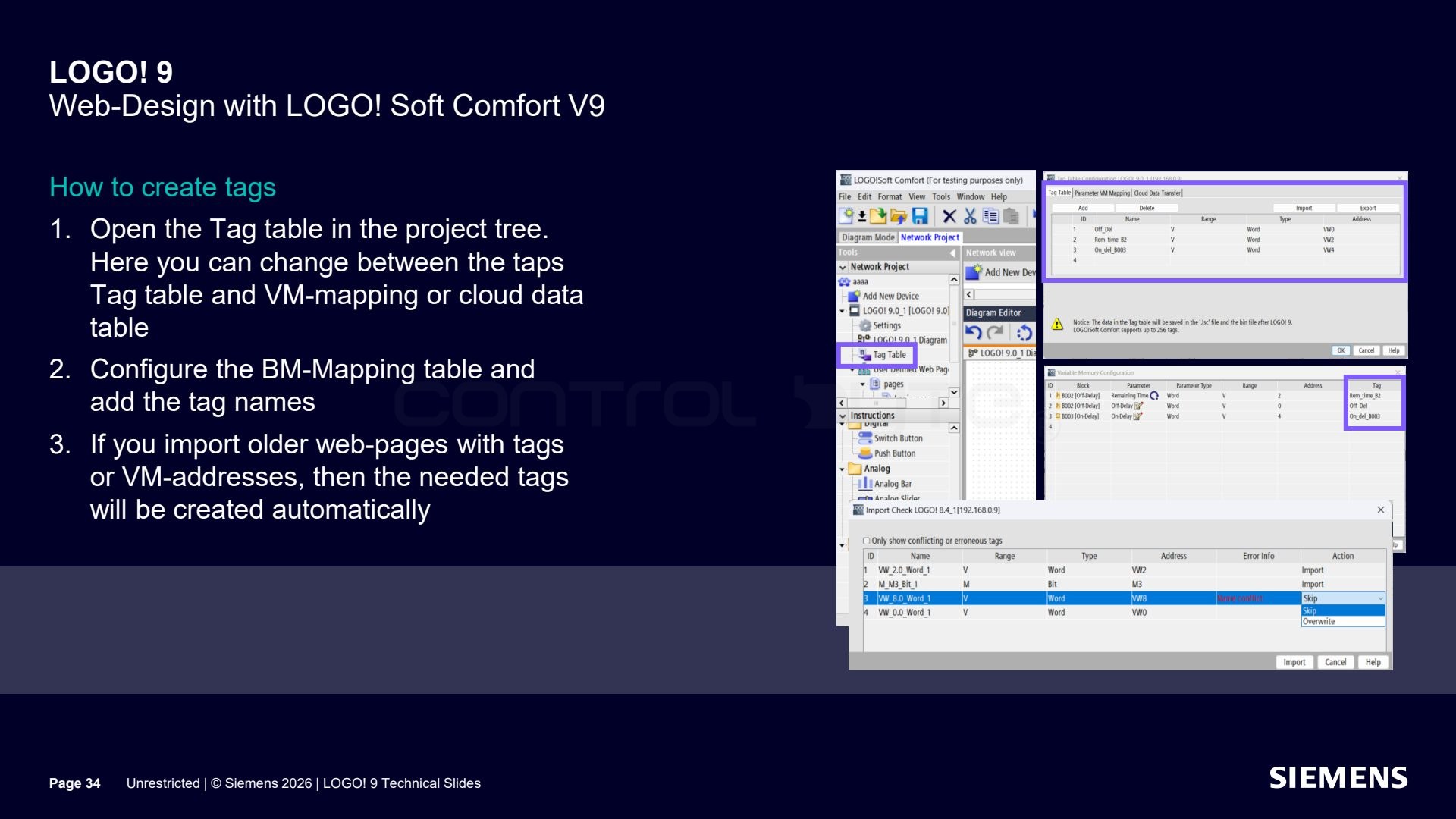
You create tags in the tag table in the project tree, where you switch between tabs: tag table, VM mapping, and cloud data table. You configure the mapping table and add tag names. Importing older pages with tags or VM addresses automatically creates the required tags.
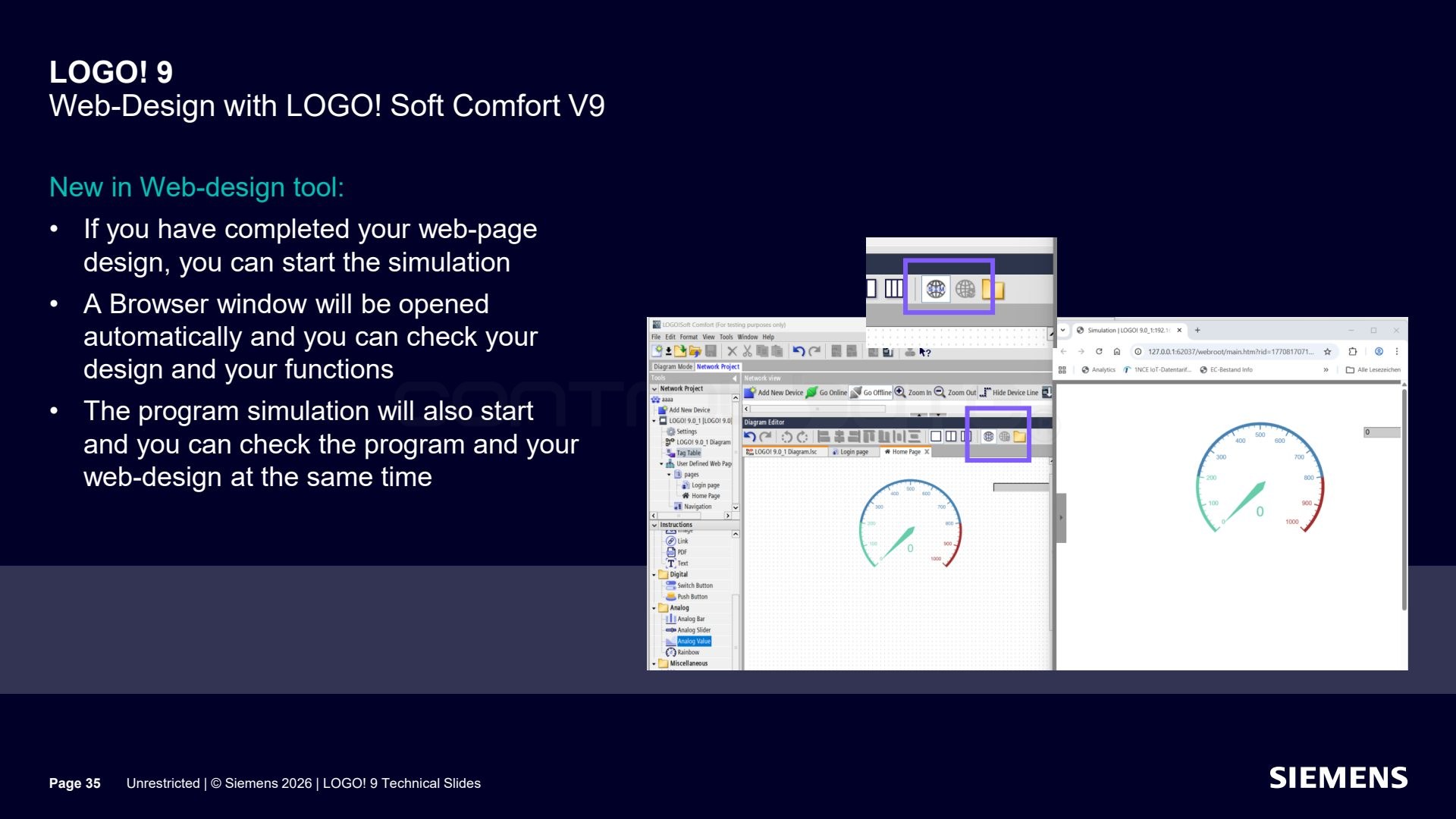
A new feature in the page design tool is simulation. After finishing the project you can run a simulation, and a browser window opens automatically where you check the look and behavior of the page. At the same time the program simulation starts, so you test the program and the web page in parallel.
User access control (UMAC)
LOGO! 9 introduces user access control (UMAC).
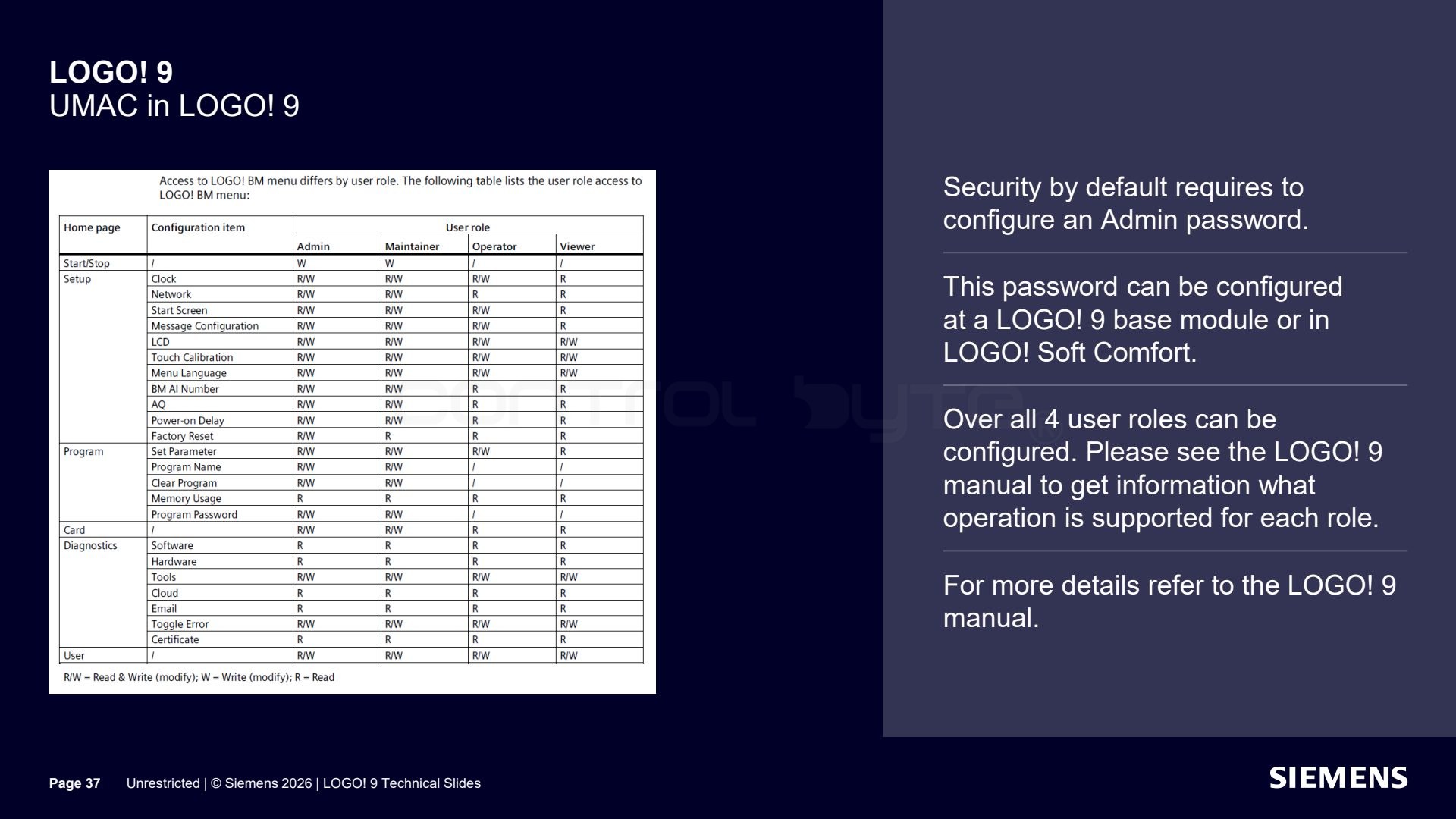
Security by default requires setting an administrator password, which you set on the LOGO! 9 base module or in LOGO! Soft Comfort. In total you can configure four user roles, and the range of operations available to each role is described in the LOGO! 9 manual. The security wizard helps configure the program password, communication protocol settings (S7, Modbus TCP, LOGO!/LOGO!, web server, IP settings and batch download), the dynamic IP filter, certificates and trust, and UMAC access control. Secure LOGO!/LOGO! communication is the default for all base modules and TDE panels.
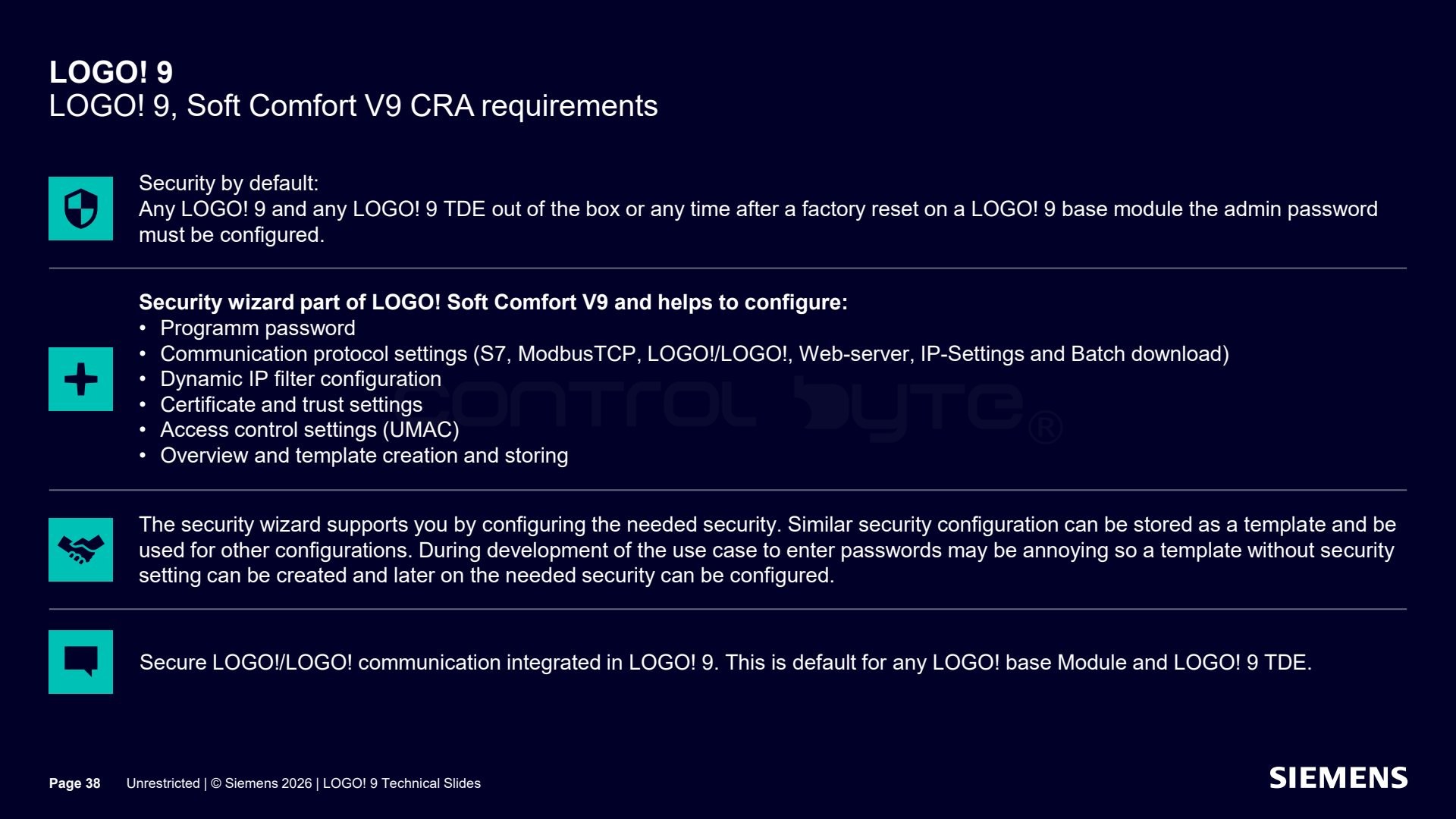
The same requirements follow from EU CRA compliance. The security configuration can be saved as a template and reused in other projects. During application development, when typing passwords repeatedly can be tedious, you can create a template with no security and enable the target protection later. Details are in the LOGO! 9 manual.
LOGO! 9 roadmap and LOGO! 8 phase-out
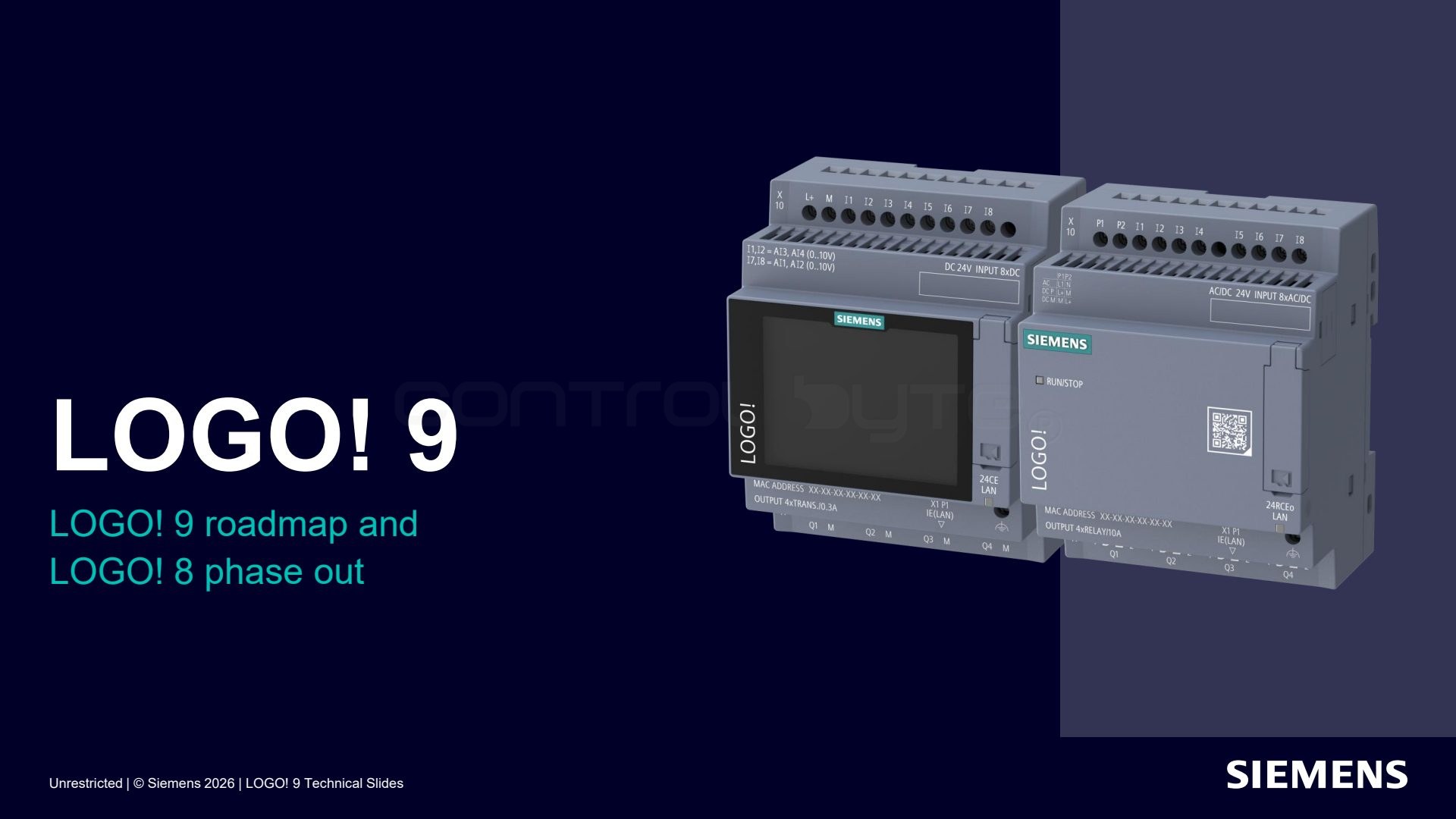
Finally, let us look at the schedule for introducing LOGO! 9 and phasing out LOGO! 8.
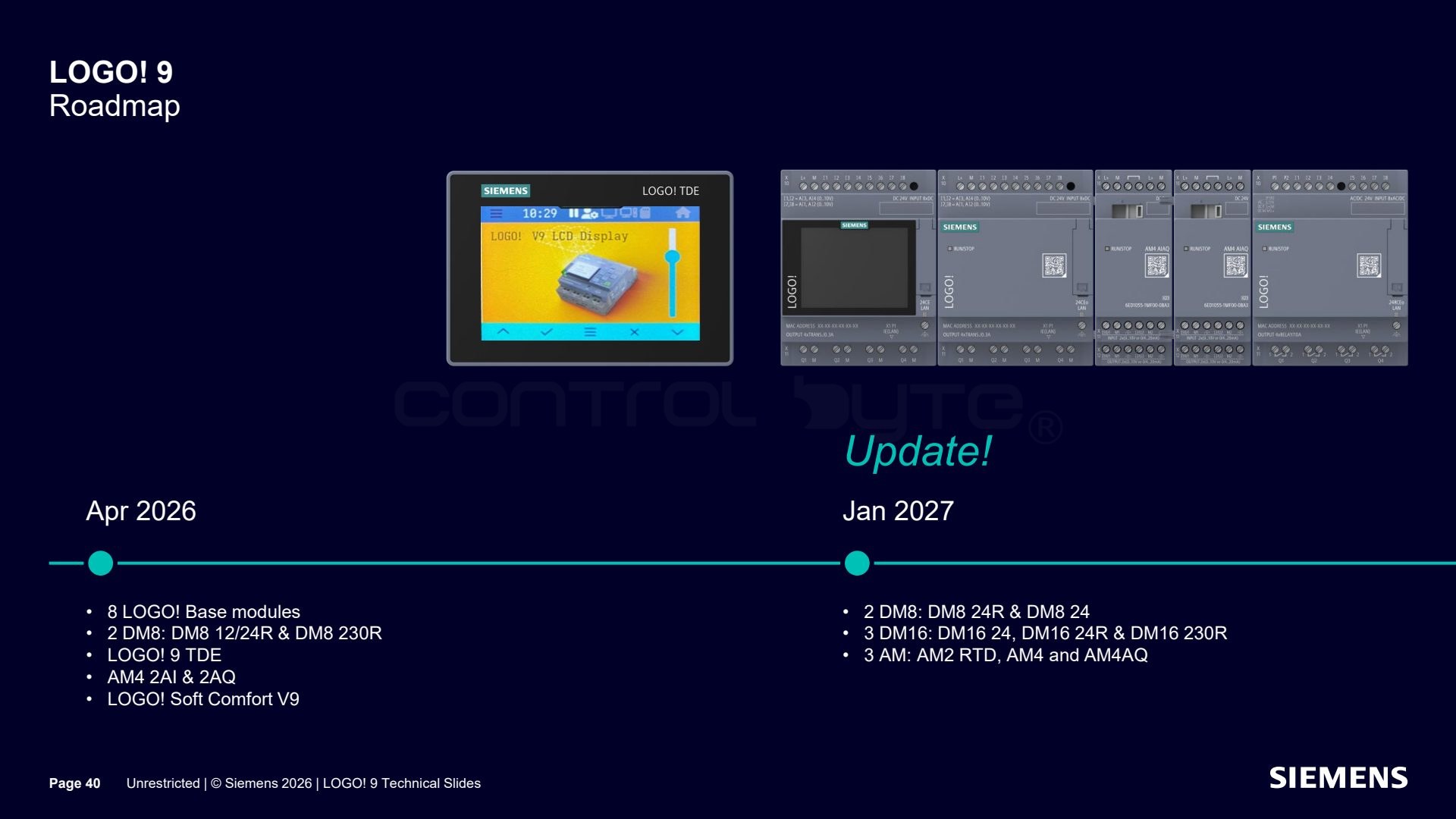
The LOGO! 9 launch happens in two stages. In April 2026 the following are available: 8 LOGO! base modules, two DM8 modules (DM8 12/24R and DM8 230R), the LOGO! 9 TDE panel, the AM4 module (2 AI and 2 AQ), and LOGO! Soft Comfort V9. In January 2027 the lineup adds two DM8 modules (DM8 24R and DM8 24), three DM16 modules (DM16 24, DM16 24R, and DM16 230R), and three AM modules (AM2 RTD, AM4, and AM4AQ).
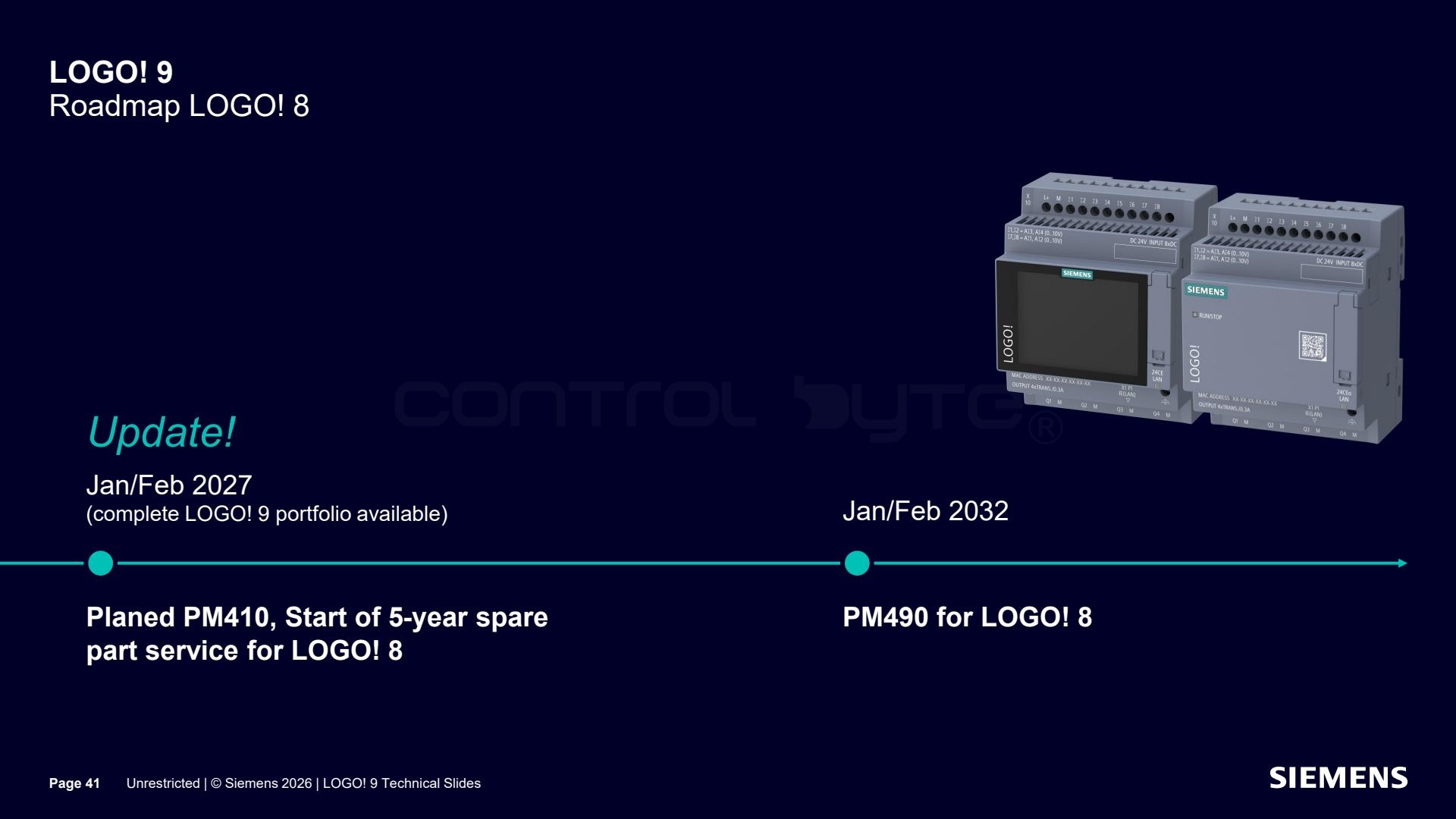
A phase-out of LOGO! 8 is also planned. January/February 2027 is set for PM410 and the start of a five-year spare parts service, and January/February 2032 for PM490 for LOGO! 8, when the full LOGO! 9 portfolio will already be available.
Limitations of the two-stage launch
The two-stage launch comes with some limitations in the first batch.
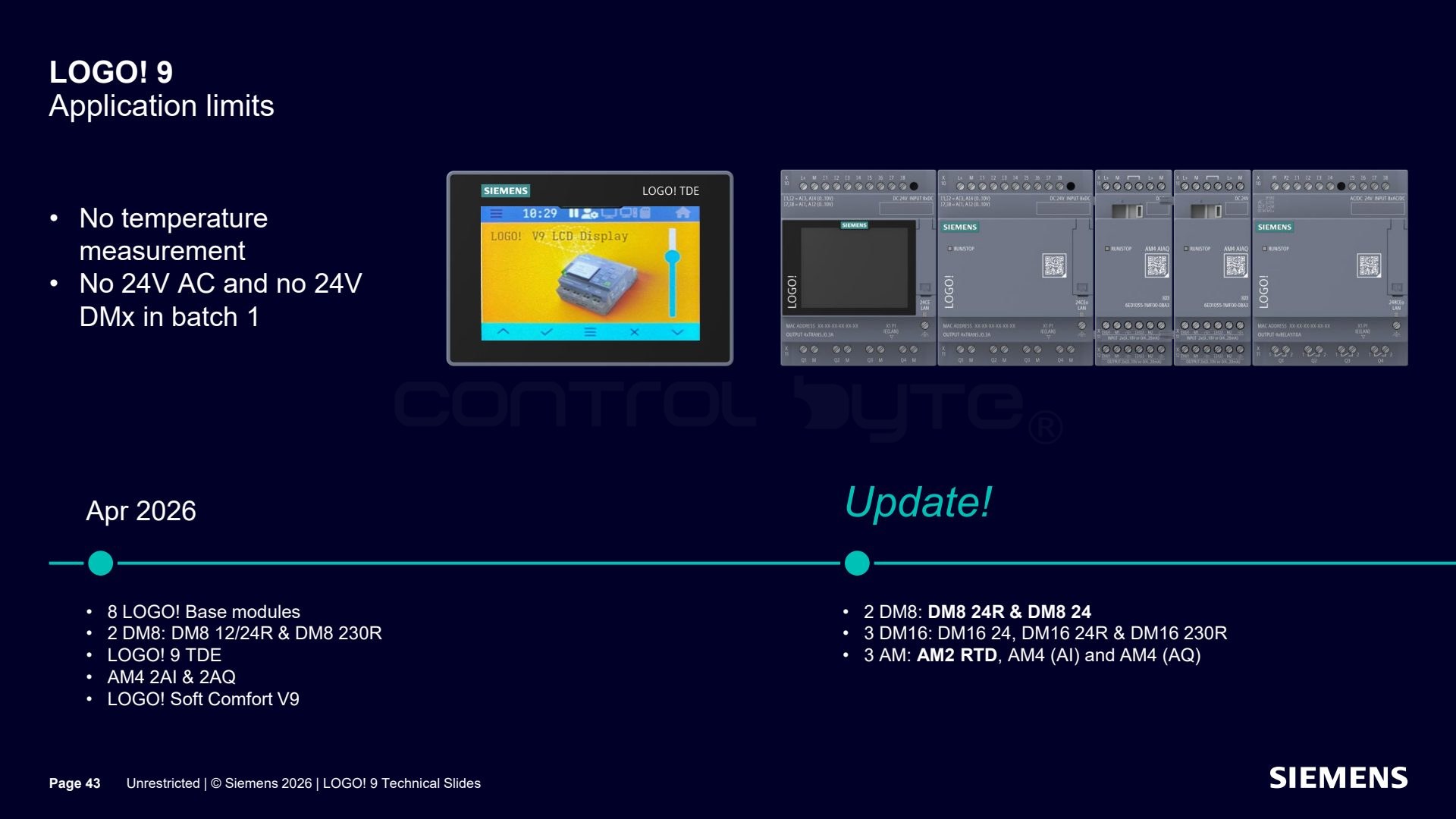
In the first batch (batch 1) LOGO! 9 does not support temperature measurement and there is no 24 V AC version nor DMx 24 V modules. The full portfolio is completed by the modules announced for the later stages (April 2026 and January 2027).
Migration from older versions to LOGO! 9
LOGO! 9 makes migrating existing applications from older versions easier.
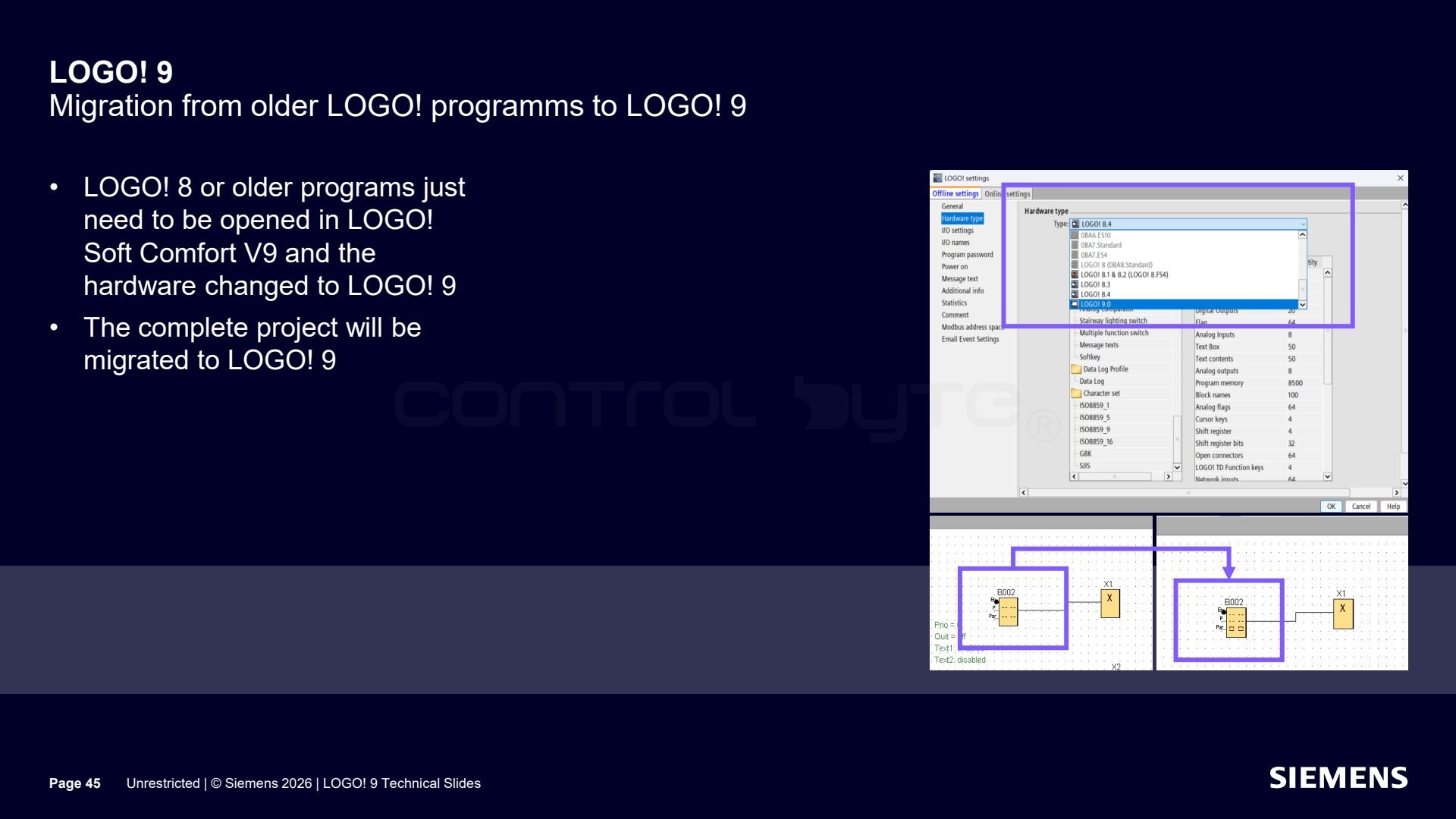
Programs from LOGO! 8 or older just need to be opened in LOGO! Soft Comfort V9 and the hardware changed to LOGO! 9, and the whole project will be migrated.
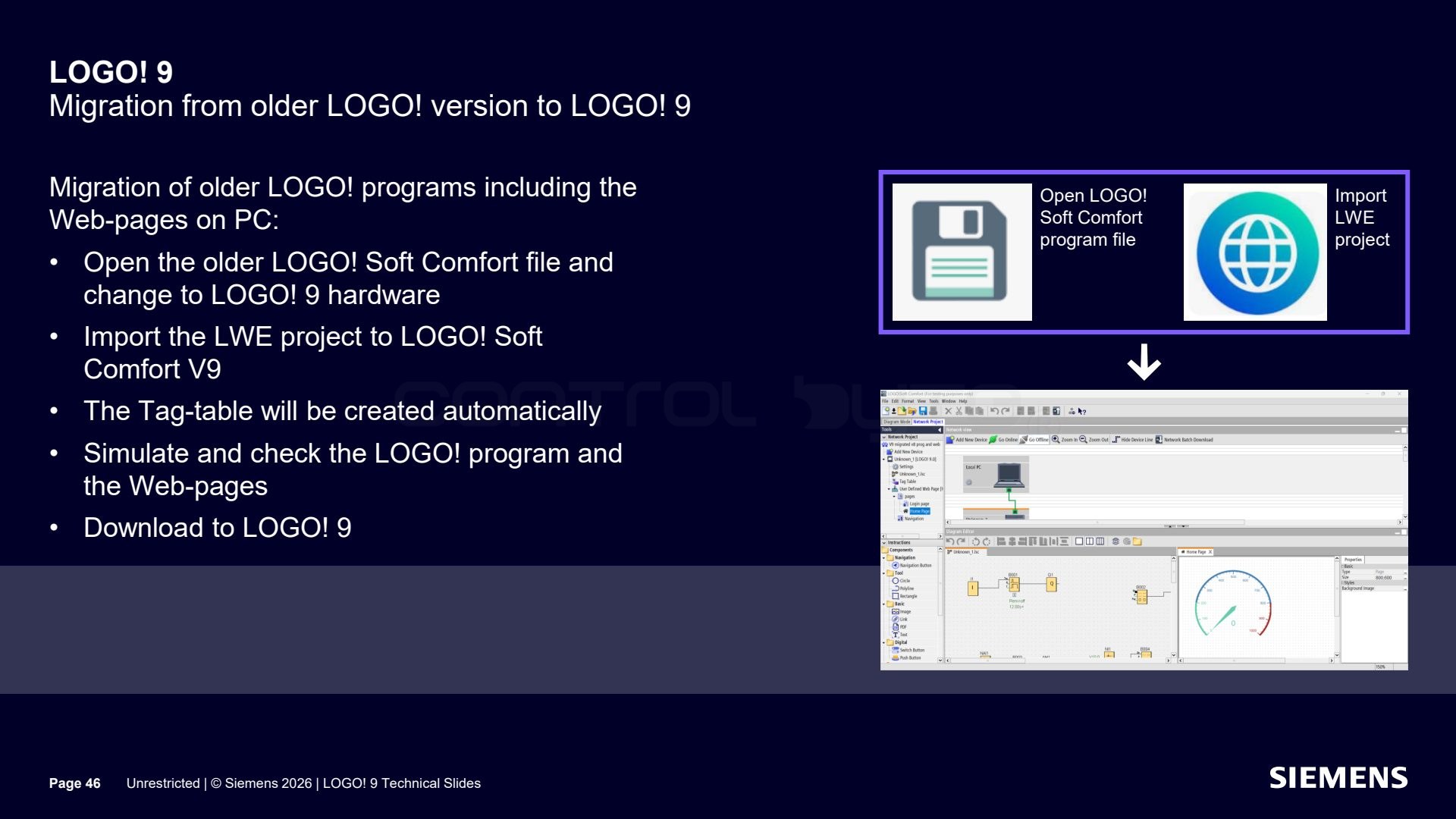
To carry over the web pages as well, open the older LOGO! Soft Comfort file and change the hardware to LOGO! 9, import the LWE project into LOGO! Soft Comfort V9 (the tag table is created automatically), simulate and check the program and pages, then download everything to LOGO! 9.
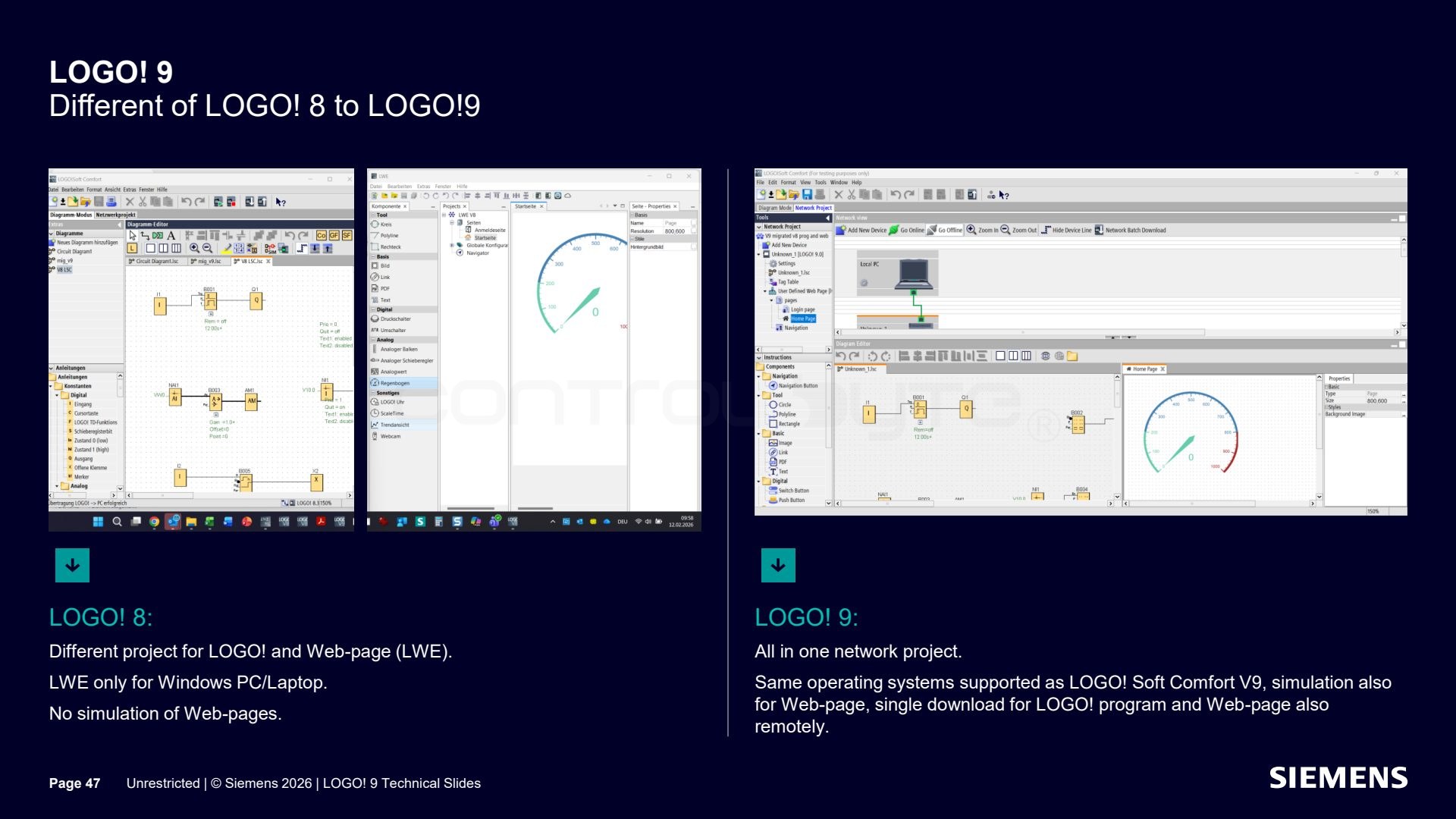
The key differences between LOGO! 8 and LOGO! 9: in LOGO! 8 the program and the web page (LWE) are separate projects, and LWE only ran on Windows and without page simulation. In LOGO! 9 everything sits in one network project, on the same systems as LOGO! Soft Comfort V9 (including Linux and macOS), with page simulation and a single download of the program and pages, also remotely.
Frequently asked questions (FAQ)
Does LOGO! 9 have a touchscreen? Yes. The four LOGO! 9 base modules have a 2.4 inch color touchscreen (320 x 240 px), and the LOGO! 9 TDE panel has a 4.3 inch one (480 x 272 px).
Will old LOGO! 8 programs work on LOGO! 9? Yes. You just open the project in LOGO! Soft Comfort V9 and change the hardware to LOGO! 9, and the whole project is migrated, including web pages after importing the LWE project.
Does LOGO! Soft Comfort V9 run on Linux and macOS? Yes. LOGO! Soft Comfort V9, together with the integrated LWE web editor, now supports Linux and macOS as well.
What is security by default in LOGO! 9? It is the requirement to set an administrator password at first startup. Without it the module cannot be used. A reset without knowing the password is only possible through a MicroSD card with a __reset.bm file.
Summary
LOGO! 9 is an evolution of the proven Siemens logic module: a touchscreen, 800 function blocks, floating point numbers, configurable analog resolution, an audit log, and security by default that is EU CRA compliant. LOGO! Soft Comfort V9 ties the program and web pages into one project and runs on Windows, Linux, and macOS.
You can find the manufacturer and the full specification on the Siemens LOGO! page.
Author