Investigating Allen Bradley PLC Training Choices for Your Industrial Needs
Welcome to another insightful overview from ControlByte, the leading platform for learning the latest in industrial technologies. This guide explores the primary Allen Bradley PLC families by Rockwell Automation, helping you determine the right PLC for your project’s needs.

Allen-Bradley hardware used in our materials (Micro800 controllers, HMI panels and accessories) is supplied by our technology partner Elmark Automatyka, an authorized Rockwell Automation distributor.
When selecting a PLC, it can be overwhelming to navigate the variety of options on the market, with each manufacturer offering various models suited to different applications. In this article, we’ll outline the different PLC families by Allen Bradley to make your decision easier. By the end, you’ll understand how each PLC family positions itself for different industrial needs and be ready to make a confident choice for your next automation project.
The Importance of Selecting the Appropriate PLC
Choosing the correct PLC for your automation project is not just about getting a machine to do the job; it’s about efficiency, reliability, and future scalability. A well-chosen PLC can support growth, allow flexibility, and ensure that your automation systems run smoothly and effectively. With so many options available, having a structured approach helps. By identifying which PLC family matches your project’s complexity and budget, you can avoid the common pitfalls of over-investing or under-utilizing features that aren’t needed.
Beginner Choices: Micro800 PLC Controllers
The Micro800 PLC family is Allen Bradley’s entry-level range, designed with small, standalone applications in mind. These PLCs are perfect for compact automation systems, offering a low-cost solution without unnecessary features. They are commonly used in applications that demand simple, direct control over one or two components, like conveyor belts, pumps, or basic machinery that doesn’t require sophisticated automation.
Micro800 PLCs are highly expandable through plug-in modules, allowing users to add extra inputs and outputs (I/O), communication protocols, or specific functionalities tailored to their needs. For instance, by adding communication modules, you can connect these PLCs to broader control systems or even integrate them into remote monitoring setups. This flexibility makes Micro800 PLCs versatile despite their entry-level positioning.
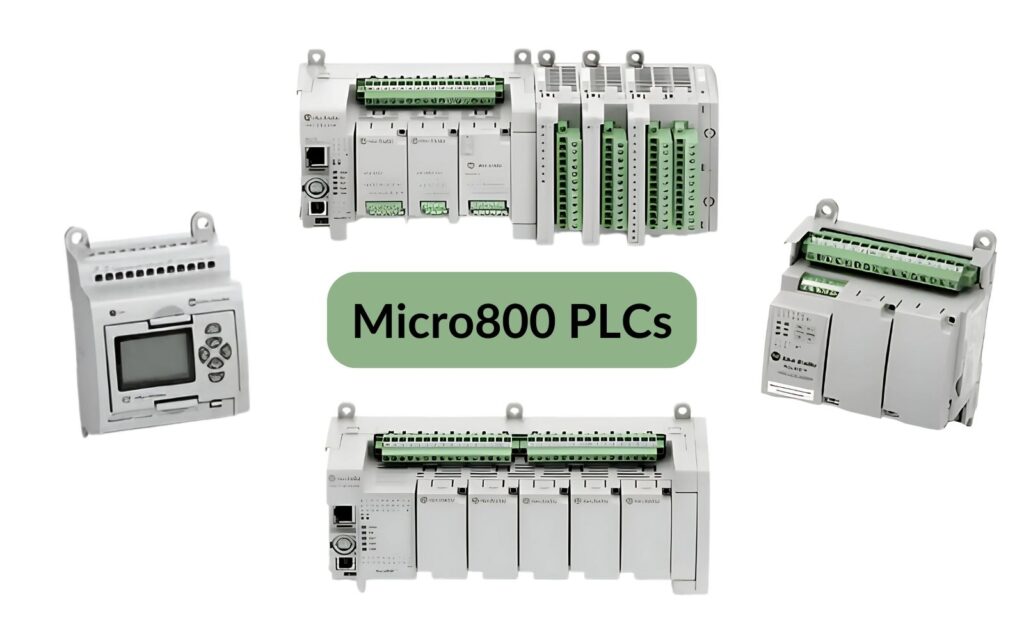
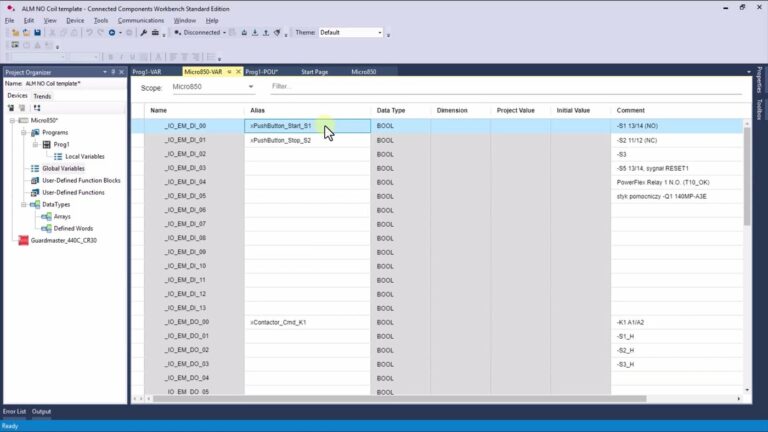
Micro800 controllers (Micro810, Micro820, Micro830, Micro850 and Micro870) are programmed in Connected Components Workbench, not in Studio 5000. The Standard Edition of Connected Components Workbench is free to download, which makes Micro800 the most popular starting point for an Allen Bradley PLC tutorial; the paid Developer Edition adds features such as the full controller simulator. It supports ladder diagram, function block diagram and structured text. If you want to start here, read our guide to Micro800 PLC programming for beginners.
CompactLogix PLCs: Mid-Range Versatility (CompactLogix vs. Micro800)
Allen Bradley’s CompactLogix PLCs serve as a versatile, mid-range choice, well-suited for projects that demand more processing power, faster scan times, and greater flexibility in I/O configurations. CompactLogix PLCs provide higher performance than the Micro800 series, making them ideal for applications with moderate complexity, like multi-device control or small automated production lines. For example, CompactLogix PLCs are often used in food processing or packaging industries, where precise timing, safety integration, and reliable control are crucial.
CompactLogix vs. Micro800: When comparing CompactLogix to Micro800, the main difference lies in their scope and power. CompactLogix PLCs are designed to handle more devices, support motion control, and integrate with a variety of advanced components like variable frequency drives (VFDs) and safety modules. This makes them a reliable choice for projects that need precise control across multiple devices.
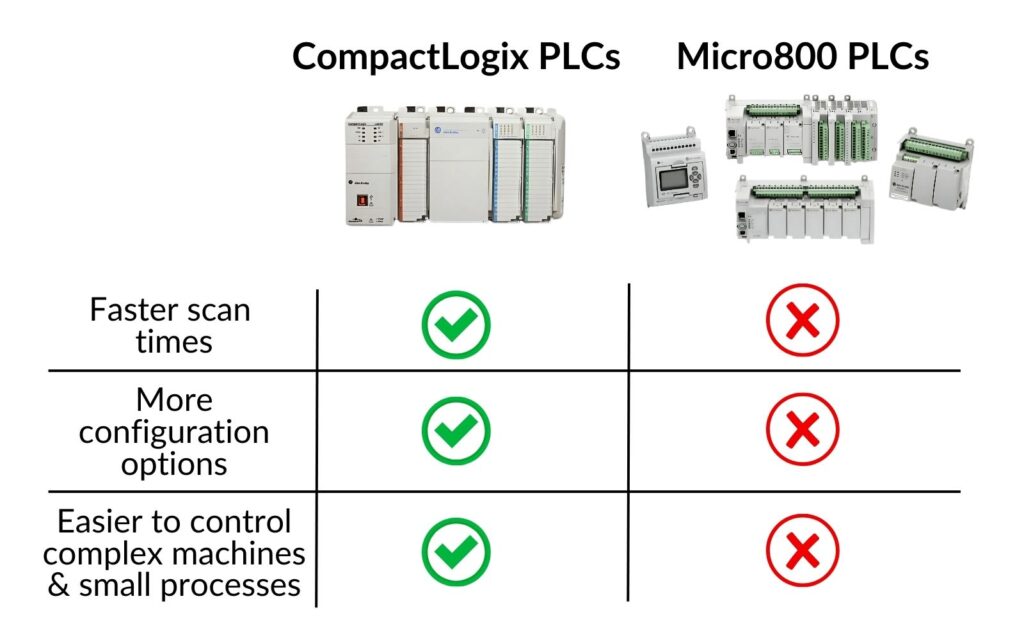
CompactLogix systems are programmed with Studio 5000 Logix Designer, a powerful software platform. Unlike Connected Components Workbench, Studio 5000 is packed with advanced features such as support for motion control and custom function blocks, which are helpful for designing complex automation solutions. Although Studio 5000 is not free, its capabilities make it an invaluable tool for automation professionals, allowing for streamlined configuration and advanced diagnostic functions.
ControlLogix Allen-Bradley PLCs: Advanced Management for Intricate Systems
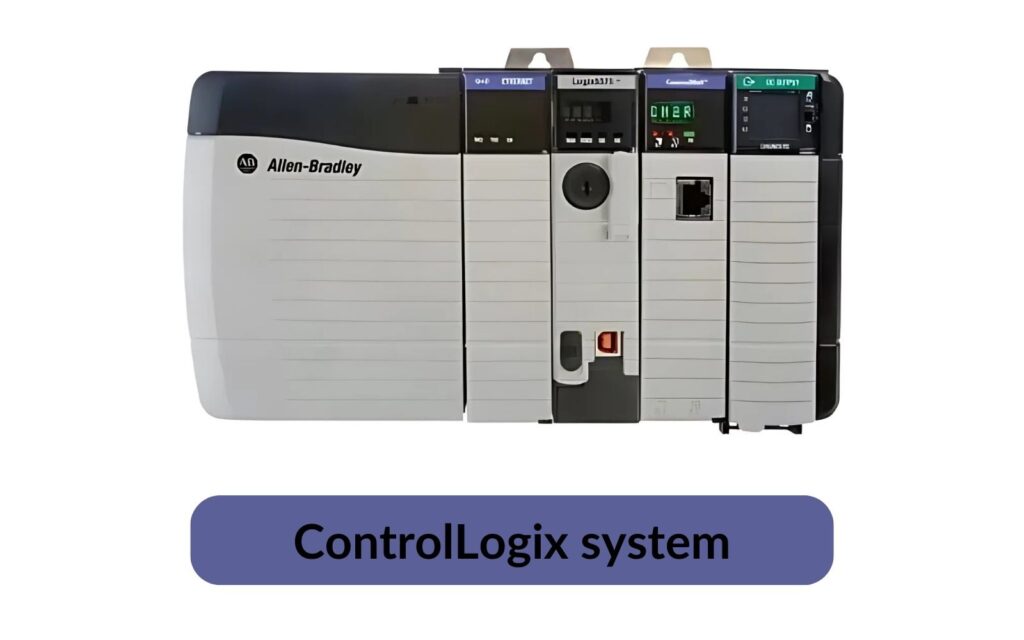
At the top of the Allen Bradley range are the ControlLogix PLCs, which offer maximum flexibility, speed, and scalability for large-scale projects. These PLCs are designed for full production lines and complex processes, frequently used in industries where reliability and precision are paramount, such as pharmaceuticals, chemical processing, and large-scale manufacturing. ControlLogix PLCs provide minimal scan times, extensive I/O options, and the ability to control numerous devices simultaneously, even over long distances.
A standout feature of ControlLogix PLCs is their support for redundancy. This means that if one module or device fails, another can take over without disrupting the process, ensuring continuity in critical operations. Additionally, ControlLogix PLCs support communication protocols like HART (Highway Addressable Remote Transducer), which is commonly used in process industries for communicating with field devices like sensors and actuators. This advanced communication capability makes ControlLogix PLCs suitable for industries that require precise process control and integration with field devices.
Studio 5000 Logix Designer: The Programming Tool for Logix PLCs
Both CompactLogix and ControlLogix PLCs are programmed using Studio 5000 Logix Designer, a feature-rich environment that supports advanced programming and debugging. With ladder logic, function block diagrams, structured text and sequential function charts, Studio 5000 offers flexibility in programming to suit different user preferences. While this software is a paid product, it is considered the gold standard for industrial programming, offering powerful tools for design, simulation, and diagnostics.
Allen Bradley PLC Software: RSLogix 5, RSLogix 500, RSLogix 5000 and Studio 5000
One of the most confusing things for beginners is the number of Rockwell programming tools. Each one belongs to a different PLC family:
| Software | PLC family | Notes |
|---|---|---|
| RSLogix 5 | PLC-5 | Legacy platform, still found in older plants |
| RSLogix 500 | SLC 500, MicroLogix | File-based addressing; RSLogix Micro Starter Lite is a free version for MicroLogix 1000 and 1100 |
| RSLogix 5000 | ControlLogix, CompactLogix (up to version 20) | Tag-based programming |
| Studio 5000 Logix Designer | ControlLogix, CompactLogix (version 21 and newer) | The successor of RSLogix 5000 |
| Connected Components Workbench | Micro800 | Standard Edition is free |
What Is the Difference Between RSLogix 500 and RSLogix 5000?
The biggest difference is how data is addressed. In RSLogix 500 the memory is organized in data files, and you use addresses such as I:0/0 for an input, O:0/0 for an output, B3:0/0 for a bit, N7:0 for an integer and T4:0 for a timer. In RSLogix 5000 and Studio 5000 there are no fixed addresses: you create a new tag with a name and a data type, for example Motor_Run of type BOOL, and use that name in the program. Tag-based programming also brings user defined data types (UDTs), add-on instructions (AOIs), and a structure of tasks, programs and routines. Many plants still run SLC 500 and MicroLogix controllers, so a competent PLC programmer should be able to read both.
Allen Bradley PLC Programming Tutorial: Your First Project in Studio 5000
Here is a short tutorial that shows the basic workflow in Studio 5000 Logix Designer (the same steps apply to RSLogix 5000):
- Create a new project - choose the controller type (for example a CompactLogix 5380), the firmware revision and the chassis or slot settings, then click OK.
- Explore the Controller Organizer - the tree on the left. It contains Controller Tags, Tasks (with the MainTask, MainProgram and MainRoutine), Data Types (including user defined data types and add-on instructions) and the I/O Configuration.
- Add I/O modules - under I/O Configuration, add the local or remote modules so that their tags are created automatically.
- Create new tags - open Controller Tags or Program Tags, and create tags such as Start_PB, Stop_PB and Motor_Run with the BOOL data type. Controller-scope tags are visible in the whole project, program-scope tags only in one program.
- Write the first rung - in the MainRoutine, add a rung with an XIC (examine if closed) instruction for the start button, an XIC for the normally closed stop button, a parallel branch with the Motor_Run contact to create a seal-in, and an OTE (output energize) coil.
- Download and test - go online, download the project to the controller (or to an emulator), switch to Run mode and watch the rung highlight as the inputs change.
The finished rung in Studio 5000 neutral text looks like this:
[XIC(Start_PB) ,XIC(Motor_Run) ]XIC(Stop_PB)OTE(Motor_Run);Note that the stop button uses an XIC instruction because it is wired as a normally closed contact, which is the safe practice for stop circuits. The difference between the XIC and XIO instructions and the OTE instruction is one of the first things to understand in ladder logic; we explain it with examples in our article on normally open contacts and coils on a Micro800.
Data Types and Programming Languages in Logix PLCs
Studio 5000 uses data types such as BOOL (single bits, also called booleans), SINT, INT and DINT for integers, REAL for floating point values, STRING, and structures like TIMER and COUNTER. Each routine can be written in one of four IEC 61131-3 programming languages: ladder diagram, function block diagram, structured text or sequential function chart. Most machine logic is still written in ladder logic, while calculations are easier in structured text.
Troubleshooting Allen Bradley PLCs
Good troubleshooting skills are as important as programming. The basic steps are:
- Check the status LEDs on the controller (RUN, OK, I/O, FORCE) and on the I/O modules.
- Go online and read the major and minor faults in the controller properties; the fault code tells you which routine and rung caused the problem.
- Use cross reference to find every place where a tag is written, which helps find duplicate outputs.
- Use trends to record fast signals that you cannot see on the screen.
- Check for active forces before you blame the program.
Further Factors to Consider When Choosing a PLC
While each Allen Bradley PLC family serves a unique role, other factors to consider in your selection process include environmental conditions, communication needs, and future scalability. For example, if your application requires resistance to high temperatures or vibration, some PLC families may offer ruggedized options. Additionally, if remote monitoring or connectivity with multiple PLCs is necessary, investing in a model with enhanced communication capabilities can simplify integration with broader control networks.
How to Learn Allen Bradley PLC Programming: The Best Training Path
PLC programming is a highly desired skill in industrial automation, and Allen Bradley PLCs dominate many plants in North America. Whether you choose a training course or self-study, the best way to learn PLC programming is hands-on practice in the real programming software, with a controller or an emulator. A practical Allen Bradley PLC training path looks like this:
- Start with a Micro800 and Connected Components Workbench to learn the fundamentals of PLC programming without expensive software.
- Learn to read RSLogix 500 programs, because you will meet SLC 500 and MicroLogix machines in maintenance work.
- Move to CompactLogix and Studio 5000: tags, UDTs, add-on instructions, tasks and I/O configuration.
- Practice troubleshooting on real or simulated hardware, because every PLC programmer spends more time finding faults than writing new code.
Our Allen Bradley PLC programming course follows exactly this path, from RSLogix 500 to Studio 5000.
Allen Bradley PLC Guide - FAQ
What are the main Allen Bradley PLC models?
The current families are Micro800 (Micro810, Micro820, Micro830, Micro850, Micro870), CompactLogix and ControlLogix. Legacy families still in use include MicroLogix, SLC 500 and PLC-5.
How do I choose a PLC?
Start with your technical requirements: how many inputs and outputs you need, which communication protocols, whether you need motion control, safety or redundancy, and what software your maintenance team already knows. Then pick the smallest family that covers these needs with some reserve for future expansion.
How do I get RSLogix 500 for free?
The full RSLogix 500 is a paid product, but Rockwell offers RSLogix Micro Starter Lite for free, which supports MicroLogix 1000 and 1100 controllers. For Micro800 controllers, the Standard Edition of Connected Components Workbench is free.
How do I program my Allen Bradley PLC?
Install the software for your PLC family, connect to the controller over Ethernet or USB, create a project with the correct controller type, configure the I/O, write the program in ladder logic or another language, download it and test it online.
Final Thoughts
In this article, we’ve broken down the main Allen Bradley PLC families and their typical applications. The Micro800 series is ideal for simple, standalone applications and learners, CompactLogix fits mid-sized, flexible automation needs, and ControlLogix PLCs excel in complex, large-scale operations where advanced functionality and high reliability are essential.
Thank you for reading! If you want to go from reading to programming, our Allen Bradley PLC programming course from RSLogix 500 to Studio 5000 takes you through real projects step by step.