
Online course | Drives and motion control
Servo drives and VFDs
motion control programming for PLCs
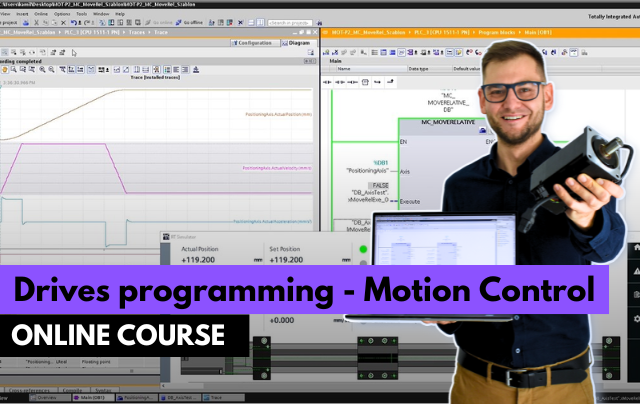
- Commission VFDs and servo drives step by step
- Control drives from the PLC over Profinet
- Program positioning with TIA Portal technology objects
Parameterize frequency inverters and servo drives, connect them to the PLC over Profinet and program positioning and speed control with technology objects in TIA Portal.
Get access
Lifetime access, certificate of completion and instructor support on Discord. Price: €249.
14-day money-back guarantee · Lifetime access · VAT invoice
Trusted by engineers from leading industrial companies






What you will learn in this course
- Configuration and commissioning of Sinamics V90 servo drive.
- Exercises with Motion Control library instructions.
- Drive application based on the PackML standard.
- Programming a flying saw.
- Installation of Codesys and configuration of a virtual axis.
- Production line project in Codesys.
Why do engineers choose ControlByte courses?
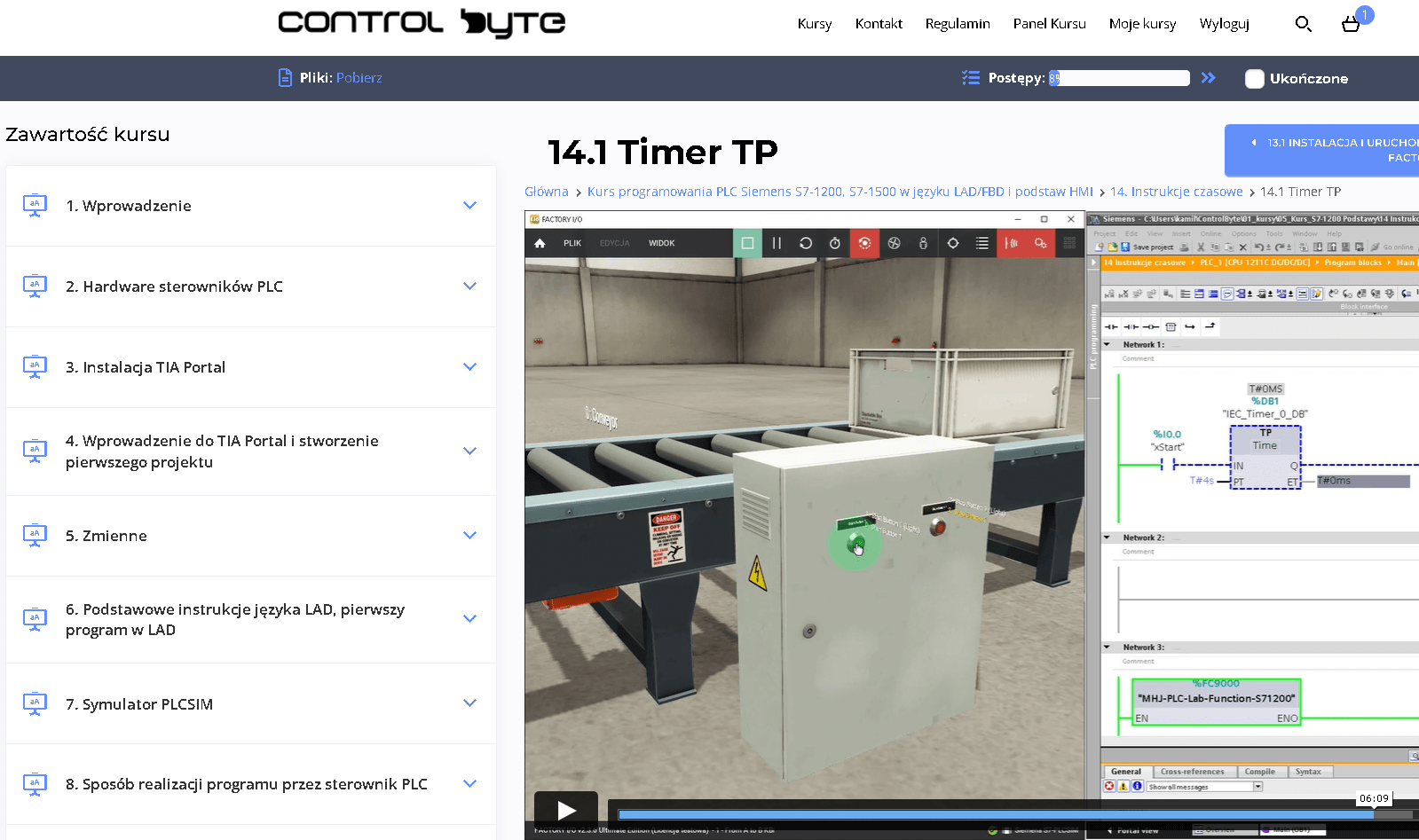
- Video lessons on our e-learning platform, available 24/7
- Exercises based on ready project templates that you build step by step
- Free simulators, so you do not need your own PLC to practice
- Learn at your own pace, from any device, with lifetime access
- Instructor support on Discord and feedback on your homework
Who is this course for?
- The "Motion Control in PLC Programming" course offered by ControlByte Academy is designed to teach students how to program PLC (Programmable Logic Controllers), even if they are new to the automation industry. The course is suitable for both beginners and experienced programmers, providing them with the knowledge and skills needed to succeed in the field of industrial automation.
What you get after enrolling
- 65 practical video lessons (about 11 hours)
- Certificate of completion
- Lifetime access and all future updates
- Instructor support on Discord
Your instructor

Jacob K. Biedulski, MSc
Automation and Robotics · PLC programmer · Co-founder of ControlByte
“ In this course you will learn to work the way we do on real projects: step by step, with exercises you can repeat on your own, even if you are new to industrial automation.
Course curriculum - full table of contents
- 1.1. Welcome! 2:00
- 1.2. Join the chat for automation engineers - Discord ControlByte 1:42
- 2.1. Download TIA Portal and PLCSIM Advanced, but don't install them yet... 7:59
- 3.1. Sinamics V90 servo drive hardware Free lesson 7:13
- 3.2. Configuration of the servo converter in Sinamics V-Assisttant software Free lesson 15:03
- 3.3. Configuration and programming of the technological object TO in TIA Portal (part 1/2) 12:48
- 3.4. Configuration and programming of the technological object TO in TIA Portal (part 2/2) 12:19
- 4.1. TIA Portal installation - install now! 4:31
- 5.1. What is the PLCopen standard? 13:31
- 6.1. Simulator and MC_Power instruction 18:40
- 6.2. MC_Power - parameterization 24:36
- 7.1. MC_MoveJog 22:05
- 7.2. MC_Home - introduction 17:08
- 7.3. MC_Home - homing modes 15:58
- 8.1. MC_MoveRelative - introduction 33:58
- 8.2. MC_MoveRelative - exercises (homework assignment) 18:28
- 8.3. MC_MoveAbsolute - introduction 16:23
- 8.4. MC_MoveAbsolute - exercises (homework assignment) 19:41
- 9.1. MC_Reset 22:32
- 9.2. MC_MoveVelocity, MC_Stop, MC_Halt (homework assignment) 34:57
- 10.1. LAxisBasic library - introduction 19:50
- 10.2. LAxisBasic library - library structure 22:16
- 10.3. LAxisBasic library - user program (homework assignment) 22:31
- 11.1. PackML standard in the drive application 32:09
- 12.1. MC_GearIn, MC_GearInPos 23:08
- 13.1. Flying Saw Application 39:26
- 14.1. What is Softmotion? 2:41
- 14.2. What is Codesys? 4:33
- 14.3. Codesys installation 3:26
- 15.1. MC_Power - how to power the axis? Free lesson 10:43
- 15.2. Diagnostic blocks and MC_Reset 7:54
- 15.3. Execute blocks - explanation 3:23
- 15.4. Homing procedure explanation 0:35
- 15.5. Homing quiz
- 15.6. MC_Home vs SMC_Homing - homing 4:55
- 15.7. MC_Home and SMC_Homing - quiz
- 15.8. SMC_Homing - Homing Modes 3:44
- 15.9. SMC_Homing on Trace in Codesys 5:27
- 15.10. MC_SetPosition - set position 5:08
- 15.11. MC_SetPosition Quiz
- 16.1. Stop the axis: MC_Stop and MC_Halt 4:29
- 16.2. MC_Stop vs MC_Halt
- 16.3. MC_MoveVelocity 14:10
- 16.4. Homework assignment - MC_MoveVelocity 11:56
- 16.5. Difference between Modulo and Finite axis 5:56
- 16.6. MC_Jog 2:59
- 16.7. MC_Jog quiz
- 17.1. MC_MoveAbsolute for Finite axis 10:26
- 17.2. MC_MoveAbsolute for Modulo axis 6:38
- 17.3. MC_MoveRelative 5:24
- 17.4. MC_MoveAbsolute and MC_MoveRelative quiz
- 17.5. Homework assignment - Warehouse 7:07
- 17.6. Warehouse task solution - complete program 5:06
- 18.1. Project description - PackML standard 7:41
- 18.2. Multi-axis system - polar configuration 10:19
- 18.3. PackML library installation 6:17
- 18.4. Description of the machine program and sequence 23:12
- 18.5. Homework assignment - PackML sequence 16:08
- 19.1. Codesys Depictor add-on - installation 3:23
- 19.2. Description of the DEMO project with robots 7:14
- 19.3. Delta Robot homework assignment 7:29
- 20.1. Drive applications and types of motors
- 20.2. Structure of regulators in the drive system
- 21.1. Sample program for Weintek in CODESYS 7:44
- 22.1. How to get a certificate and share it on Linkedin 3:26
Sample lessons
Watch free fragments of the course before you buy.
What Industry Experts Are Saying About Us
Dobot Robotics - Our Industry Partner
Automa.Net - Our Industry Partner
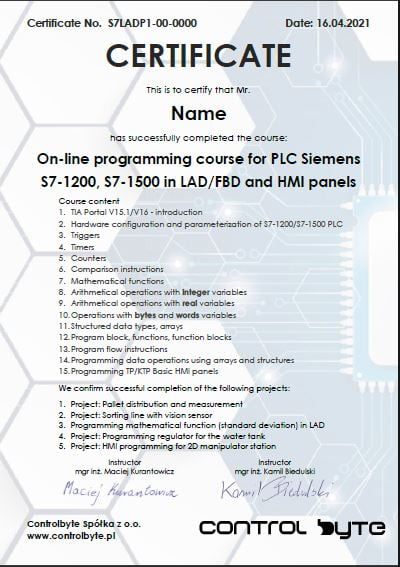
Get your certificate and share it on LinkedIn
- Gain a skill highly valued by employers in automation
- Publish the certificate on LinkedIn and add it to your CV
- Lifetime access to the materials - come back whenever you need
Support on Discord
You are not alone - an international community of automation engineers and PLC programmers is waiting for you.
- Lifetime access to the support server with the instructors
- Code reviews of your programs on a dedicated channel
- Answers to your questions on business days
- Conversations with other automation engineers from around the world
Bonuses included with the course

Discord forum and chat for students
Join our private Discord server for PLC programmers. Ask questions, share projects and get help from instructors and fellow engineers.
Homework review and feedback
Send us your homework. We review it and send comments so your programs get better and better.

Certificate of completion
A personalised certificate with a unique number that you can share on LinkedIn and add to your CV.

Lifetime access and updates
Permanent access to all course materials, updates and new content added in the future.
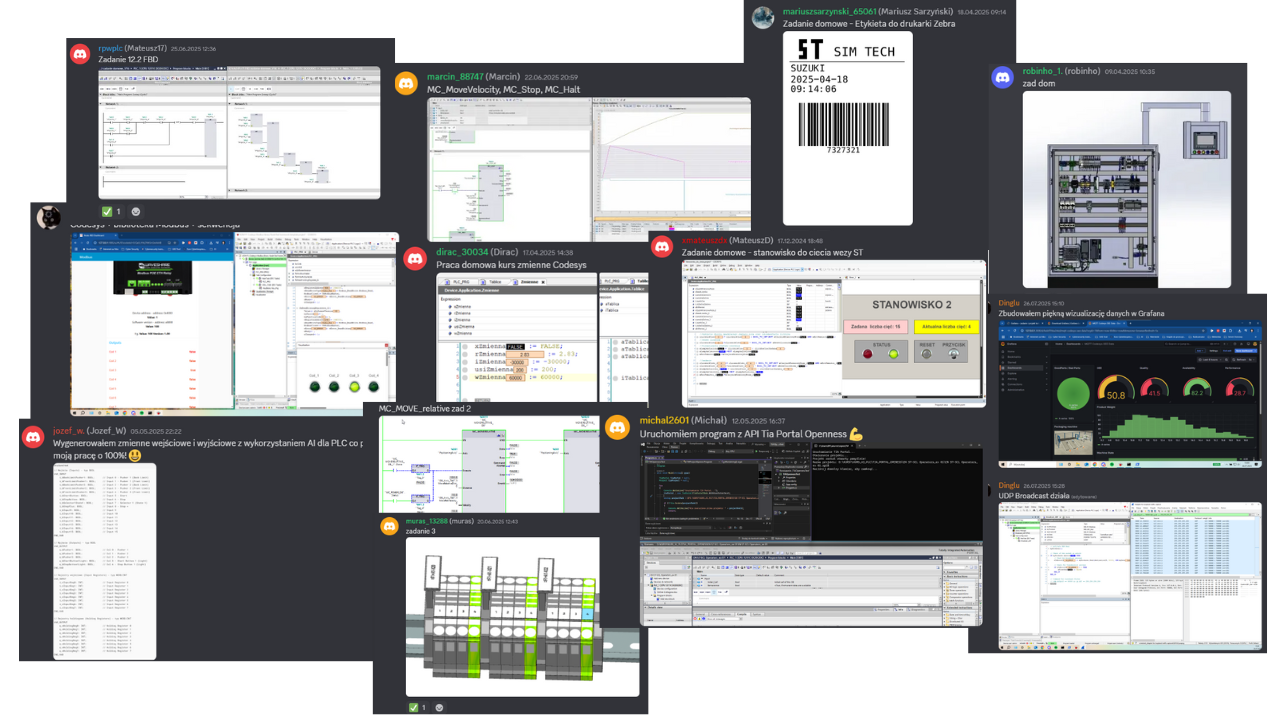
Homework from our students
A few screenshots and photos students share on Discord while completing assignments.
Course price
Before we show you the price, see exactly what you get:
You get a satisfaction guarantee
We guarantee you will be satisfied with the course. If it is not what you expected, you have 14 days to request a refund and we will return the full amount.
- 14 days to request a refund
- On the market since 2019
- Secure online payments
- VAT invoice for companies
- CardVisa, Mastercard (Stripe)
- PayPalpay with your PayPal account
- Bank transferon request for companies
Satisfaction guarantee - 14 days to request a refund
Ready to start?
Thanks to our proven training formula and cost optimization, you can get this course for:
Frequently asked questions
Click "Get access" on this page. You will go to the checkout where you pay online (card, PayPal). Your login details for the platform arrive by e-mail right after the payment is confirmed.
Lifetime. You can come back to the lessons whenever you want, and you also get all future updates of the course.
The course does not require any physical equipment as a PLC simulator PLCSIM from Siemens and Codesys runtime are used. The code written can be used in real-life projects. The course offers lifelong access to the course materials on their platform. The course is designed so that you can complete it on free simulators and trial versions of the software shown in the lessons.
Yes. After completing the course you receive a ControlByte certificate of completion that you can share on LinkedIn and add to your CV.
You have 14 days to request a full refund, no questions asked.
Ask the instructors on our Discord support server or in the comments under the lesson. We reply on business days.
With a 14-day money-back guarantee
Start today. Lifetime access · Discord support · Certificate.
Get access
Regular price €400 | Current price €249
14 days to request a refund · Lifetime access · Support
