Why Is the Reset Function Needed?
In simple applications with just one E-Stop button or a single light curtain, simply releasing the device (e.g., pulling out the mushroom-head button) is often enough to restore the machine to operation.
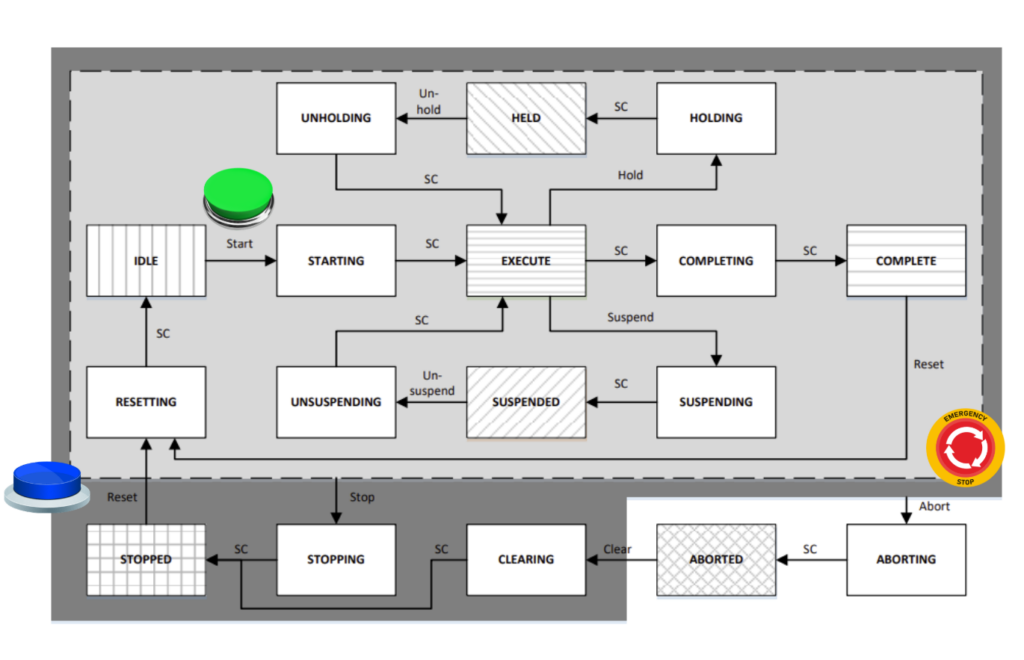
However, in more complex applications – such as multiple safety light curtains, gates, or other protective devices – simply unblocking the curtain cannot automatically restart the machine. Why? Because an operator or material may still be in the hazard zone, and their presence during restart could cause an accident.
That is why in such applications, an additional reset button is used, through which the operator confirms that the zone is clear and the machine can be restarted.
Manual Reset (EN ISO 13849-1 § 5.2.2)
- A separate, deliberate operator action
- Cancels the safety system’s stop state
- Does not initiate machine movement
- Requires a dedicated RESET button
Start/Restart (EN ISO 13849-1 § 5.2.3)
- Initiates or resumes machine movement
- Performed after restoring the safety function
- Can be manual (START button) or automatic (if risk is eliminated)
Sequence: Manual Reset → safety unlock → Start/Restart → actual startup
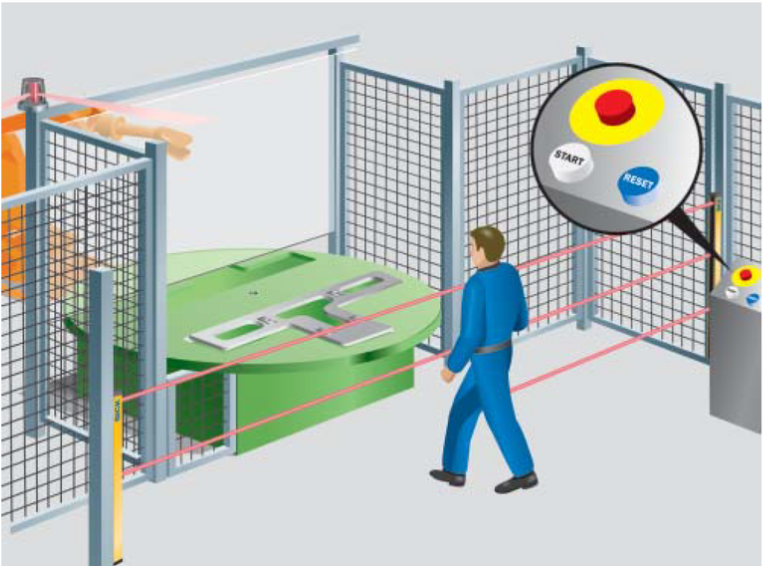
Light Curtain with Reset Function – Wiring
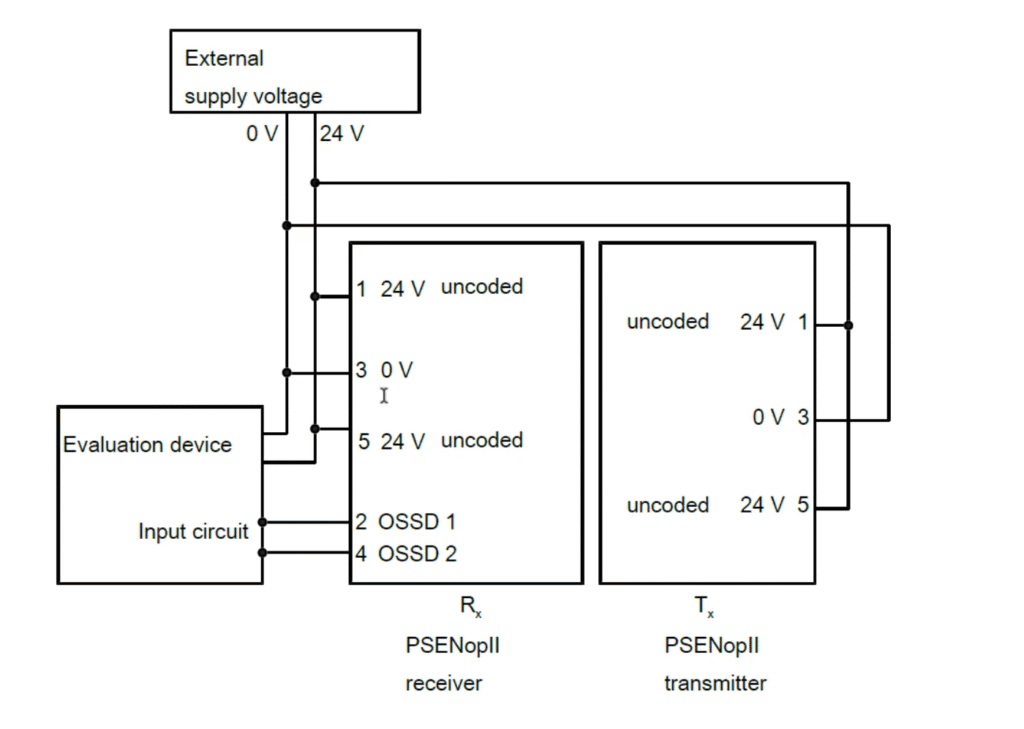
Source: www.sick.com
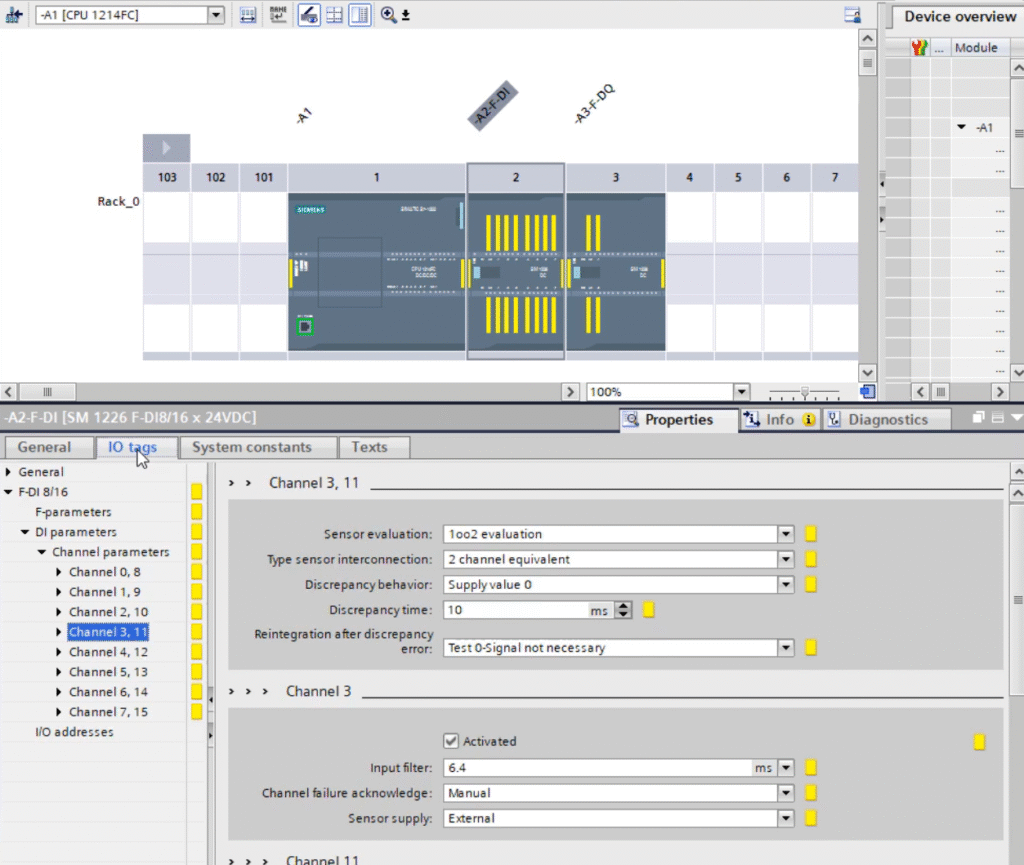
The wiring diagram is very similar to a curtain without reset. The curtain has two OSSD outputs (Output Signal Switching Device): OSSD1 and OSSD2, which are connected to two independent Safety inputs on the PLC (e.g., channels 3 and 11 on the input module).
Additionally, a reset button (usually a simple NO contact) is added to the control circuit and connected to a dedicated Safety input.
The curtain operates in a 1oo2 (one out of two) configuration, meaning the controller checks for discrepancies between OSSD1 and OSSD2. If the signals do not match, a hardware error is generated.
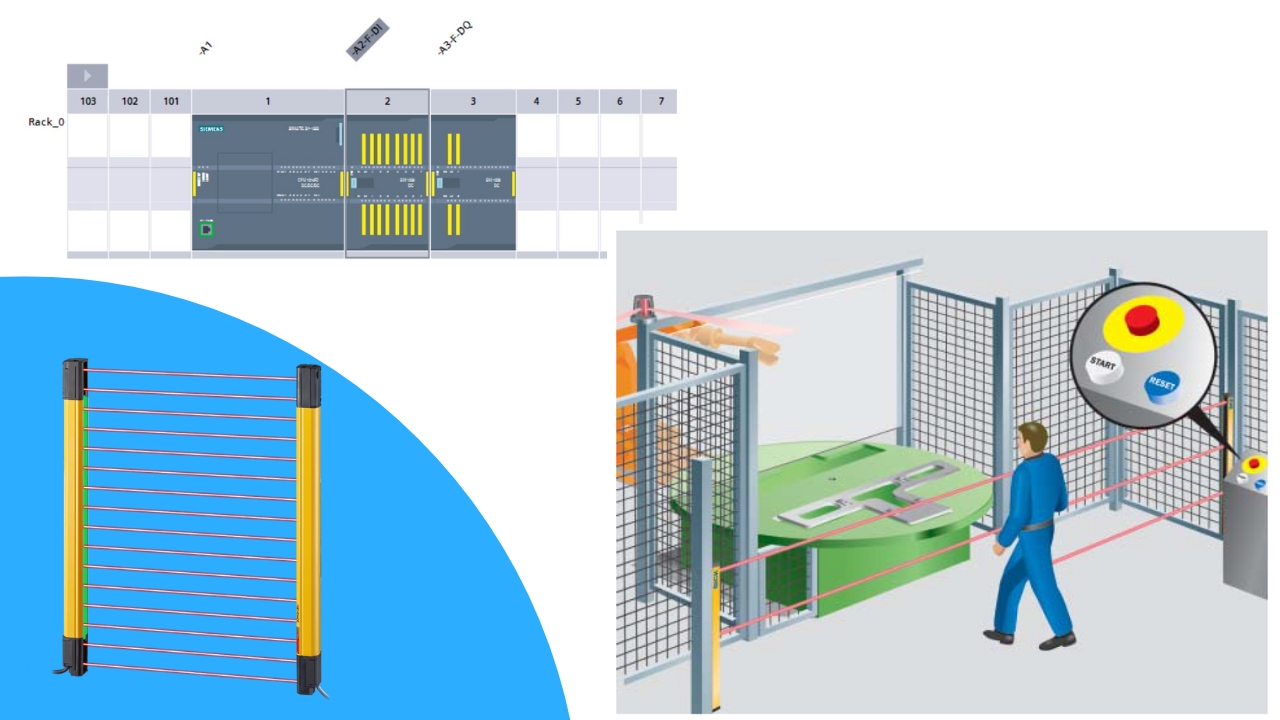
Configuration in TIA Portal
Program Logic with Reset
For handling a curtain with reset, we use a function block from the Safety library, such as ESTOP1 or EDM depending on the circuit.
- OSSD1 and OSSD2 inputs → connected to the block as the curtain signal.
- Reset input → connected to the ACK signal.
- Output Q → controls contactors or the STO function in drives.
- Output ACK_REQ → signals the need to press reset (e.g., illuminates the Reset button).
The operating sequence is as follows:
- The operator inserts a hand into the curtain zone → OSSD1 and OSSD2 signals drop, the Safety block sets output Q=0 and disconnects the contactors.
- The operator removes their hand from the zone → OSSD1 and OSSD2 return to the high state.
- The controller sets ACK_REQ=1 → the machine waits for reset.
- The operator presses the Reset button → ACK=1 → the Safety block sets Q=1 and the contactors re-engage.
Summary
A safety light curtain with a reset function is a solution required in situations where simply unblocking the curtain cannot automatically restart the machine. Thanks to the additional logic in the Safety controller and the Reset button, the operator has full control over the restart, the risk of accidents in the hazard zone is reduced, and the system meets higher PL and SIL requirements.
Want to master Safety PLC programming? Learn everything from safety principles to real-world configurations in our comprehensive online course.
Author