Triggers are at the heart of modern industrial automation: they define exactly when a PLC should react to a signal. In CODESYS, triggers let you respond to button presses, sensor changes, and internal conditions with single, precise actions instead of continuously repeating logic every scan.
This article explains what triggers are, how CODESYS implements them (especially rising and falling edge detection), and how to create and test trigger logic on a virtual CODESYS PLC.
This guide walks through:
- What is a trigger in industrial automation?
- Types of triggers in CODESYS.
- Trigger Types in CODESYS (Video of Practical use example).
- Summary.
1. What is a trigger in industrial automation?
In a PLC program, a trigger is an event or condition that causes an action to occur once, at the right moment, instead of on every program cycle.
Common examples in industrial automation include:
- A push button changing from OFF to ON to start a machine.
- A sensor changing state when a product passes by.
- An internal condition becoming true (for example, a counter reaching a limit).
Without proper trigger logic, these events can cause the same action to run repeatedly every scan, which leads to multiple starts, double counts, or unexpected behavior. Edge‑based triggers solve this by generating a short “one‑shot” pulse exactly when the signal changes.
2. Types of triggers in CODESYS
CODESYS follows the IEC 61131‑3 standard and provides dedicated function blocks for edge detection, as well as language constructs you can use to build trigger logic.
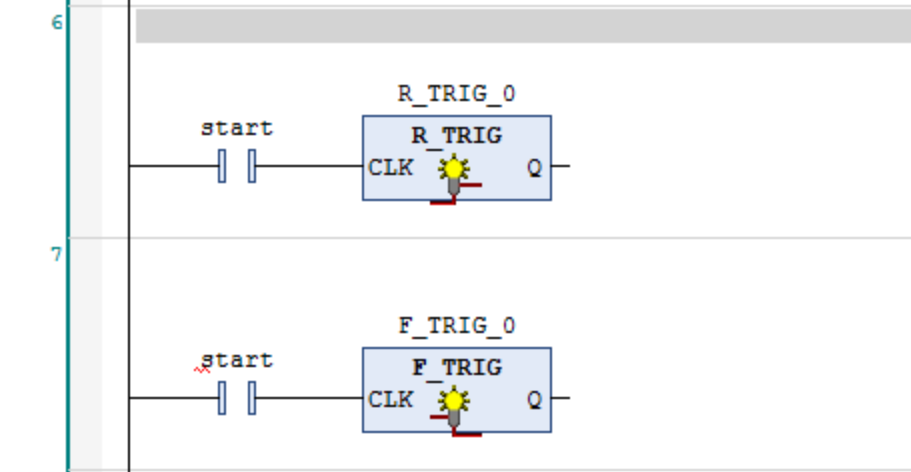
2.1 Rising edge trigger (R_TRIG)
- Detects when a boolean signal changes from FALSE to TRUE (0 → 1).
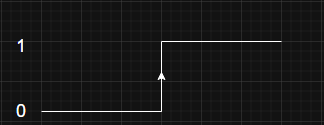
- The output Q becomes TRUE for exactly one PLC cycle and then returns to FALSE, even if the input remains TRUE.
- Ideal for:
Starting a sequence once when a button is pressed.
Incrementing a counter once per sensor activation.
2.2 Falling edge trigger (F_TRIG)
- Detects when a boolean signal changes from TRUE to FALSE (1 → 0).
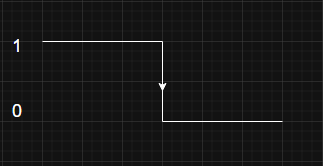
- The output Qbecomes TRUE for one cycle at the moment the signal goes low.
- Ideal for:
Logging when a product leaves a sensor area.
Performing cleanup when a start signal is removed.
3. Trigger Types in CODESYS (Video of Practical use example)
We previously described how to create a new project and set up a virtual CODESYS PLC. In this video, we focus solely on how to use Trigger in CODESYS. Also, we use a simple visualisation for more clarity.
4. Summary
Triggers in CODESYS allow you to react to events exactly once, at the right time, instead of executing actions repeatedly every scan. By using the built‑in R_TRIG (rising edge) and F_TRIG (falling edge) function blocks, you can build clean, event‑driven logic for buttons, sensors, and internal conditions.
Creating a small ladder program, declaring R_TRIG and F_TRIG instances, and testing them on a CODESYS Control Win V3 virtual PLC is a fast way to learn how edge‑based triggers work before deploying to real hardware.
Author