What Is Muting?
Imagine a belt or roller conveyor passing through a zone protected by a safety light curtain. The goods (e.g., a pallet or container) should be able to pass through the curtain without stopping the machine. However, a person entering the light curtain beam must immediately trigger an emergency stop.
The muting function temporarily suppresses the light curtain’s operation – but only when additional sensors confirm the presence of a standard product.
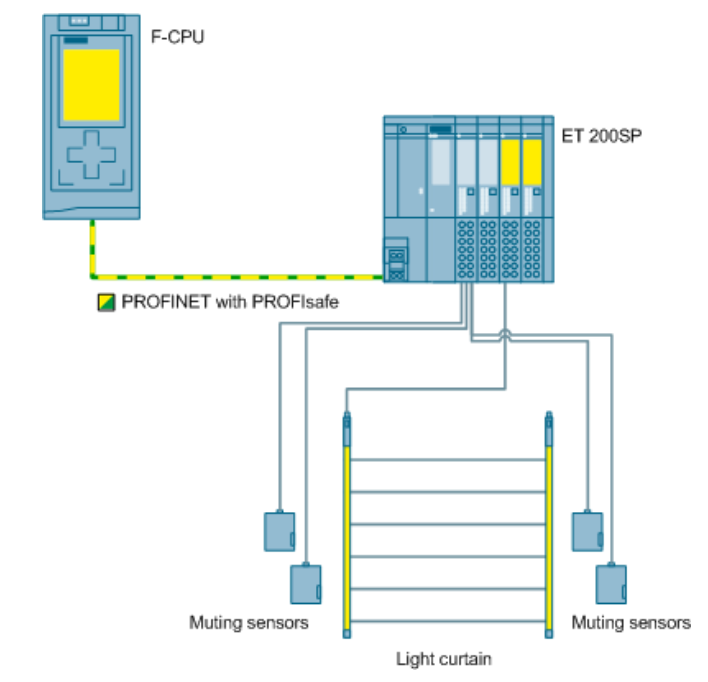
Source: www.siemens.com
This allows the machine to operate without interruptions in the process while maintaining operator safety.
Muting Methods
1. Cross Muting
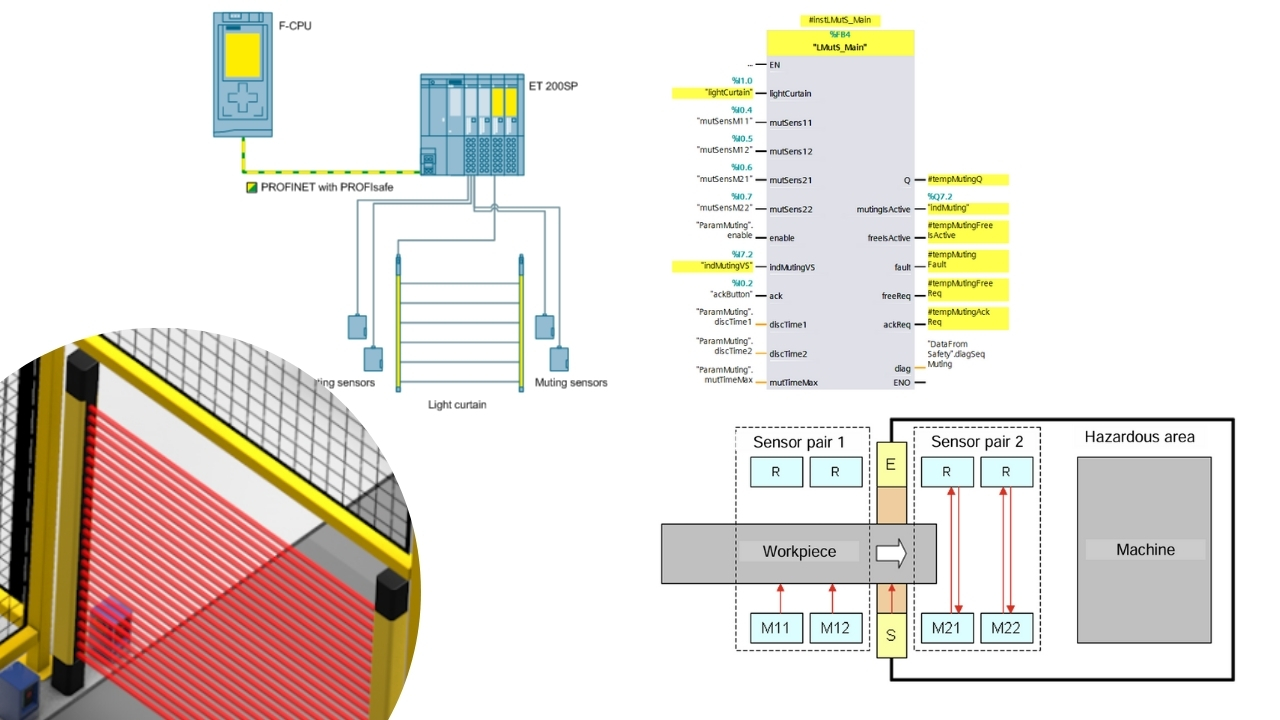
Two sensors with mirrors are placed in front of the curtain. Their beams must cross behind the curtain. The muting function activates only when both beams are interrupted simultaneously by an object. The setup geometry is crucial – a person entering the curtain’s light field cannot interrupt both beams at the same time.
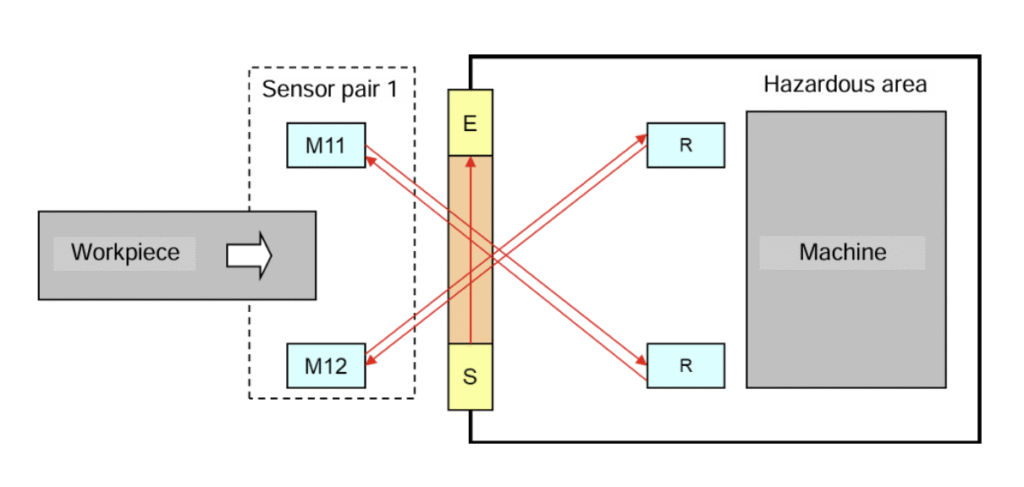
Source: www.siemens.com
2. Sequential Muting
Four sensors are arranged along the product’s path of travel – two on each side of the curtain. For muting to activate, the sensors must be interrupted in a specific sequence. This allows the system to recognize a typical pallet or container passage and temporarily disable the curtain.
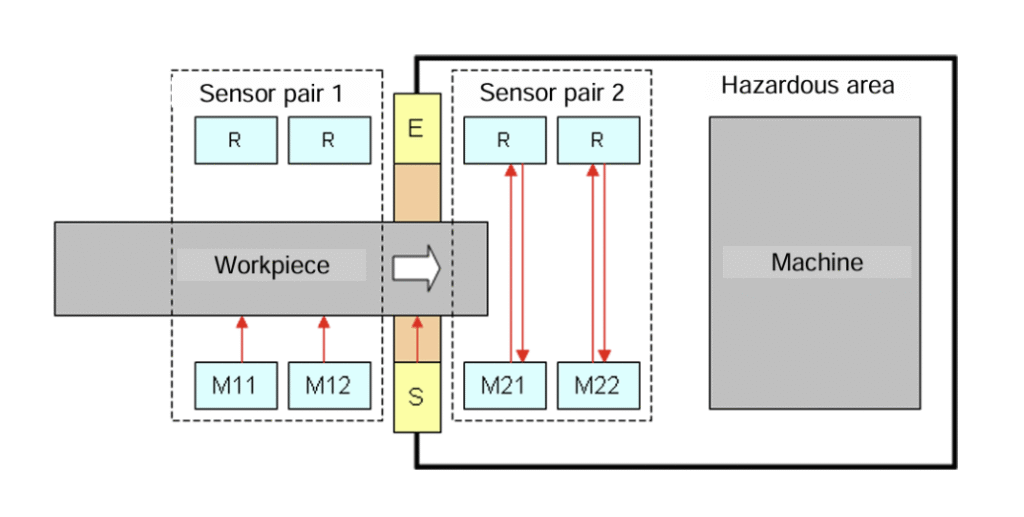
Source: www.siemens.com
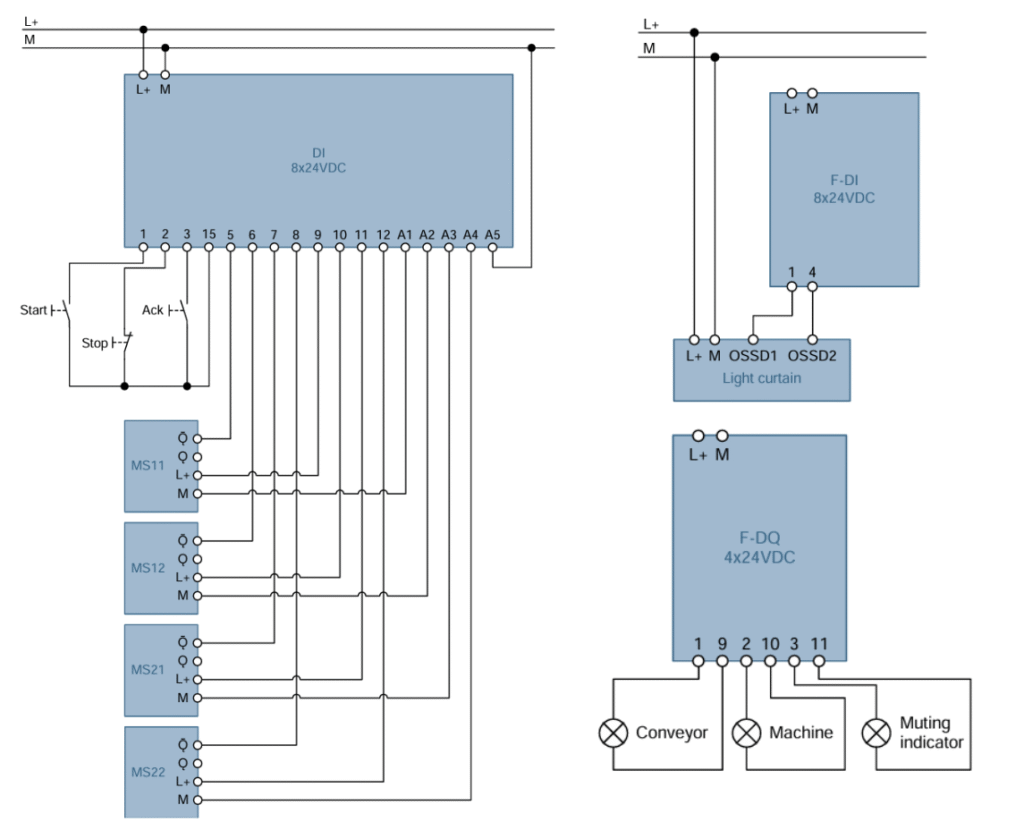
Example Hardware Configuration
Source: www.siemens.com
- Standard input module – Start, Stop, Reset buttons, muting sensors (e.g., retro-reflective).
- Safety module – inputs for the light curtain (two OSSD channels).
- Safety output module – controlling conveyor power, drives, and muting indicator.
Important: A muting indicator is required – when the function is active, it must clearly signal its operation, and the safety controller should periodically verify its functionality.
Logic in TIA Portal
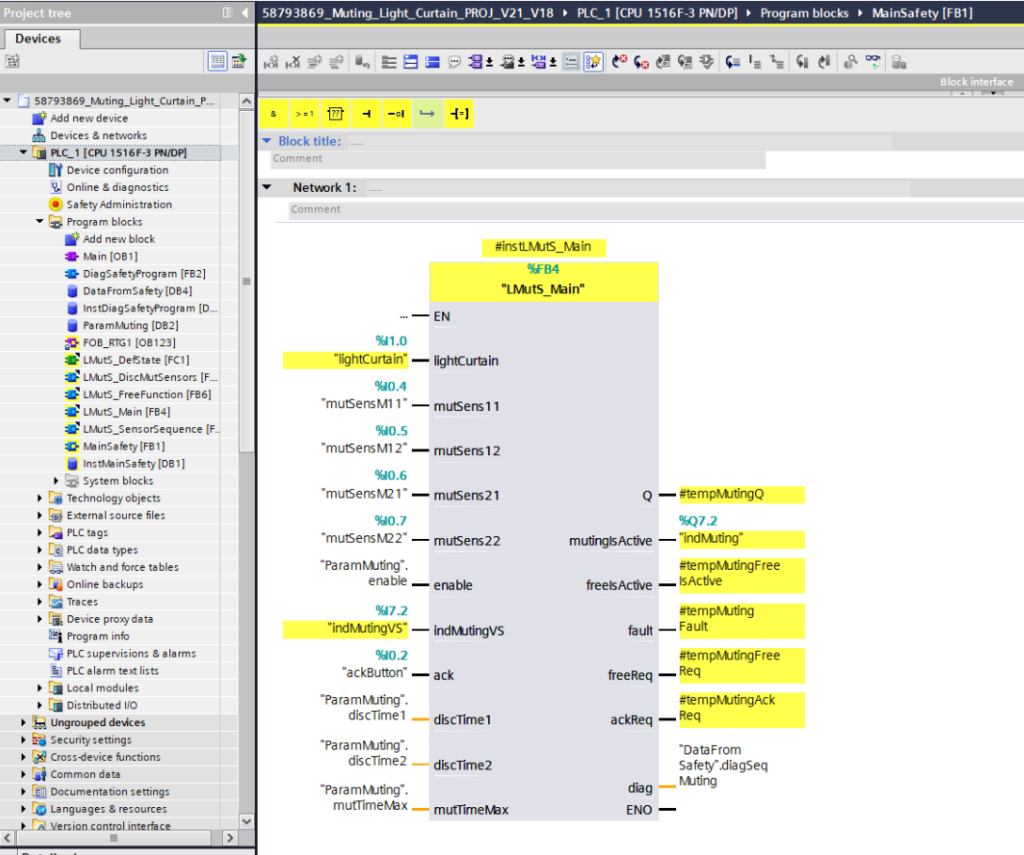
For implementing muting logic, we use the Safety Functions library in TIA Portal, which contains dedicated blocks for handling light curtains and sensors.
- Light curtain connected dual-channel (OSSD1, OSSD2).
- Muting sensors → standard or Safety inputs, depending on the solution.
- Function block → handles the muting sequence and monitors correct operation.
- Output controls contactors and the muting indicator.
Summary
The muting function in safety light curtains is a compromise between operator protection and production process continuity. Additional sensors allow the system to recognize when a product is passing through the curtain. Operators remain protected – human intrusion causes an immediate stop. Muting must always be signaled and controlled by the Safety system.
Want to master Safety PLC programming? Learn everything from safety principles to real-world configurations in our comprehensive online course.
Author