
ONLINE COURSE WITH CERTIFICATE | PYTHON FOR INDUSTRIAL AUTOMATION
Python Programming Basics
for Automation Engineers
Get instant access to the online course with certificate.
Enroll & Save
Secure your spot before the price goes up. Lessons are released gradually - you get instant access to what's live and every new module the moment it drops.
Trusted by Industry Leaders to Train Their Teams












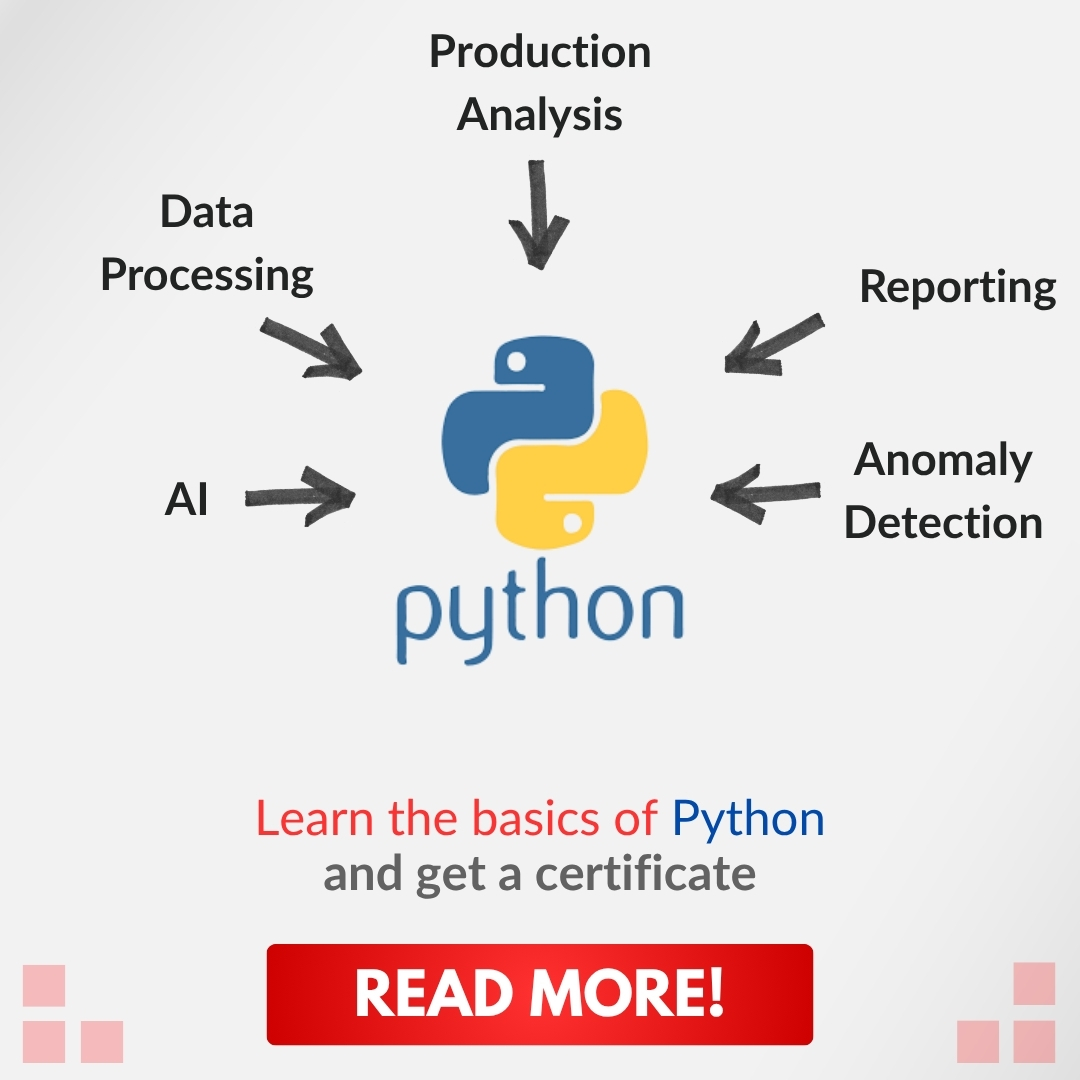
What Will You Learn in This Course?
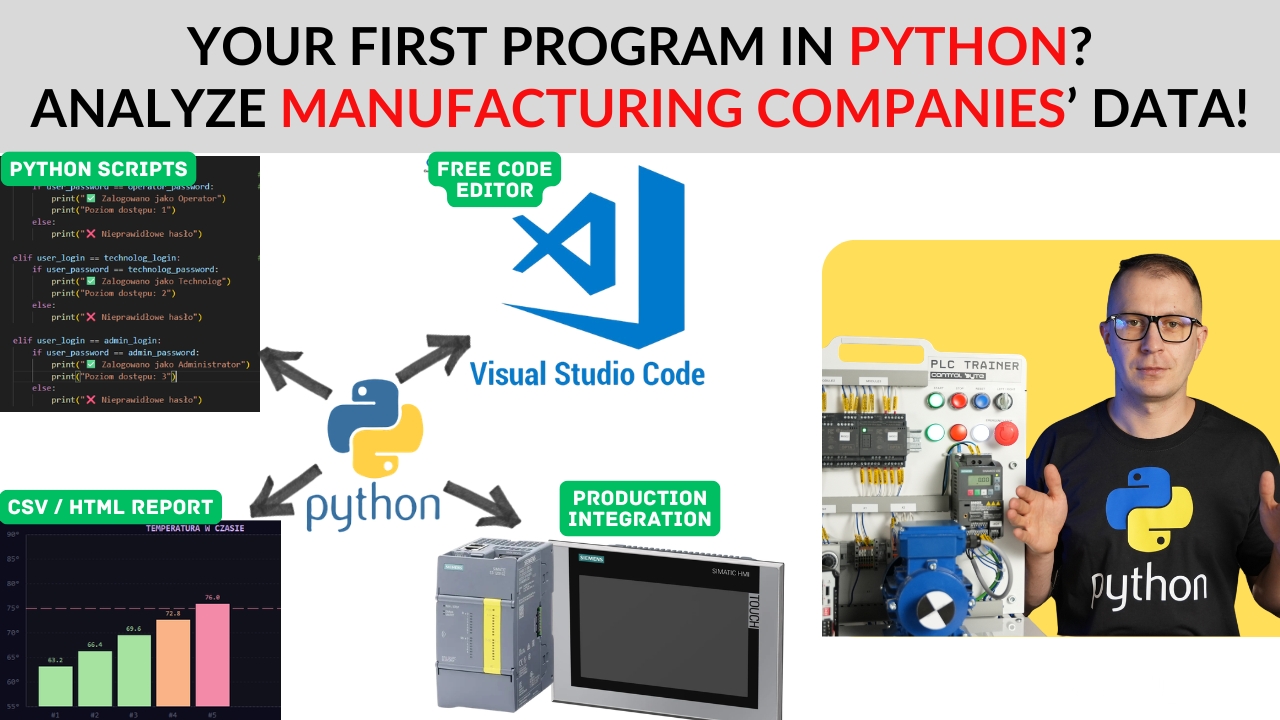
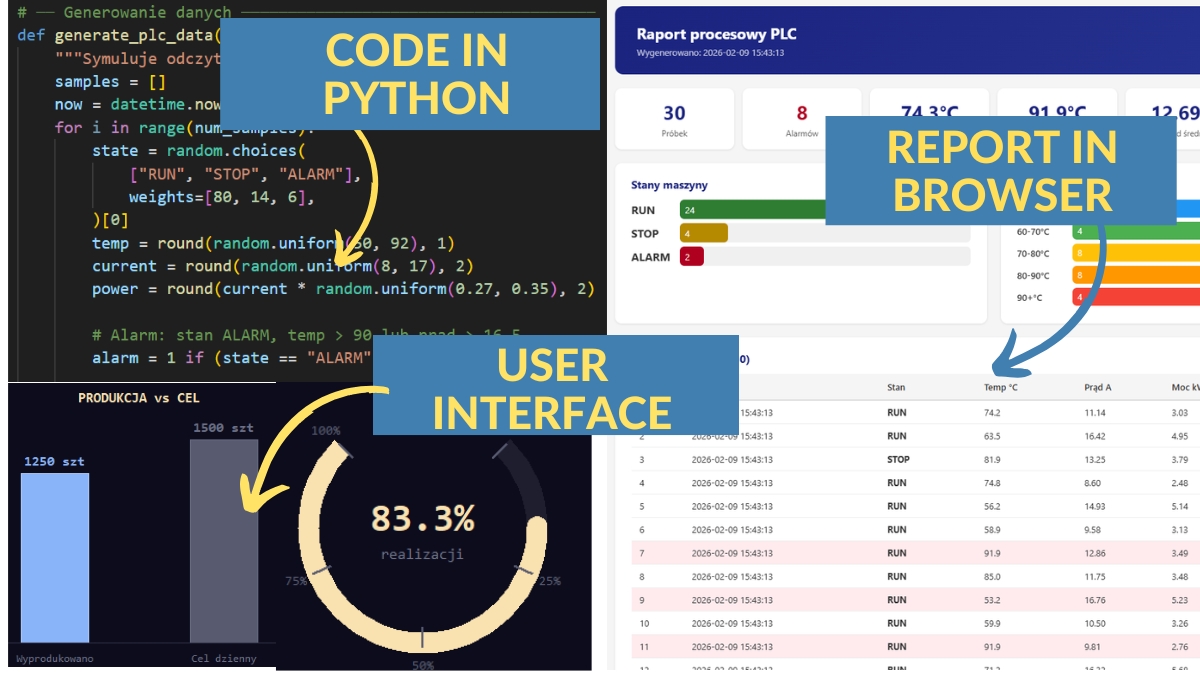
- Generating and processing data from PLC controllers using Python
- Automating tedious tasks - scripts, reports, file management
- Practical Python projects using real automation examples
- Python variables, loops, functions, file operations - all from scratch
- Working with TXT, CSV files and generating HTML reports
- No prior experience needed - we start from absolute zero
Why Are ControlByte Programming Courses So Popular?
- We are engineers - not marketers. We teach real industrial skills.
- Our courses include practical projects from real-world automation
- Instructor support via Discord, forums, and live webinar sessions
- Recognized by industry leaders: Siemens, Festo, Dobot, ABB
Who Is This Course For?
- Automation engineers who want to add Python to their skillset
- PLC programmers looking to analyze data from controllers
- Students of Automation, Robotics, Mechatronics, or Electrical Engineering
- Career changers who want to enter the world of industrial programming
- Anyone curious about Python - even with zero programming experience
What You Get When You Enroll
- Over 80 practical video lessons (10+ hours)
- Ready-made final project - Production Data Analyzer
- Instructor support via Discord chat and live webinars
- Lifetime access - learn at your own pace, forever
- Certificate of completion to boost your CV and LinkedIn
- Weekly live consultation sessions with the instructor
Meet Your Instructor
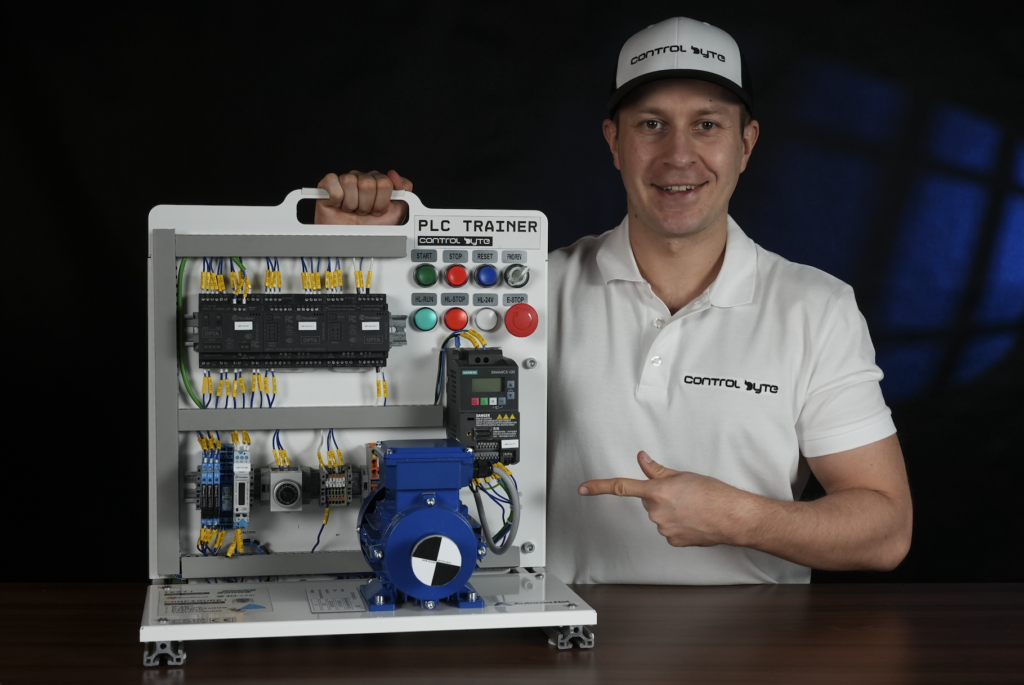
MSc. Eng. Maciej Kurantowicz
Automation & Robotics Engineer, Wroclaw University of Technology graduate
“ I believe everyone in the 21st century should know the basics of programming and automation!
Example Projects in the Course
Python in Automation
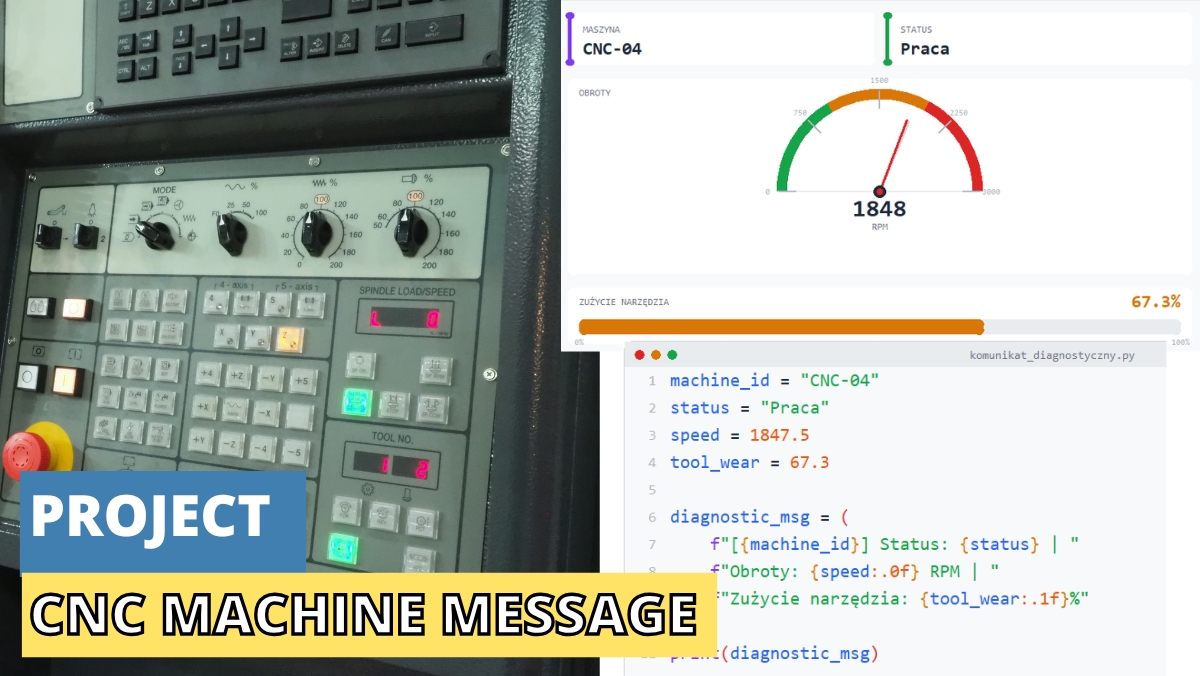
CNC Machine Diagnostics
- Diagnostic messages with f-string formatting
- Conditional logic for machine status evaluation
- Professional console output with ANSI colors
- Real-world CNC parameter monitoring
Python in Automation
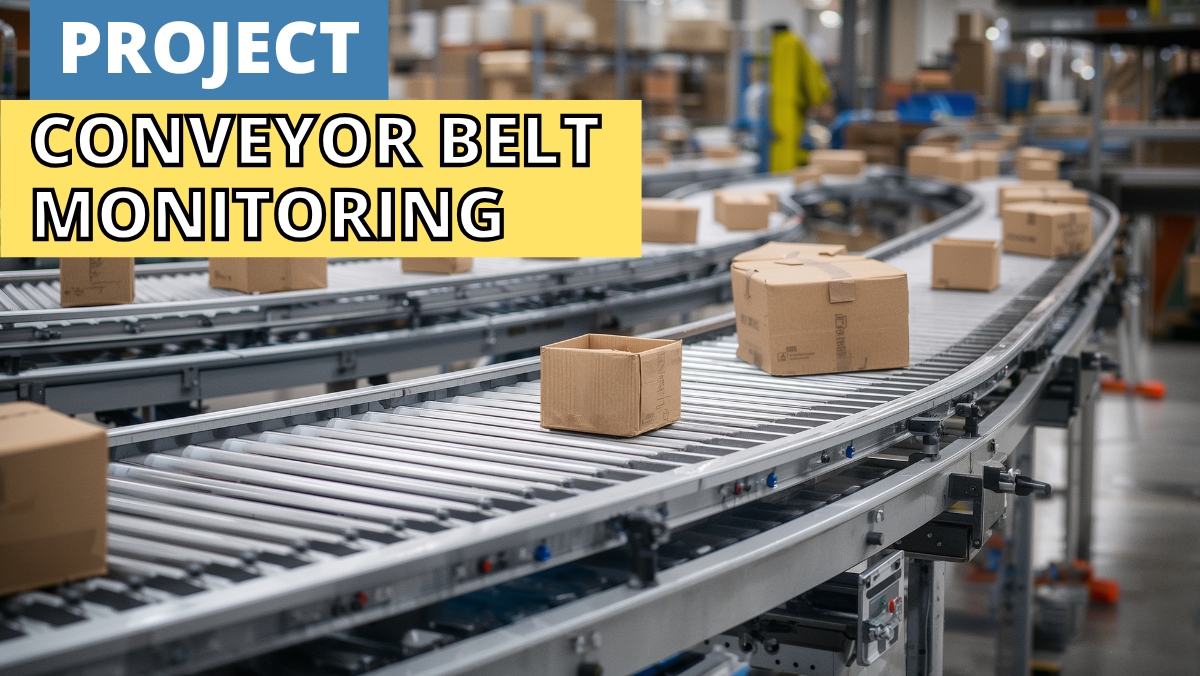
Conveyor Belt Analysis
- Continuous process monitoring with while loops
- Iterating over process data with for loops
- Control instructions: break, continue, pass
- System variable analysis in a technological process
Python in Automation
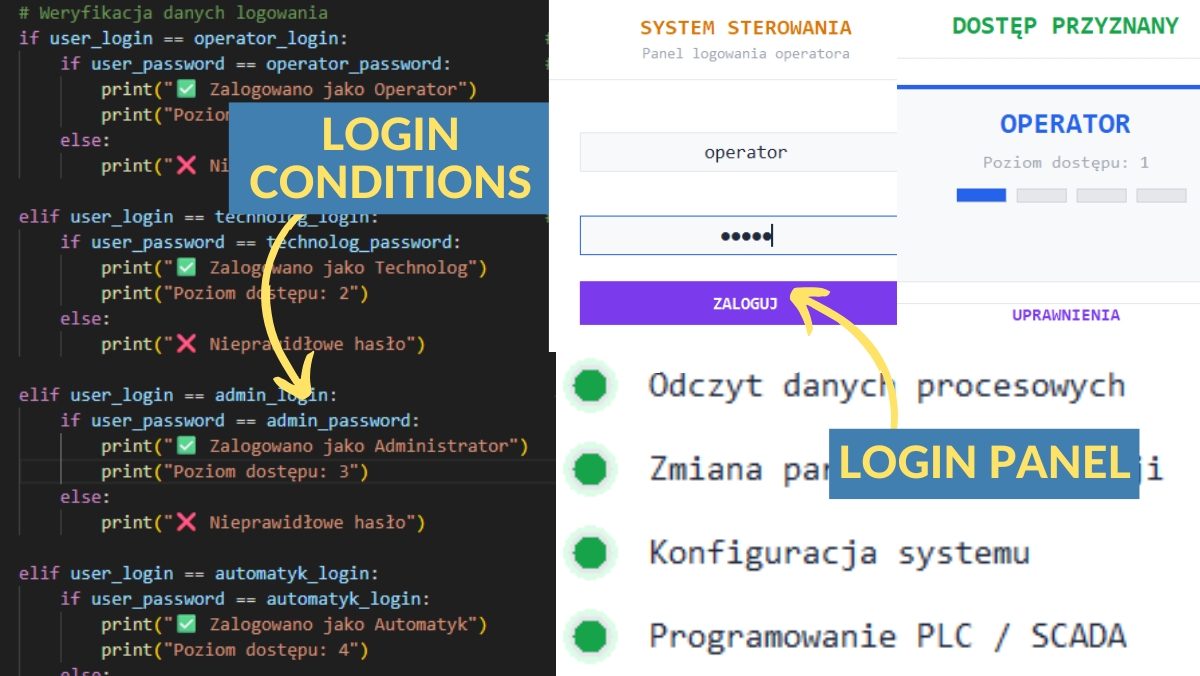
Login Panel
- User input handling with input()
- If-elif-else conditional logic
- Nested conditions and machine operation modes
- Parameter validation and entry
Python in Automation
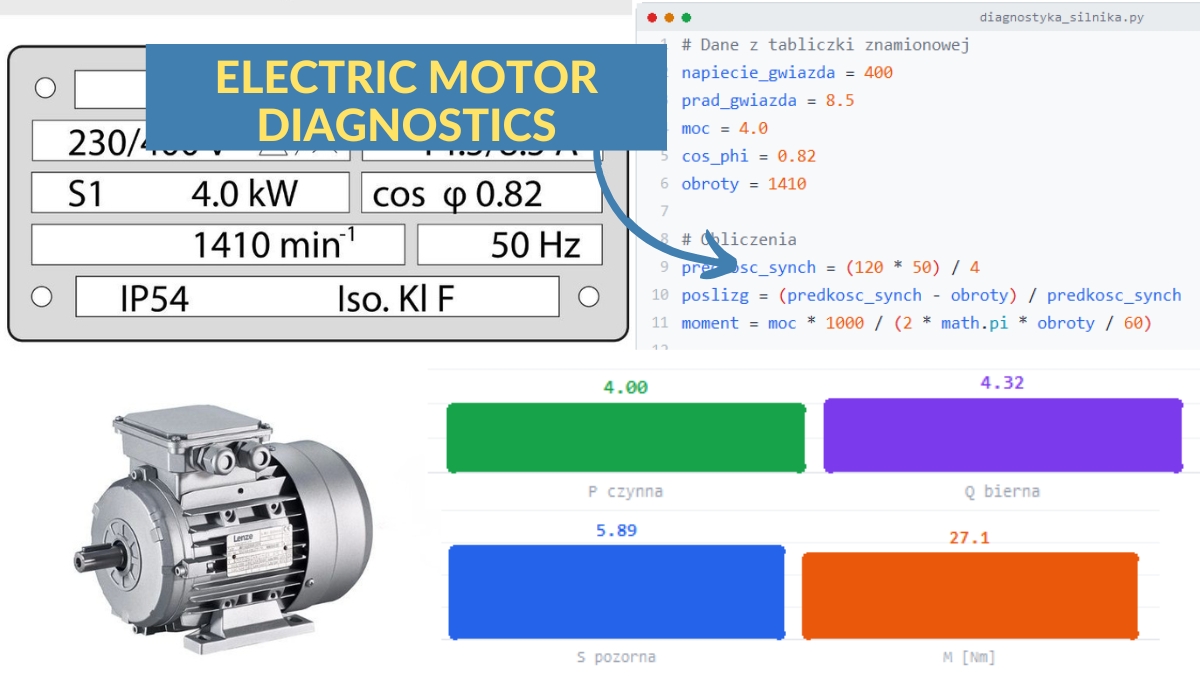
Electric Motor Diagnostics
- Defining diagnostic functions (def)
- Arguments, default values, return statements
- Variable scope: local vs global
- Lambda functions for quick calculations
Python in Automation
Production Report - CSV & HTML
- Working with TXT and CSV files for industrial data
- Error handling and exceptions for reliable scripts
- Generating HTML reports from production data
- Complete Factory Data Analyzer project
Full Course Curriculum
- 1.1. How to Join the Discord Support Forum 1:42
- 1.2. What is Python and Example Applications in Industry 9:39
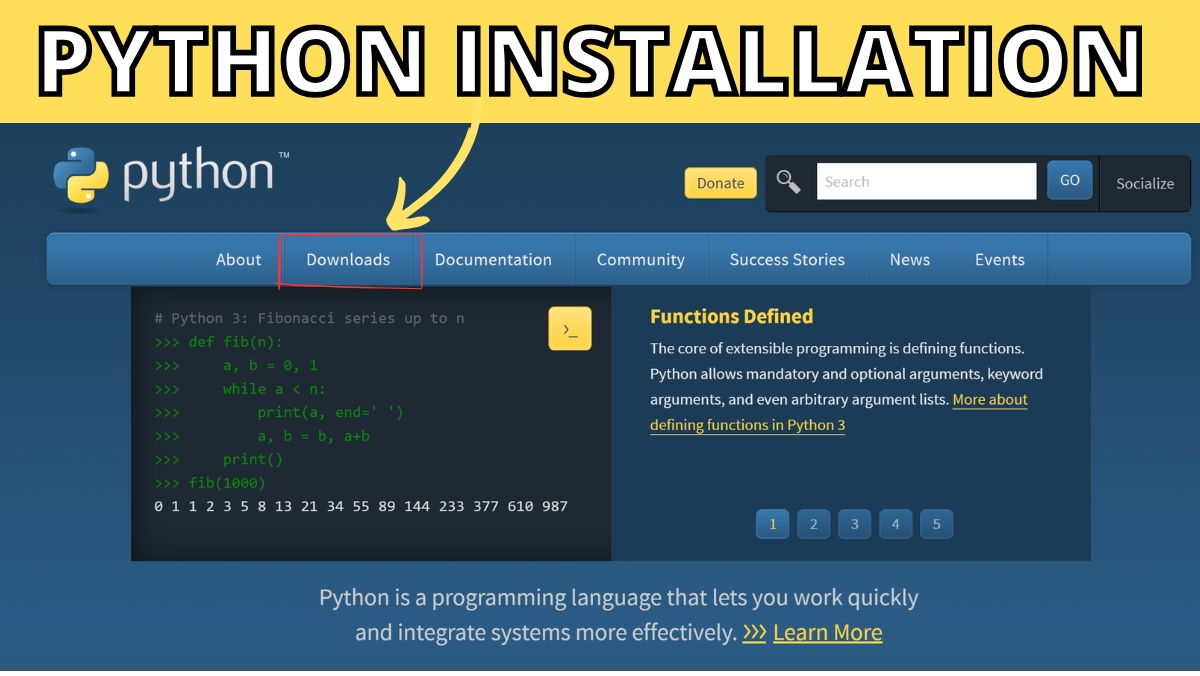
- 1.3. Python Installation 2:28
- 1.4. Installing the Visual Studio Code Editor 1:16
- 1.5. Setting Up VSCode for Python Coding 1:31
- 1.6. First Program 'Hello World in Python' 2:38
- 1.7. Exercise: print('Introduce Yourself in the ControlByte Community') 2:07
- 1.8. How to Download and Open Python Files for the Course? 1:40
- 1.9. Displaying Data in Python - Introduction 1:09
- 1.10. Basics of Displaying in CMD Console print('AC Voltage') 2:17
- 1.11. Displaying Text and Numbers print('Current', 20.5, 'A) 2:11
- 1.12. Readable Message Formatting print('-' * 42) 2:50
- 1.13. Python Interpreter and Newline Character print('\n') 4:07
- 1.14. Changing the Separator print('PLC, HMI, sep=' -- ') 1:43
- 1.15. Line End Parameter print('Sensor: OK, end='...') 2:46
- 1.16. Task: Industrial Machine Startup Message 5:40
- 2.1. Python Comments - Introduction 1:59
- 2.2. How to Download Python Programs for the Comments Module?
- 2.3. Single-line Comments and Docstrings 5:33
- 2.4. Python PEP8 PDF Guide
- 2.5. Task: Machine Review - Add Comments 1:42
- 2.6. Solution: Added Comments to Machine Review
- 3.1. Download Python Programs for Variables
- 3.2. Basic Types: int, float, str, bool 6:03
- 3.3. How to Name Variables According to PEP8 Standard 3:18
- 3.4. Calculations with Variables power = voltage * current 3:50
- 3.5. Assigning Multiple Variables current, voltage, power = 10, 20, 30 2:47
- 3.6. Task: Production Line Monitoring 4:17
- 4.1. Download Programs for F-STRING Module
- 4.2. F-string Basics print('Temperature:', temperature, '°C') Free lesson 2:35
- 4.3. Number Formatting f'Current: {current:.2f} A' 2:40
- 4.4. F-string Calculations f'Efficiency: {produced / time_hours:.2f} 2:12
- 4.5. F-string Alignment and Message Width 4:05
- 4.6. Task: CNC Machine Diagnostic Message 1:47
- 4.7. Solution: CNC Machine Diagnostic Message 3:04
- 5.1. Download Programs for input()
- 5.2. The input() Function - Entering Data from Keyboard 3:34
- 5.3. Type Conversion int and float 3:55
- 5.4. Type Conversion bool and str 3:10
- 5.5. Task: Entering Machine Parameters 2:16
- 5.6. Solution: Task - Entering Machine Parameters 1:10
- 6.1. Download Programs for Operators
- 6.2. Arithmetic Operators: Addition, Subtraction, Multiplication 6:23
- 6.3. Integer Division Operator // and Modulo % 6:24
- 6.4. Exponentiation Operator power_loss = (motor_current ** 2) * cable_resistance 4:53
- 6.5. Operator Precedence 2:27
- 6.6. Shorthand Operators Free lesson 2:20
- 6.7. Logical Operators 7:45
- 6.8. Comparison Operators 9:46
- 6.9. Task: Conveyor Belt Work Analysis 10:12
- 6.10. Solution: Conveyor Belt Work Analysis 1:54
- 7.1. Download Programs for IF ELIF ELSE
- 7.2. IF Statement 2:29
- 7.3. IF ELSE Statement 1:20
- 7.4. IF ELIF ELSE Statement 3:44
- 7.5. Liquid Tank - Level Checking 3:00
- 7.6. Machine Operation Modes IF ELIF ELSE Condition 3:51
- 7.7. Comparison Operators 2:15
- 7.8. Nested Conditions 4:40
- 7.9. Interactive Diagnostics 2:42
- 7.10. Task: System Login 2:59
- 7.11. Solution: System Login 1:38
- 8.1. Download Programs for Loops
- 8.2. While Loop 3:35
- 8.3. While Temperature Monitoring 2:35
- 8.4. While Infinite Loop 3:14
- 8.5. For Loop with range() 5:40
- 8.6. Iterating with Step in For Loop 2:48
- 8.7. Pressure Measurements and Average Calculation 2:21
- 8.8. Break - Stopping a For Loop 3:15
- 8.9. Continue - Skipping the Rest of For Loop Iteration 3:20
- 8.10. Pass - Placeholder for Future Code Development 3:40
- 8.11. Nested For Loops 3:49
- 8.12. Production Line Monitoring / PLC Variable Analysis 10:04
- 9.1. Download Python Program Templates for LISTS
- 9.2. Creating a List - list = [1, 2, 3] 3:42
- 9.3. Getting Elements from a List - list[0], list[-1] 2:44
- 9.4. Checking How Many Elements a List Has - len(list) 3:54
- 9.5. Changing Values in a List - list[2] = 'new' 2:43
- 9.6. List with Different Data Types - ['text', 3.14, True] 2:34
- 9.7. Adding Elements to a List - append() and insert() 2:55
- 9.8. Removing Elements from a List - remove(), pop(), del 2:43
- 9.9. Sorting and Reversing a List - sort() and reverse() 2:48
- 9.10. Counting and Searching - count(), index(), clear() 2:07
- 9.11. Iterating Through a List - for x in list 4:34
- 9.12. Index and Value in a Loop - for i, x in enumerate(list) 3:40
- 9.13. Filtering a List with a Condition - if x > 10 in a Loop 4:57
- 9.14. Checking if an Element is in a List - if x in list 2:27
- 9.15. Slicing a List Fragment - list[1:4] 3:26
- 9.16. Slicing Every nth Element - list[::2], list[::-1] 2:47
- 9.17. Slicing Shortcuts - list[:3], list[-2:], list[:] 3:36
- 9.18. Task: Production Trends Analysis 2:25
- 10.1. Download Programs for TUPLES
- 10.2. Creating Tuples and Basic Operations 3:22
- 10.3. Accessing Tuple Elements - Indexing 1:12
- 10.4. Immutable Tuples - Why They Cannot Change 3:32
- 10.5. Tuple Unpacking - x, y, z = tuple 2:33
- 10.6. Task: Modbus Registers Stored as Tuples 6:13
- 11.1. Download Programs for DICTIONARIES Module
- 11.2. Creating a Dictionary 3:56
- 11.3. Accessing Values - dict[key], get() 4:55
- 11.4. Checking if a Key Exists - key in dict 2:32
- 11.5. Adding and Changing Values 2:11
- 11.6. Removing Elements - pop(), del 2:18
- 11.7. Merging Dictionaries - update() 2:48
- 11.8. Methods keys(), values(), items() 2:25
- 11.9. Iterating Through a Dictionary 3:02
- 11.10. Searching by Value 2:32
- 11.11. Filtering a Dictionary with a Condition 2:50
- 11.12. Size and Clearing - len(), clear() 5:44
- 11.13. Converting a Dictionary to a List 3:49
- 11.14. List of Dictionaries - Sensor Table 4:32
- 11.15. Building a List of Dictionaries - Event Log 4:06
- 11.16. Parameter Table - Limits, Formatting, Validation 5:58
- 11.17. Shift Report Built from a Dictionary 9:07
- 12.1. Download Lessons for ANSI Project
- 12.2. Project - PLC/HMI Alarm List 7:51
- 12.3. Solution - PLC/HMI Alarm List 6:54
- 13.1. Download Program Templates for FUNCTIONS
- 13.2. First Function - def, Call, startup_report() 3:36
- 13.3. Multiple Parameters - check_range() 4:07
- 13.4. Functions in Practice - Sensor Report 8:07
- 13.5. Returning Values - return, calc_average() 7:01
- 13.6. Default Parameter Values 6:14
- 13.7. Positional vs Named Arguments 5:41
- 13.8. Returning Multiple Values 5:40
- 13.9. Return in Practice - Production Calculator 6:24
- 13.10. Local Variables and Scope 5:31
- 13.11. Global Variables 4:50
- 13.12. The global Keyword 5:59
- 13.13. Scope in Practice - Configuration Constants 8:34
- 13.14. Lambda - Short Anonymous Function 4:36
- 13.15. Lambda with sorted(), min(), max() 5:47
- 13.16. Lambda in Practice - filter(), map() 8:37
- 14.1. Download Task Templates for FUNCTIONS
- 14.2. Hall Monitoring - check_range(), diagnose_machine() 10:45
- 14.3. Task: Motor Diagnostics 7:11
- 14.4. Solution: Motor Diagnostics 10:18
- 15.1. Download Program Templates for FILES and MODULES
- 15.2. Reading Files - open(), read(), readlines() 10:40
- 15.3. Safe Reading - with open() as file 4:14
- 15.4. Writing to a File - write(), modes w/a 4:39
- 15.5. Shift Report - Generating a File 6:33
- 15.6. Error Handling - try/except, ValueError 6:21
- 15.7. Exception Types - ValueError, KeyError, IndexError 7:34
- 15.8. else and finally Blocks 7:25
- 15.9. Reading Measurement Data - load_measurements() 11:20
- 15.10. math Module - sqrt(), ceil(), floor() 7:23
- 15.11. random Module - randint(), choice() 8:07
- 15.12. datetime Module - now(), strftime() 6:48
- 15.13. Custom Module - import process_tools 4:31
- 16.1. Download Program Templates for Logging Project
- 16.2. Measurement Logging System 14:30
- 16.3. Log Analysis Task 8:17
- 16.4. Log Analysis Solution 11:51
- 17.1. Download Program Templates for SQL
- 17.2. Creating an SQLite Database - connect(), cursor(), commit() 13:07
- 17.3. Table Schema - CREATE TABLE, Data Types, Primary Key 2:29
- 17.4. SQL Basics - SELECT, INSERT, DELETE 16:25
- 17.5. Queries - WHERE, ORDER BY, GROUP BY 9:32
- 17.6. Task: Storing Measurements in a Database 3:29
- 17.7. Production Reports - Exporting to TXT and CSV 9:36
- 17.8. Task: Shift Reports from the Database 2:51
- 18.1. Connecting to MySQL / MariaDB 9:05
- 18.2. MySQL GUI - Managing the Database Visually 2:13
- 19.1. Download Program Templates for os / sys / main
- 19.2. os Module - Paths and Directories 11:59
- 19.3. File Operations with the os Module 11:30
- 19.4. sys Module - Command-Line Arguments (argv) 10:48
- 19.5. Streams and Paths - stdin, stdout, sys.path 12:50
- 19.6. The main() Function - Program Entry Point 3:33
- 19.7. Complete Program with main() 3:19
- 20.1. Download Program Templates for PLC Data Logger
- 20.2. PLC Data Analyzer - Project Architecture 5:52
- 20.3. Project Configuration 8:27
- 20.4. Terminal User Interface with ANSI Colors 13:41
- 20.5. User Login System 6:05
- 20.6. SQLite OEE Logger 9:42
- 20.7. CSV Reports 5:58
- 20.8. HTML Reports - Browser Dashboard 7:15
- 20.9. Live Terminal Dashboard 12:36
- 20.10. Sample Data Generation 8:07
- 20.11. Simulating PLC Data 8:12
- 20.12. Modbus TCP - Reading Data from a PLC 11:22
- 20.13. Main Program Loop 11:58
- 20.14. Application Tests 8:04
- 20.15. Database Viewer 3:25
- 20.16. Final Task: Extend the Analyzer 2:34
- 21.1. Downloading and Processing Data from Siemens PLC - snap7 library 21:56
What Industry Experts Are Saying About Us
Dobot Robotics - Our Industry Partner
Automa.Net - Our Industry Partner
Get Your Certificate and Publish It on LinkedIn!
- Gain a skill valued by employers. Publish on LinkedIn and your CV!
- Want to change jobs and become an automation engineer? You're one step closer!
- Stand out from the crowd with a verified ControlByte certificate
Discord Support

- Ask questions and get answers from instructors and fellow students
- Share your projects and get feedback from the community
- Access exclusive resources, tips, and industry news
- Network with automation engineers from around the world
Bonuses Included
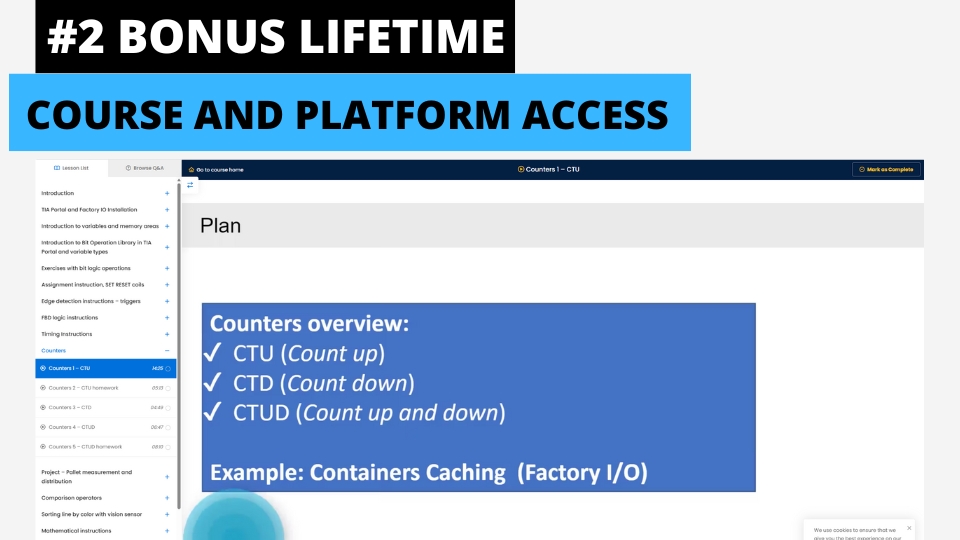
Lifetime Access to Training & Support
Get permanent access to all course materials, updates, and lifetime support from the instructor.
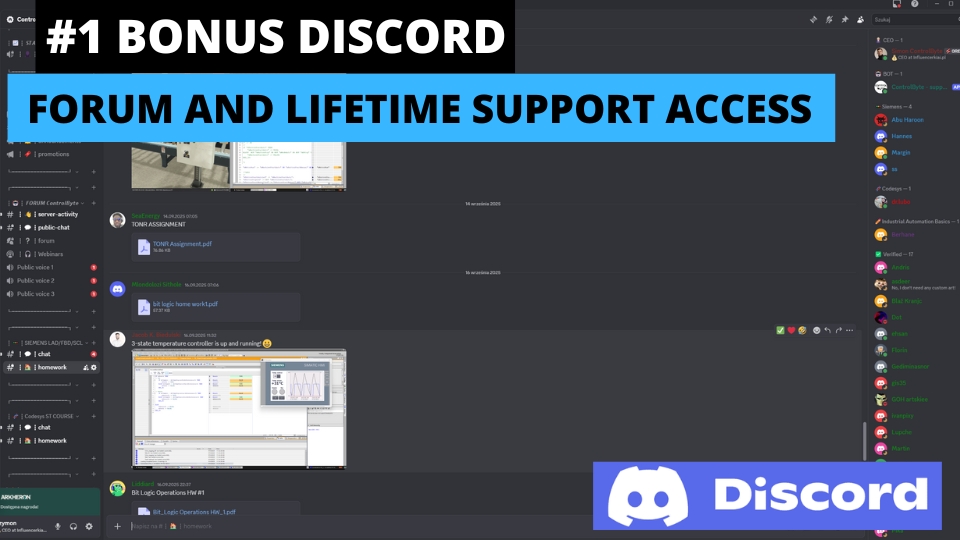
Discord - Forum & Student Chat
Join our private Discord server for Python programmers. Get help, share projects, and network with fellow engineers.
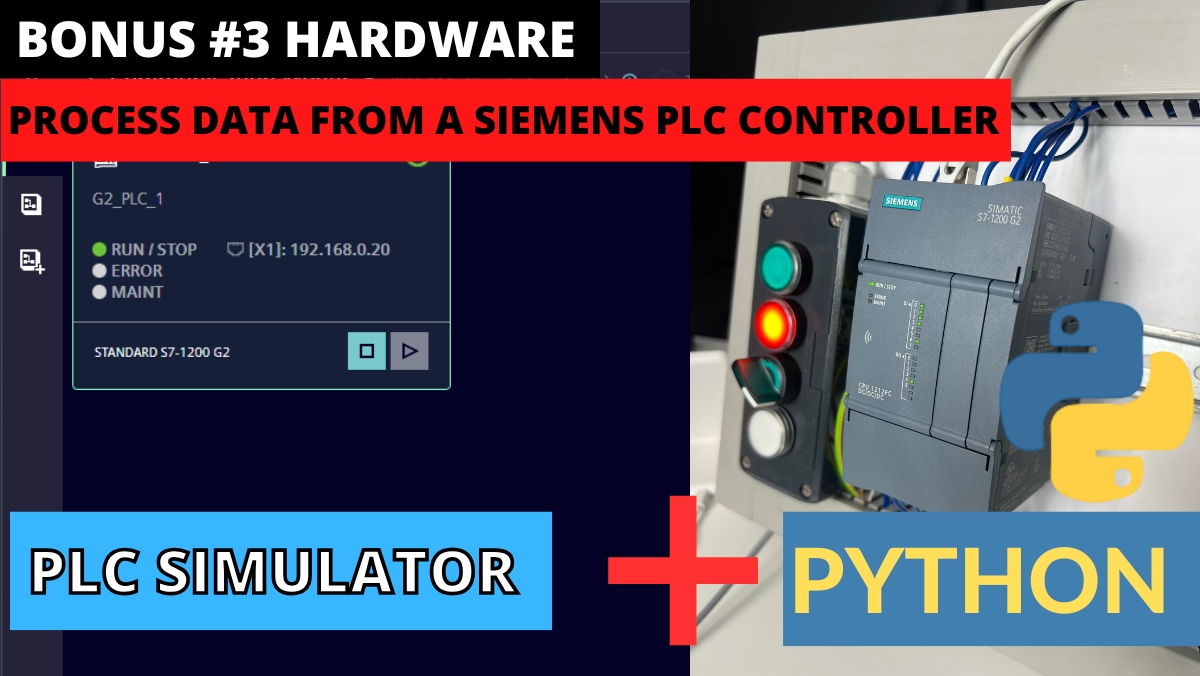
Process Data from Siemens PLC with Python
Bonus module on retrieving and visualizing real data from Siemens PLC controllers using Python.
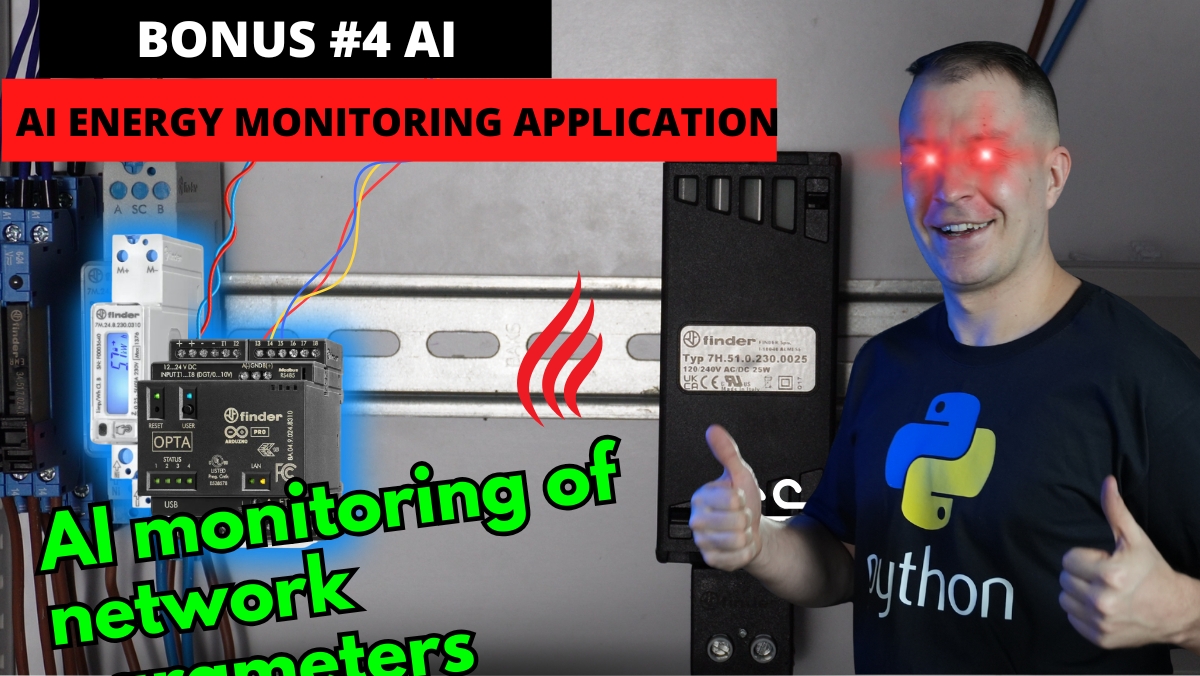
AI Energy Analyzer with Python
Demo application showing AI-powered energy analysis built with Python for industrial applications.
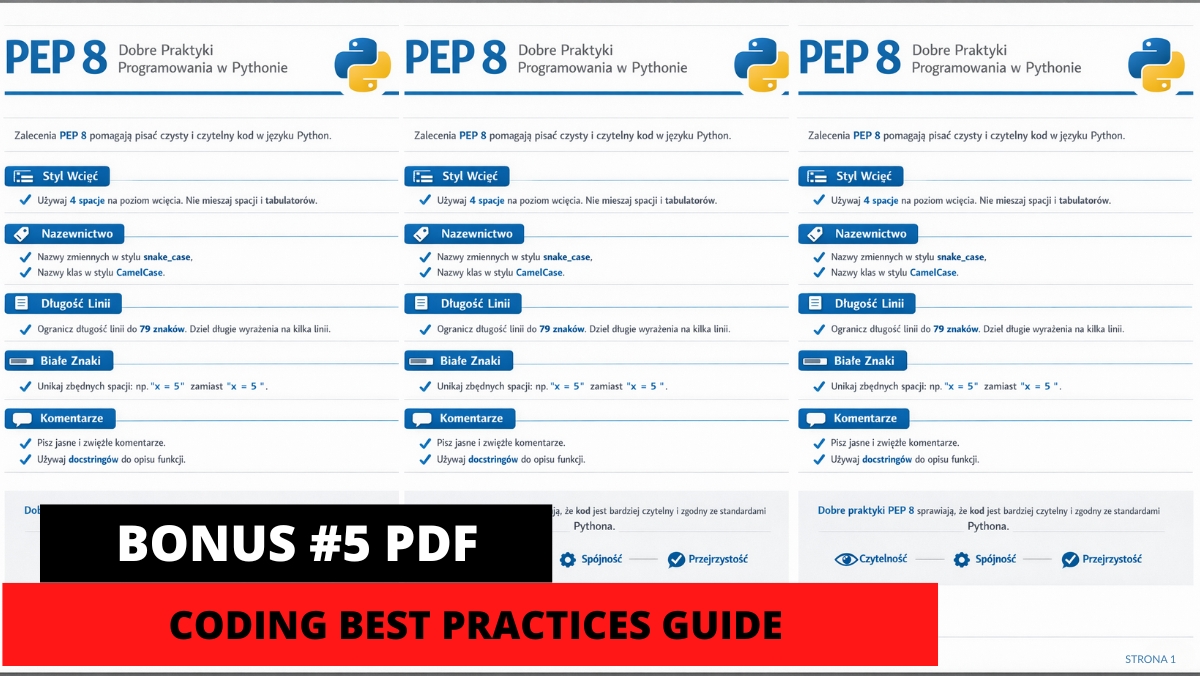
PDF - Python PEP8 Coding Best Practices
Comprehensive guide to Python coding standards and best practices for clean, professional code.
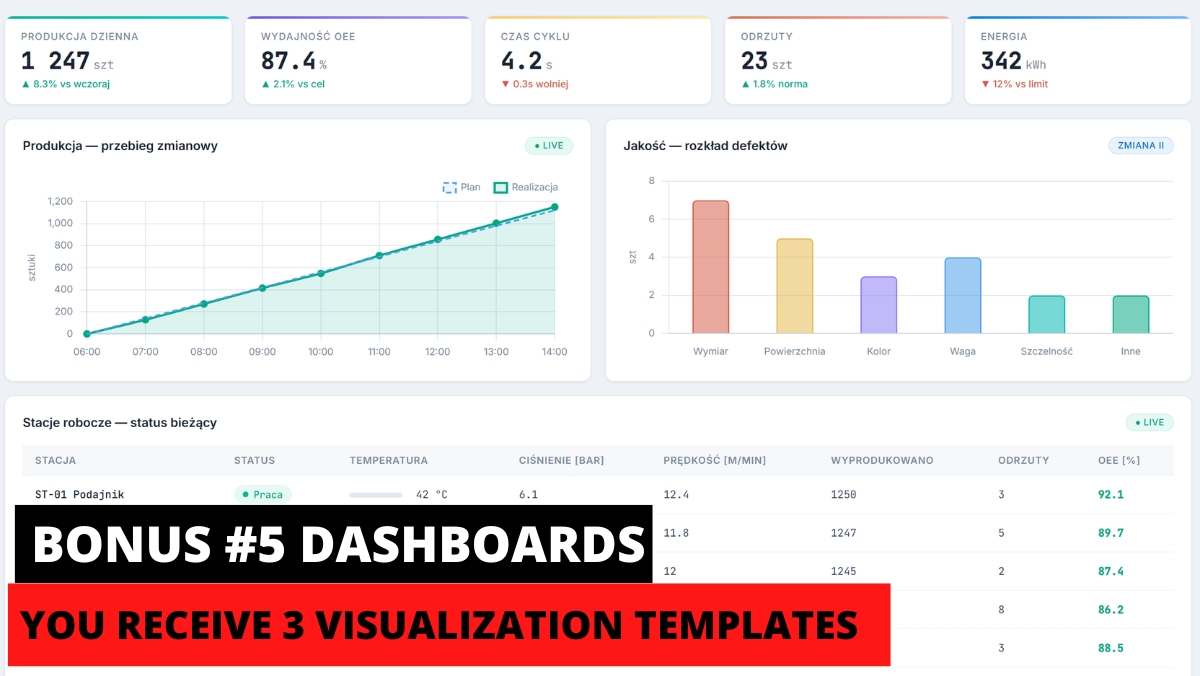
3 Python Dashboards for Your Projects
Ready-to-use Python dashboard templates for industrial data visualization in your own projects.
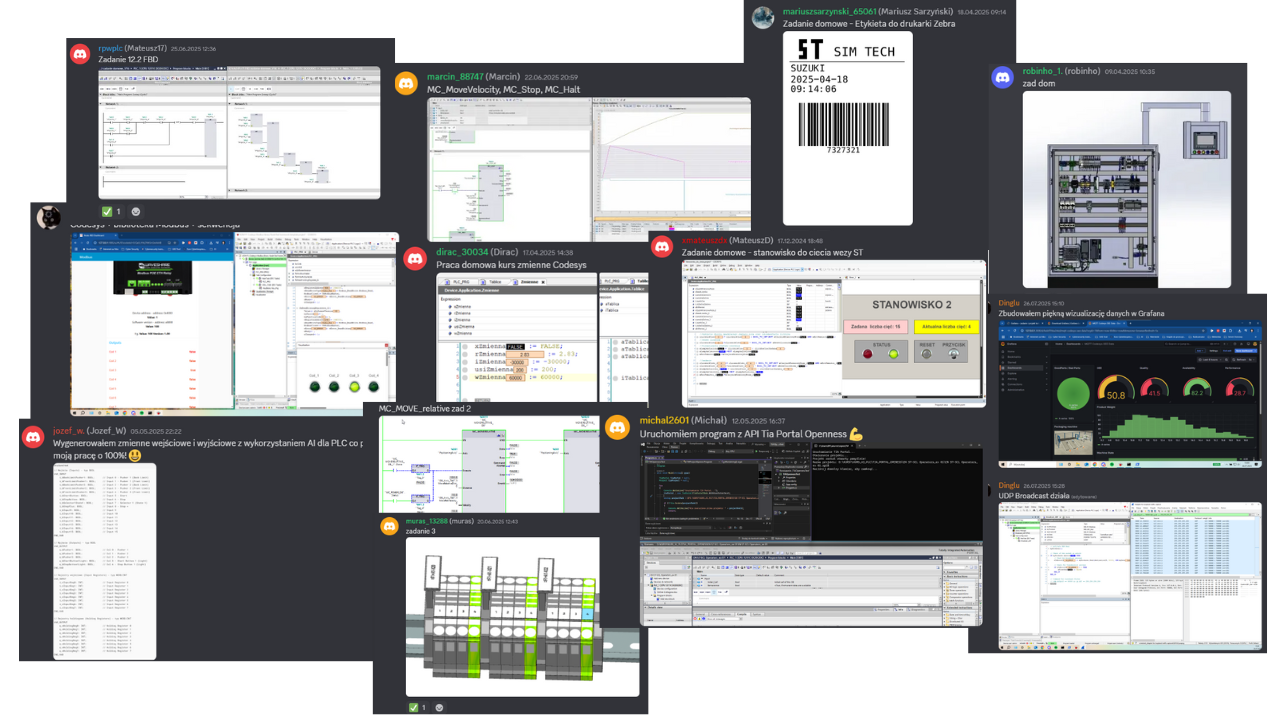
Homework from our students
A few screenshots and photos students share on Discord while completing assignments.

Course Price
Before we show you the price, see exactly what you get:
You get a satisfaction guarantee
We guarantee you will be satisfied with the course. If it is not what you expected, you have 14 days to request a refund and we will return the full amount.
- 14 days to request a refund
- On the market since 2019
- Secure online payments
- VAT invoice for companies
- CardVisa, Mastercard (Stripe)
- PayPalpay with your PayPal account
- Bank transferon request for companies
Satisfaction guarantee - 14 days to request a refund
Start Learning Today
Frequently Asked Questions
Use the Join the Course button on this website or send us an inquiry at: contact@controlbyte.tech
Yes! We stay in touch with you through our Discord channel - chat for participants, forums, and live meetings via webinars.
After submitting all projects from homework assignments and having them checked by the instructors, you will receive a certificate of completion for the training.
No! The course focuses on Python programming. All exercises use free tools - Python interpreter and VS Code editor which we help you install during the course.
You have 14 days to return the course, counting from the start date. We guarantee a safe purchase.
Yes. This is a course designed from scratch, so even someone without any programming experience will be able to learn Python step by step.
Access to the course is lifetime! As long as the ControlByte company exists in the automation market.
You get access to video materials with lessons explaining programming concepts. Participants follow exercises according to guidelines from the videos. They also have homework assignments to solve independently. Homework projects are uploaded to the portal, where instructors check the tasks and provide feedback.
Please send an email with the information needed for the offer to contact@controlbyte.tech. We will send the offer to the indicated address. Upon receiving the order, we will grant access to the course.
No problem! Please send us an email at contact@controlbyte.tech with your company details and we will issue an invoice.
Python Programming Basics
for Automation Engineers
Online course with certificate. Lifetime access, learn at your own pace.
Enroll & Get Instant Access
You get everything that's live today + every future module as soon as it's published. Limited early-bird spots before the price goes up.
Lessons are released gradually as we finalize them. Your access is permanent.
