
Online course | Siemens S7-1200 / S7-1500 PLC programming
Premium Siemens S7-1200 / S7-1500
PLC programming course in LAD/FBD
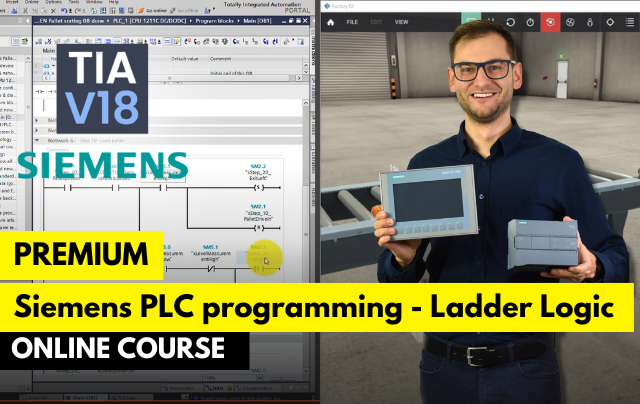
- Program S7-1200 and S7-1500 in LAD and FBD in TIA Portal
- Build HMI screens and test everything on PLCSIM
- Finish with real projects in Factory I/O
A practical course in programming Siemens S7-1200 and S7-1500 PLCs in LAD and FBD in TIA Portal, with HMI basics. You train on the free PLCSIM simulator and Factory I/O, so you do not need a physical PLC.
Get access
Lifetime access, certificate of completion and instructor support on Discord. Price: €249.
14-day money-back guarantee · Lifetime access · VAT invoice
Trusted by engineers from leading industrial companies






What you will learn in this course
- Master the Siemens TIA Portal environment, including its installation, licensing, setup, and integration with Factory IO for virtual simulations.
- Learn how to work with variables and memory areas, including bit operations and advanced data types like arrays and structures.
- Understand core PLC programming instructions, such as SET/RESET coils, timers, counters, and comparison operators, essential for industrial automation tasks.
- Develop practical skills in structured programming, using organizational units like Organizational Blocks (OB), Function Blocks (FB), Functions (FC) and more.
- Work with mathematical instructions and data type conversions, enabling precision in calculations and smooth data transitions between integer and floating-point numbers.
- Pallet Measurement and Distribution Project - Create a PLC program to measure and distribute pallets efficiently, using timers, counters, and logic instructions.
- Water Tank Proportional Controller Project - Design a PID controller for maintaining water levels, focusing on precise control and stability in a simulated environment.
- Product Stacking with 2D Manipulator Project - Program a 2D manipulator for stacking products, implementing structured programming and precise motion control.
- Vision System Integration: Sorting by Color - Develop a vision-based sorting system to classify items by color, integrating sensors and automation logic.
- Conveyor Line Sorting with Vision Sensor - Automate a conveyor belt to sort products based on sensor inputs, optimizing efficiency and accuracy.
- Factory Simulation Project - Build a comprehensive factory simulation, combining advanced data handling and structured programming techniques.
Why do engineers choose ControlByte courses?
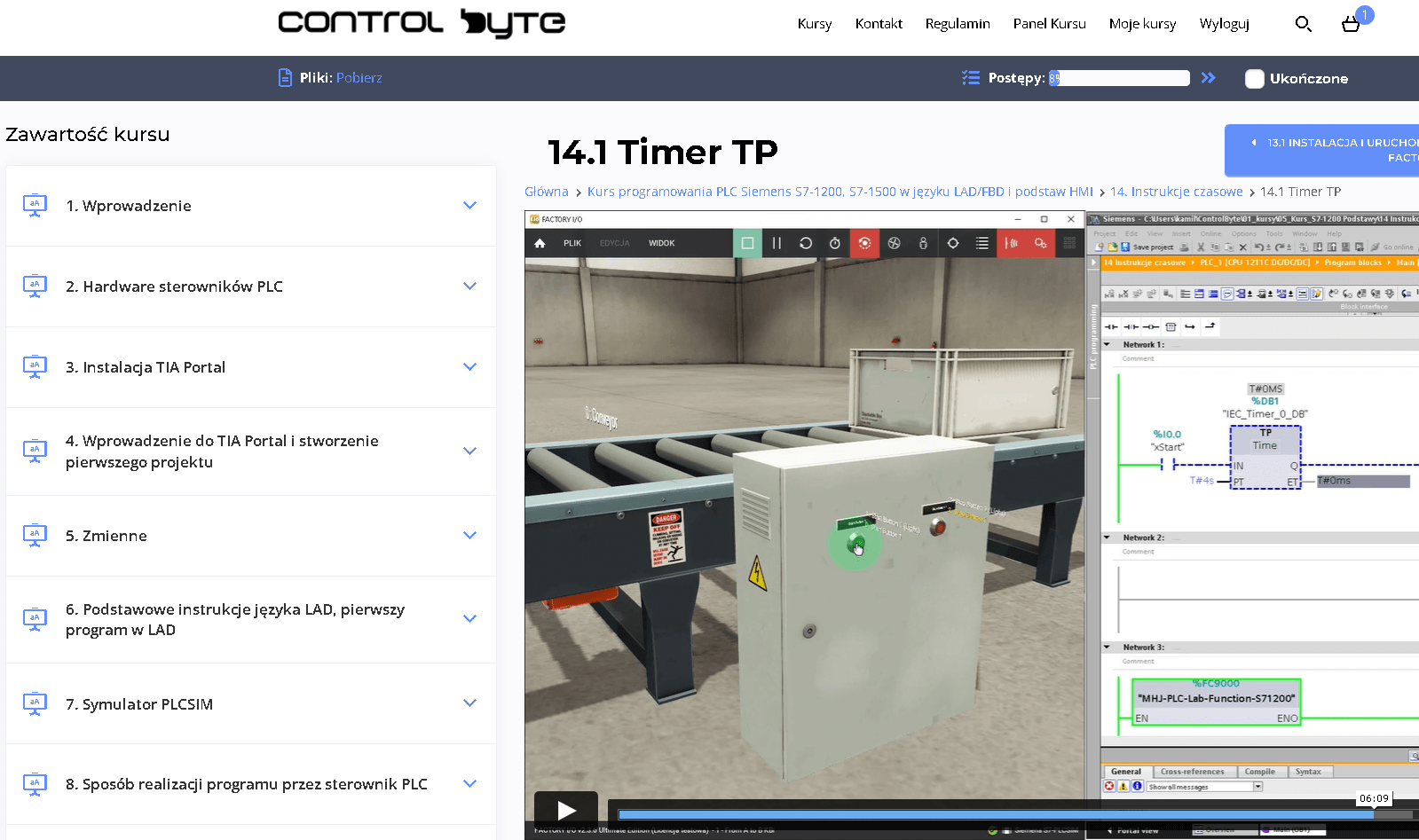
- Video lessons on our e-learning platform, available 24/7
- Exercises based on ready project templates that you build step by step
- Free simulators, so you do not need your own PLC to practice
- Learn at your own pace, from any device, with lifetime access
- Instructor support on Discord and feedback on your homework
Who is this course for?
- PLC Programmers
- Automation Engineers
- Electrical Engineers
- Industrial Engineers
- Maintenance Technicians
- Control System Technicians
- Instrumentation Technicians
- This course welcomes beginners, making it an ideal starting point for aspiring PLC programmers to build confidence and skills in automation.
What you get after enrolling
- 98 practical video lessons (about 17 hours)
- Over 106 practical video lessons, totaling more than 18 hours of content.
- The opportunity to test your programs in a virtual factory, Factory IO.
- Support from instructors via Discord chat and live meetings.
- Homework assignments to complete independently.
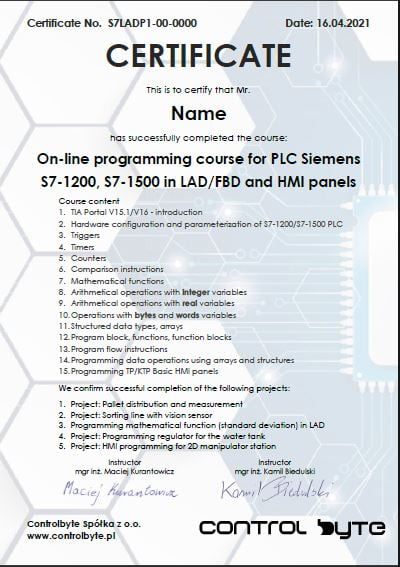
- A certificate of course completion upon successful completion of all assignments.
- Certificate of completion
- Lifetime access and all future updates
- Instructor support on Discord
Your instructor

Jacob K. Biedulski, MSc
Automation and Robotics · PLC programmer · Co-founder of ControlByte
“ In this course you will learn to work the way we do on real projects: step by step, with exercises you can repeat on your own, even if you are new to industrial automation.
Course curriculum - full table of contents
- 1.1. Introduction to PLC programming course 0:52
- 1.2. How to get help? Join the Discord group for Automation Professionals and PLC Programmers! 1:42
- 2.1. TIA Portal Licensing Explained 10:26
- 3.1. Siemens TIA Portal Installation troubleshooting 0:48
- 3.2. Siemens TIA Portal Installation 5:47
- 3.3. How to download TIA Portal project archives under the lessons! 4:21
- 3.4. Create First Project in Siemens TIA Portal 10:19
- 3.5. Add HMI panel to your project 9:04
- 3.6. Installation of Factory IO and first project! Free lesson 16:36
- 4.1. Variables types - introduction (analog value 0-10V in Factory IO) 11:53
- 4.2. Memory areas - Inputs, Outputs, M 10:18
- 5.1. Normally open contact -| |- AND operation (conveyor, switch and sensor in FIO) 13:29
- 5.2. Normally open contact -| |- OR operation (add selector switch in FIO scene) 8:00
- 5.3. Normally closed contact -|/|- (diffuse sensor introduction) 14:47
- 6.1. Start/stop button function - code with loop back 12:00
- 6.2. Homework 5:34
- 7.1. Assignment instruction (coil) - using tips 10:51
- 7.2. SET, RESET coils 12:18
- 7.3. Flips- flops Free lesson 15:35
- 7.4. Why hardware NC signals? 4:33
- 8.1. SIM Table - how to simulate signals? 2:24
- 8.2. Edge detection instructions 21:27
- 9.1. FBD logic instructions - theory 5:18
- 9.2. FBD logic instructions - example + homework 7:53
- 9.3. FBD logic instructions - homework - solution 0:52
- 10.1. TP timer 7:03
- 10.2. TON timer Free lesson 6:23
- 10.3. TOF timer 8:24
- 10.4. TONR timer 8:00
- 10.5. TONR timer - homework 6:00
- 11.1. Counters 1 - CTU 14:25
- 11.2. Counters 2 - CTU homework 5:13
- 11.3. Counters 3 - CTD 4:49
- 11.4. Counters 4 - CTUD 6:47
- 11.5. Counters 5 - CTUD homework 8:10
- 12.1. Introduction, line description Free lesson 3:21
- 12.2. Variable mapping 14:00
- 12.3. Systems testing 11:00
- 12.4. Starting system 7:21
- 12.5. Sequence programming - part 1 19:48
- 12.6. Sequence programming - part 2 13:06
- 12.7. Analysis of line operation 9:56
- 12.8. Height measurement programming Free lesson 19:00
- 12.9. Homework assignment 6:46
- 13.1. Theoretical introduction 3:35
- 13.2. Comparator instructions 7:14
- 13.3. IN_RANGE, OUT_RANGE instructions 4:56
- 14.1. Description of the sorting line Free lesson 4:48
- 14.2. Sequence design for feeders 4:42
- 14.3. Sequence program for the input conveyor 6:26
- 14.4. Sequence program for the sorting conveyor 3:14
- 14.5. Sorting line homework assignment 4:57
- 15.1. Math - intro 1:37
- 15.2. ADD (ENO enable - check if result's correct) 10:39
- 15.3. SUB, DIV, MUL instructions 12:38
- 15.4. MOD instruction 9:20
- 15.5. Calculate instruction 11:00
- 15.6. INC, DEC instruction 12:00
- 15.7. MIN, MAX, LIMIT instruction 9:36
- 16.1. Introduction, integer variable in controller's memory 13:20
- 16.2. Integers - negative numbers 7:32
- 16.3. Error of exceeding variable range 9:39
- 16.4. Type conversion for integers 17:01
- 17.1. Introduction to floating-point numbers 21:03
- 17.2. Arithmetics of floating-point numbers 11:01
- 17.3. Special cases of floating-point numbers - NaN, Inf+, Inf- 13:06
- 18.1. Instructions for converting floating-point numbers 21:35
- 19.1. Description of the station and variable mapping Free lesson 11:34
- 19.2. Signals scalling 15:22
- 19.3. Regulator programming 16:44
- 19.4. Testing gain factors for P regulator 18:00
- 19.5. Sequential operation of the tank - homework assignment 4:00
- 20.1. Operations on Words and Bytes - intro 14:38
- 20.2. Slice access 10:16
- 20.3. AND operation on bytes and words 14:40
- 20.4. OR, XOR operations on bytes and words 9:35
- 20.5. INV, DECO, ENCO 15:24
- 20.6. SEL, MUX, DEMUX 17:55
- 21.1. Arrays 19:24
- 21.2. Structures - STRUCT, UDT 15:08
- 22.1. Structural programming - Introduction 4:53
- 22.2. OB organization blocks 10:50
- 22.3. FC functions 18:45
- 22.4. FB function blocks - part 1 21:54
- 22.5. FB functional blocks - part 2 Free lesson 21:15
- 22.6. FB - function block - homework 5:34
- 23.1. JUMP and LABEL instruction 6:34
- 23.2. JUMP_LIST and SWITCH instruction 12:59
- 24.1. Introduction, project description Free lesson 2:45
- 24.2. Project template and variable mapping 18:26
- 24.3. Position calculation, position flags 17:04
- 24.4. Starting system 13:14
- 24.5. Input and output conveyor 10:37
- 24.6. Manipulator sequence 20:28
- 24.7. Homing 13:30
- 24.8. Product database and search function 27:43
- 24.9. Product tracking with vision sensor 16:07
- 25.1. How to get a certificate and share it on Linkedin 3:26
Sample lessons
Watch free fragments of the course before you buy.
What Industry Experts Are Saying About Us
Dobot Robotics - Our Industry Partner
Automa.Net - Our Industry Partner
Get your certificate and share it on LinkedIn
- Gain a skill highly valued by employers in automation
- Publish the certificate on LinkedIn and add it to your CV
- Lifetime access to the materials - come back whenever you need
Support on Discord
You are not alone - an international community of automation engineers and PLC programmers is waiting for you.
- Lifetime access to the support server with the instructors
- Code reviews of your programs on a dedicated channel
- Answers to your questions on business days
- Conversations with other automation engineers from around the world
Bonuses included with the course

Discord forum and chat for students
Join our private Discord server for PLC programmers. Ask questions, share projects and get help from instructors and fellow engineers.
Homework review and feedback
Send us your homework. We review it and send comments so your programs get better and better.

Certificate of completion
A personalised certificate with a unique number that you can share on LinkedIn and add to your CV.

Lifetime access and updates
Permanent access to all course materials, updates and new content added in the future.
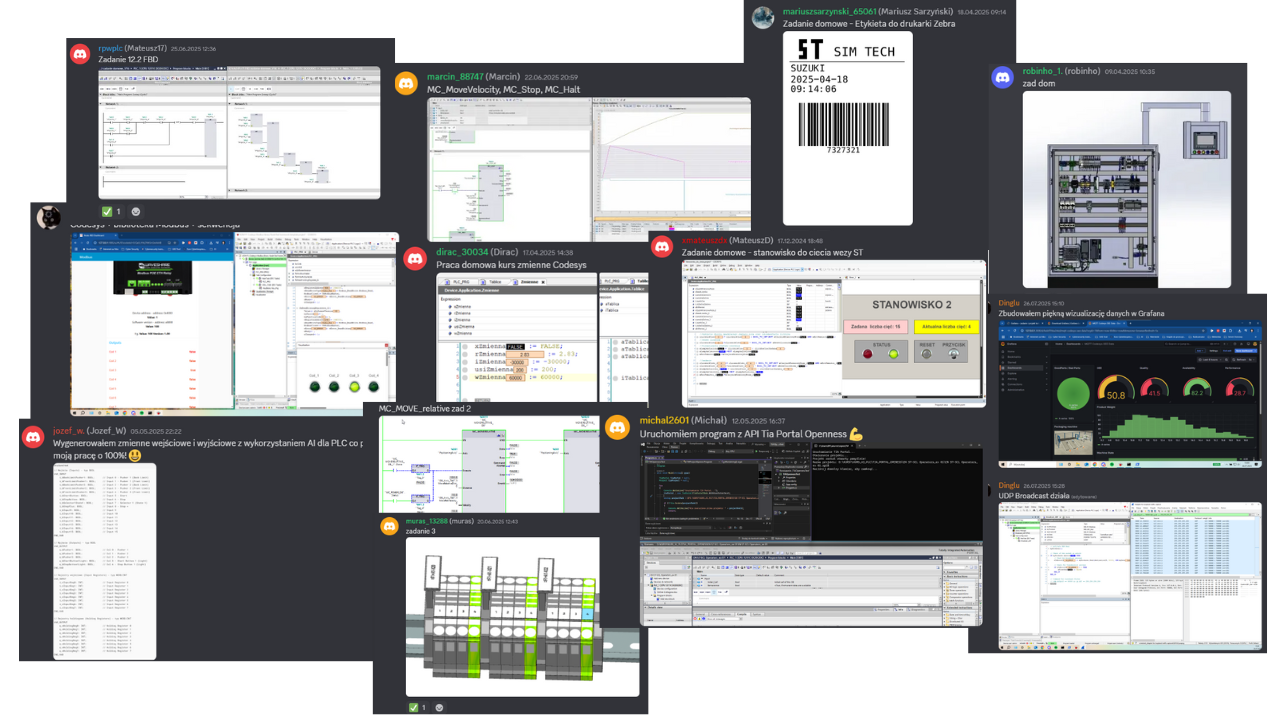
Homework from our students
A few screenshots and photos students share on Discord while completing assignments.
Course price
Before we show you the price, see exactly what you get:
You get a satisfaction guarantee
We guarantee you will be satisfied with the course. If it is not what you expected, you have 14 days to request a refund and we will return the full amount.
- 14 days to request a refund
- On the market since 2019
- Secure online payments
- VAT invoice for companies
- CardVisa, Mastercard (Stripe)
- PayPalpay with your PayPal account
- Bank transferon request for companies
Satisfaction guarantee - 14 days to request a refund
Ready to start?
Thanks to our proven training formula and cost optimization, you can get this course for:
Frequently asked questions
Click "Get access" on this page. You will go to the checkout where you pay online (card, PayPal). Your login details for the platform arrive by e-mail right after the payment is confirmed.
Lifetime. You can come back to the lessons whenever you want, and you also get all future updates of the course.
No special requirements. You will start with the basics and learn up to intermediate PLC programming concepts. The course is designed so that you can complete it on free simulators and trial versions of the software shown in the lessons.
Yes. After completing the course you receive a ControlByte certificate of completion that you can share on LinkedIn and add to your CV.
You have 14 days to request a full refund, no questions asked.
Ask the instructors on our Discord support server or in the comments under the lesson. We reply on business days.
With a 14-day money-back guarantee
Start today. Lifetime access · Discord support · Certificate.
Get access
Regular price €400 | Current price €249
14 days to request a refund · Lifetime access · Support
