
Online course | Industrial communication
Modbus, Profinet, OPC UA
communication training
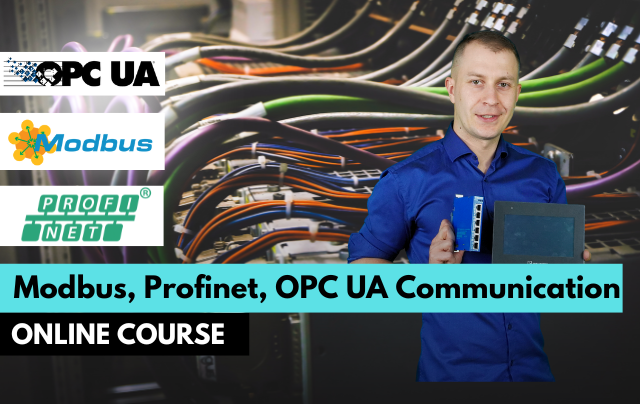
- Configure Modbus RTU/TCP, Profinet and OPC UA
- Exchange data between PLCs, drives and SCADA
- Diagnose communication problems with confidence
Understand and configure the protocols every automation engineer meets: Modbus RTU/TCP, Profinet, OPC UA and MQTT, with practical exercises in TIA Portal and CODESYS.
Get access
Lifetime access, certificate of completion and instructor support on Discord. Price: €99.
14-day money-back guarantee · Lifetime access · VAT invoice
Trusted by engineers from leading industrial companies







What you will learn in this course
- https://player.vimeo.com/video/1063139887
Why do engineers choose ControlByte courses?
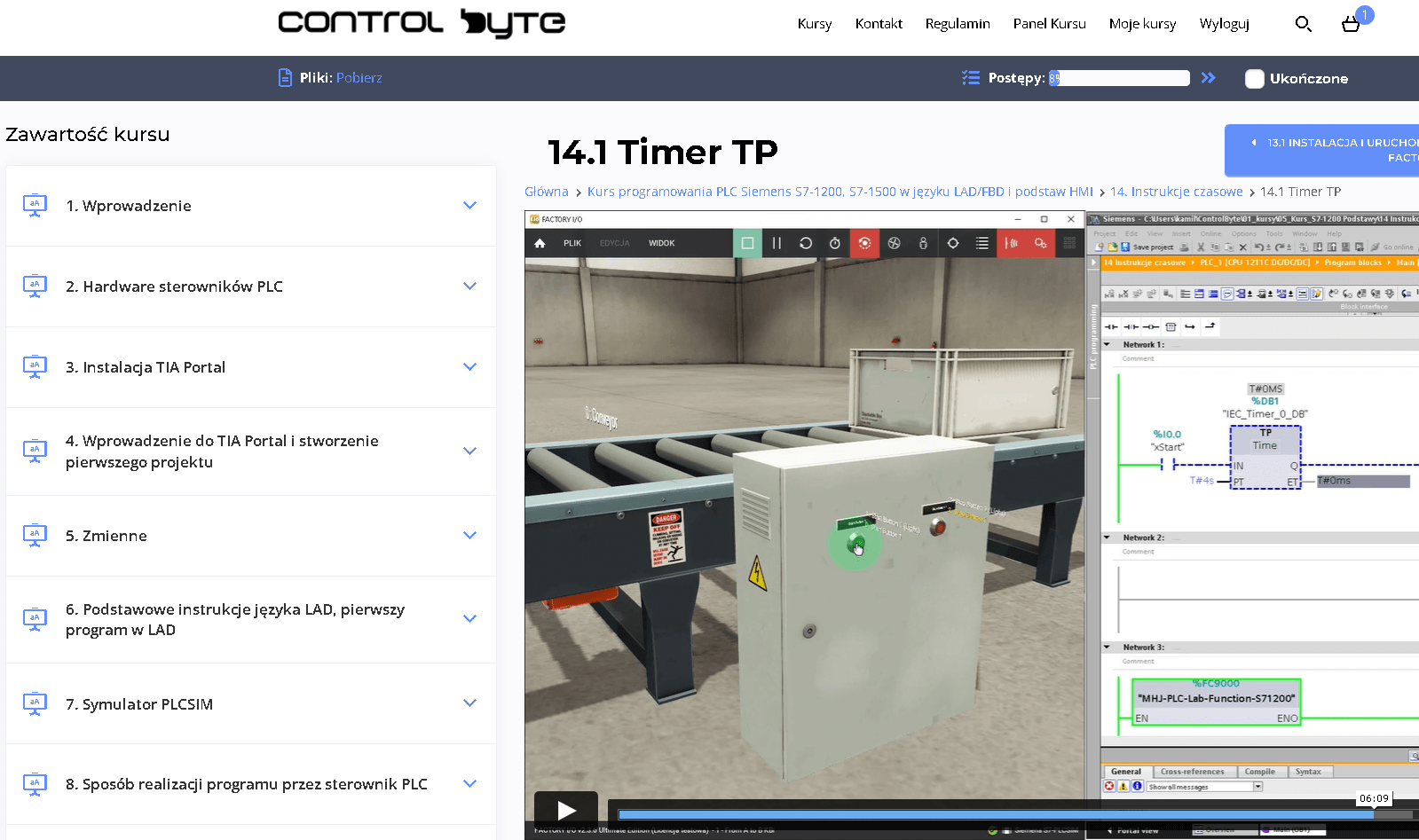
- Video lessons on our e-learning platform, available 24/7
- Exercises based on ready project templates that you build step by step
- Free simulators, so you do not need your own PLC to practice
- Learn at your own pace, from any device, with lifetime access
- Instructor support on Discord and feedback on your homework
Who is this course for?
- PLC Programmers
- Automation Engineers
- Electrical Engineers
- Industrial Engineers
- Maintenance Technicians
- Control System Technicians
- Instrumentation Technicians
- This course welcomes beginners, making it an ideal starting point for aspiring PLC programmers to build confidence and skills in automation.
What you get after enrolling
- 102 practical video lessons (about 16 hours)
- Certificate of completion
- Lifetime access and all future updates
- Instructor support on Discord
Your instructor

Matthew Kurantowicz, MSc
Automation engineer · PLC programmer · Co-founder of ControlByte
“ In this course you will learn to work the way we do on real projects: step by step, with exercises you can repeat on your own, even if you are new to industrial automation.
Course curriculum - full table of contents
- 1.1. Introduction to the Course 0:57
- 1.2. Invitation to Discord 1:42
- 1.3. What Simulators Will You Use? 2:00
- 1.4. Installing Codesys 3:25
- 1.5. Installing Modbus TCP View 0:47
- 1.6. Installing Node-Red 2:04
- 1.7. Launching Node-Red Free lesson 8:08
- 1.8. Exercise: Writing to Modbus Coils (Write Multiple Coils) 3:12
- 2.1. Codesys Modbus Configurator (Write Single Coil) 7:12
- 2.2. Codesys Modbus Configurator - Challenge (Function 5) 2:04
- 2.3. Codesys + Universal Modbus Library installation 1:16
- 2.4. Universal Modbus Library + Node-Red 10:52
- 2.5. Challenge: Modbus Library + Output Sequence Free lesson 7:20
- 2.6. Solution: Modbus Library + Output Sequence 3:05
- 2.7. Codesys Modbus TCP + Weintek HMI + Float Variable 7:18
- 2.8. Challenge: Codesys + Weintek HMI + Float Variable 2:25
- 2.9. Solution: Codesys + Weintek HMI + Float Variable 1:50
- 2.10. Modbus Diagnostics Codesys Configurator 10:02
- 2.11. Wireshark - Diagnostic Tool For Modbus 6:28
- 2.12. Challenge: Multiple Modbus TCP Devices in Codesys 9:54
- 3.1. Codesys OPC UA - set variables 1:42
- 3.2. OPC UA Expert - set up 2:36
- 3.3. Codesys OPC UA - send variables 2:07
- 3.4. Codesys OPC UA - Challenge 1:14
- 3.5. Installing Python 2:28
- 3.6. Installing Python Libraries 1:27
- 3.7. Installing VS Code 1:16
- 3.8. Challenge - Python and PLC Automated Testing via OPC UA 9:05
- 4.1. Installing TIA Portal and PLCSIM Advanced 3:37
- 4.2. Programming Modbus TCP for Siemens S7-1500 - Launching Node-red and PLCSIM 18:15
- 4.3. Programming Modbus TCP for Siemens S7-1500 - Configuring the MB_Client Block 20:35
- 4.4. Parameterizing MB_MODE, MB_DATA_ADDR, and MB_DATA_LEN Based on the Modbus Memory Model 26:19
- 4.5. Programming Read Registers (Function 3) and Write Coils (Function 15) for I/O Module Control 25:33
- 4.6. Programming Alarms and Diagnostics for the Modbus Master - MB_Client 12:50
- 4.7. Implementing Communication with Multiple Modbus Servers 19:05
- 4.8. Programming a Function Block for Communication with Multiple Modbus Servers 19:48
- 5.1. First Setup of Modbus TCP Server on Siemens PLCs 15:30
- 5.2. Configuring Memory Access (Input, Output, Holding Register) 12:20
- 5.3. Programming Access for Multiple Modbus Clients 18:04
- 6.1. Connecting RS485 Converter and Testing Modbus RTU with QModMaster 11:07
- 6.2. Programming the Modbus_Comm_Load Block - Initializing the RS485 Interface 13:22
- 6.3. Programming the Modbus Master with Modbus_Master Block 20:50
- 7.1. Modbus RTU Communication with Lenze i550 Inverter -> Siemens S7-1200
- 8.1. TCP Communication with Siemens PLCs 17:04
- 8.2. Bi-Directional TCP Communication between S7-1500 PLC and Node-Red (TRCV_C, TSEND_C) 20:13
- 9.1. Setting up the Project for TCP Communication between Siemens PLC and ABB Robot Using XML 15:42
- 9.2. Library LStream for PLC -> ABB Robot Communication 14:39
- 10.1. Preparing the Project for Hose Crimping Machine -> Siemens PLC Communication Using XML 15:45
- 10.2. Programming XML Structures in TIA Portal 16:53
- 11.1. Introduction to Profinet 2:40
- 11.2. Searching Ethernet Network in TIA Portal - MAC and IP Addresses 17:29
- 11.3. Adding Devices to the Project - Network View: CPU S7-1500, ET200SP IO Modules 9:24
- 11.4. Profinet Name and Device Number 14:04
- 11.5. IO Device Configuration, Network Search 15:56
- 11.6. Network Topology Configuration - What is it? Introduction to Proneta 10:17
- 11.7. CPU-to-CPU Communication Configuration (iDevice) Between Separate TIA Portal Projects 15:04
- 11.8. Missing Hardware in the Library! How to Download GSDML Files from Siemens (HSP)? 7:34
- 11.9. Installing GSDML Files from Third-Party Hardware Manufacturers 7:18
- 12.1. Configuring Profinet Communication between S7-1200 PLC and Sinamics V90 in RT Mode Using V-Assistant 15:12
- 12.2. Configuring Profinet Communication between S7-1200 PLC and Sinamics V90 in RT Mode in TIA Portal 25:10
- 13.1. Configuring Profinet Communication between S7-1500 PLC and Sinamics V90 in IRT Mode 13:43
- 14.1. Configuring Profinet Communication between S7-1200 PLC and Lenze i550 Inverter (Acyclic Communication) 18:38
- 15.1. Introduction to Profinet IO Diagnostic Methods 9:53
- 15.2. Profinet IO Diagnostics - LED Indicators and Displays 6:57
- 15.3. Profinet IO Diagnostics - TIA Portal 8:31
- 15.4. Profinet IO Diagnostics - Webserver 7:20
- 15.5. Profinet IO Diagnostics - HMI Panel 4:19
- 15.6. Profinet IO Diagnostics - Proneta 9:12
- 16.1. RS-232 Communication with Siemens S7-1200 PLC 12:09
- 17.1. IO-Link Communication with Siemens PLCs, Turck IO-Link Master, Lenze i550 Inverter Protec 12:17
- 17.2. IO-Link Communication with Siemens PLCs, Turck IO-Link Master, Turck RGB KP50 Signal Light 13:59
- 17.3. IO-Link Communication with Siemens PLCs, Turck IO-Link Master, Turck UPROX Sensor 10:24
- 18.1. Project configuration and creation of S7 Connection 11:27
- 18.2. Configuration of 2 PLC controllers in the project and programming of the PUT instruction (homework) 14:03
- 18.3. Configuration of 2 PLC controllers in the project and programming of the GET instruction (homework) 11:01
- 18.4. Configuration of S7-Communication PUT/GET with a PLC from an external project (homework) 20:15
- 19.1. OPC UA Server for Siemens S7-1500 (homework) 18:55
- 19.2. OPC UA Server for Siemens S7-1500 with Certificate Exchange and Encryption 18:53
- 20.1. Broadcast communication 4:14
- 20.2. Broadcast - task 1:40
- 20.3. Multicast communication - task 3:50
- 21.1. Grafana - Project Presentation 3:02
- 21.2. Grafana - Project Structure and Operation 1:43
- 21.3. Installing MQTT Broker on Windows 1:17
- 21.4. Codesys MQTT and JSON - Task to Complete 2:08
- 21.5. InfluxDB - Installation 2:43
- 21.6. InfluxDB - Start 1:12
- 21.7. Node-Red - Logging into InfluxDB 5:44
- 21.8. InfluxDB CLI - Checking Measurements in the Database 2:51
- 21.9. Installing Grafana 1:39
- 21.10. Grafana - Final Task and Project 4:08
- 22.1. WAGO Modbus TCP Master + Opta Slave 15:11
- 22.2. WAGO + Opta Visualization and Tests 5:33
- 22.3. WAGO + Weintek Remote IO - WagoAppModbus Library 18:16
- 22.4. WAGO OPC UA Server 12:43
- 22.5. WAGO Modbus RTU Master - USB/RS485 5:22
- 22.6. WAGO + Weintek HMI 11:32
- 23.1. Finder OPTA and Weintek HMI Panel - Modbus TCP 14:11
- 23.2. Finder Opta Energy Consumption Measurement 18:00
- 23.3. Finder OPTA - Connection to Ignition SCADA 12:16
- 24.1. IXON + WAGO 7:12
- 25.1. How to get a certificate and share it on Linkedin 3:26
Sample lessons
Watch free fragments of the course before you buy.
What Industry Experts Are Saying About Us
Dobot Robotics - Our Industry Partner
Automa.Net - Our Industry Partner
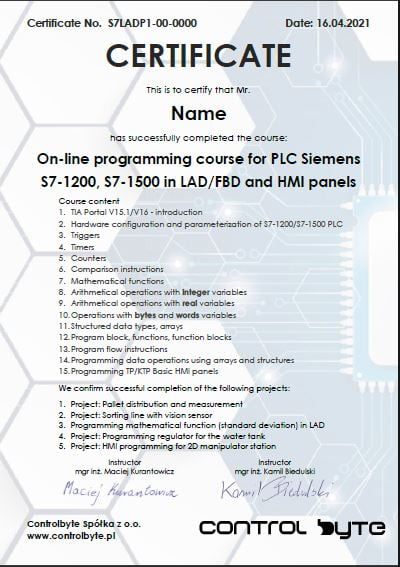
Get your certificate and share it on LinkedIn
- Gain a skill highly valued by employers in automation
- Publish the certificate on LinkedIn and add it to your CV
- Lifetime access to the materials - come back whenever you need
Support on Discord
You are not alone - an international community of automation engineers and PLC programmers is waiting for you.
- Lifetime access to the support server with the instructors
- Code reviews of your programs on a dedicated channel
- Answers to your questions on business days
- Conversations with other automation engineers from around the world
Bonuses included with the course

Discord forum and chat for students
Join our private Discord server for PLC programmers. Ask questions, share projects and get help from instructors and fellow engineers.
Homework review and feedback
Send us your homework. We review it and send comments so your programs get better and better.

Certificate of completion
A personalised certificate with a unique number that you can share on LinkedIn and add to your CV.

Lifetime access and updates
Permanent access to all course materials, updates and new content added in the future.
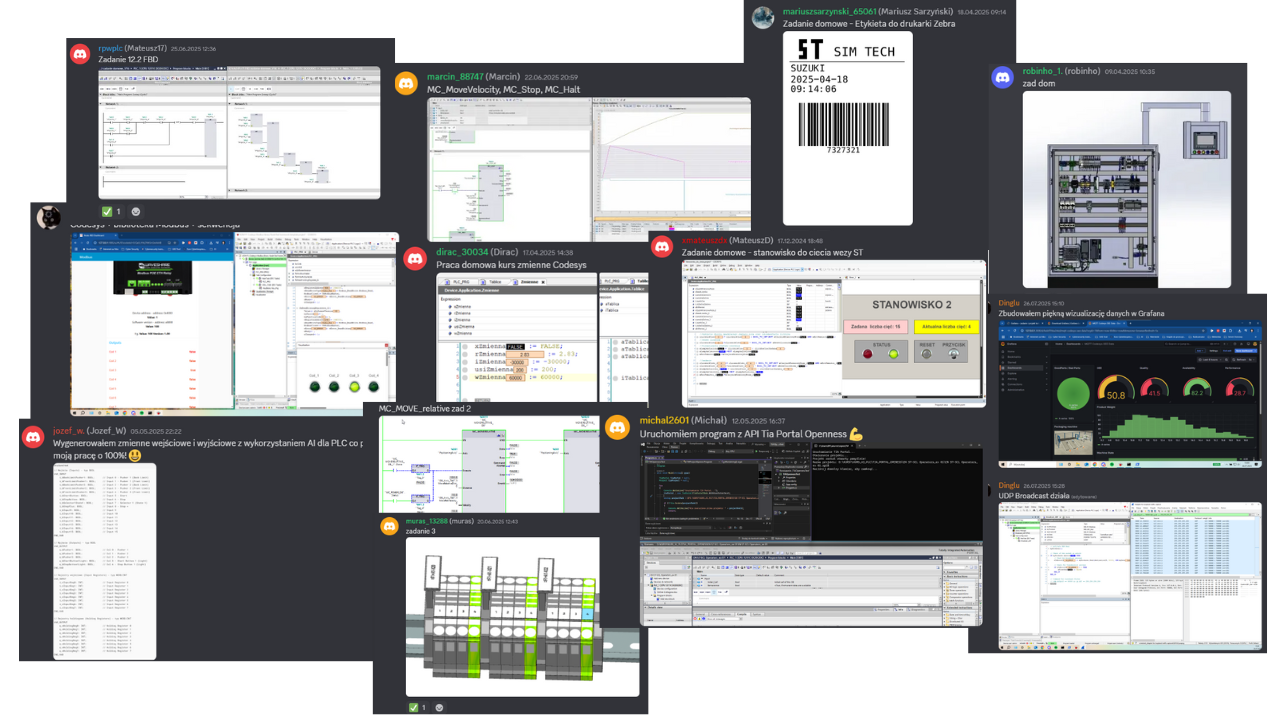
Homework from our students
A few screenshots and photos students share on Discord while completing assignments.
Course price
Before we show you the price, see exactly what you get:
You get a satisfaction guarantee
We guarantee you will be satisfied with the course. If it is not what you expected, you have 14 days to request a refund and we will return the full amount.
- 14 days to request a refund
- On the market since 2019
- Secure online payments
- VAT invoice for companies
- CardVisa, Mastercard (Stripe)
- PayPalpay with your PayPal account
- Bank transferon request for companies
Satisfaction guarantee - 14 days to request a refund
Ready to start?
Thanks to our proven training formula and cost optimization, you can get this course for:
Frequently asked questions
Click "Get access" on this page. You will go to the checkout where you pay online (card, PayPal). Your login details for the platform arrive by e-mail right after the payment is confirmed.
Lifetime. You can come back to the lessons whenever you want, and you also get all future updates of the course.
No special requirements. You will start with the basics and learn up to intermediate PLC programming concepts for communication protocols. The course is designed so that you can complete it on free simulators and trial versions of the software shown in the lessons.
Yes. After completing the course you receive a ControlByte certificate of completion that you can share on LinkedIn and add to your CV.
You have 14 days to request a full refund, no questions asked.
Ask the instructors on our Discord support server or in the comments under the lesson. We reply on business days.
With a 14-day money-back guarantee
Start today. Lifetime access · Discord support · Certificate.
Get access
Regular price €400 | Current price €99
14 days to request a refund · Lifetime access · Support
