
Online course | Industrial automation basics
Industrial automation basics
and electrical diagrams
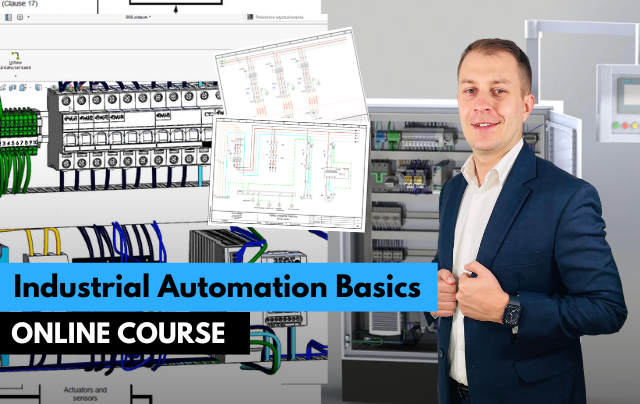
- Read and understand electrical diagrams
- Know sensors, relays, contactors and drives
- Understand how a control cabinet and a machine work
The foundation every automation engineer needs: sensors, actuators, relays, contactors, drives, control cabinets and how to read electrical diagrams, explained on real examples.
Get access
Lifetime access, certificate of completion and instructor support on Discord. Price: €97.
14-day money-back guarantee · Lifetime access · VAT invoice
Trusted by engineers from leading industrial companies







What you will learn in this course
- Learn how to read electrical diagrams for industrial automation systems.
- Understand the fundamentals of industrial automation and its key components through an introductory overview.
- Learn how to join and utilize a professional support community, such as the Discord group for automation professionals and PLC programmers.
- Receive and use the Automation Design Guide, a comprehensive resource to assist in project planning and execution.
- Understand the design principles and assumptions for industrial machines, such as a pallet wrapper system.
- Familiarize yourself with the standards (IEC 60204-1) and directives for machine design, ensuring compliance with industrial regulations.
- Explore the functionality and operation of electric motors, including their role in automation systems.
- Learn about machine supply systems, understanding how to design and configure effective power delivery solutions.
- Discover the selection criteria for enclosures and measurements in LV switchboards, in compliance with IEC 61439 standards.
- Understand the components and devices in a control cabinet, from relays to circuit breakers.
- Learn the principles of power supply design for PLCs and control circuits, ensuring stability and efficiency.
- Gain knowledge about overcurrent protection for 24VDC circuits, safeguarding systems from electrical faults.
Why do engineers choose ControlByte courses?
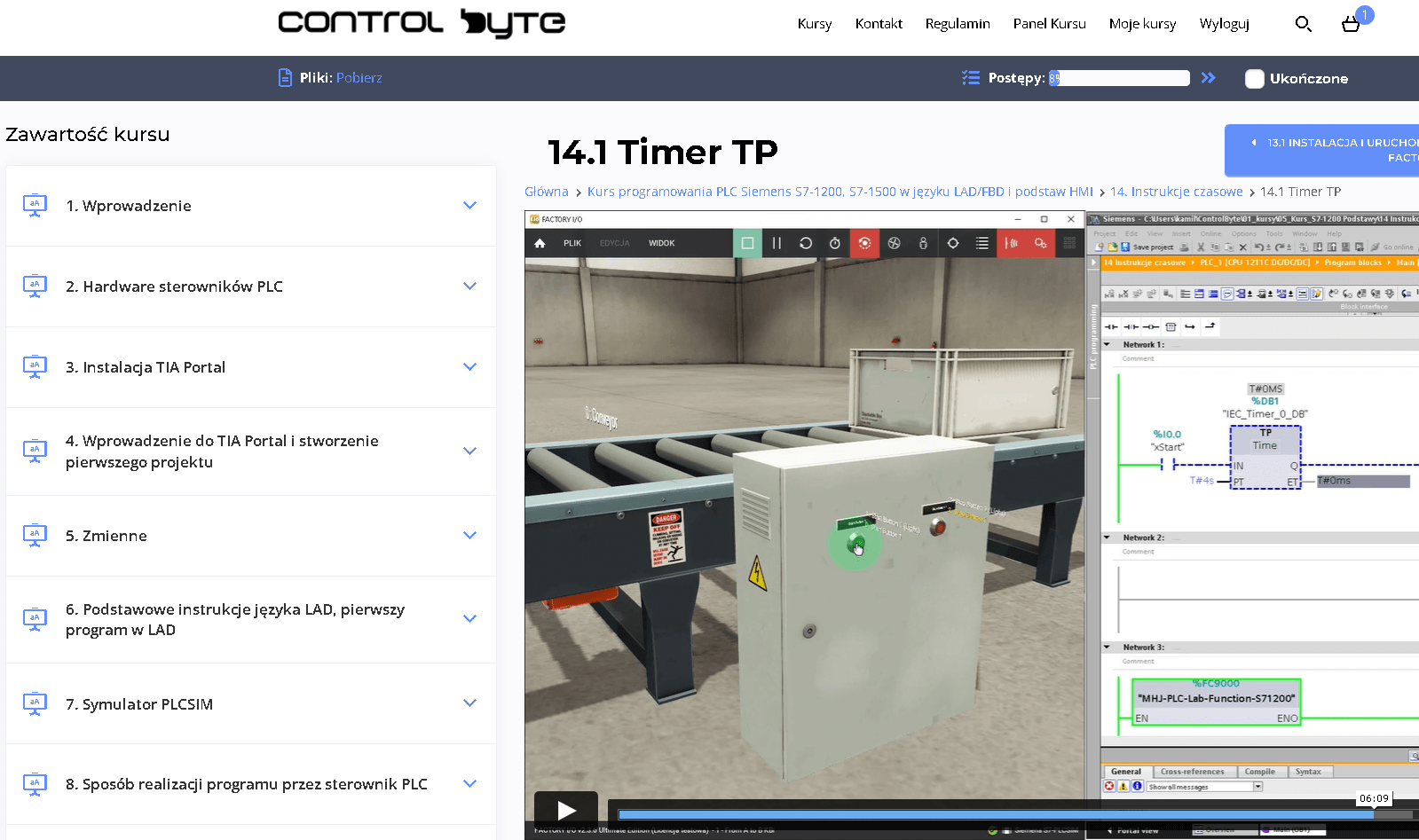
- Video lessons on our e-learning platform, available 24/7
- Exercises based on ready project templates that you build step by step
- Free simulators, so you do not need your own PLC to practice
- Learn at your own pace, from any device, with lifetime access
- Instructor support on Discord and feedback on your homework
Who is this course for?
- PLC Programmers
- Automation Engineers
- Electrical Engineers
- Industrial Engineers
- Maintenance Technicians
- Control System Technicians
- Instrumentation Technicians
- This course welcomes beginners, making it an ideal starting point for aspiring PLC programmers to build confidence and skills in automation.
What you get after enrolling
- 80 practical video lessons (about 7 hours)
- Certificate of completion
- Lifetime access and all future updates
- Instructor support on Discord
Your instructor

Matthew Kurantowicz, MSc
Automation engineer · PLC programmer · Co-founder of ControlByte
“ In this course you will learn to work the way we do on real projects: step by step, with exercises you can repeat on your own, even if you are new to industrial automation.
Course curriculum - full table of contents
- 1.1. How to Use the Course? 4:51
- 2.1. How to get help? Join the Discord group for Automation Professionals and PLC Programmers! 2:00
- 3.1. Download electrical schematic in PDF file 0:43
- 3.2. Receive a PDF with the Automation Design Guide 0:55
- 3.3. Challenge: identify component symbol on the electrical schematic 1:19
- 3.4. Challenge: identify the device in the cabinet 2:25
- 4.1. Projects assumptions of a pallet wrapper machine Free lesson 4:54
- 4.2. How to read machine layout? 4:23
- 5.1. Power Supply On Electrical Schematic 3:38
- 5.2. Non-Energiezed State Of Symbols 3:37
- 5.3. Wire Tags And Device Labels 1:13
- 5.4. Pages And Columns - How To Navigate Through a Diagram 2:46
- 5.5. 24 V DC Power Supply Free lesson 2:23
- 5.6. Challenge: Identify Symbol On The Part List 2:15
- 7.1. Induction 3-phase motors - basic information 10:06
- 7.2. Induction 3-phase motors - current, speed, torque characteristics 8:04
- 7.3. Start-up methods - DOL, star/delta, soft-start, VFD 4:04
- 7.4. DOL (Direct-On-Line) startup characteristics 5:45
- 7.5. Contactors - selection criteria 5:39
- 7.6. Challenge: Selecting a Contactor for a 4 kW Blower 4:03
- 7.7. Motor circuit breakers - characteristics and coordination types 5:27
- 7.8. Challenge: Select a motor circuit breaker for the project 3:51
- 7.9. How to read nameplate for 3-phase induction motors - voltage and star/delta connection Free lesson 6:38
- 7.10. How to read nameplate for 3-phase motor - duty cycles (S1 - S10) 6:15
- 7.11. How to read nameplate for 3-phase motor - insulation classes (A-H) and temperature sensors 5:27
- 7.12. Motor nameplate - quiz
- 8.1. Disconnecting device 1:37
- 8.2. Supply connection and areas of responsibility 3:41
- 8.3. Construction of isolating switch 4:05
- 9.1. Selection of enclosures for control cabinet - catalog review 10:56
- 9.2. Measurements in LV control cabinets according to PN-EN 61439 7:56
- 9.3. Challenge: Enclosure selection 2:15
- 9.4. Cooling/heating systems in the control cabinet Free lesson 3:34
- 9.5. Climate control devices - theory 3:53
- 9.6. Climat control - calculations 2:53
- 9.7. Climate control - configurator 3:30
- 9.8. Challenge: select a fan and air conditioning 2:49
- 9.9. Solution - climate control challenge 3:10
- 10.1. Power sockets + residual current circuit breakers 2:54
- 10.2. Documentation of socket and circuit breakers 3:46
- 10.3. Connection of socket and circuits breakers in control cabinet 1:30
- 10.4. MCB characteristics B, C, D 4:45
- 10.5. Residual current device selection 3:10
- 11.1. Power supply for control circuits according to IEC 60204-1 6:58
- 11.2. 24V DC power supply - schematics and 3D model analysis 6:56
- 11.3. PLC power supply according to Siemens documentation Free lesson 9:33
- 11.4. 24 VDC Switch-mode power supply for control circuits - schematics and documentation analysis 18:02
- 12.1. Fuses - characteristics 13:27
- 12.2. Circuit breakers for DC circuits 4:17
- 12.3. Electronic protection - characteristics 7:02
- 13.1. Connecting power to the PLC 11:14
- 13.2. Presentation of PLC I/O channels in the diagram 4:00
- 14.1. Construction of digital input circuits 9:10
- 14.2. Buttons in the diagram and connection in the 3D model (Part 1/2) 8:39
- 14.3. Buttons in the diagram and connection in the 3D model (Part 2/2) 7:45
- 14.4. Connection of Digital Input Modules: Sensors in the Diagram and 3D Model (Part 1/2) 8:40
- 14.5. Connection of Digital Input Modules: Sensors in the Diagram and 3D Model (Part 2/2) 7:40
- 14.6. Connection of Sensor and Sensor Multilevel Terminal Blocks 14:54
- 15.1. PLC outputs - transistor vs relay outputs 6:02
- 15.2. Electrical scheamtics analysis with PLC digital outputs 5:45
- 16.1. Configure PLC System for your project - TIA Selection Tool (homework) 15:42
- 17.1. Analog Signals - Introduction and ADC, DAC converters 8:13
- 17.2. Analog signals resolution calculations (how to scale analog values in TIA Portal) 9:50
- 17.3. Analog signals introduction 7:14
- 17.4. 3-wire connection of a 0-10V analog sensor 7:17
- 17.5. 4-wire connection of a 0-10V analog sensor 2:25
- 17.6. 0-10 V analog signal - problems 3:08
- 17.7. Selection of cables for analog sensors 2:31
- 17.8. Current loop or voltage signal? 1:23
- 17.9. 2-wire connections of 4-20 mA sensor 4:16
- 17.10. 4-wire connections of 4-20 mA sensor 3:16
- 17.11. Quiz - analog
- 18.1. Frequency inverter 8:38
- 18.2. Sienamics V20 inverter - how to use docs 6:31
- 18.3. Servo drive explanation 7:23
- 18.4. Challenge - select a servo drive for project 4:12
- 19.1. Introduction to Machine Safety 55:56
- 19.2. What do you need to know about safety systems to modernize and service machines?
- 20.1. How to get a certificate and share it on Linkedin 3:26
Sample lessons
Watch free fragments of the course before you buy.
What Industry Experts Are Saying About Us
Dobot Robotics - Our Industry Partner
Automa.Net - Our Industry Partner
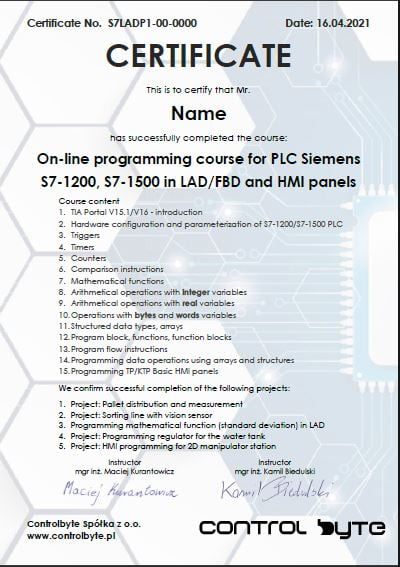
Get your certificate and share it on LinkedIn
- Gain a skill highly valued by employers in automation
- Publish the certificate on LinkedIn and add it to your CV
- Lifetime access to the materials - come back whenever you need
Support on Discord

You are not alone - an international community of automation engineers and PLC programmers is waiting for you.
- Lifetime access to the support server with the instructors
- Code reviews of your programs on a dedicated channel
- Answers to your questions on business days
- Conversations with other automation engineers from around the world
Bonuses included with the course

Discord forum and chat for students
Join our private Discord server for PLC programmers. Ask questions, share projects and get help from instructors and fellow engineers.
Homework review and feedback
Send us your homework. We review it and send comments so your programs get better and better.

Certificate of completion
A personalised certificate with a unique number that you can share on LinkedIn and add to your CV.

Lifetime access and updates
Permanent access to all course materials, updates and new content added in the future.
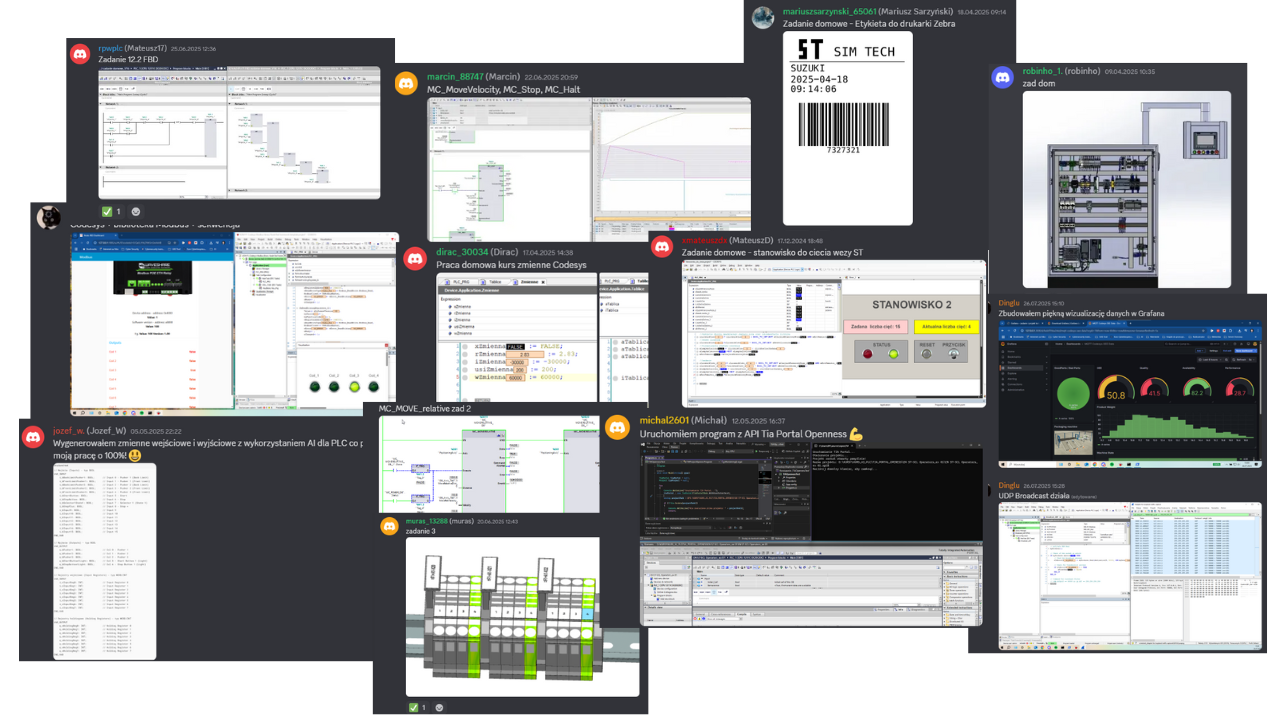
Homework from our students
A few screenshots and photos students share on Discord while completing assignments.
Course price
Before we show you the price, see exactly what you get:
You get a satisfaction guarantee
We guarantee you will be satisfied with the course. If it is not what you expected, you have 14 days to request a refund and we will return the full amount.
- 14 days to request a refund
- On the market since 2019
- Secure online payments
- VAT invoice for companies
- CardVisa, Mastercard (Stripe)
- PayPalpay with your PayPal account
- Bank transferon request for companies
Satisfaction guarantee - 14 days to request a refund
Ready to start?
Thanks to our proven training formula and cost optimization, you can get this course for:
Frequently asked questions
Click "Get access" on this page. You will go to the checkout where you pay online (card, PayPal). Your login details for the platform arrive by e-mail right after the payment is confirmed.
Lifetime. You can come back to the lessons whenever you want, and you also get all future updates of the course.
No special requirements. You will start with the basics of automation systems design, reading electrical diagrams and more! The course is designed so that you can complete it on free simulators and trial versions of the software shown in the lessons.
Yes. After completing the course you receive a ControlByte certificate of completion that you can share on LinkedIn and add to your CV.
You have 14 days to request a full refund, no questions asked.
Ask the instructors on our Discord support server or in the comments under the lesson. We reply on business days.
With a 14-day money-back guarantee
Start today. Lifetime access · Discord support · Certificate.
Get access
Regular price €280 | Current price €97
14 days to request a refund · Lifetime access · Support
