
Online course | SCL for Siemens PLCs
Mastery in SCL text-based language
for Siemens PLC programming
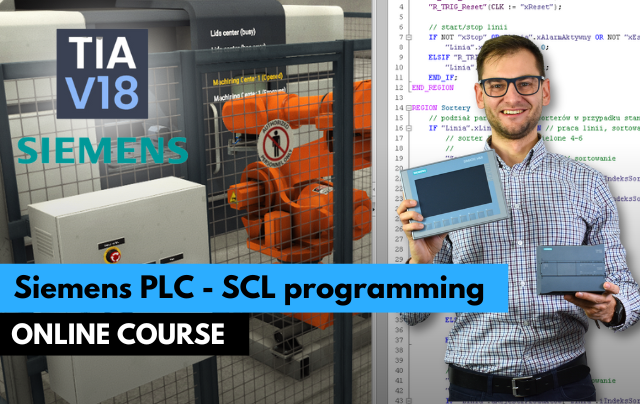
- Write clean SCL code in TIA Portal
- Work with UDTs, arrays, FBs and libraries
- Solve real automation tasks in text-based language
Move from LAD to text-based programming. Learn SCL in TIA Portal from the basics to data structures, functions, function blocks and real automation tasks.
Get access
Lifetime access, certificate of completion and instructor support on Discord. Price: €149.
14-day money-back guarantee · Lifetime access · VAT invoice
Trusted by engineers from leading industrial companies





What you will learn in this course
- Operators in SCL: Assignment operator, Arithmetic operators, Type conversion in variable operations, Constants in calculations
- Peculiarities in operations on integer variables, Peculiarities in operations on real variables, Comparators, Logical operators.
- Program flow control instructions: IF, ELSIF, ELSE, CASE...OF instruction, Loops - WHILE, REPEAT, FOR.
- Triggers, timers, counters in SCL.
- Project: Sorting line with a vision sensor and product tracking.
- Project: Sorting line with a weighing module.
- Proportional-Integral Controller for a Liquid Tank.
- Label Programming for Zebra Printer in Siemens PLC.
Why do engineers choose ControlByte courses?
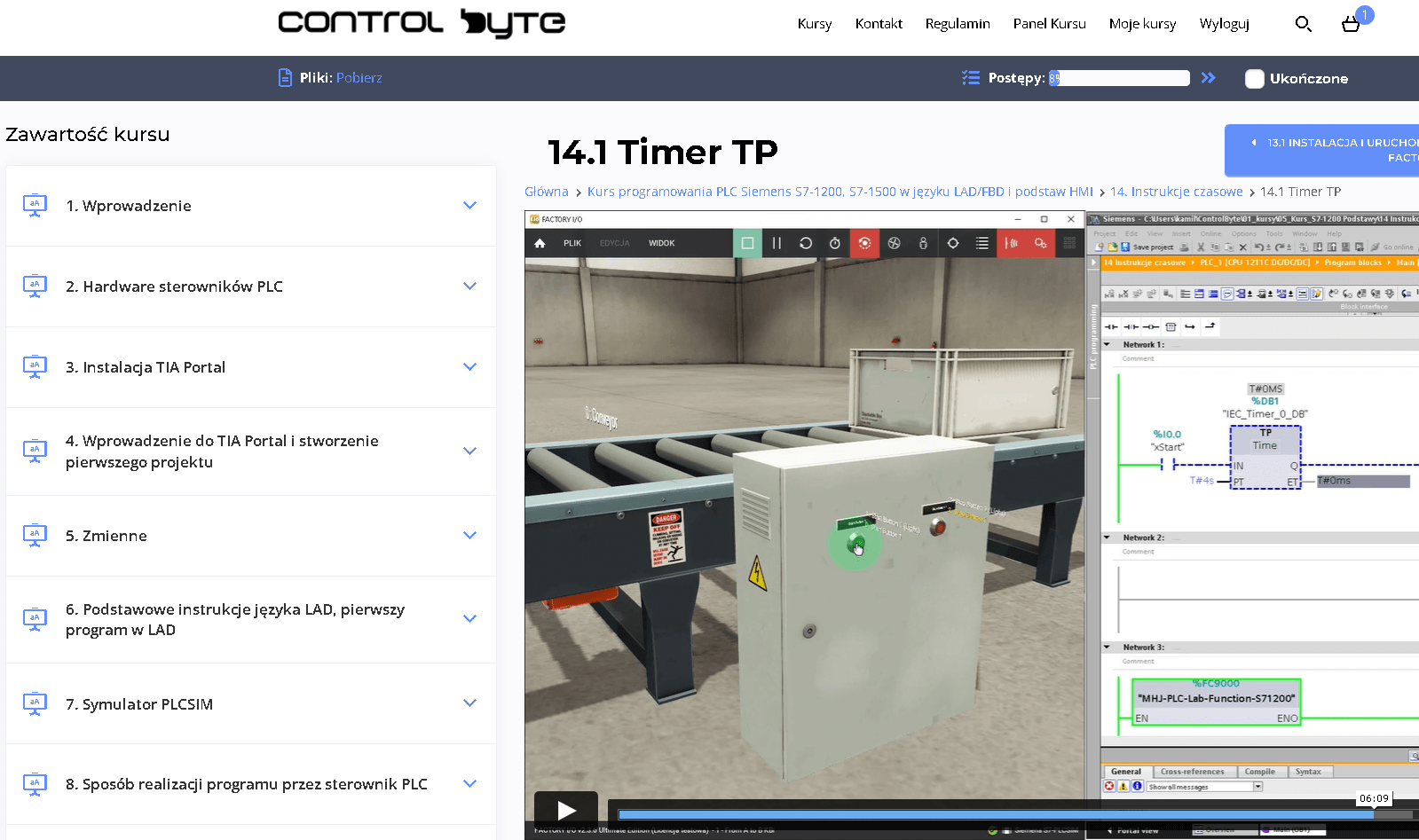
- Video lessons on our e-learning platform, available 24/7
- Exercises based on ready project templates that you build step by step
- Free simulators, so you do not need your own PLC to practice
- Learn at your own pace, from any device, with lifetime access
- Instructor support on Discord and feedback on your homework
Who is this course for?
- PLC Programmers
- Automation Engineers
- Electrical Engineers
- Industrial Engineers
- Maintenance Technicians
- Control System Technicians
- Instrumentation Technicians
- This course welcomes beginners, making it an ideal starting point for aspiring PLC programmers to build confidence and skills in automation.
What you get after enrolling
- 88 practical video lessons (about 15 hours)
- Certificate of completion
- Lifetime access and all future updates
- Instructor support on Discord
Your instructor

Jacob K. Biedulski, MSc
Automation and Robotics · PLC programmer · Co-founder of ControlByte
“ In this course you will learn to work the way we do on real projects: step by step, with exercises you can repeat on your own, even if you are new to industrial automation.
Course curriculum - full table of contents
- 1.1. Introduction to PLC programming course Free lesson 2:37
- 1.2. Discord channel - You can write to me if you have any problems! 1:42
- 1.3. TIA Portal installation 5:47
- 2.1. Implementation of SCL code in program blocks 7:17
- 2.2. Variable declaration Free lesson 7:25
- 2.3. SCL language editor and calling variables (part 1/2) 10:27
- 2.4. SCL language editor and calling variables (part 2/2) 10:28
- 2.5. Numeric notation for variables and constants - binary, decimal, hexadecimal 8:18
- 2.6. Symbolic and absolute addressing in I, Q and DBs 7:06
- 2.7. Partial variable access - 'slice access' 7:35
- 2.8. Arrays and structures 10:35
- 3.1. Functions and function blocks 7:28
- 4.1. Assignment operator 13:58
- 4.2. Arithmetic operators 18:56
- 4.3. Type conversion in variable operations (part 1/2) 8:03
- 4.4. Type conversion in variable operations (part 2/2) 14:38
- 4.5. Constants in calculations 14:07
- 4.6. Peculiarities of operations on integer variables (part 1/2) 13:08
- 4.7. Peculiarities of operations on integer variables (part 2/2) 10:00
- 4.8. Peculiarities of operations on real variables 7:14
- 4.9. Comparators 13:43
- 4.10. Logical operators - OR, AND, XOR, NOT 8:58
- 5.1. TIA Portal V18 and PLCSIM installation 4:37
- 5.2. Factory IO installation 16:35
- 5.3. Logical operators exercise - buttons and switches operation 8:54
- 5.4. Logical operator exercise - discussing the solution to the task 13:28
- 5.5. Order of operations - exercise 9:53
- 6.1. Instruction - IF...THEN Free lesson 17:28
- 6.2. Instruction - IF... ELSE 9:13
- 6.3. Instruction - IF..., ELSIF, ELSE 10:15
- 7.1. Implementing flip-flops in LAD and in SCL using IF... THEN Free lesson 15:00
- 7.2. Implementing flip-flops in SCL using IF... ELSIF... THEN 13:08
- 8.1. Three-Position Controller Function Block and HMI Configuration Free lesson 18:14
- 8.2. Implement code for three-position temperature controller 17:51
- 8.3. Simulate a PT1 (first-order lag) system with time delay for temperature controller - homework 22:47
- 9.1. CASE...OF instruction - how it works 10:28
- 9.2. CASE...OF instruction - tests in debugger and some tips 8:00
- 10.1. Programming a sequence for pneumatic actuators with CASE OF based on GRAFCET diagram - part 1 14:30
- 10.2. Programming a sequence for pneumatic actuators with CASE OF based on GRAFCET diagram - part 2 13:03
- 10.3. Sequence programming - homework 2:49
- 11.1. WHILE DO loop - part 1 10:48
- 11.2. WHILE DO loop - part 2 12:48
- 12.1. REPEAT UNTIL loop 12:22
- 13.1. FOR loop 14:22
- 14.1. CONTINUE and EXIT instructions in loops 13:24
- 15.1. Project: Loading Packages into the Container - part 1 11:17
- 15.2. Project: Loading Packages into the Container - part 2 10:48
- 16.1. Comments and indentations - code structuring 9:23
- 16.2. Regions - structure your code and navigate 6:23
- 17.1. Introduction to triggers and R_TRIG exercise 12:36
- 17.2. F_TRIG exercise with conveyor line and a pusher 11:23
- 18.1. Timer TP 8:14
- 18.2. Timer TON 4:37
- 18.3. Timer TOF 2:54
- 18.4. Timer TONR 5:29
- 19.1. CTU counter 11:10
- 19.2. CTD counter 15:12
- 19.3. CTUD counter - project with roller conveyor in Factory IO 11:58
- 20.1. Sorting line project - introduction 4:23
- 20.2. Programming the sorter function block in PLCopen standard - part 1 26:01
- 20.3. Programming the sorter function block - part 2 30:07
- 20.4. Programming product tracking on the conveyor 15:55
- 20.5. Integration of sorters and product tracking 23:52
- 21.1. Real number conversion functions - ROUND, FLOOR, CEIL, TRUNC 7:54
- 21.2. Real number conversion functions - NORM_X, SCALE_X 8:48
- 21.3. Mathematical functions 18:08
- 22.1. Project description 6:23
- 22.2. Implementation of basic signals in PID controller 19:49
- 22.3. Implementation of the proportional term of the PID controller 16:23
- 22.4. Implementation of the integral term of the PID controller + homework 19:53
- 23.1. String conversion functions - introduction 1:22
- 23.2. Strg_TO_Chars and Chars_TO_Strg 11:32
- 23.3. LEN and MAXLEN 6:19
- 23.4. CONCAT 2:59
- 23.5. LEFT, RIGHT, MID 6:44
- 23.6. INSERT 7:31
- 23.7. FIND 3:48
- 23.8. STRG_VAL and VAL_STRG 20:16
- 24.1. ZPL2 Basics and the Label Template 9:12
- 24.2. ConvertTime - From PLC Clock to Strings 6:06
- 24.3. GenerateLabel - Building the ZPL2 Frame 4:17
- 24.4. Main Program for Zebra and Testing 2:03
- 25.1. Addressing in SIMATIC S7 - Absolute, Symbolic and Indirect 4:17
- 25.2. Indirect Addressing - Options and Use Cases on S7-1200-1500 2:48
- 25.3. References in SCL - REF_TO, Dereferencing and Block Interfaces 4:30
- 25.4. VARIANT and DB_ANY - One Block for Many Data Types 3:44
- 25.5. Move Operations Library - PEEK and the POKE Family 4:42
- 26.1. How to get a certificate and share it on Linkedin 3:26
Sample lessons
Watch free fragments of the course before you buy.
What Industry Experts Are Saying About Us
Dobot Robotics - Our Industry Partner
Automa.Net - Our Industry Partner
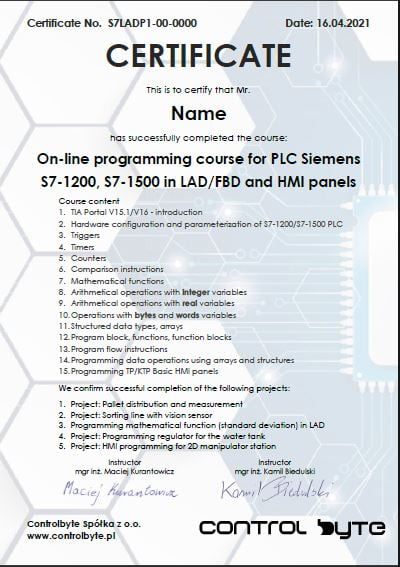
Get your certificate and share it on LinkedIn
- Gain a skill highly valued by employers in automation
- Publish the certificate on LinkedIn and add it to your CV
- Lifetime access to the materials - come back whenever you need
Support on Discord
You are not alone - an international community of automation engineers and PLC programmers is waiting for you.
- Lifetime access to the support server with the instructors
- Code reviews of your programs on a dedicated channel
- Answers to your questions on business days
- Conversations with other automation engineers from around the world
Bonuses included with the course

Discord forum and chat for students
Join our private Discord server for PLC programmers. Ask questions, share projects and get help from instructors and fellow engineers.
Homework review and feedback
Send us your homework. We review it and send comments so your programs get better and better.

Certificate of completion
A personalised certificate with a unique number that you can share on LinkedIn and add to your CV.

Lifetime access and updates
Permanent access to all course materials, updates and new content added in the future.
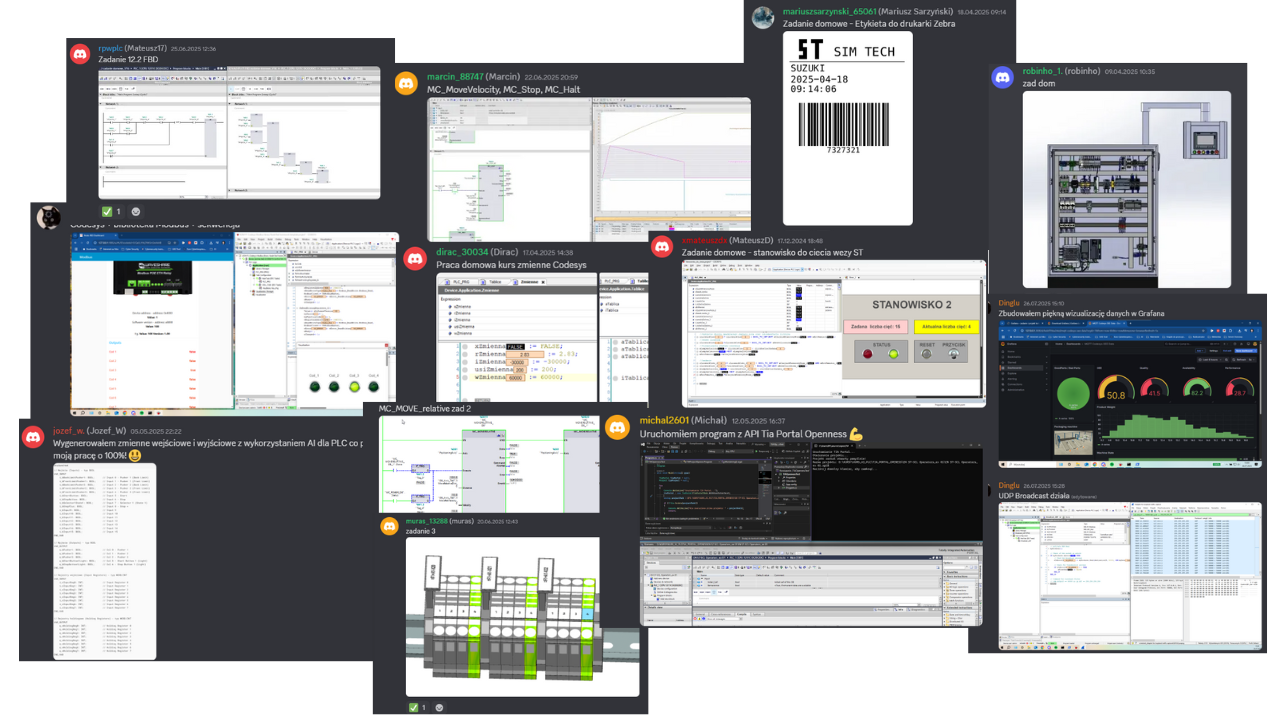
Homework from our students
A few screenshots and photos students share on Discord while completing assignments.
Course price
Before we show you the price, see exactly what you get:
You get a satisfaction guarantee
We guarantee you will be satisfied with the course. If it is not what you expected, you have 14 days to request a refund and we will return the full amount.
- 14 days to request a refund
- On the market since 2019
- Secure online payments
- VAT invoice for companies
- CardVisa, Mastercard (Stripe)
- PayPalpay with your PayPal account
- Bank transferon request for companies
Satisfaction guarantee - 14 days to request a refund
Ready to start?
Thanks to our proven training formula and cost optimization, you can get this course for:
Frequently asked questions
Click "Get access" on this page. You will go to the checkout where you pay online (card, PayPal). Your login details for the platform arrive by e-mail right after the payment is confirmed.
Lifetime. You can come back to the lessons whenever you want, and you also get all future updates of the course.
The course does not require any physical equipment as a PLC simulator and Factory IO are used. The code written can be used in real-life projects. The course offers lifelong access to the course materials on their platform. The course is designed so that you can complete it on free simulators and trial versions of the software shown in the lessons.
Yes. After completing the course you receive a ControlByte certificate of completion that you can share on LinkedIn and add to your CV.
You have 14 days to request a full refund, no questions asked.
Ask the instructors on our Discord support server or in the comments under the lesson. We reply on business days.
With a 14-day money-back guarantee
Start today. Lifetime access · Discord support · Certificate.
Get access
Regular price €400 | Current price €149
14 days to request a refund · Lifetime access · Support
