CODESYS counters are standard function blocks that let you count events directly inside your PLC logic, such as parts passing a sensor, machine cycles, or operator button presses. They are essential building blocks in industrial automation for everything from production tracking to maintenance scheduling.

This guide walks through:

What is a counter in PLC programming?

In PLC programming, a counter is a logic element that changes an internal numerical value whenever a specified input condition occurs, usually on a rising edge of a signal. This value is compared against a preset so that the counter can trigger outputs when a target count is reached or when the count returns to zero.

Unlike simple integer variables, IEC standard counters in CODESYS encapsulate their own logic: they handle edge detection, limit checking, presets, reset, and load behavior inside a reusable function block. This makes them much more robust and less error-prone than re‑implementing the same behavior with raw arithmetic each time.

Role of counters in industrial automation

In industrial plants, counters are used to count produced items, machine cycles, rejected parts, operator pushes, or conveyor indexes. When you know exactly how many times something has happened, you can trigger downstream logic such as full‑box signals, batch completion, cleaning cycles, or maintenance warnings.

Counters also support diagnostics and OEE: by logging counts over time, you can analyze throughput, detect bottlenecks, and correlate alarms with production events. Combined with virtual PLCs and simulation, you can verify counting strategies before deploying them to real machines, reducing commissioning risk.

Types of counters in CODESYS

CODESYS follows IEC 61131‑3 and provides three main counter function blocks in the standard libraries: CTU (count up), CTD (count down), and CTUD (count up/down). These are available in ladder diagram (LD), function block diagram (FBD), and structured text (ST) and behave consistently across languages.

All three use similar parameters:

  • Inputs such as CU (count up), CD (count down), R (reset), LD (load), PV (preset value).
  • Outputs such as Q/QU/QD (status bits) and CV (current value).

CTU – Count Up

The CTU block increments its internal count whenever the CU input detects a rising edge. The CV output holds the current count, while the Q output becomes TRUE when CV reaches or exceeds the preset value PV.

The reset input resets CV back to zero when activated, turning Q off again until the count reaches PV once more. This is ideal for applications such as “turn on a lamp after 5 boxes pass the sensor.”

CTD – Count Down

The CTD block starts from a preset value and decrements CV by one on each rising edge at CD. The load input LD copies PV into CV, typically used at startup or after a batch is complete.

Q turns TRUE when CV reaches zero, signaling that the configured number of events has been fully counted down, for example “after 10 cycles, request tool change.” Because CTD does not expose a dedicated reset input, the LD input is used to reload PV when the next batch begins.

CTUD – Count Up/Down

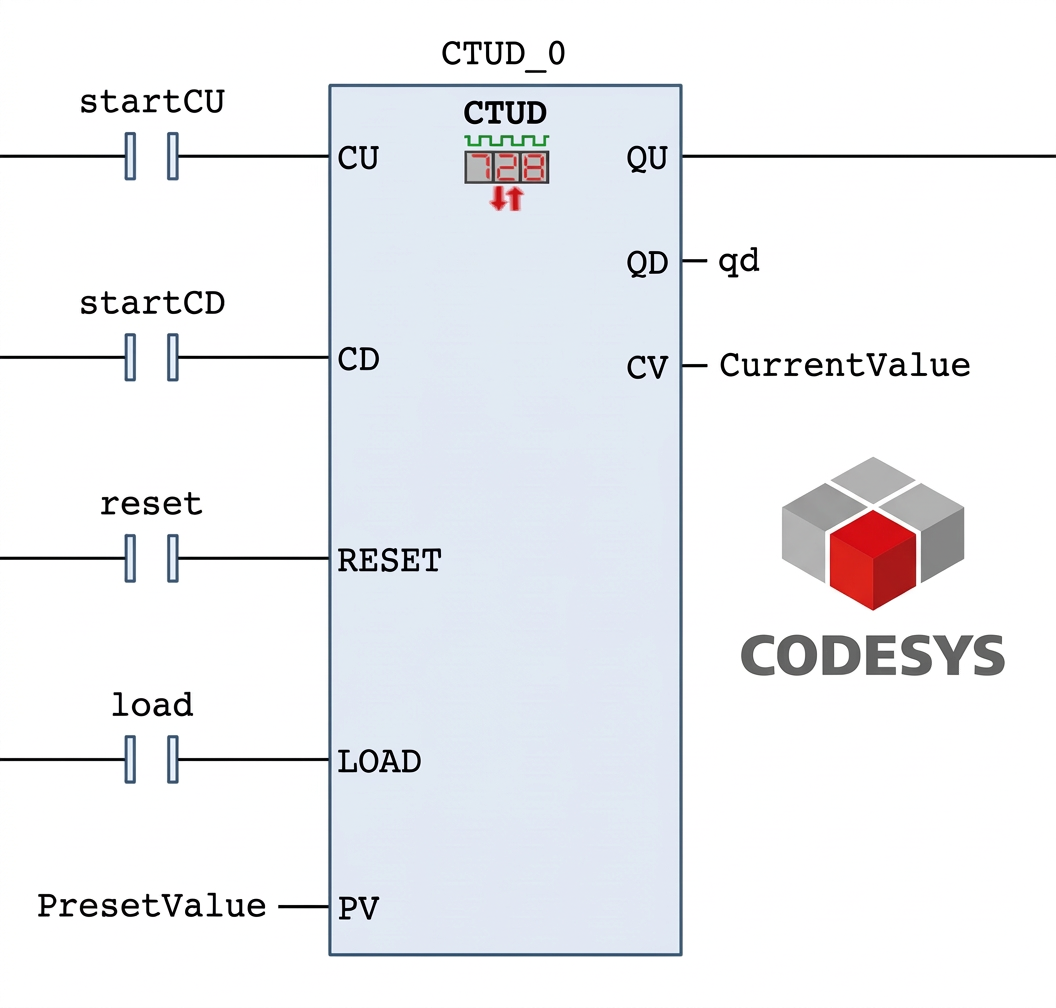
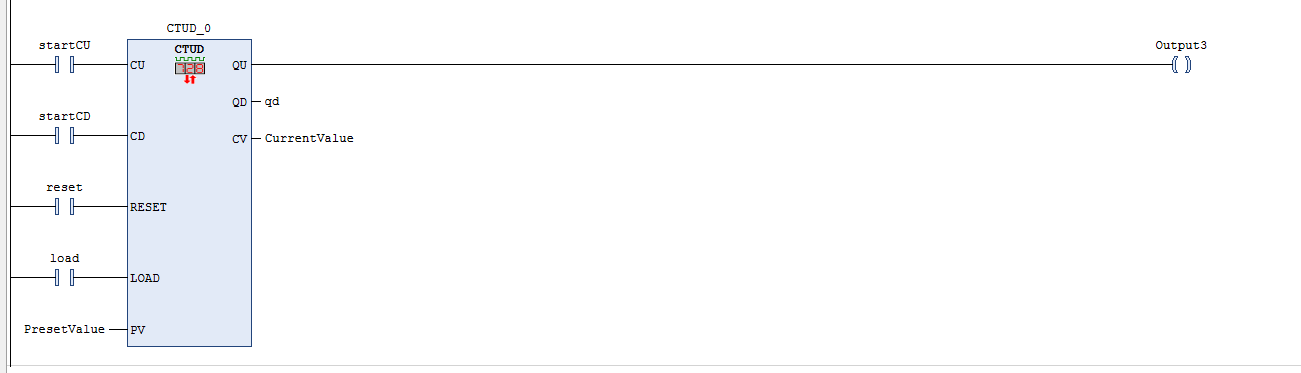
CTUD combines CTU and CTD in a single block, with both CU and CD inputs available. It increments CV on CU edges and decrements CV on CD edges, while the R and LD inputs behave like in CTU and CTD respectively.

Typically, QU becomes TRUE when CV reaches PV (count‑up condition), and QD becomes TRUE when CV reaches zero (count‑down condition), giving you a complete picture of the count’s range. CTUD is especially useful for tracking items entering and leaving a buffer (e.g., pallets on a conveyor segment).
How to use counters on codesys (descriptive video)

To follow the step‑by‑step description, you only need CODESYS on your PC and a virtual CODESYS PLC Control Win V3. These runtimes let you execute PLC logic without hardware and are commonly used for training and virtual commissioning. Also, you can see how to create projects on CODESYS in our previous CODESYS blog symbol configuration.

Furthermore, we employ a simple visualization to enhance clarity; on the Trigger blog, we described how to create a visualization.

And here is a video describing how to declare counter blocks, how to use them, and how they work in Codesys.

Summary

Counters in CODESYS—CTU, CTD, and CTUD—provide robust, reusable building blocks for counting events in industrial automation, handling edge detection, presets, and limit flags inside standard function blocks. By combining a virtual PLC (CODESYS Control Win) with simple ladder logic, you can design, test, and debug counting strategies for real machines entirely on your PC before deploying them on hardware.

Using the step‑by‑step patterns shown for CTU, CTD, and CTUD, you can quickly implement counters for tasks like batch counting, cycle‑based maintenance, and buffer tracking, while keeping your code readable and search‑friendly for future reuse and documentation.

Author

Mohammed Bendjerad

Author Mohammed Bendjerad

Automation Engineer and PLC Specialist

More posts by Mohammed Bendjerad