VIDEO COURSE | ALLEN-BRADLEY MICRO800 · CONNECTED COMPONENTS WORKBENCH

Allen-Bradley Micro800 PLC Programming
from Scratch in Connected Components Workbench

Learn Allen-Bradley the way it is done on the plant floor. 124 lessons with exercises in Connected Components Workbench and FactoryTalk Design Workbench, three complete industrial projects and a real Micro850 training stand.

Enroll & Save

Get instant access to every lesson published so far, and to each new module the moment it goes live.

Lifetime access. Connected Components Workbench Standard is free from Rockwell; for the full Micro800 simulator you need the Developer edition or a real controller.


Video lessons 124
Modules 28
Projects 3 full builds
Skill Level Beginner to Intermediate

Trusted by Industry Leaders to Train Their Teams

PartnerPartnerPartnerPartnerPartnerPartnerPartnerPartnerPartnerPartnerPartnerPartnerPartnerPartnerPartnerPartnerPartnerPartnerPartnerPartnerPartnerPartnerPartnerPartner

Knowing ladder logic is not the same as programming a real Allen-Bradley controller

  • Most PLC courses stop at "turn on a light with a button."
  • On the job you connect to a real Micro800, map physical I/O to variables and download a running program.
  • Function blocks, analog scaling and PID control are rarely taught step by step.
  • This course closes that gap inside the actual Rockwell ecosystem: Connected Components Workbench, Micro820 and Micro850 controllers, Factory I/O simulation and a fully wired training stand.
  • Tutorials built around screenshots leave you stuck the moment you face real hardware, real wiring and a real I/O map.

Exercises in Connected Components Workbench and FactoryTalk Design Workbench

  • Every exercise is done in Connected Components Workbench; the sorting station project is built in FactoryTalk Design Workbench, so you learn both Rockwell environments
  • Connected Components Workbench Standard is free from Rockwell; the full Micro800 simulator is part of the paid Developer edition
  • The same environment used for Micro810 through Micro870 controllers
  • Ladder Diagram and Function Block Diagram in one project
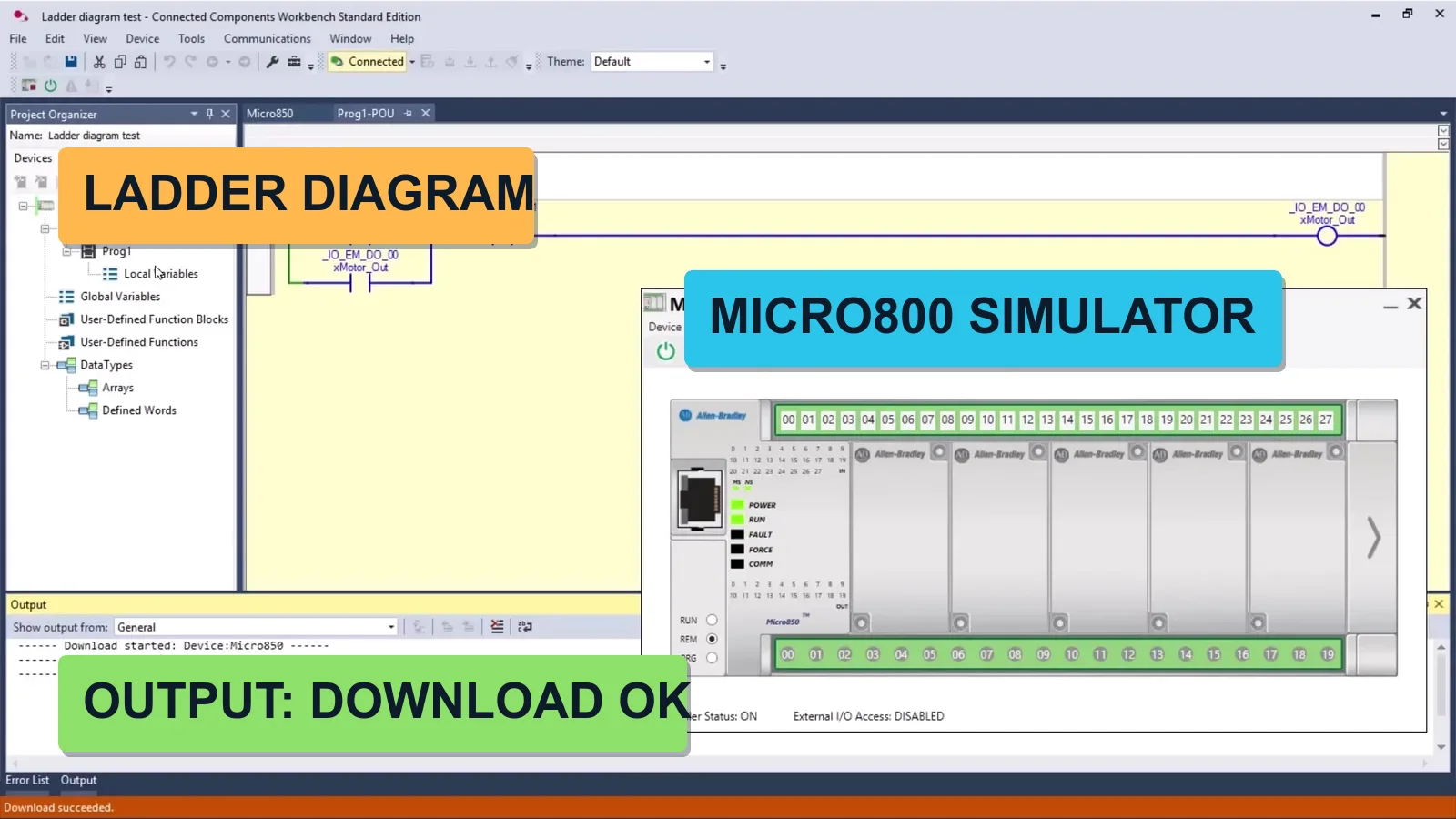
  • Micro800 simulator (Developer edition) or a real Micro820/Micro850: every program is tested before it goes to the line
  • You go from a blank project to a downloaded, running program in module two

What You Will Learn

  • Install and configure Connected Components Workbench from a free Rockwell account
  • Write, debug and download Ladder Diagram and Function Block programs to a Micro800 controller
  • Map global, local and system variables to physical I/O
  • Build logic with timers, counters, edge detection, SET/RESET coils and flip-flops
  • Scale analog signals and use process instructions: ALARM, HYSTER, SCALE, PID
  • Test your programs against Factory I/O scenes before touching hardware
  • Deliver three complete projects: sorting line, tank level control and pumping station

Learn From Working Automation Engineers

  • Real hardware, real software - the Rockwell stack, not a detached simulation. Equipment was provided by our technology partner and authorized Rockwell Automation distributor, Elmark Automatyka
  • Substance over filler - ~12 hours of dense, practical material
  • Learn by building - every concept reinforced on an actual project
  • Lifetime access - revisit any lesson, including future updates

Who Is This Course For?

  • Automation or controls technicians moving into the Allen-Bradley world
  • Students and career-changers who know ladder basics and want real skills
  • Engineers on another PLC brand who want to master the Rockwell ecosystem
  • Anyone who wants a portfolio of three working projects, not just a certificate

What You Get When You Enroll

  • 124 practical video lessons across 27 modules
  • Three complete industrial projects: sorting line, tank level control and pumping station
  • Connected Components Workbench - the Standard edition is free; we show which edition you need for the simulator
  • Factory I/O scenes to test every program before touching hardware
  • Instructor support via Discord chat and live webinars
  • Lifetime access - learn at your own pace, forever
  • Certificate of completion to boost your CV and LinkedIn

Meet Your Instructor

MSc. Eng. Maciej Kurantowicz

MSc. Eng. Maciej Kurantowicz

Automation & Robotics Engineer, Wroclaw University of Technology graduate

“ I believe everyone in the 21st century should know the basics of programming and automation!
What You Build in Each Part of the Course

Software

Exercises in Connected Components Workbench and FactoryTalk Design Workbench

  • Every exercise is done in Connected Components Workbench; the sorting station project is built in FactoryTalk Design Workbench, so you learn both Rockwell environments
  • Connected Components Workbench Standard is free from Rockwell and includes the Micro800 simulator in demo mode; the full simulator is in the paid Developer edition
  • Every program is tested on the simulator or on a real controller before it goes to the line
  • Factory I/O scenes (optional) turn the controller into a virtual sorting line, tank and pumping station

Hardware

Which controller you need

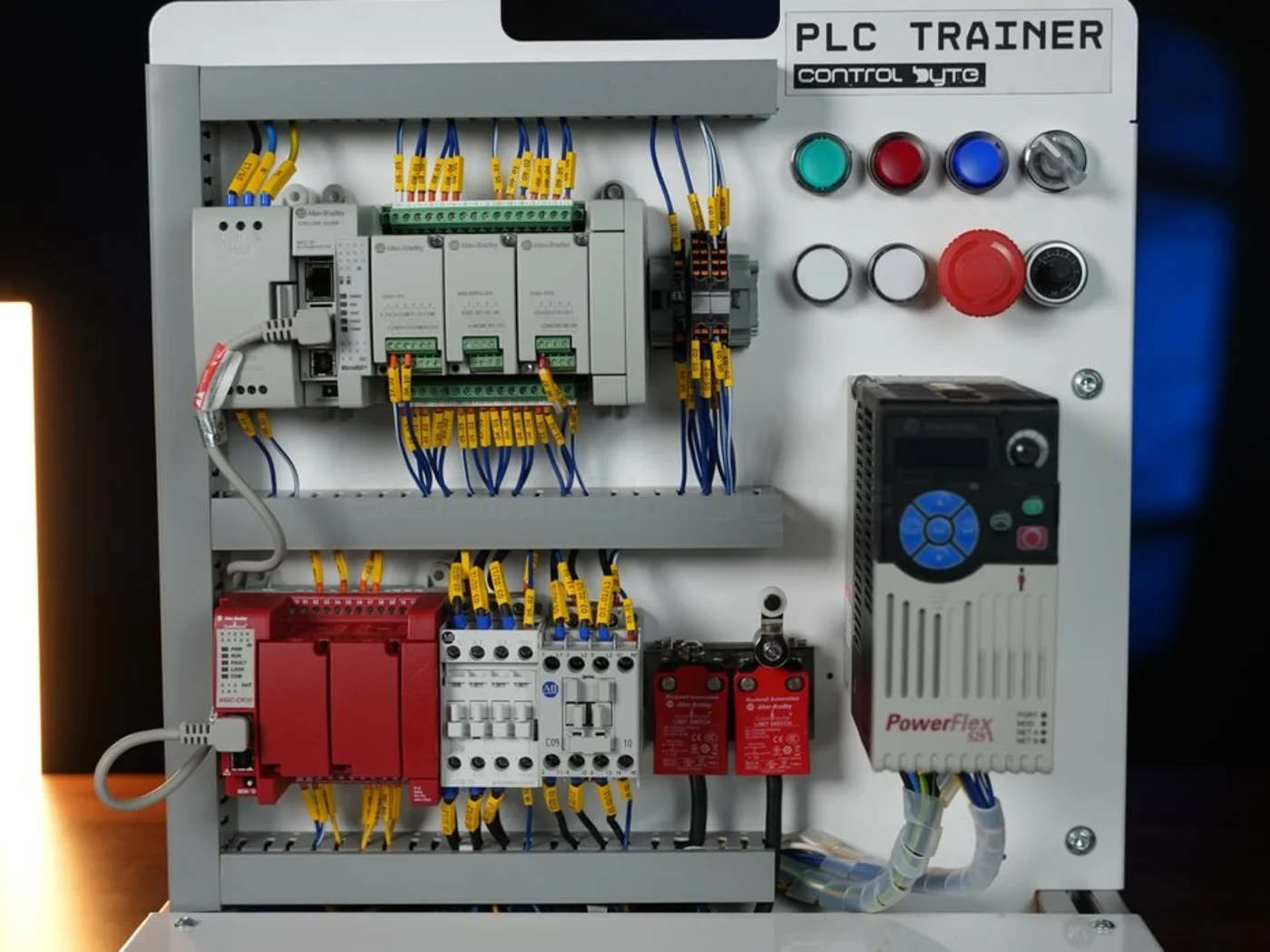
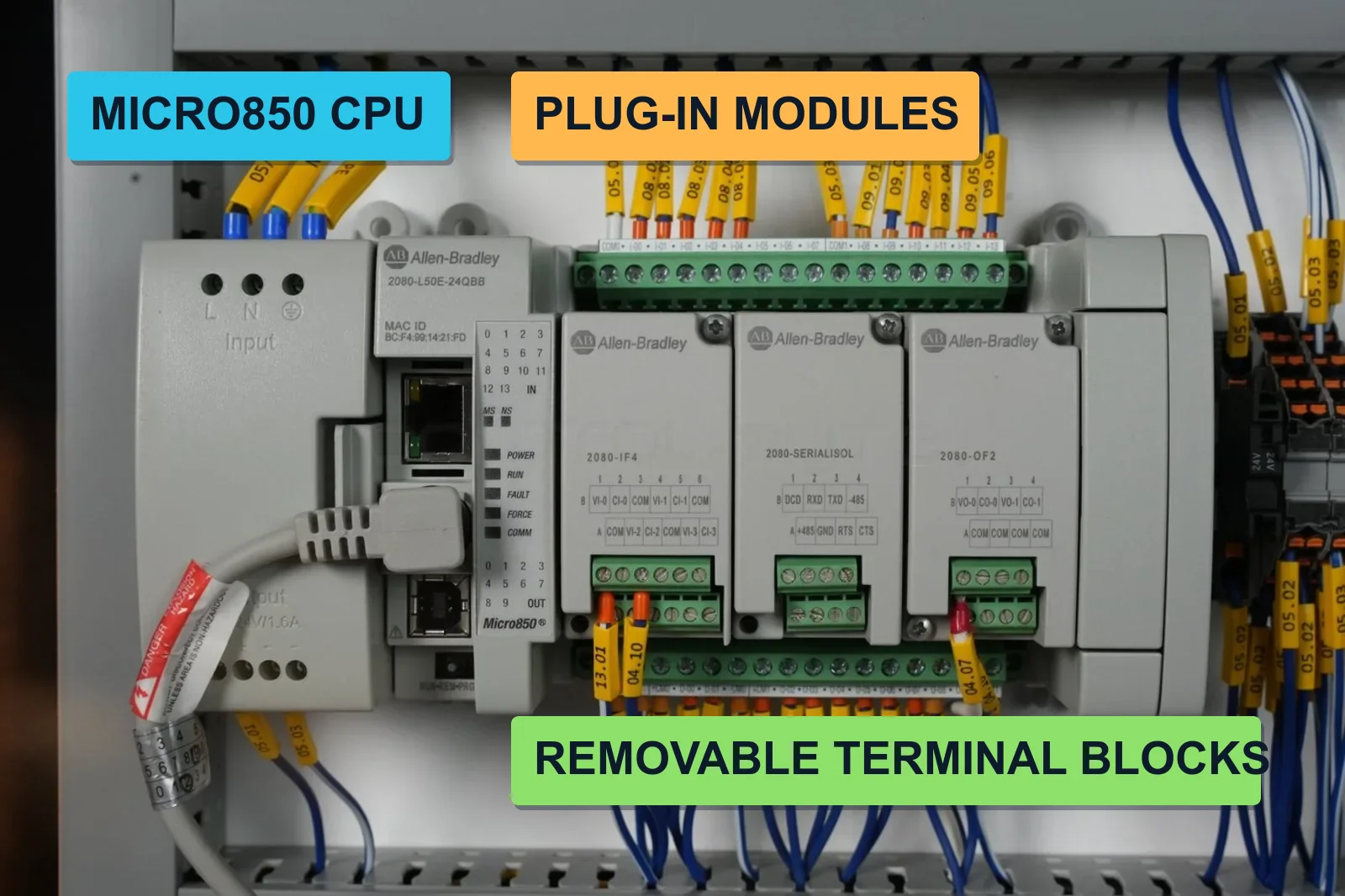
  • The course is recorded on Micro820 (2080-LC20-20QBB) and Micro850 (2080-LC50-24QBB); any Micro800 from Micro810 to Micro870 works
  • We recommend a real Micro800 controller. Without hardware you can still complete the course, but only with the Developer edition of Connected Components Workbench (full simulator)
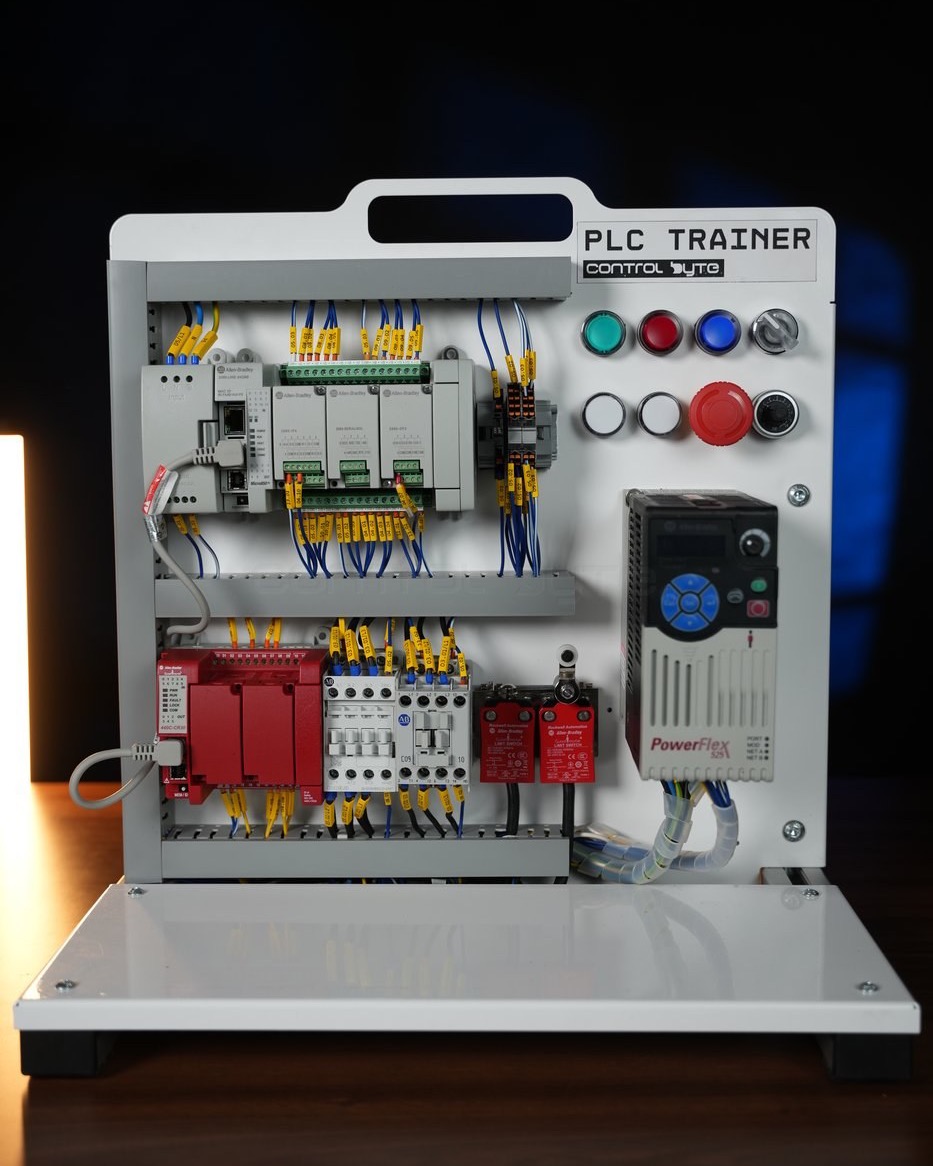
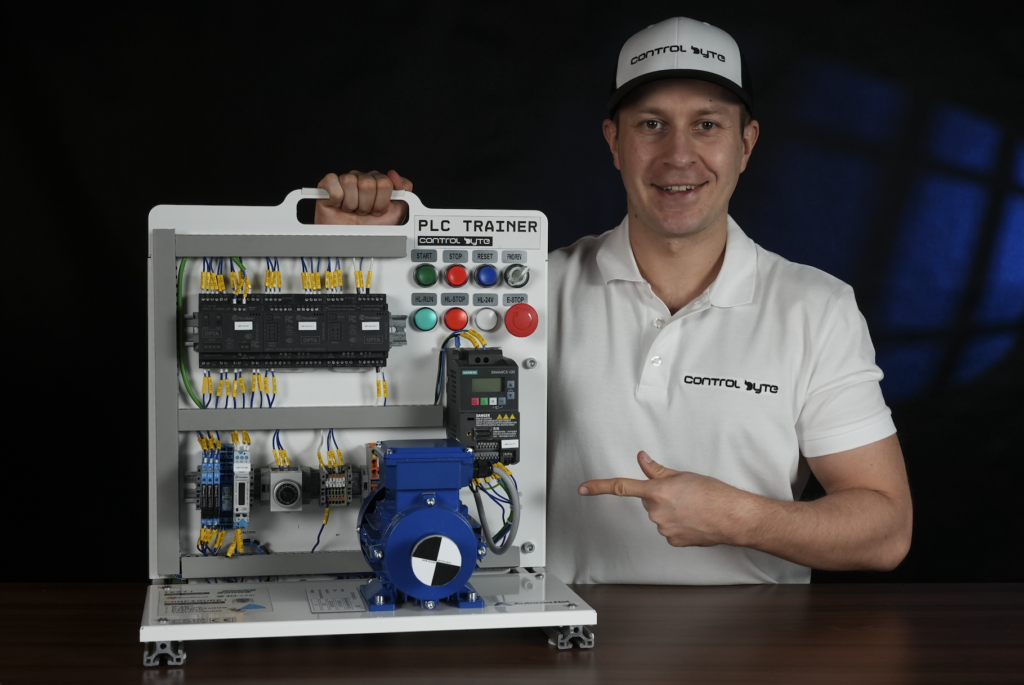
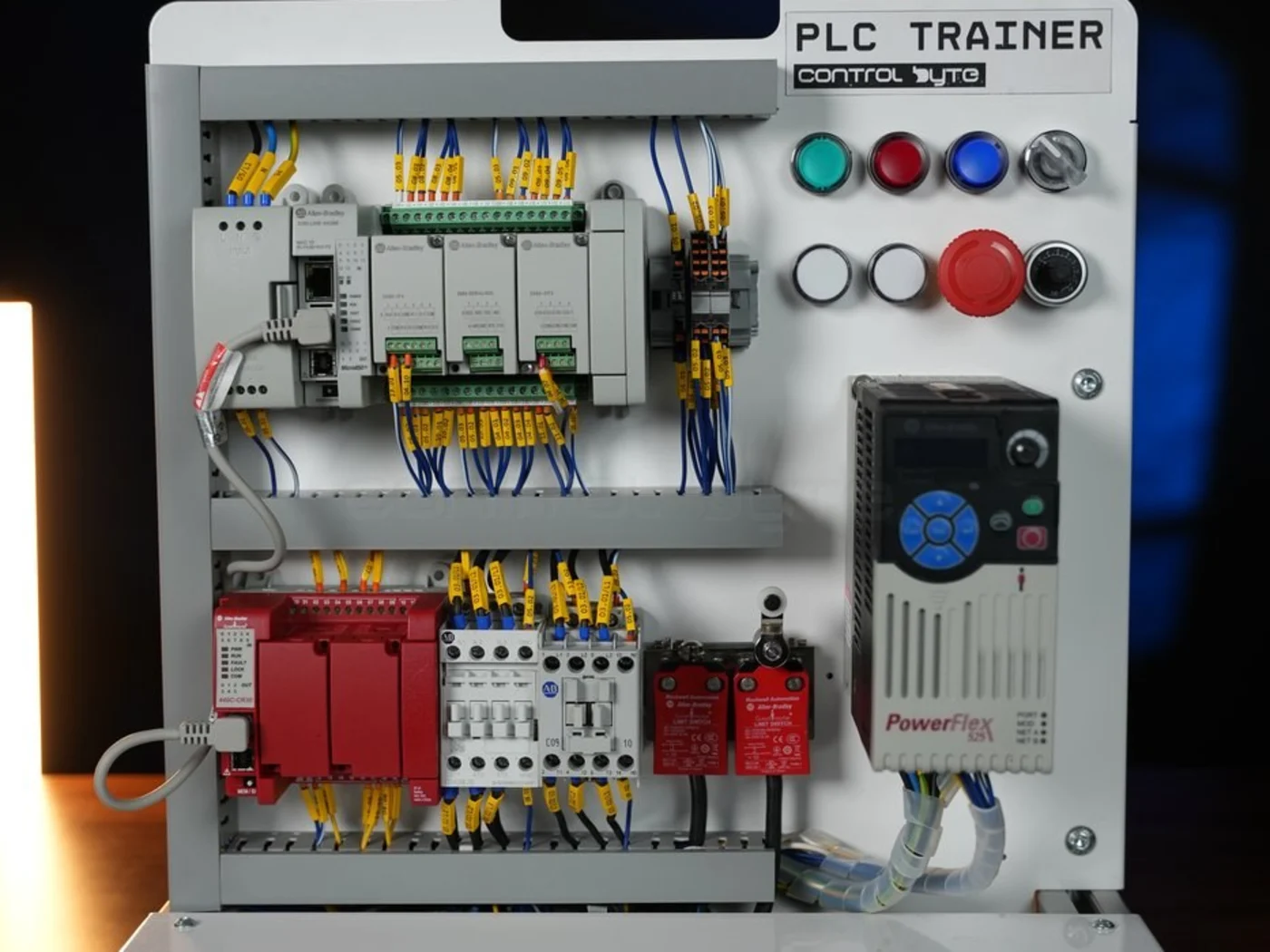
  • The training stand is used in the lessons on downloading the program and wiring
  • Only the sorting station project in FactoryTalk Design Workbench runs on the newer Lx0E generation of Micro800 (in the course: Micro850 2080-L50E); every other module works with any Micro800 in Connected Components Workbench
  • Equipment was provided by our technology partner and authorized Rockwell Automation distributor, Elmark Automatyka

Module 1-2

Connected Components Workbench and the Micro800 simulator

  • Create a free Rockwell account and install Connected Components Workbench
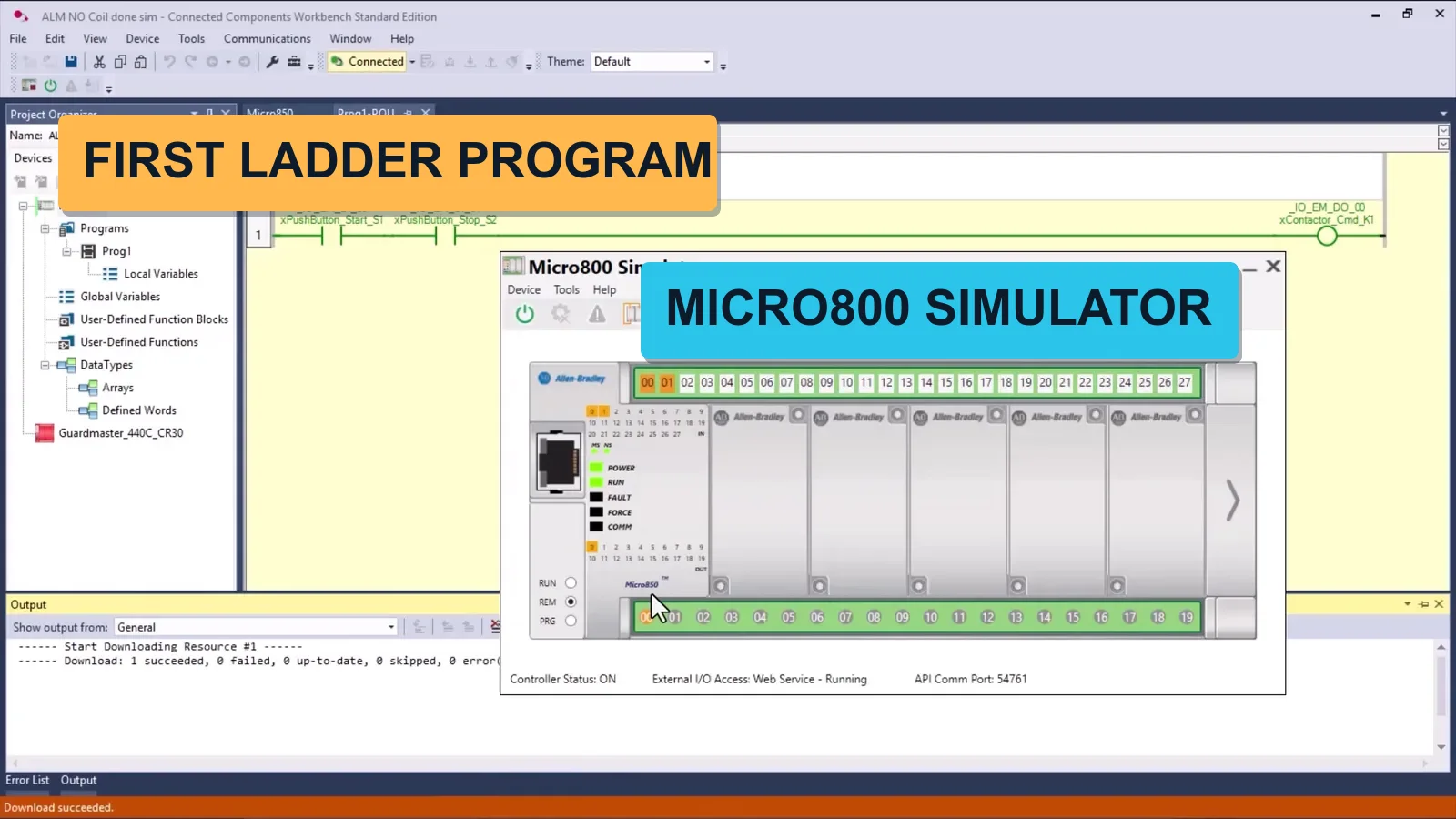
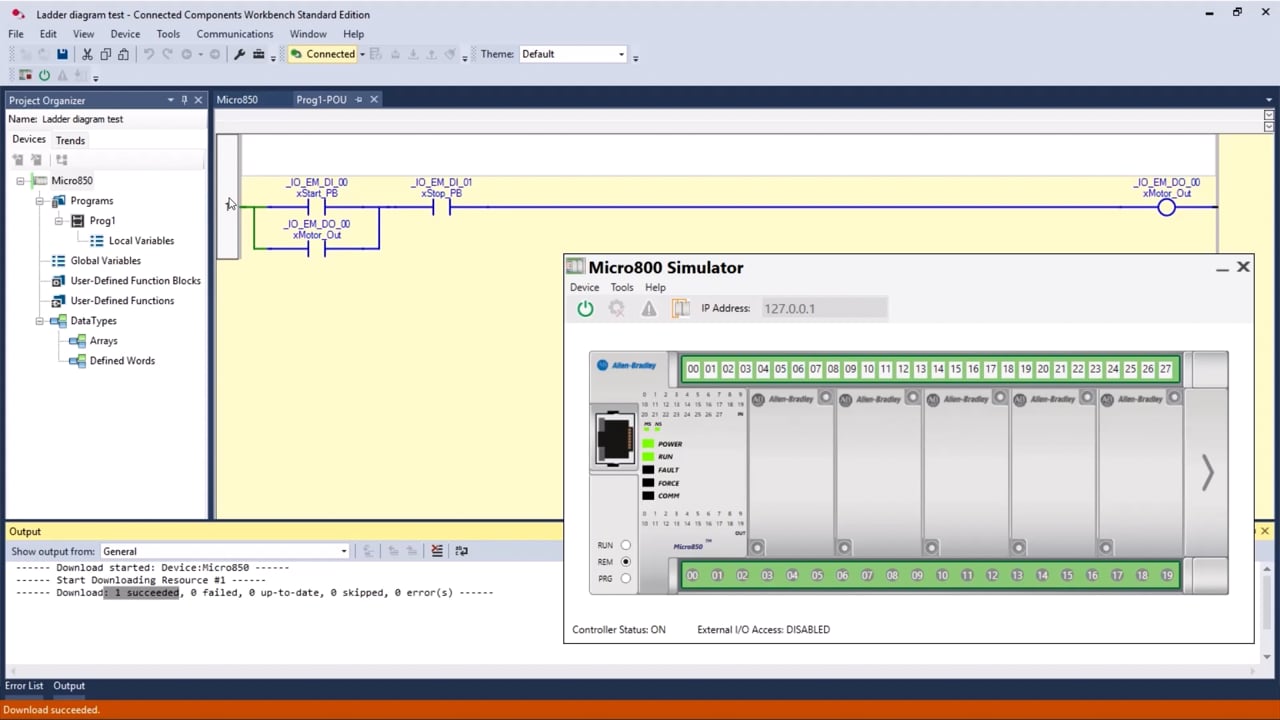
  • Build your first project and run it on the Micro800 simulator or on your controller
  • Write your first ladder rung: latching circuit with start and stop
  • Download and test the program without any hardware

Module 3-4 and 6

Memory areas, data types and variables

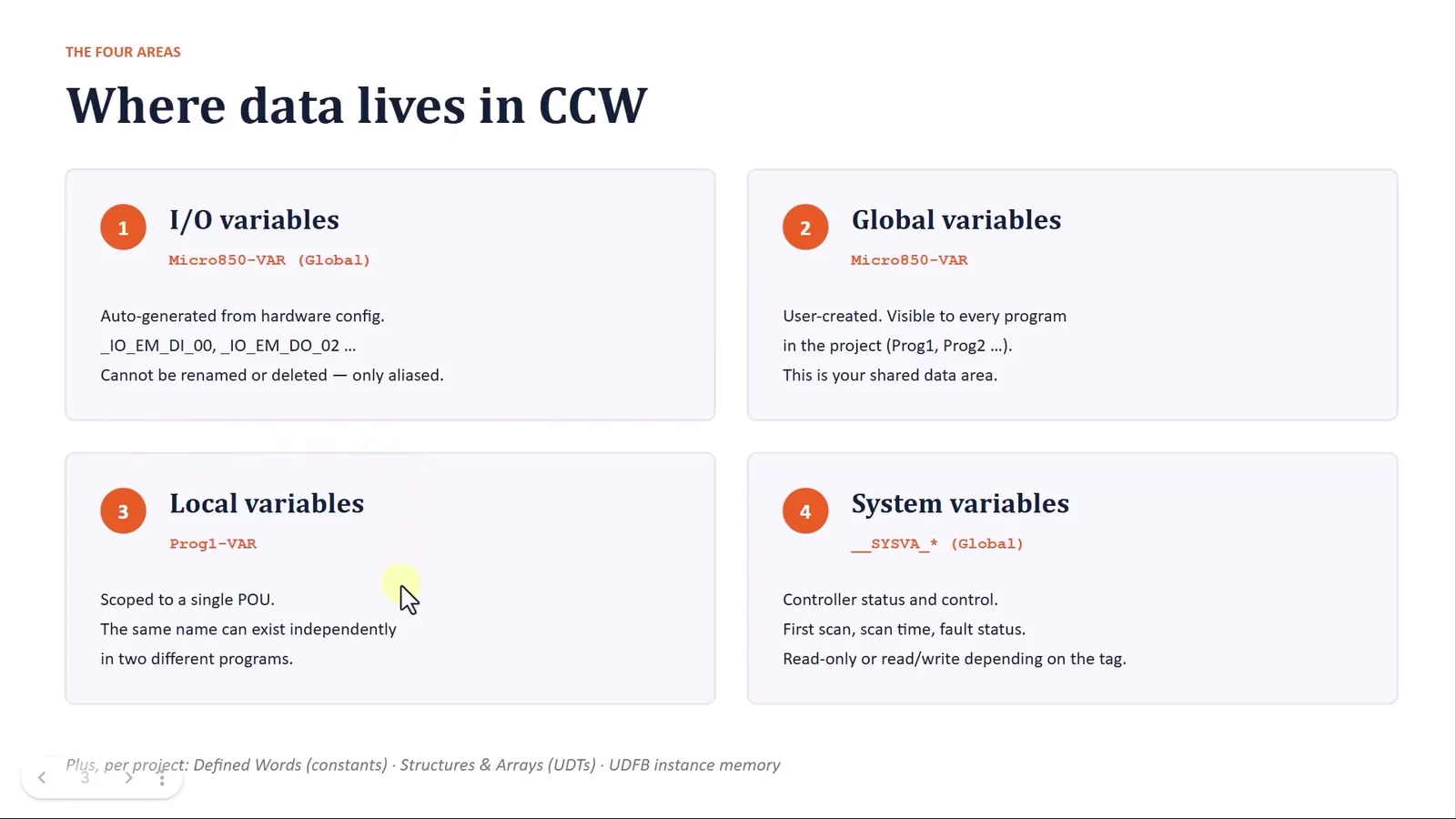
  • Where data lives in Connected Components Workbench: I/O, global, local and system variables
  • BOOL, INT, DINT, REAL, TIME and when to use each
  • Variable notation, aliases and a naming guide you can use at work
  • Map physical inputs and outputs to readable tag names

Module 5, 7 and 8

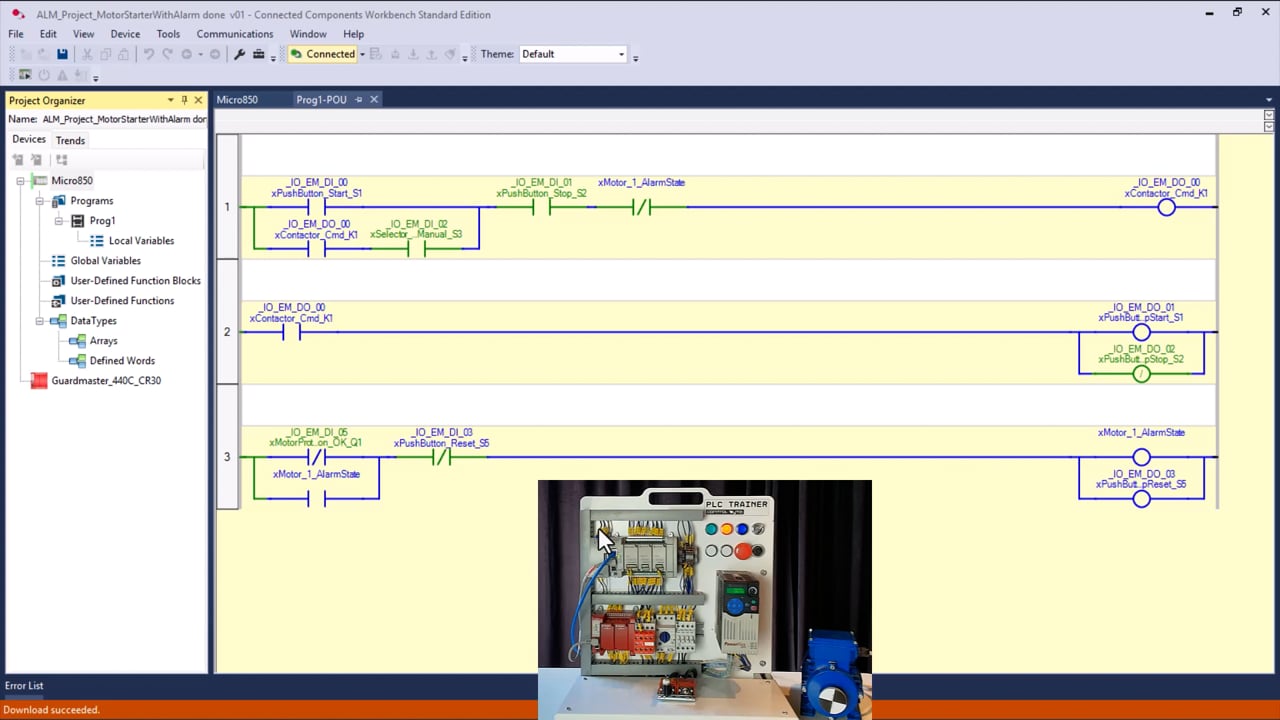
Contacts, coils, seal-in circuits and alarming

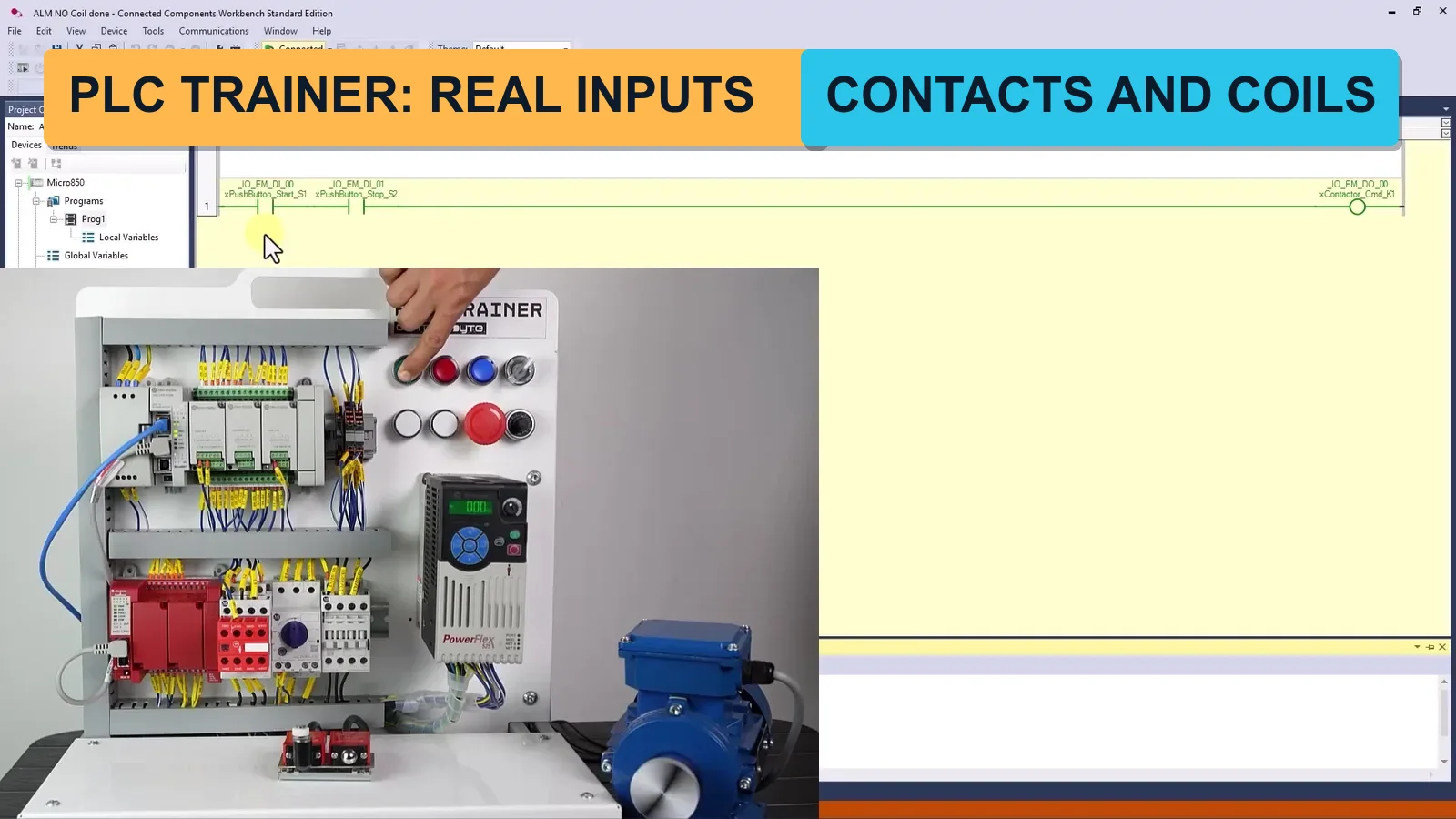
  • Direct and reverse contacts, coils and how a rung is evaluated
  • Seal-in (latching) circuit for auto mode and the stop logic
  • Alarm handling with reverse contacts
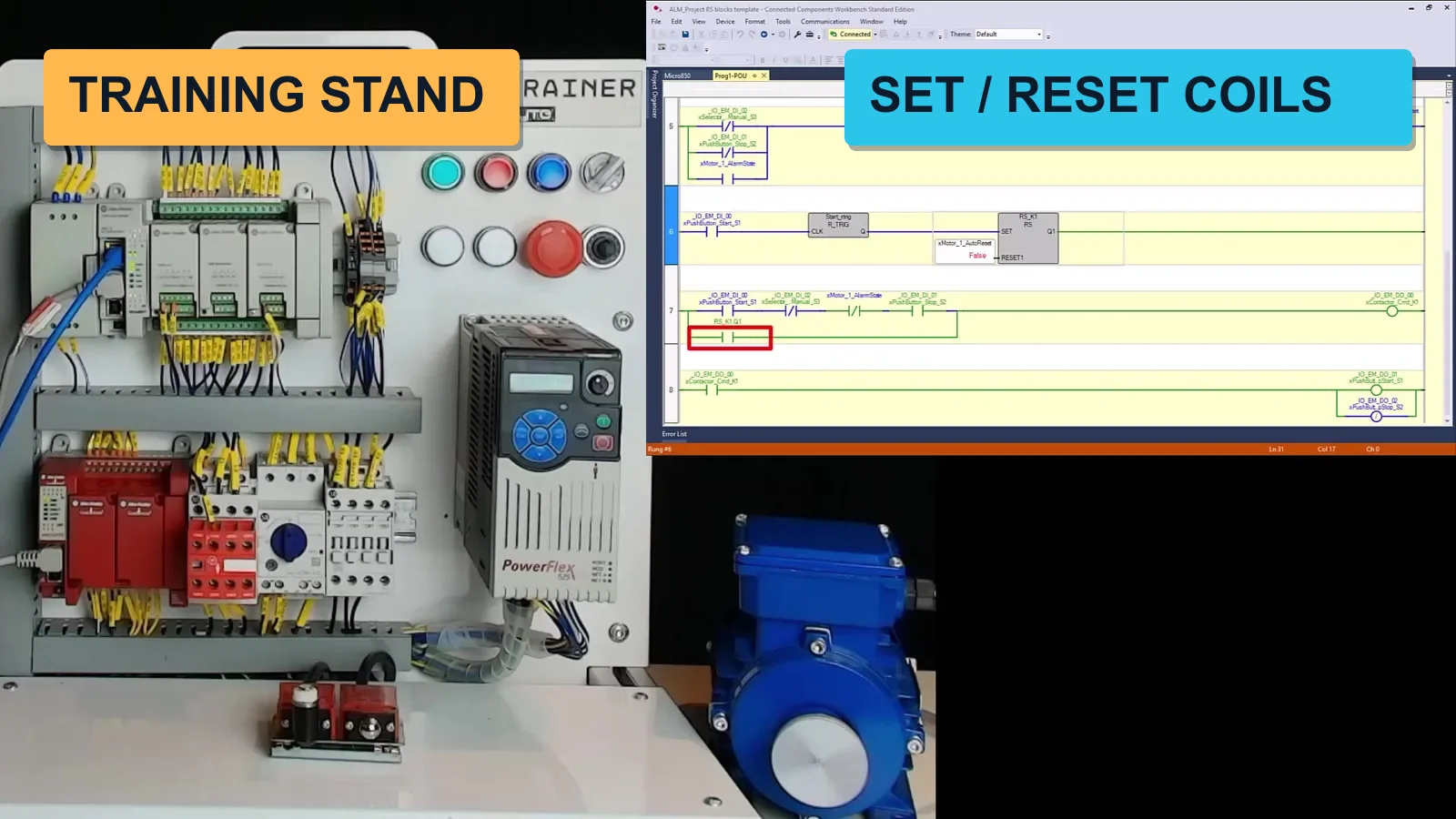
  • Every program tested on the simulator and on the real training stand

Module 9-11

Program execution, SET/RESET coils and edge detection

  • How the Micro800 scans the program and why rung order matters
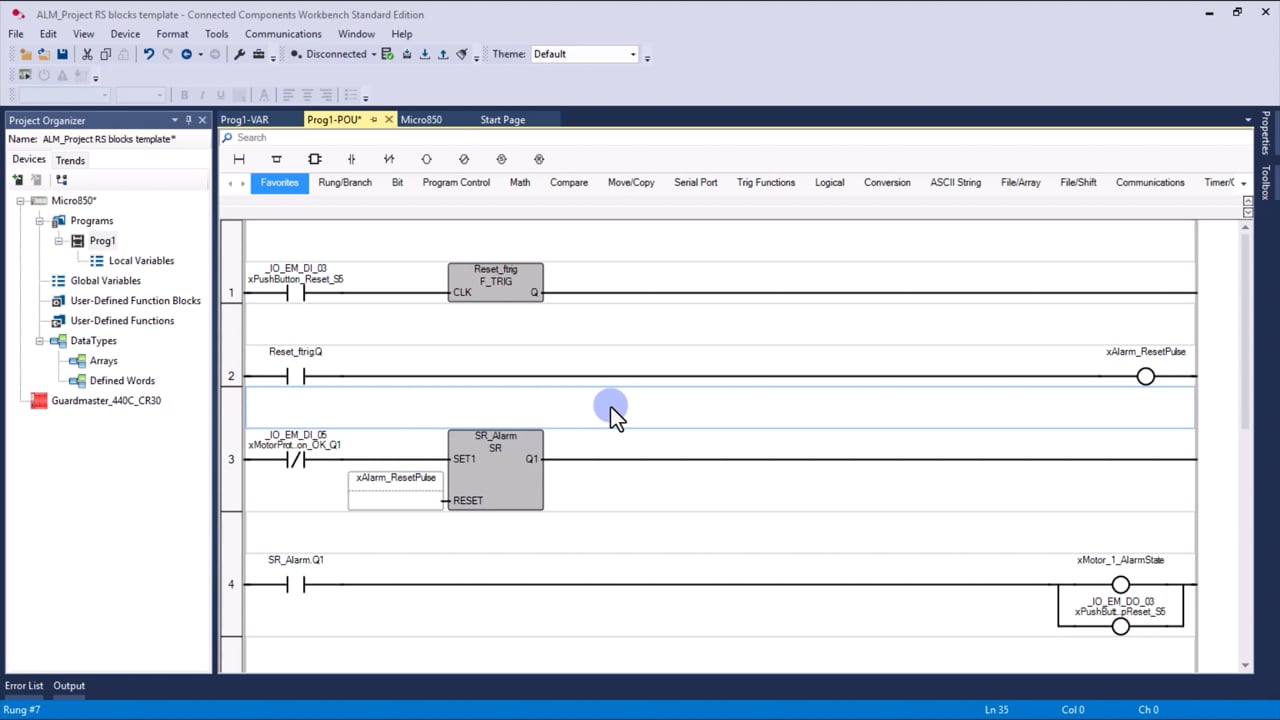
  • SET and RESET coils, assignment instruction and the RS/SR blocks
  • Rising and falling edge detection with R_TRIG and F_TRIG
  • Typical traps: double coils and lost pulses

Module 12-13

Timers and counters

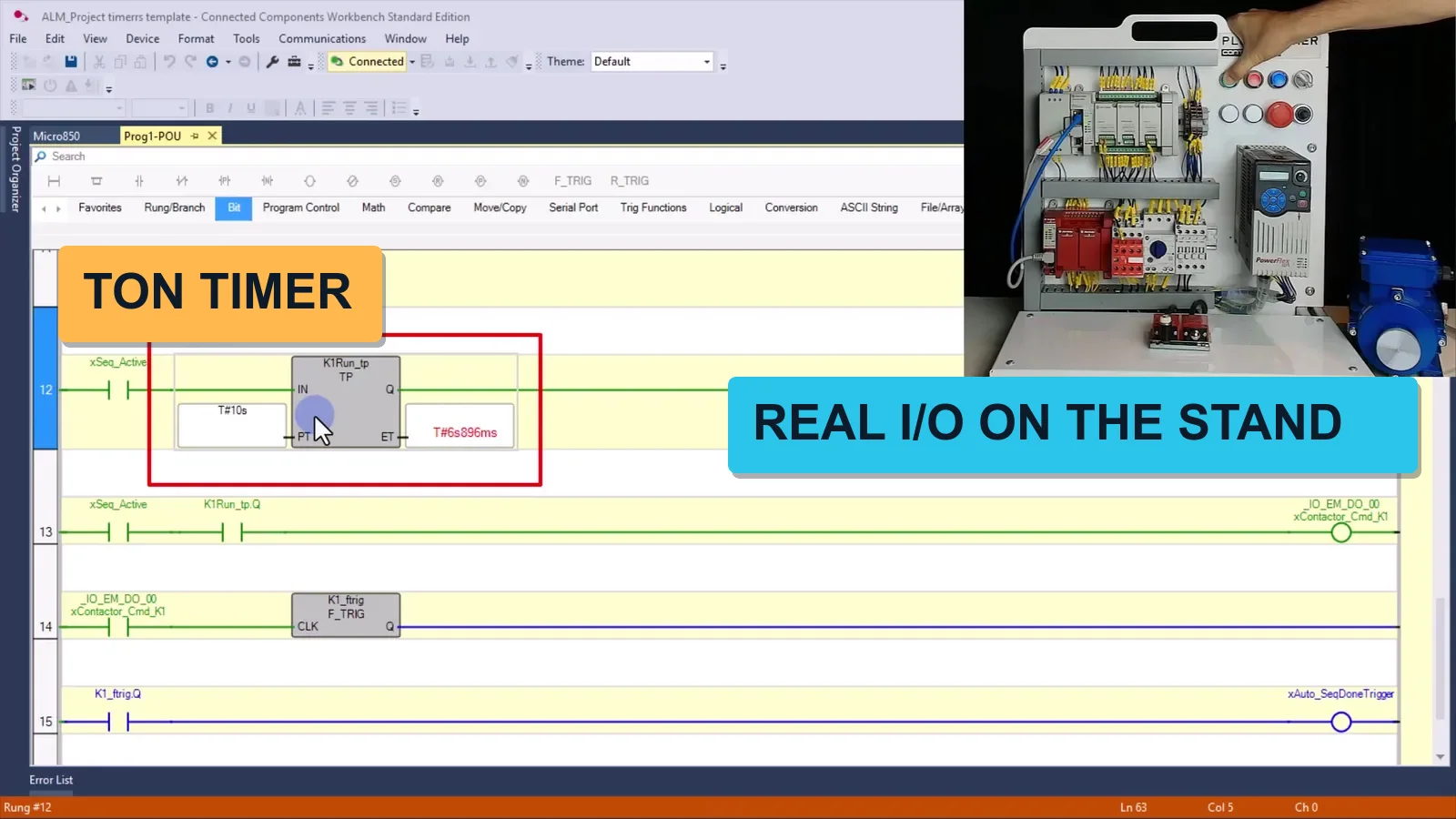
  • TON, TOF and TP timers: delays, pulses and sequencing
  • CTU, CTD and CTUD counters with preset and reset
  • Timer and counter status bits in your logic
  • Exercises on the simulator and the training stand

Module 14-15 and 17-18

Compare, math, integer and floating-point operations

  • Compare operators and conditions for process decisions
  • ADD, SUB, MUL, DIV, MIN, MAX, LIMIT and AVERAGE blocks
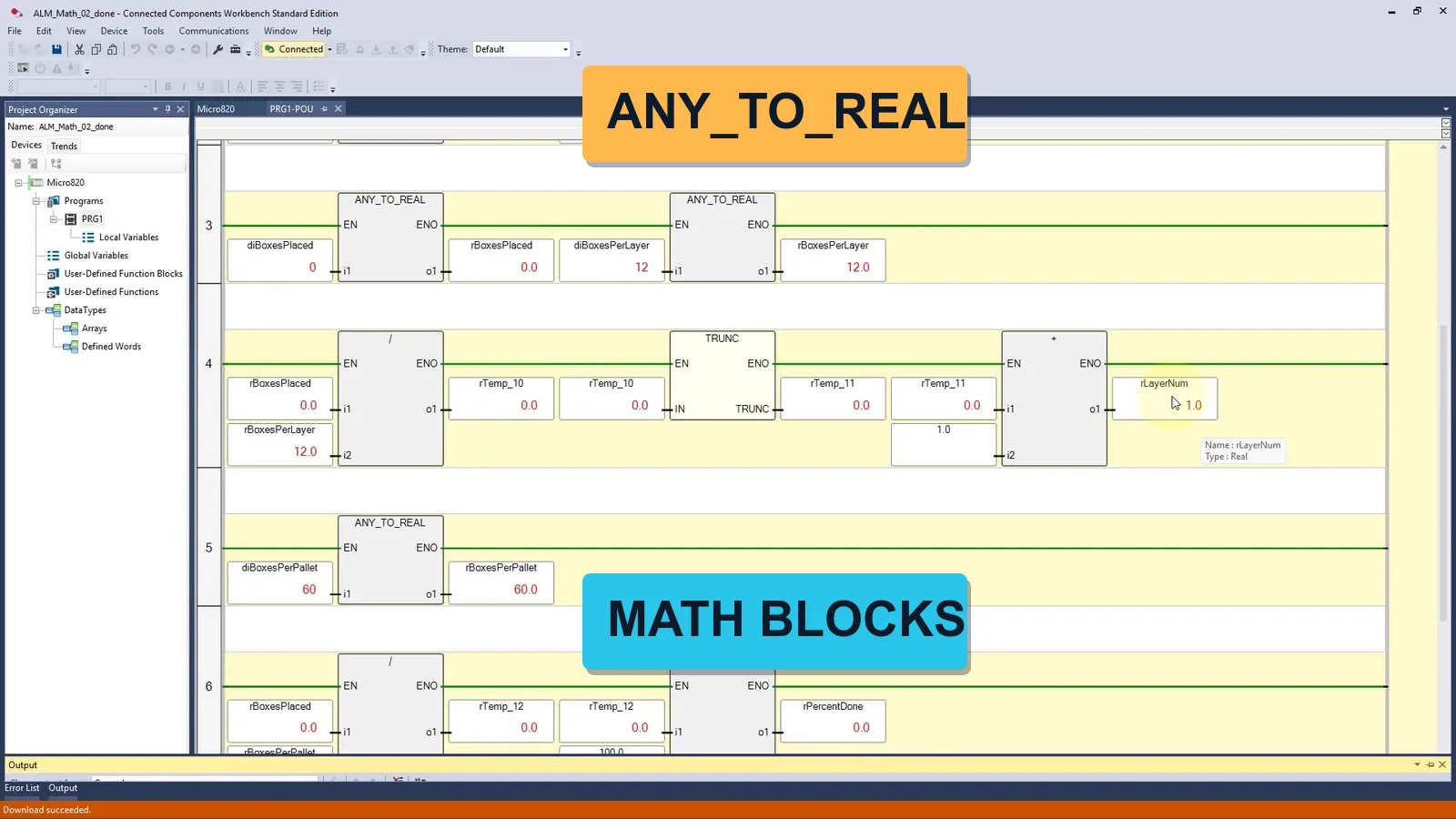
  • Integer and REAL conversions with ANY_TO_REAL and TRUNC
  • Exercise: limit a conveyor speed and average a noisy reading

Module 16 and 20

Process control instructions: ALARM, HYSTER, SCALE and PID

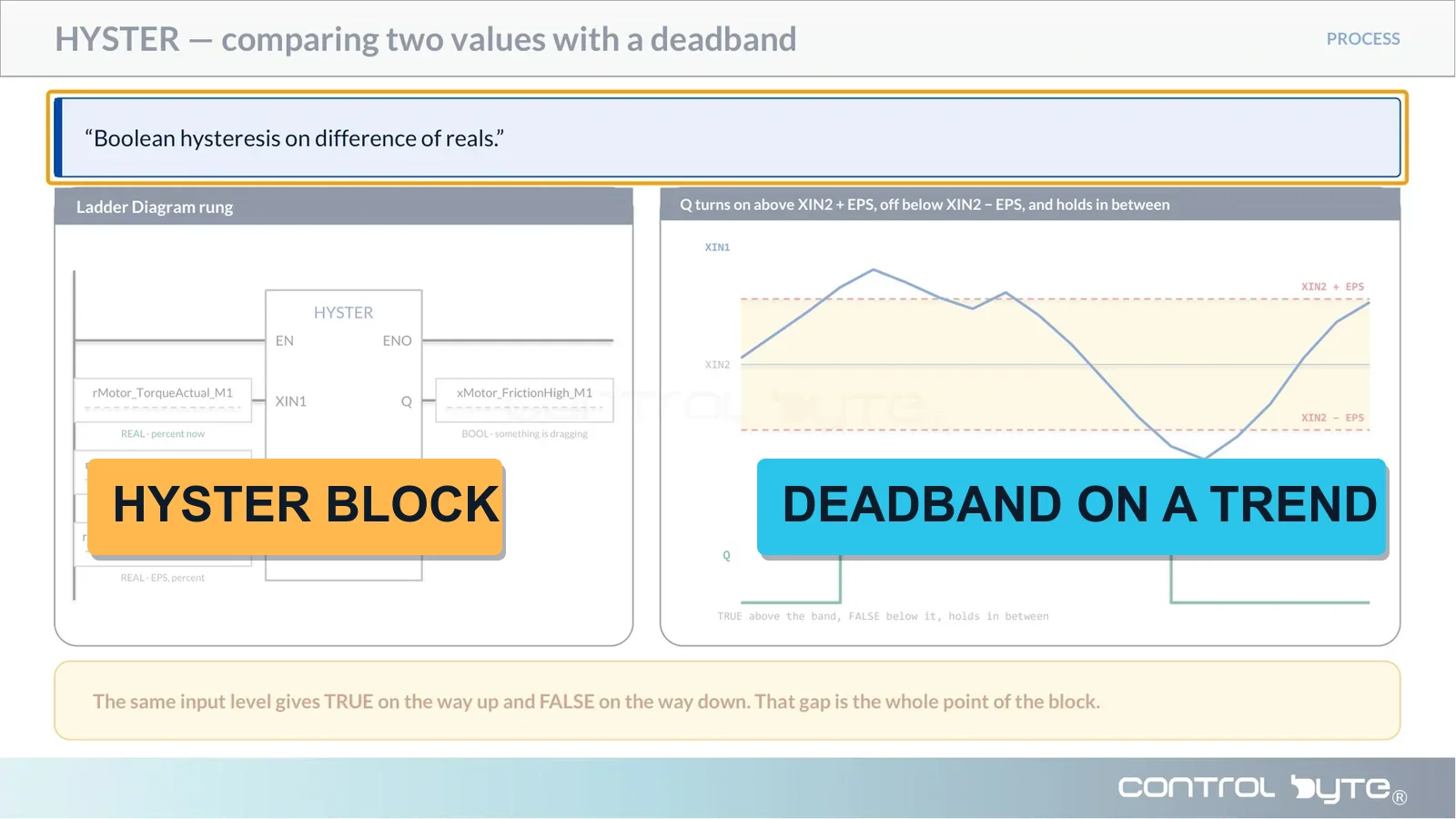
  • HYSTER: comparing two values with a deadband
  • SCALER: raw counts into engineering units
  • ALARM block and limit monitoring
  • DERIVATE and INTEGRAL as the base for PID control

Module 19, 21 and 22

Program flow, user-defined function blocks and FBD

  • JMP and LABEL for program flow control
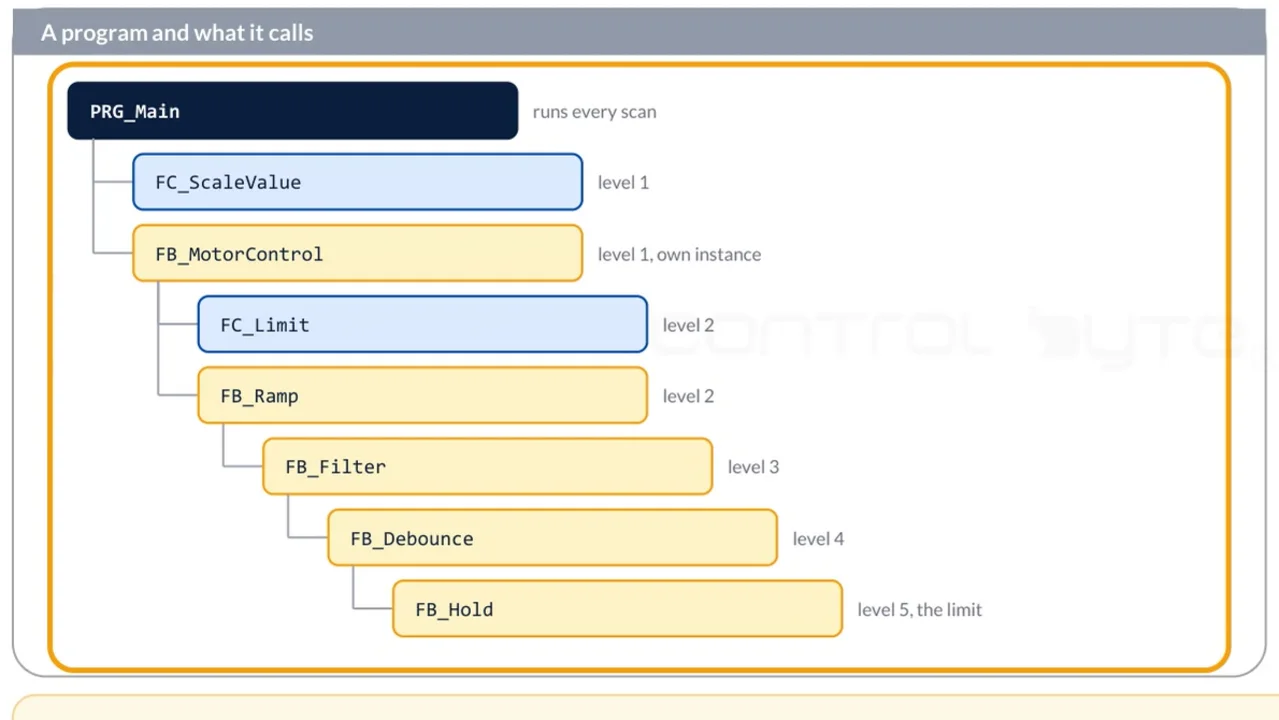
  • Your own functions and function blocks with inputs, outputs and instance memory
  • Function Block Diagram: logic gates and the same program in a second language
  • Reusable code you can carry from project to project

Project 1 - Module 23

Pumping station

  • Structure a larger program into reusable function blocks
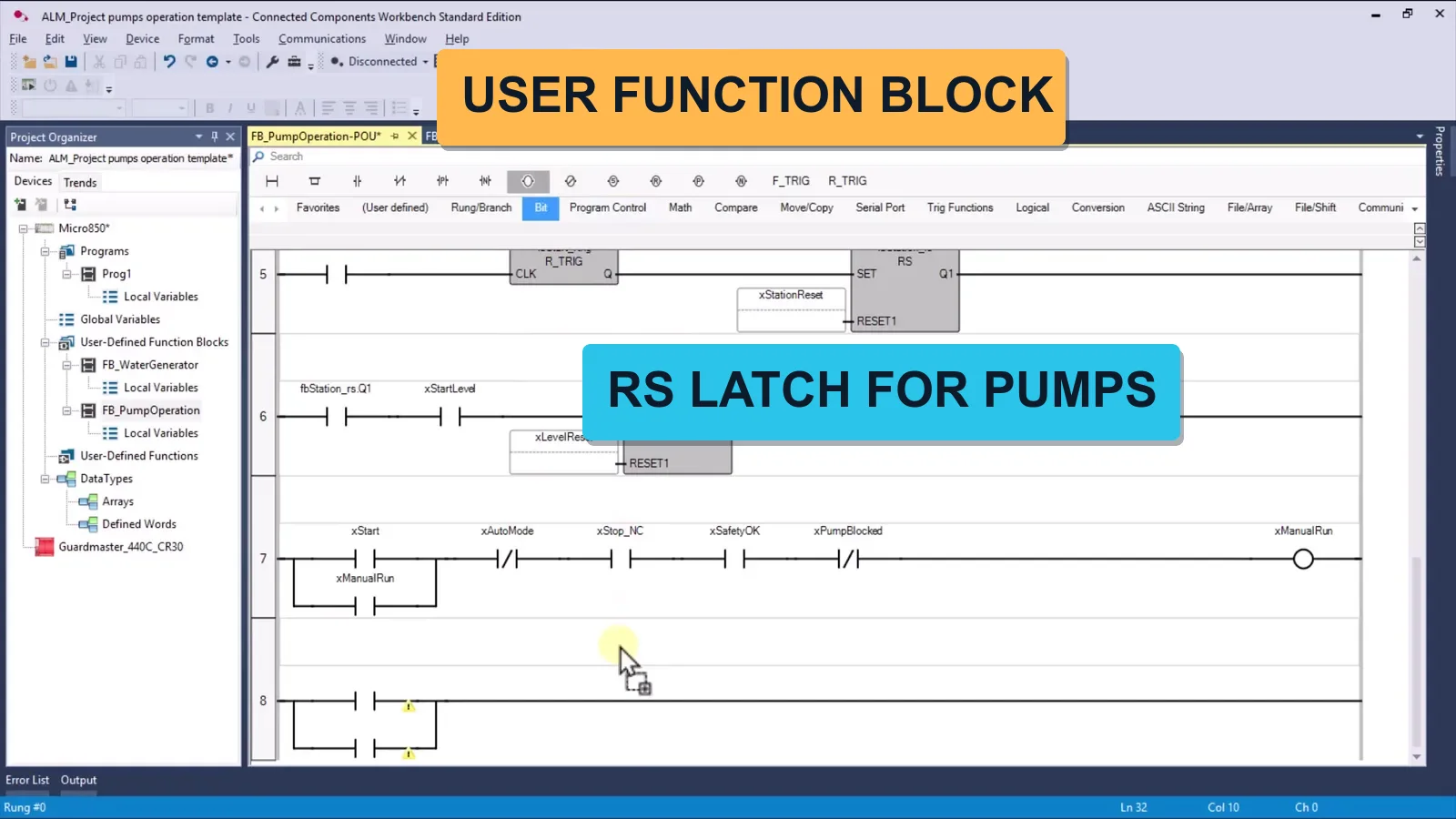
  • Write a pump control function block from scratch
  • Alternating duty, faults and run-time counting
  • Web visualisation for the station

Project 2 - Module 24-25

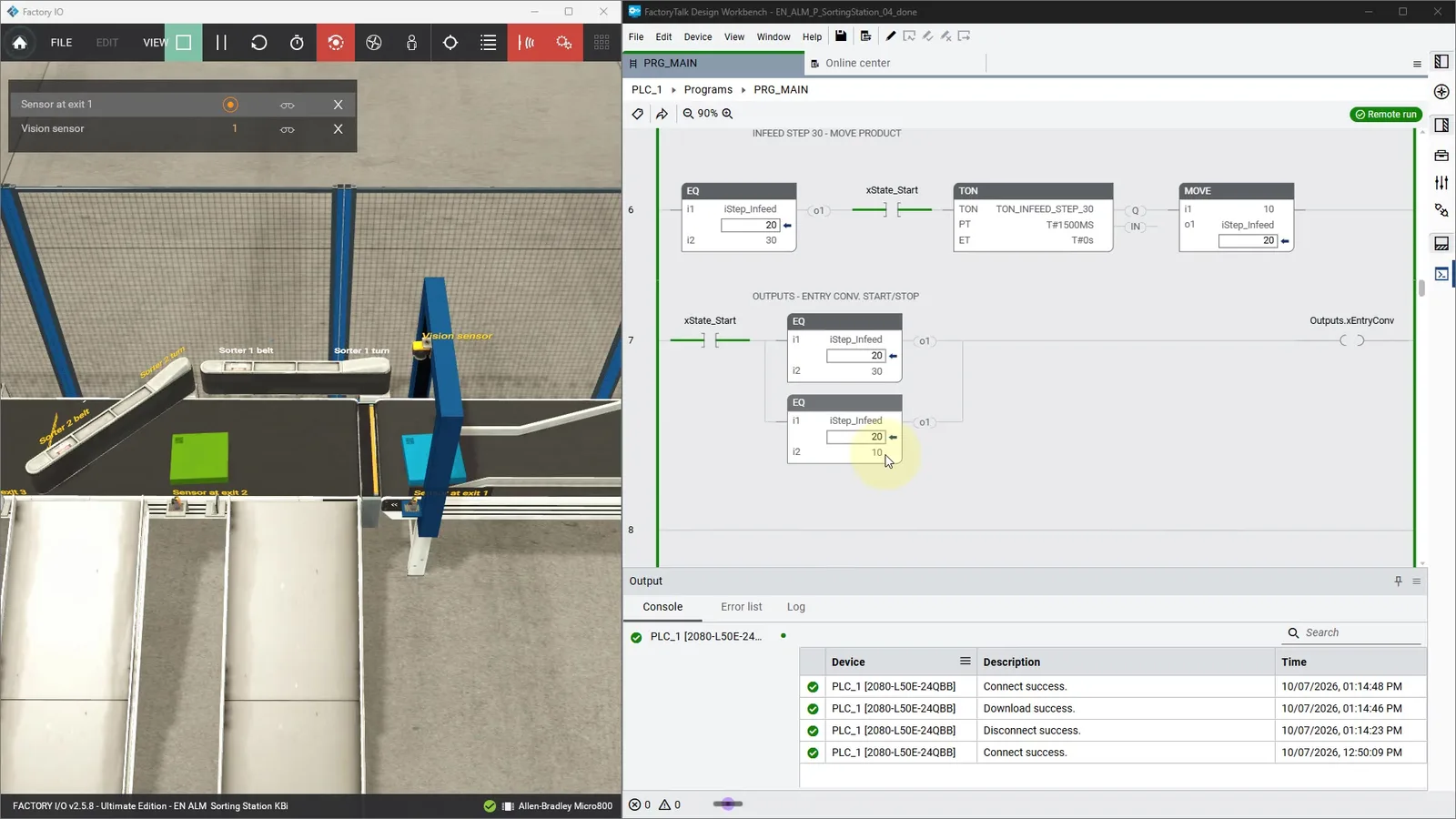
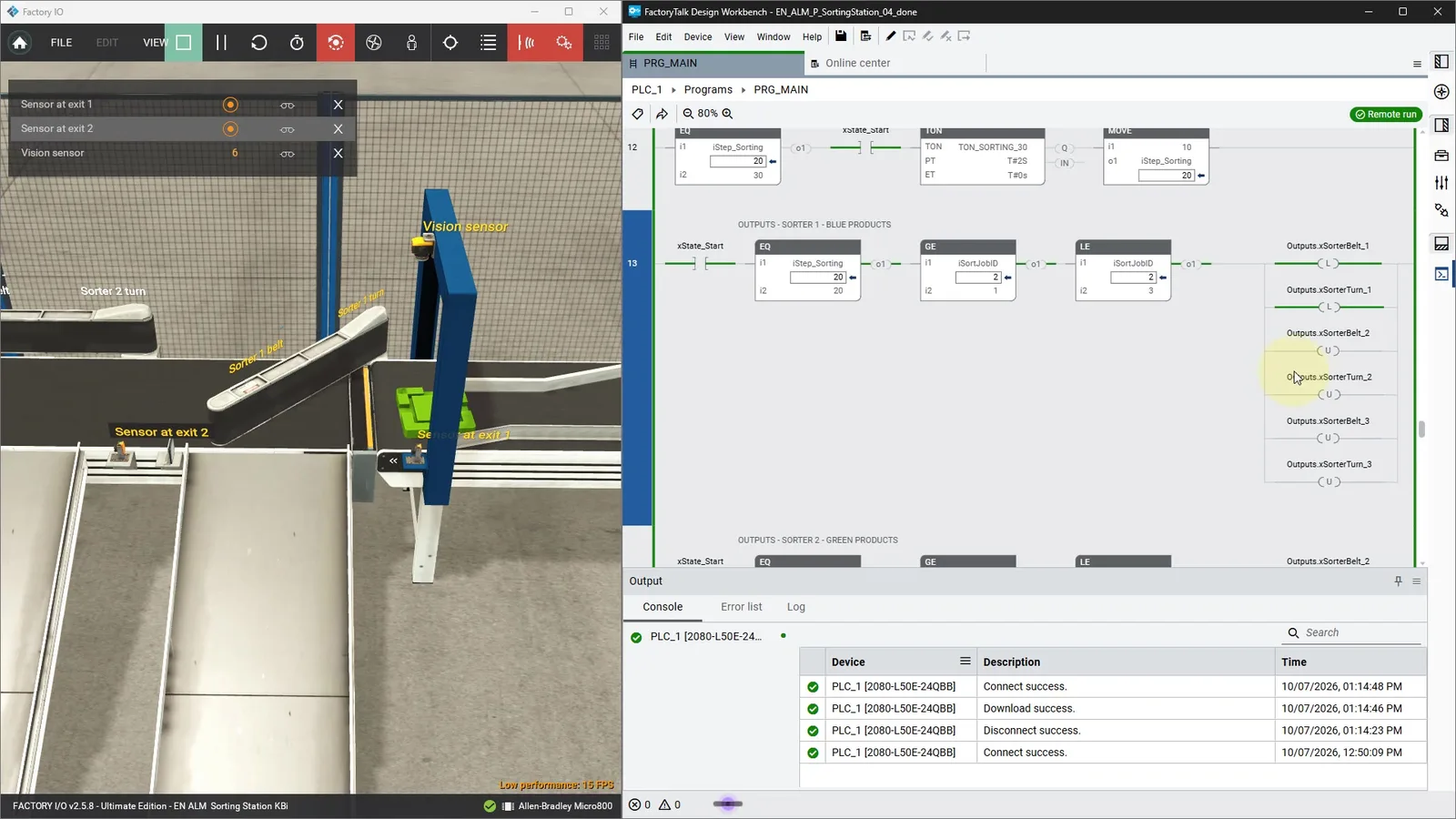
Sorting station in FactoryTalk Design Workbench

  • Connected Components Workbench vs FactoryTalk Design Workbench: what changes
  • Design the sequence as a GRAFCET, then write the ladder logic
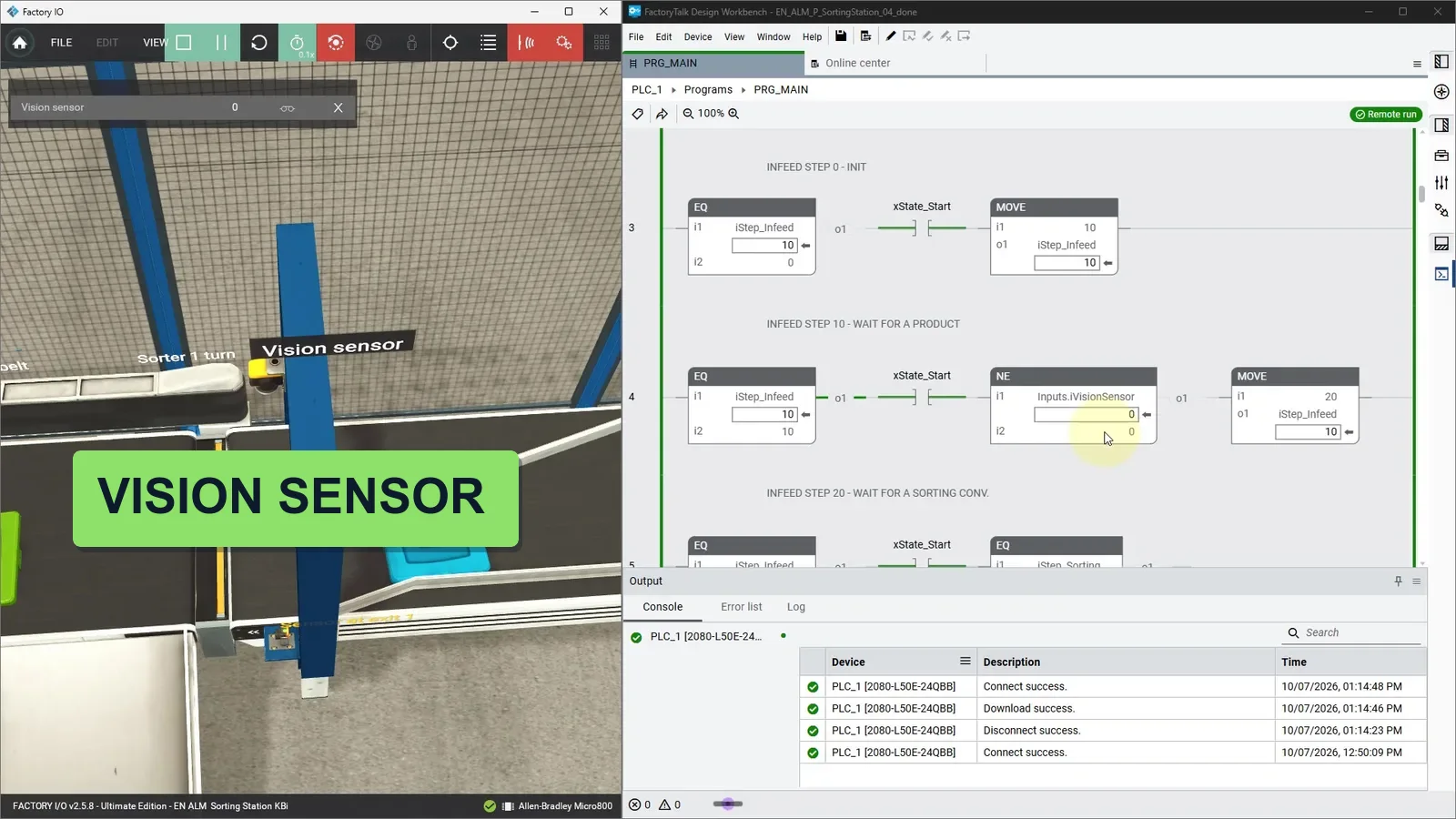
  • Vision sensor, sorters and conveyors in a Factory I/O scene
  • Download to the Micro850 and validate the whole line

Project 3 - Module 26

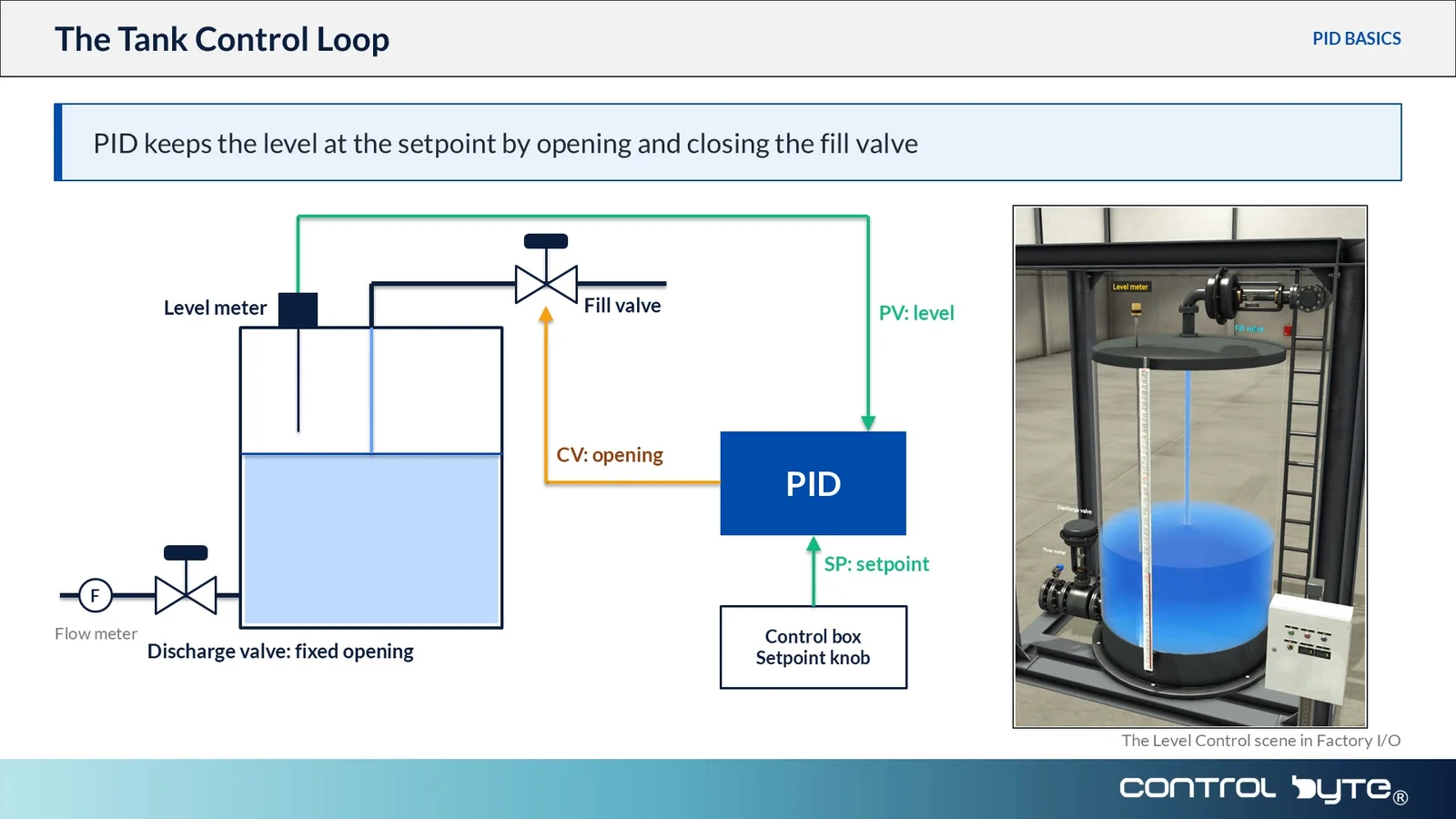
Proportional tank level controller

  • Describe the station and map its analog signals
  • Scale raw analog inputs into engineering units
  • Build a PID loop and tune P, I and D on a live tank
  • Extend the program with alarms and hysteresis

Bonus - Module 27-29

Analog I/O, hardware wiring and PowerFlex drives

  • Reading analog inputs and signal scaling in LD and FBD
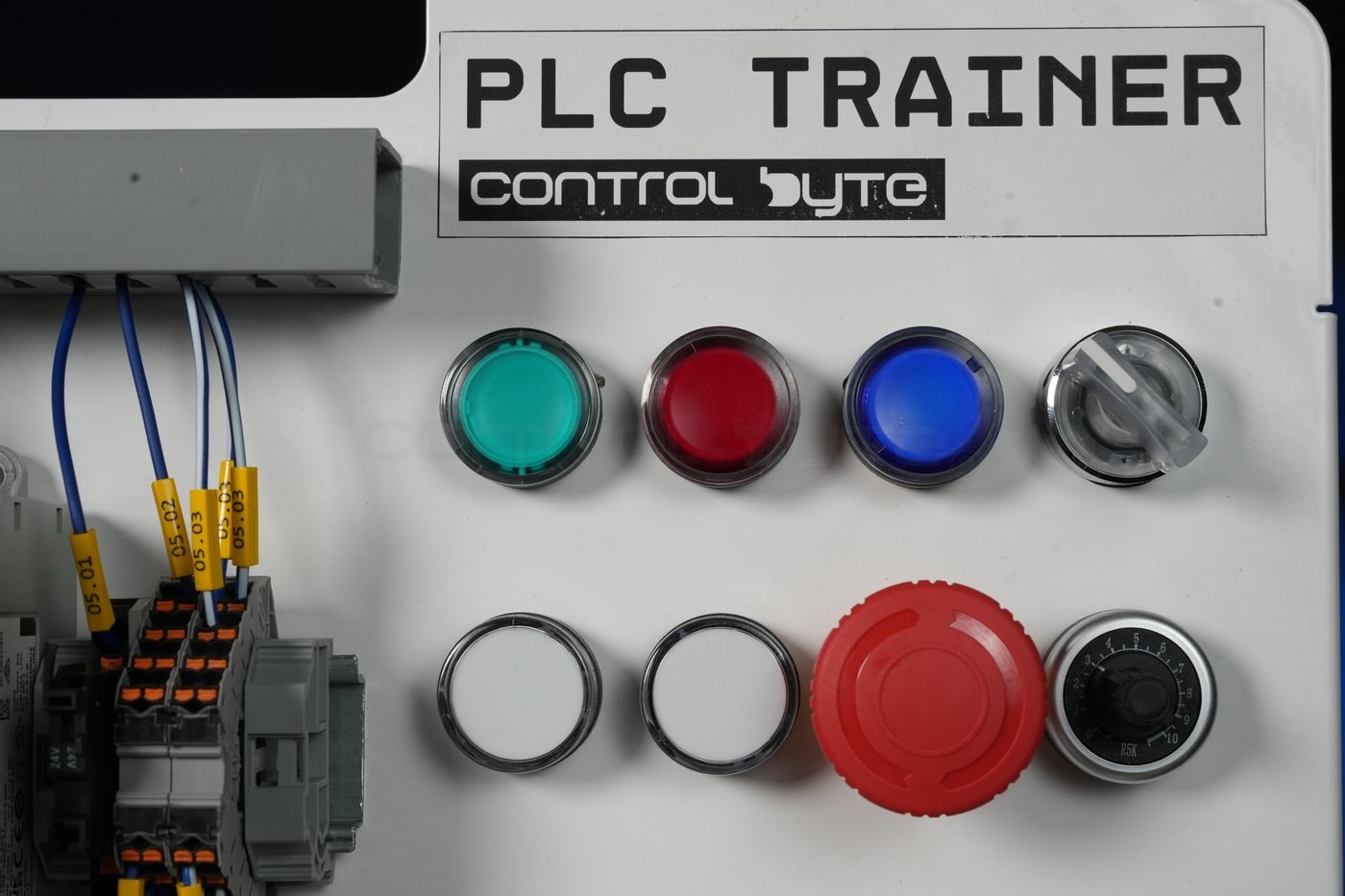
  • Wiring the Micro800 training stand: power, digital I/O and the operator panel
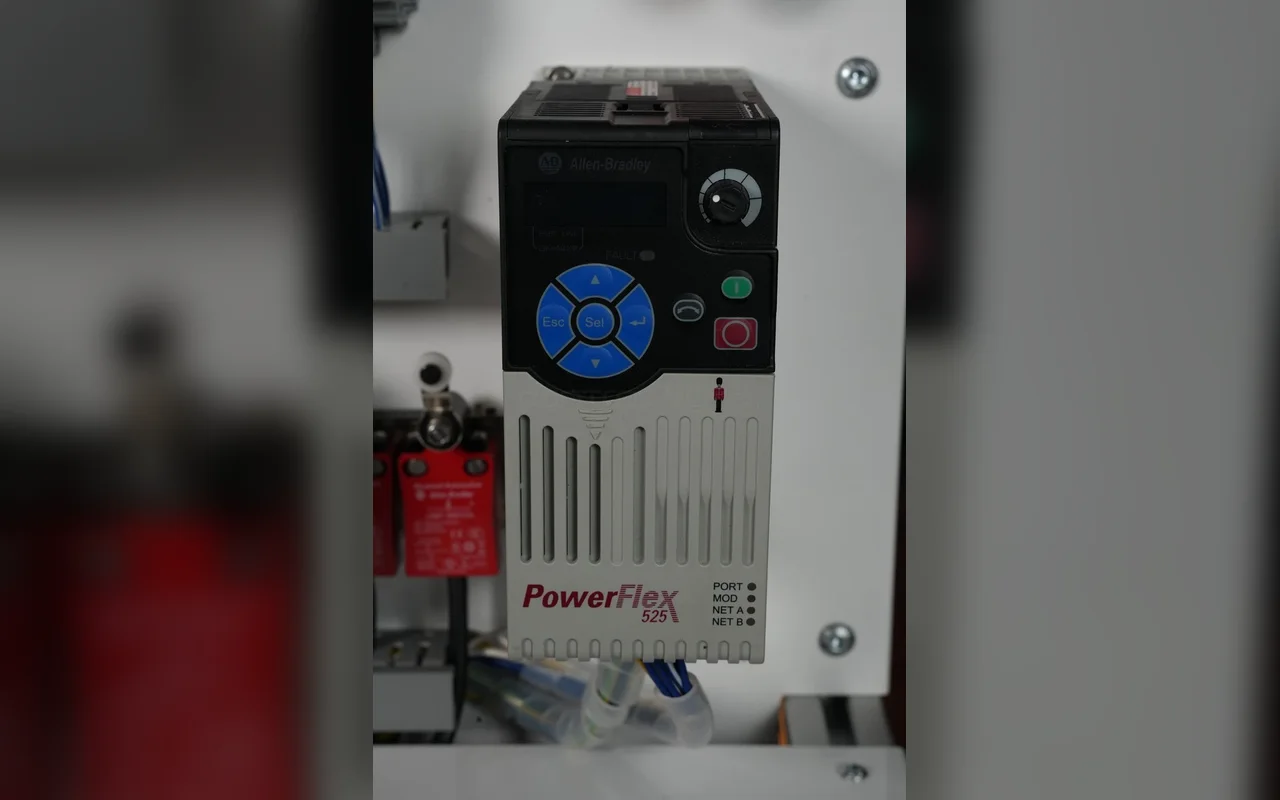
  • Controlling a PowerFlex 525 drive from the Micro800
  • Logging measurements in arrays

Full Curriculum - 126 Lessons Across 29 Modules

1. Installing Connected Components Workbench 2 min ▼
  • 1.1. Create an account and download free Connected Components Workbench software 1:59
  • 1.2. Installing Connected Components Workbench
2. First Connected Components Workbench project and PLC simulator 25 min ▼
  • 2.1. Latching circuit - your first ladder diagram program in Connected Components Workbench 8:24
  • 2.2. First Project in Structured Text 16:26
  • 2.3. Quiz: First Connected Components Workbench project and PLC simulator
3. Memory areas and basic data types 15 min ▼
  • 3.1. Memory areas 5:02
  • 3.2. Global and local variables and I/O mapping 5:06
  • 3.3. What is Bit, Byte, Word, Dword 4:26
  • 3.4. Quiz: Memory areas and basic data types
4. Introduction to variables and notation 22 min ▼
  • 4.1. BOOL vs INT variables example 1:52
  • 4.2. Variable types (BOOL, SINT, INT, DINT, REAL…) 6:06
  • 4.3. Array basics 4:15
  • 4.4. Writing values using variables to HMI panel 5:38
  • 4.5. Different types of notation 3:43
  • 4.6. Quiz: Introduction to variables and notation
5. Contacts Direct -| |- and Coil -( )- 7 min ▼
  • 5.1. Contacts Direct -| |- and Coil -( )- 5:55
  • 5.2. Simulator - Contacts Direct -| |- and Coil -( )- 1:26
6. Variable naming guide 7 min ▼
  • 6.1. Variable naming guide 7:02
  • 6.2. Quiz: Variable naming guide
7. Auto mode seal-in circuit 6 min ▼
  • 7.1. Auto mode seal-in circuit 3:04
  • 7.2. Buttons backlighting - lamps 2:51
8. Contacts Reverse -|/|- and alarming 18 min ▼
  • 8.1. Contacts Reverse -|/|- 3:26
  • 8.2. Motor Starter with Alarm 7:22
  • 8.3. Exercise: Where the reset contact goes, two alarm versions 6:54
  • 8.4. Quiz: Contacts Direct -| |- and Coil -( )-
9. How the PLC Executes the Program 20 min ▼
  • 9.1. PLC memory 9:35
  • 9.2. PLC scan cycle 4:50
  • 9.3. System variables, first scan pulse 5:16
  • 9.4. Quiz: How the PLC Executes the Program
10. Assignment Instruction, SET RESET Coils 31 min ▼
  • 10.1. Assignment coil 2:23
  • 10.2. SET and RESET coils 2:36
  • 10.3. SR and RS flip-flops 4:43
  • 10.4. Exercise: Motor starter alarm with SET and RESET coils 12:44
  • 10.5. Exercise: Motor starter alarm with RS and SR flip-flops 8:25
  • 10.6. Quiz: Assignment Instruction, SET RESET Coils
11. Edge Detection Instructions 19 min ▼
  • 11.1. Rising edge trigger R_TRIG 4:33
  • 11.2. Falling edge trigger F_TRIG 2:33
  • 11.3. Exercise: Start and reset on edges in the motor starter 11:38
  • 11.4. Quiz: Edge Detection Instructions
12. Timer Instructions 25 min ▼
  • 12.1. Timer TP 3:06
  • 12.2. Timer TON 3:33
  • 12.3. Exercise: Timed motor run with TON and TP 9:54
  • 12.4. Timer TOF 2:19
  • 12.5. Timer RTO 3:47
  • 12.6. Timer TONOFF 2:32
  • 12.7. Quiz: Timer Instructions
13. Counters 16 min ▼
  • 13.1. Counter CTU 3:48
  • 13.2. Counter CTD 1:58
  • 13.3. Counter CTUD 1:46
  • 13.4. Exercise: Counting motor starts and run time with CTU and RTO 8:09
  • 13.5. Quiz: Counters
14. Compare operators 25 min ▼
  • 14.1. Compare operators, LIM_ALRM 7:34
  • 14.2. Comparators in practice: pump with level hysteresis 11:55
  • 14.3. Testing the comparator program on the trainer 5:48
  • 14.4. Quiz: Compare operators
15. Math Functions 1 h 37 min ▼
  • 15.1. ADD, SUB, MUL, DIV 8:25
  • 15.2. Exercise: Scale a raw analog value with mathematical functions 9:09
  • 15.3. MOD, TRUNC, RAND 6:22
  • 15.4. Exercise: Count boxes on a pallet with MOD and TRUNC 20:05
  • 15.5. ABS, NEG 2:57
  • 15.6. MOV 2:04
  • 15.7. Exercise: Pick a pallet recipe with MOV 11:50
  • 15.8. SQRT, LOG, EXPT, POW 7:42
  • 15.9. SIN, COS, TAN, ASIN, ACOS, ATAN 8:11
  • 15.10. MIN, MAX, LIMIT, AVERAGE 5:58
  • 15.11. Exercise: Limit a speed and average a reading with LIMIT and AVERAGE 14:37
  • 15.12. Quiz: Math Functions
16. Process Control Instructions 6 min ▼
  • 16.1. HYSTER - deadband between two values 2:47
  • 16.2. SCALER - scaling to engineering units 3:08
  • 16.3. Exercise: build your own alarm system
17. Integer Operations 27 min ▼
  • 17.1. Integers in controller memory 4:13
  • 17.2. Negative integers and the sign bit 4:23
  • 17.3. Integer overflow 3:55
  • 17.4. Explicit conversion only 3:42
  • 17.5. ANY_TO_… conversion instructions 10:31
  • 17.6. Quiz: Integer Operations
18. Floating-Point Operations 15 min ▼
  • 18.1. REAL and LREAL - how numbers are stored 6:26
  • 18.2. Floating-point arithmetic 4:49
  • 18.3. Infinity, NaN and division by zero 3:42
  • 18.4. Quiz: Floating-Point Operations
19. Program Flow Control - JMP and LABEL 9 min ▼
  • 19.1. Jump and Label 4:50
  • 19.2. JMP and Timer 1:40
  • 19.3. Return 2:47
  • 19.4. Quiz: Program Flow Control - JMP and LABEL
20. DERIVATE, INTEGRAL Instructions 4 min ▼
  • 20.1. DERIVATE, INTEGRAL 4:06
  • 20.2. Quiz: DERIVATE, INTEGRAL Instructions
21. User-Defined Functions and Function Blocks 14 min ▼
  • 21.1. User-defined functions and function blocks 6:11
  • 21.2. Variables in functions and function blocks 7:53
  • 21.3. Quiz: User-Defined Functions and Function Blocks
22. FBD Logic Instructions ▼
  • 22.1. FBD logic gates - theory
  • 22.2. FBD program exercise
  • 22.3. FBD program solution
23. Project - Pumping station 1 h 31 min ▼
  • 23.1. Project description 9:10
  • 23.2. Reading the electrical drawings 8:41
  • 23.3. Pump Station Project Structure 7:29
  • 23.4. Function Block: Pump Control 14:46
  • 23.5. Function Block: Water Generator 11:49
  • 23.6. Function Block: Pump Operation 13:55
  • 23.7. Main program, part 1: analog input, scaling and tank 5:54
  • 23.8. Main program, part 2: reset, safety and interlocks 6:12
  • 23.9. Main program, part 3: pump blocks, contactor and lamps 6:44
  • 23.10. Visualization connection
  • 23.11. Alarm programming
  • 23.12. Program and visualization tests
  • 23.13. Pump Station Exercise 5:57
24. Connected Components Workbench vs FactoryTalk Design Workbench 3 min ▼
  • 24.1. Connected Components Workbench vs FactoryTalk Design Workbench: Which Tool for Your Micro800 3:17
25. Project - Sorting Station (FactoryTalk Design Workbench) 1 h 20 min ▼
  • 25.1. Sorting Station Overview: FactoryTalk Design Workbench Template, Factory I/O Driver and Start/Stop Latch 12:20
  • 25.2. Infeed Conveyor Sequence: Grafcet Steps with EQ, MOVE and a TON Timer 13:52
  • 25.3. Testing the Infeed Conveyor Sequence Online with Factory I/O 6:15
  • 25.4. Sorting Conveyor Sequence: Steps 0 to 20 and Adding Exit Sensors 2 and 3 10:41
  • 25.5. Sorting Step 30, Sorter Outputs by Product ID and Passing the Sort Job ID 11:07
  • 25.6. Testing the Complete Program: Conveyor Handshake, Timers and Stop Behavior 12:33
  • 25.7. Line Reset with the First Scan Bit, Button Lights and a Blinking Reset LED 11:38
  • 25.8. Homework: Sorter 3 for Metal Items, Home Position Check and Alarms 1:25
26. Project - Proportional Tank Level Controller ▼
  • 26.1. Station description and variable mapping
  • 26.2. Building the PID controller
  • 26.3. Expanding the program
  • 26.4. Sequential tank filling - exercise
  • 26.5. Sequential tank filling - solution
27. BONUS: Analog Inputs / Outputs ▼
  • 27.1. Reading the analog inputs
  • 27.2. Signal scaling in LD and FBD
  • 27.3. Universal scaling formula
  • 27.4. Logging analog values in an array
  • 27.5. MIN/MAX/AVG from a measurement array
28. BONUS: VFD Programming PowerFlex ▼
  • 28.1. Controlling a PowerFlex 525 drive from the Micro800: parameters, start/stop and speed reference
29. BONUS: MICRO800 Hardware wiring ▼
  • 29.1. Wiring the Micro800 training stand: power, digital I/O and the operator panel

Watch 3 Free Sample Lessons Before You Enroll

Latching circuit - your first ladder diagram program in Connected Components Workbench (8 min)

Latching circuit - your first ladder diagram program in Connected Components Workbench (8 min)

Exercise: where the reset contact goes - two alarm versions (7 min)

Exercise: where the reset contact goes - two alarm versions (7 min)

Exercise: motor starter alarm with RS and SR flip-flops (8 min)

Exercise: motor starter alarm with RS and SR flip-flops (8 min)

What Industry Experts Are Saying About Us

Dobot Robotics - Our Industry Partner

Automa.Net - Our Industry Partner

Get Your Certificate and Publish It on LinkedIn!

  • Gain an Allen-Bradley / Rockwell skill set valued by employers
  • Want to change jobs and become an automation engineer? You're one step closer!
  • Stand out from the crowd with a verified ControlByte certificate

Discord Support

Discord Community
  • Ask questions and get answers from instructors and fellow students
  • Share your projects and get feedback from the community
  • Access exclusive resources, tips, and industry news
  • Network with automation engineers from around the world

Bonuses Included

Access to Forum and Chat for Students

Access to Forum and Chat for Students

Join our private Discord server for automation engineers. Get help with your Connected Components Workbench projects, share your programs and network.

Lifetime Access to the Course

Lifetime Access to the Course

Permanent access to all course materials, updates and every new module added in the future.
Bonus Modules: Analog I/O and PowerFlex 525 VFD

Bonus Modules: Analog I/O and PowerFlex 525 VFD

Reading analog inputs, signal scaling in LD and FBD, a universal scaling formula, logging measurements in arrays, and running a PowerFlex 525 drive from the Micro850.
Bonus Module: Real Micro800 Hardware

Bonus Module: Real Micro800 Hardware

Wiring a real Micro800 training stand and a web visualization for the pumping station project.
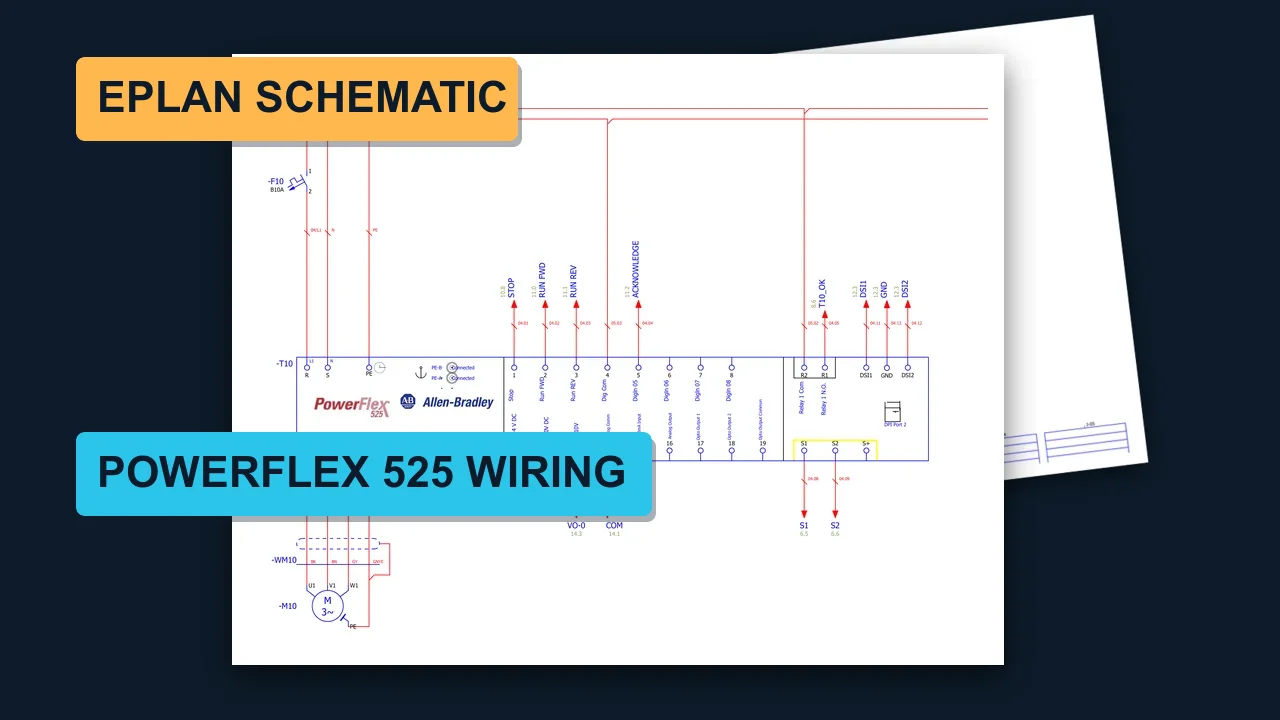
Bonus: EPLAN wiring schematic of the training stand

Bonus: EPLAN wiring schematic of the training stand

The complete 15-page EPLAN schematic of the ControlByte PLC Trainer with Micro850, PowerFlex 525 and the 440C-CR30 safety relay, as a PDF. Use it to wire your own stand and to practise reading real industrial drawings.

Course Value

Before we show you the price, see exactly what you get:

📹
124 video lessons across 27 modules From installing Connected Components Workbench to analog scaling and PID control - step by step in Ladder and FBD. Value: 220€
🛠️
Three full industrial projects Sorting line, proportional tank level controller and a pumping station - built start to finish. Value: 180€
💾
Connected Components Workbench setup Connected Components Workbench Standard is free from Rockwell. We walk through the account, the download, the editions and your first project. Value: 60€
💬
Instructor support via Discord & webinars Get your questions answered and accelerate your learning. Value: 90€
🎓
Certificate of completion Showcase your Allen-Bradley skills on LinkedIn and your CV. Value: 40€
♻️
Lifetime access + future updates Revisit any lesson forever, including every module we publish next. Value: PRICELESS

Start With Allen-Bradley Today

124 lessons and three industrial projects, all built in Connected Components Workbench on Micro800 controllers.

Frequently Asked Questions

Do I need a physical controller to take this course? ▼

You need one of two things: a Micro800 controller (the course is recorded on Micro820 and Micro850) or the Developer edition of Connected Components Workbench with the full Micro800 simulator. The free Standard edition only has a demo simulator. We use Factory I/O scenes to test the programs. Equipment was provided by our technology partner and authorized Rockwell Automation distributor, Elmark Automatyka.

Is the Rockwell software paid? ▼

The Standard edition of Connected Components Workbench is free, but its Micro800 simulator runs in demo mode only; the full simulator is in the paid Developer edition. In the first module we walk through creating a Rockwell account, downloading the software and choosing the edition. Exercises are done in Connected Components Workbench; the sorting station project uses FactoryTalk Design Workbench.

Which controllers does the course cover? ▼

The Micro800 family - the lessons are recorded on Micro820 and Micro850, and the same Connected Components Workbench workflow applies from Micro810 to Micro870.

Where do I start if I don't know ladder logic? ▼

From module one. The course begins with installing Connected Components Workbench and your first program, then builds up through variables, bit logic, timers, counters and analog handling.

How long do I have access? ▼

Forever, including every module we publish after you enrol.

The course is still being recorded - what does that mean for me? ▼

You get immediate access to every lesson already published and to each new module the moment it goes live, at the price you paid today.

Ready to Actually Program Allen-Bradley?

Connected Components Workbench, Micro820 and Micro850, Factory I/O and three complete projects - in one course.

Enroll & Get Instant Access

Everything published so far plus every future module. Lessons are released as we finalize them.

Lifetime access. Connected Components Workbench Standard is free from Rockwell.