ONLINE COURSE | SAFETY PLC PROGRAMMING

Safety Programming
for Siemens PLCs in TIA Portal

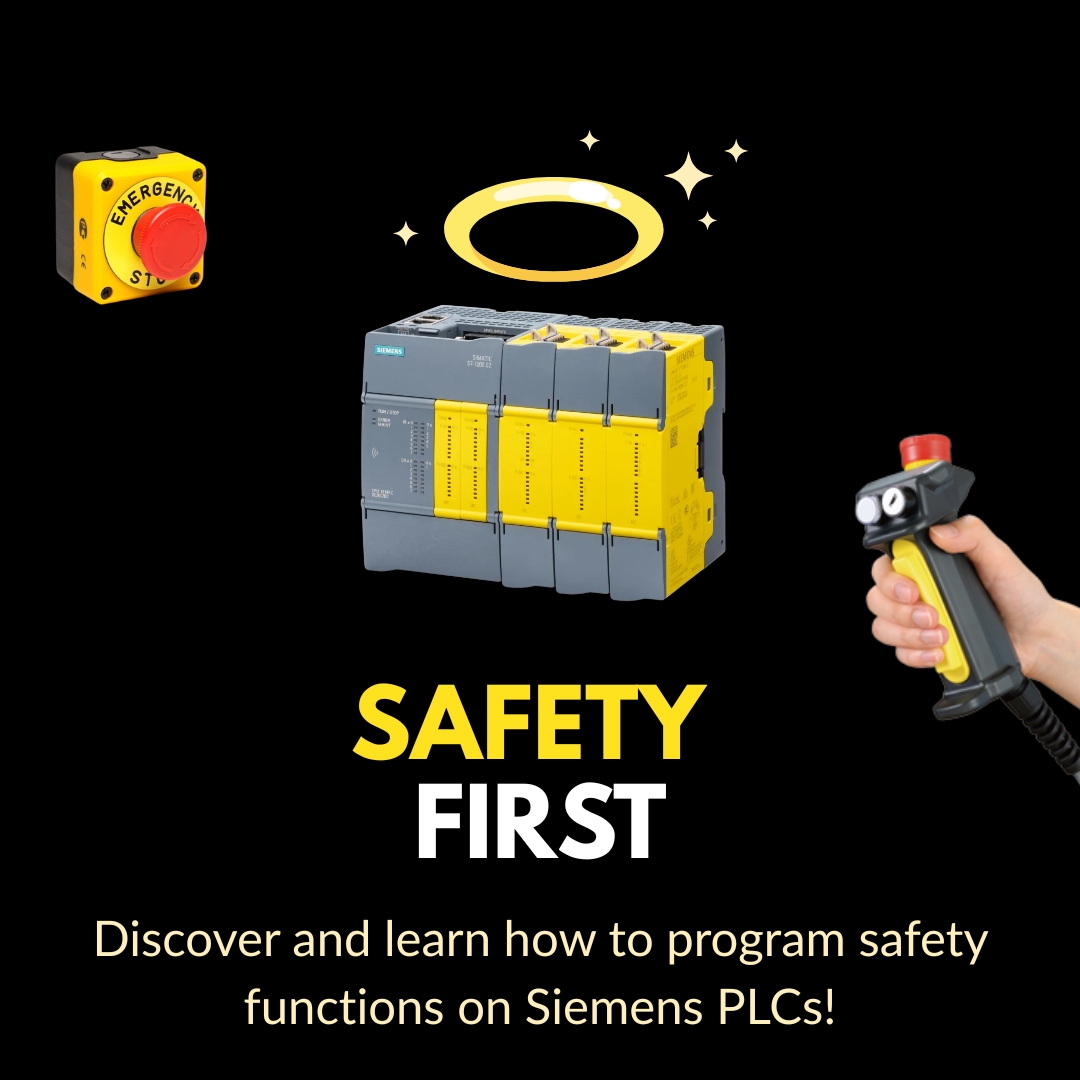
Master safety functions for Siemens S7-1200F and S7-1500F — from hardware configuration to real-world safety applications with TIA Portal.

Join the Waiting List

Be the first to know when enrollment opens. Limited spots available.

No spam. We'll only notify you when the course launches.

Trusted by Industry Leaders to Train Their Teams

PartnerPartnerPartnerPartnerPartnerPartnerPartnerPartnerPartnerPartnerPartnerPartnerPartnerPartnerPartnerPartnerPartnerPartnerPartnerPartnerPartnerPartnerPartnerPartner

What Will You Learn in This Course?

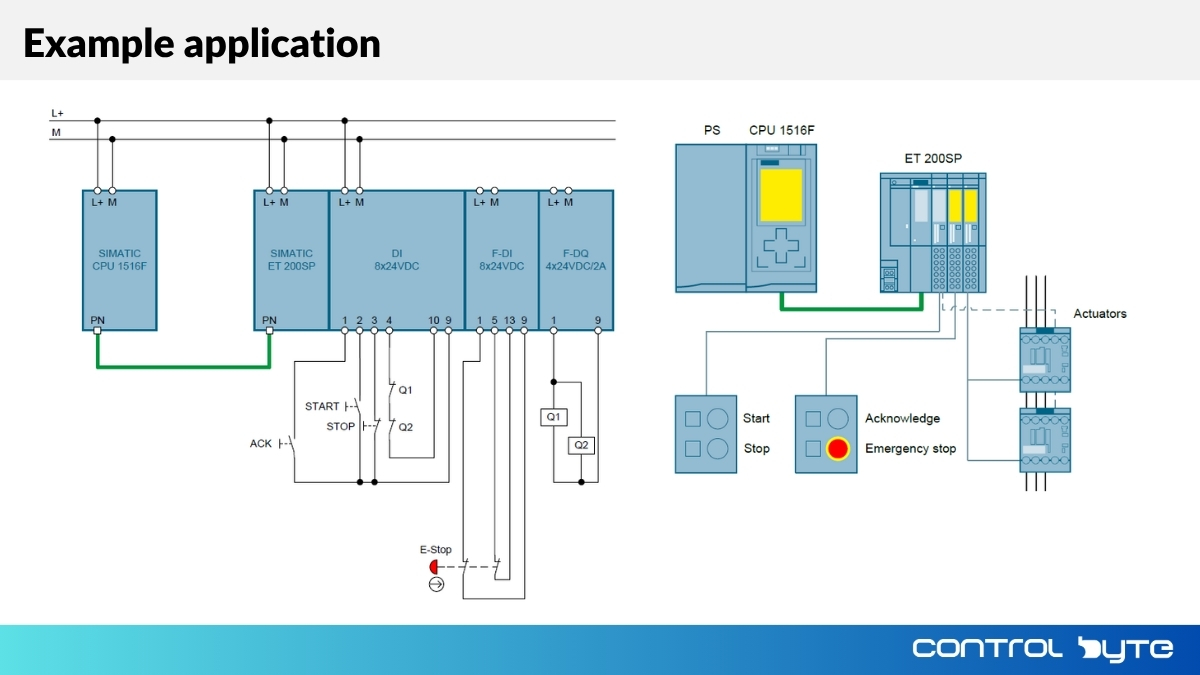
  • Creating and configuring safety functions (emergency stop, door monitoring, light curtains)
  • Using TIA Selection Tool for safety assessment
  • Working with Safety PLC S7-1200F and S7-1500F
  • Creating logic using the LSafe library
  • PROFIsafe communication protocol
  • Testing safety systems in practice
  • Integration with SINAMICS G120 drives in safe mode

Why Are ControlByte PLC Courses So Popular?

  • Video lessons on an e-learning platform
  • Hands-on programming exercises based on provided project templates — all you need is your PC and a simulator!
  • Study whenever and wherever you want
  • Start the course at a later date if needed
  • Homework assignments for independent practice!
  • Support via Discord chat and live meetups

Automation Engineer! Safety Specialist!
Are You Keeping Up with Safety Standards?

  • Safety programming is becoming a mandatory skill in automation
  • Companies are actively hiring engineers with Safety PLC expertise
  • Machines without proper safety systems cannot be certified
  • Learn to program safety functions that protect people and equipment
  • Will you advance your career? YES! If you master Safety programming
  • Will you fall behind? YES! If you ignore safety standards

Meet Your Instructors

MSc. Eng. Jacob Biedulski

MSc. Eng. Jacob Biedulski

Automation Engineer & PLC Programmer

In this course you will learn how to program safety functions on Siemens PLC controllers — from basic configurations to advanced safety applications.
Who Is This Course For?

  • Automation Engineers
  • PLC Programmers
  • Machine Safety Specialists
  • Electrical Engineers in industrial settings
  • Anyone who wants to learn Safety PLC programming

What You Get When You Enroll

  • Proper application of Safety in automation
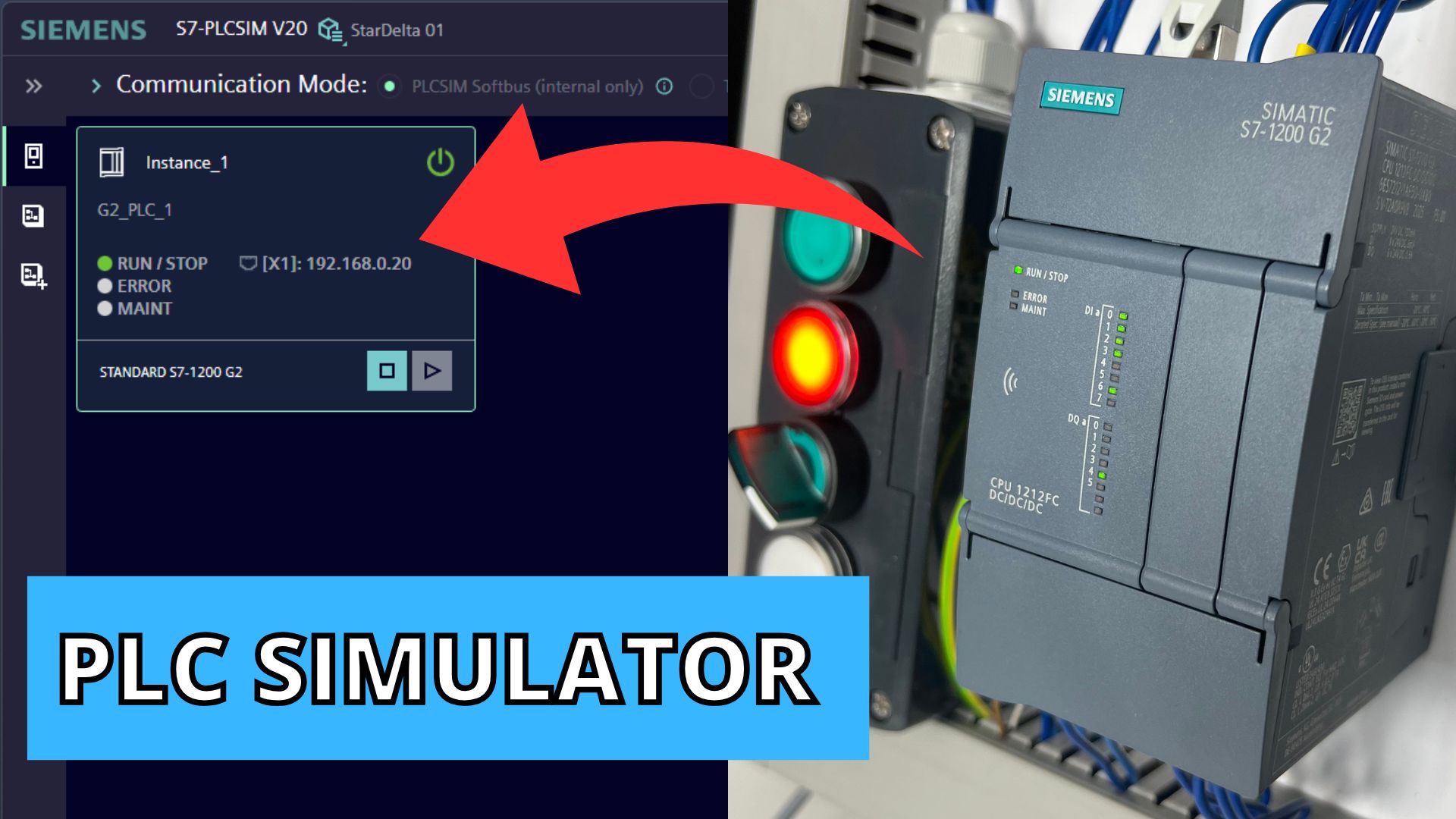
  • Test your programs on the PLC SIM simulator
  • Instructor support via Discord chat and live sessions
  • Course completion certificate in English and Polish

Simulators

  • You'll use Siemens PLC simulators — PLCSIM
  • We'll show you how to install and run them
  • The PLC simulator is free and fully functional!

Safety Modules in the Course

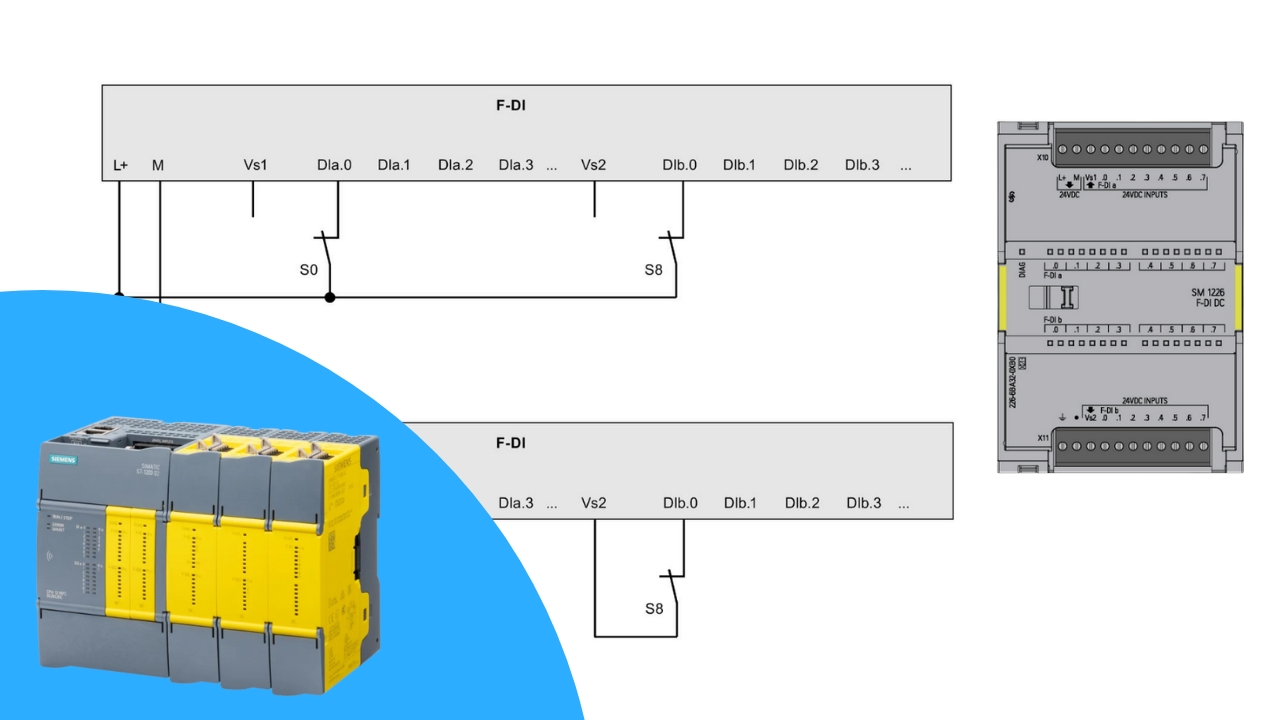
Fail-safe Input Configuration

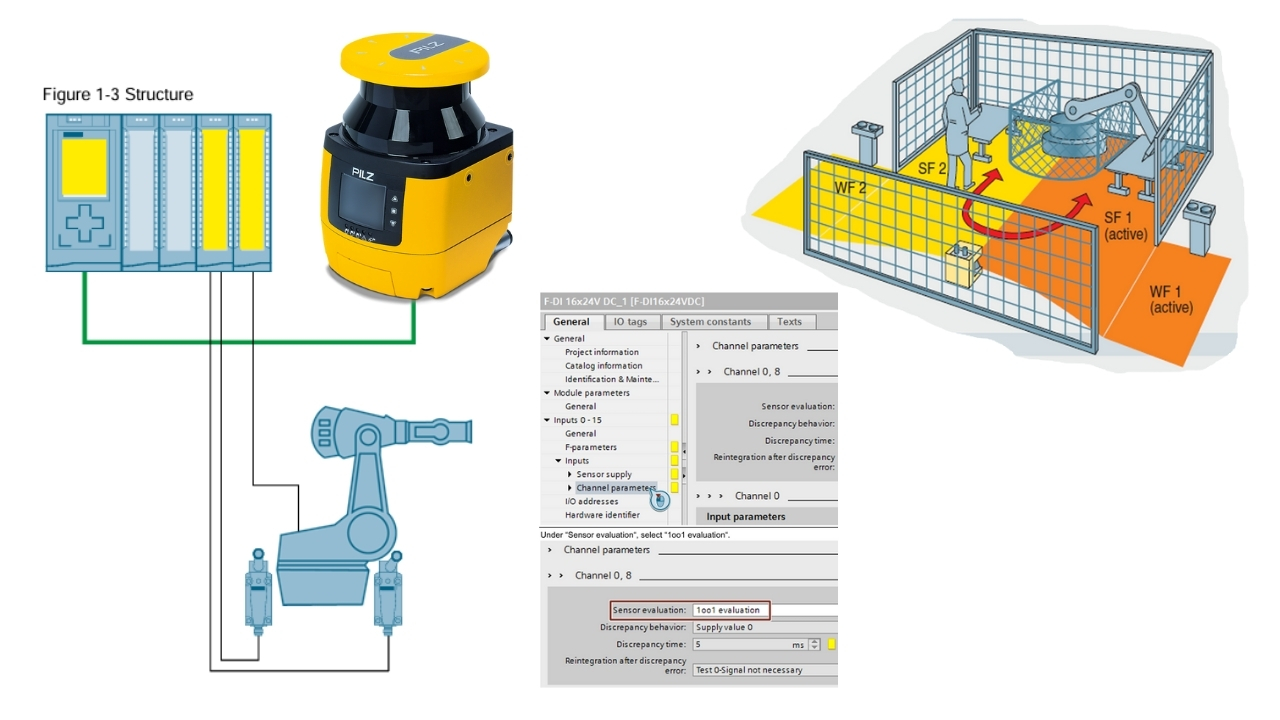
1oo1 & 1oo2 Evaluation

  • What is the difference between Fail-safe input configuration in 1oo1 vs 1oo2 evaluation?
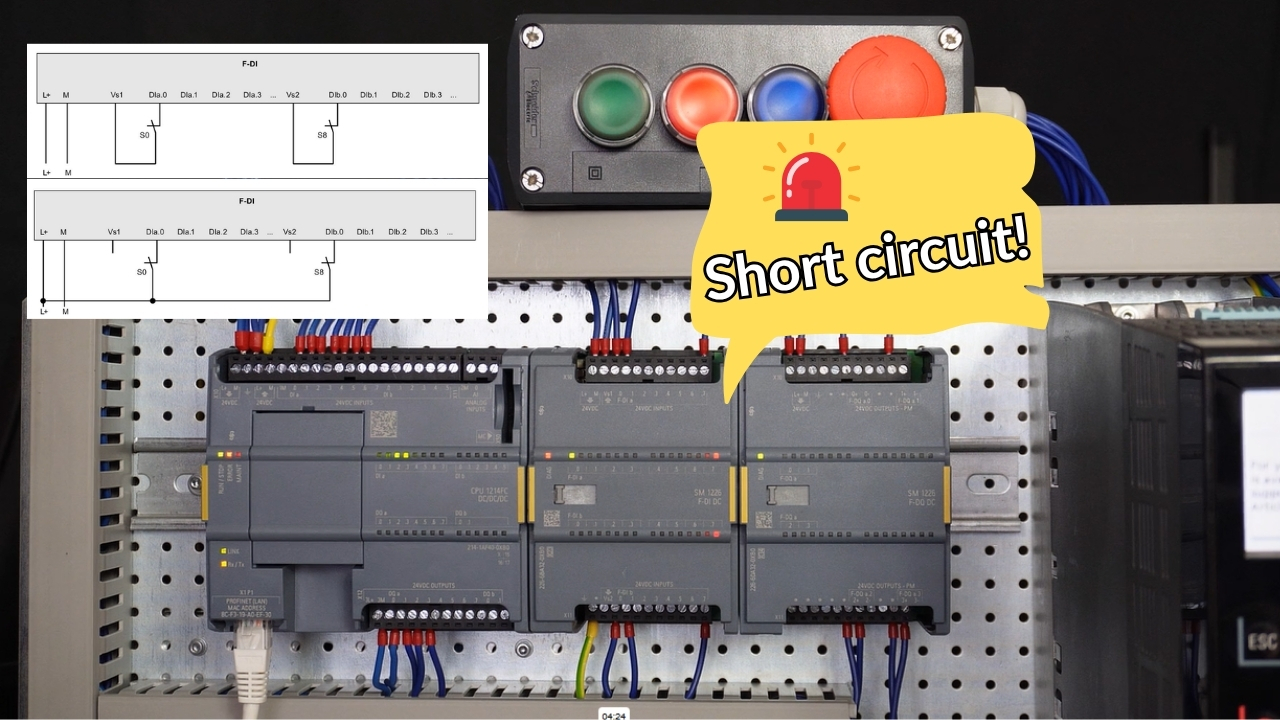
  • Short-circuit fault detection and signal discrepancy testing
  • Hardware configuration of Fail-safe digital inputs

Fail-safe DO Output Configuration

Contactors, Valves & Drives

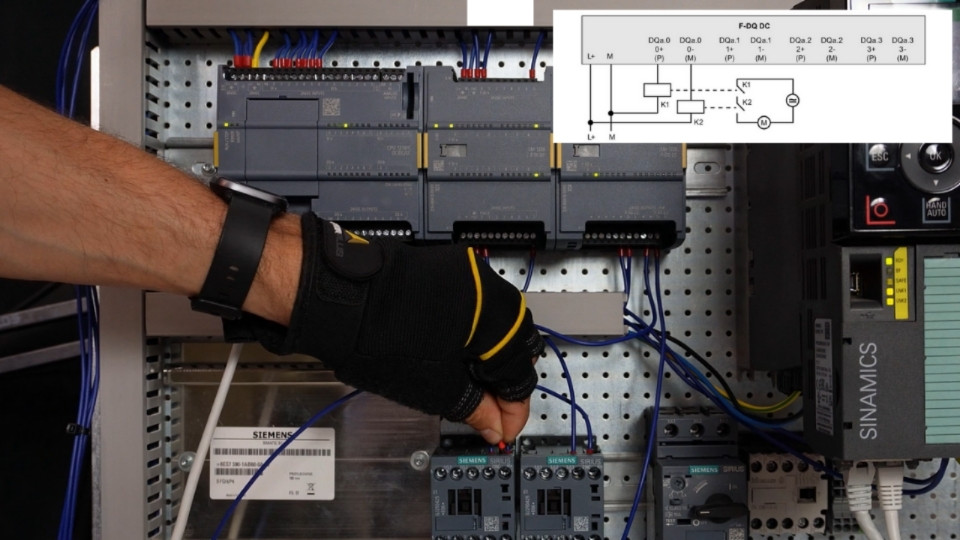
  • How to connect contactors, valves, inverters, etc.
  • Emergency situation testing for Fail-safe digital outputs

Fail-safe DI/DO Diagnostics

Passivation & Reintegration

  • How to read short-circuit, circuit break, and signal discrepancy faults in PLC program
  • What is channel passivation?
  • How to program reintegration?

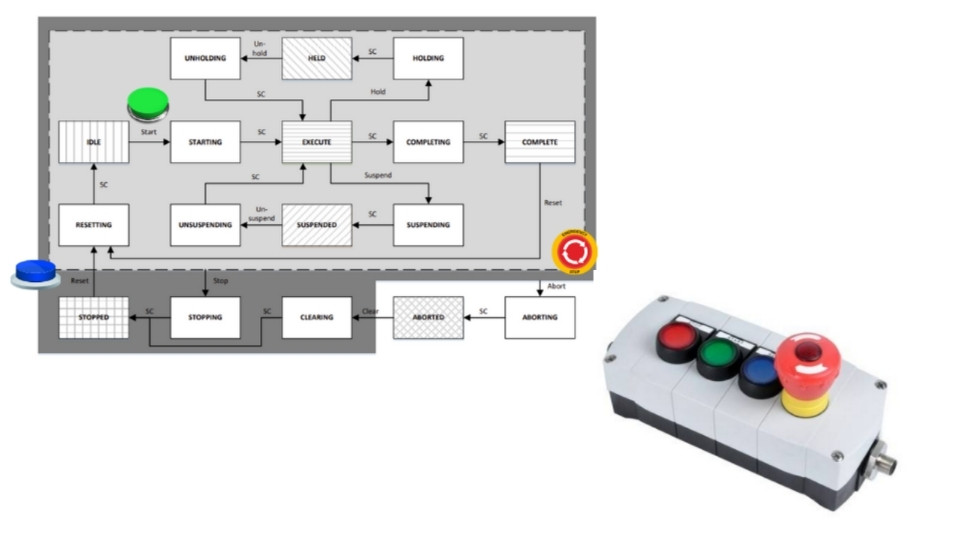
Emergency Stop

Performance Level c / Performance Level e

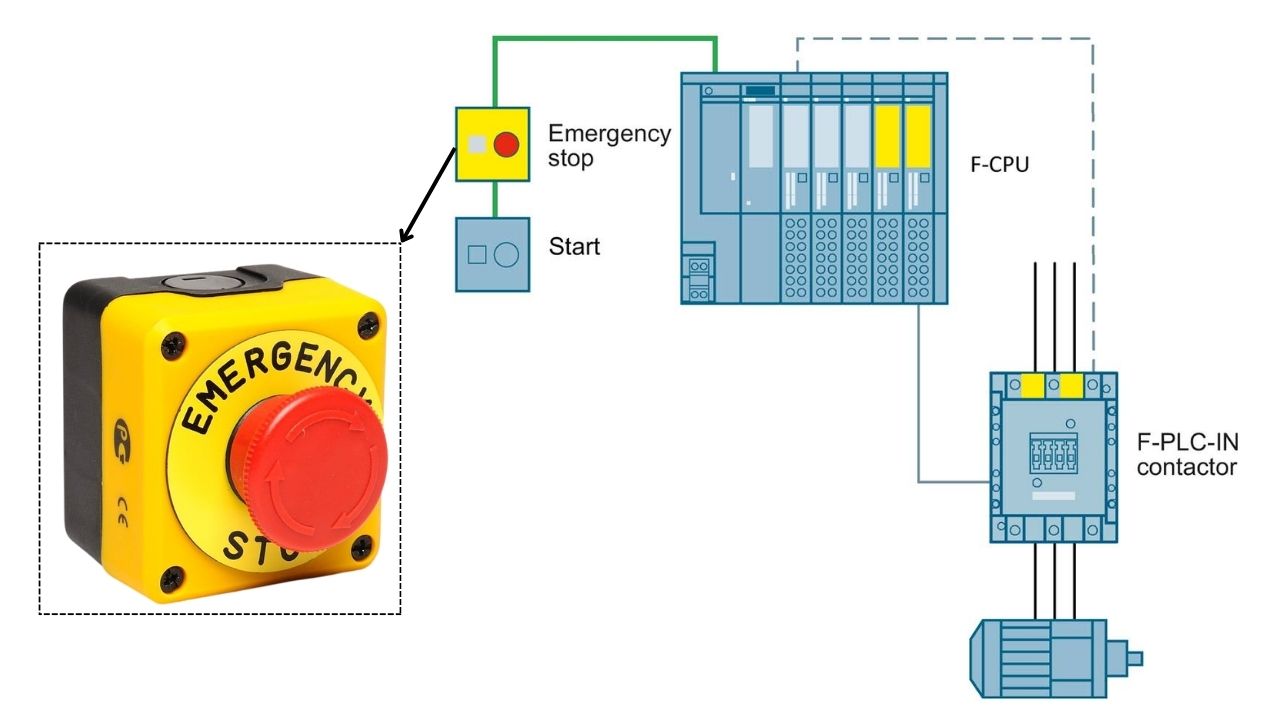
  • Program the Emergency Stop function according to Performance Level requirements
  • Learn the differences between PL c and PL e and how to implement them in S7-1200F and S7-1500F
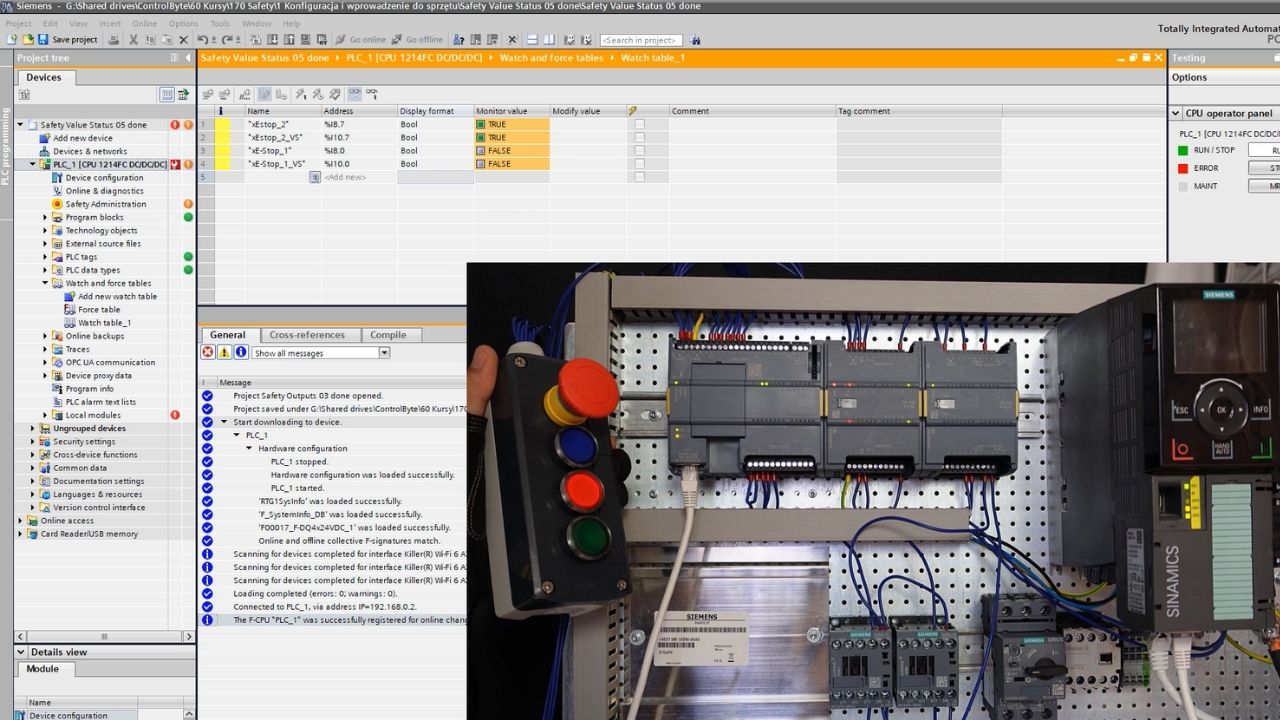
  • Configuration in TIA Portal, testing on the simulator

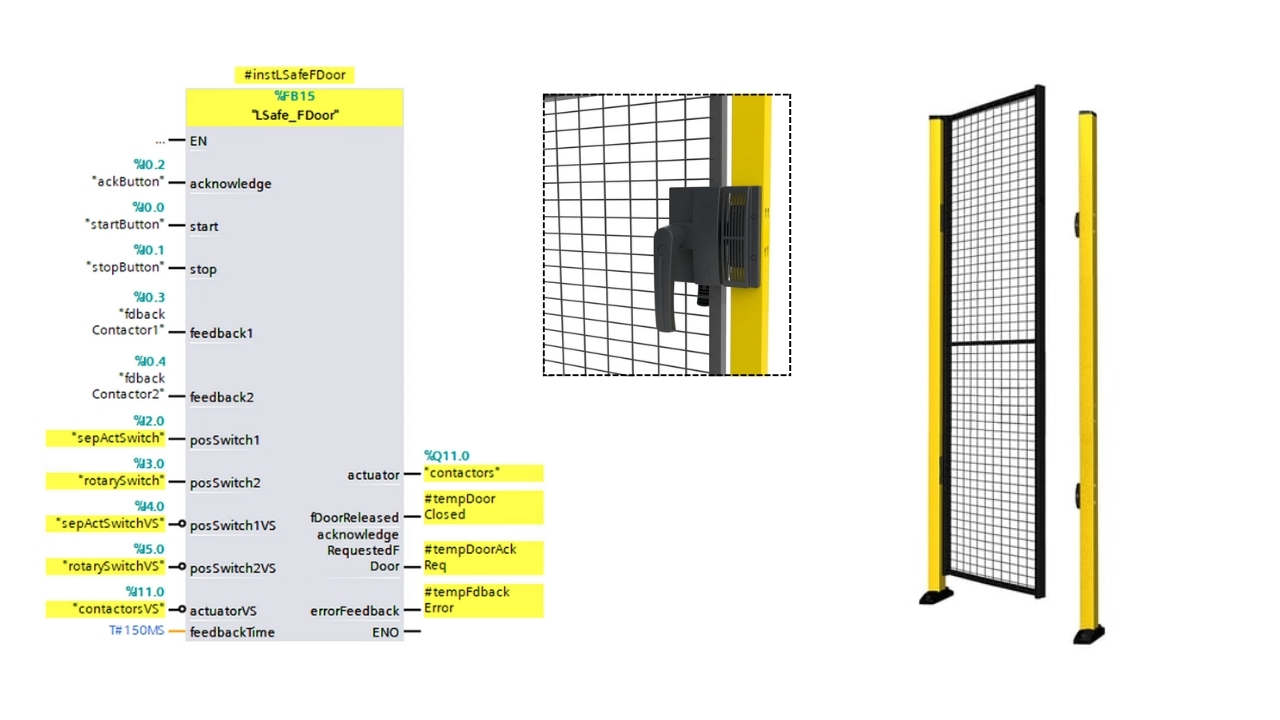
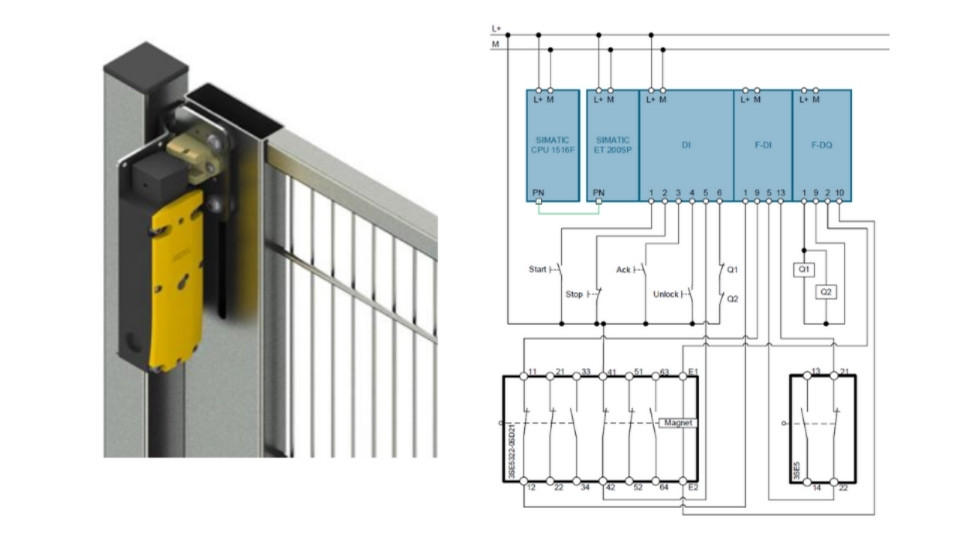
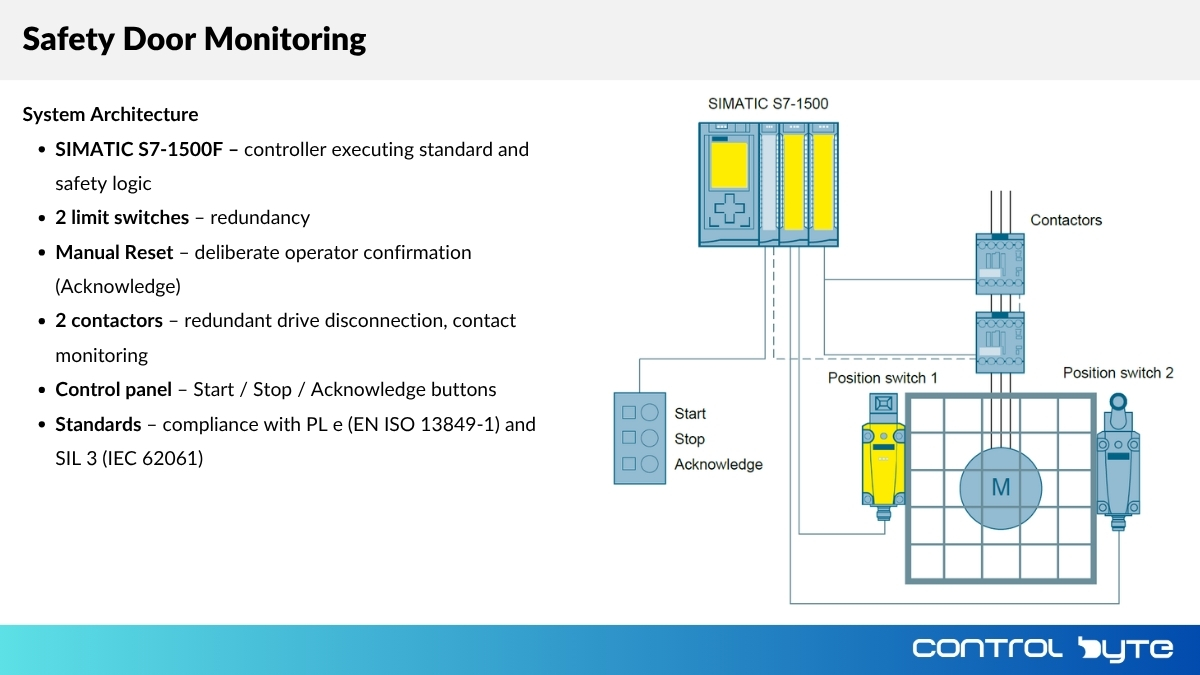
Safety Door Monitoring & Interlocks

Sensors & Spring Locking

  • Secure hazardous zones using sensors, spring locking, and LSafe logic
  • Learn how to block access during machine operation

Manual Reset vs. Start/Restart

Operator Confirmation Functions

  • How does Manual Reset work and why does it require active operator confirmation?
  • What causes automatic machine startup in Start/Restart mode?
  • When to choose Manual Reset vs. Start/Restart function?

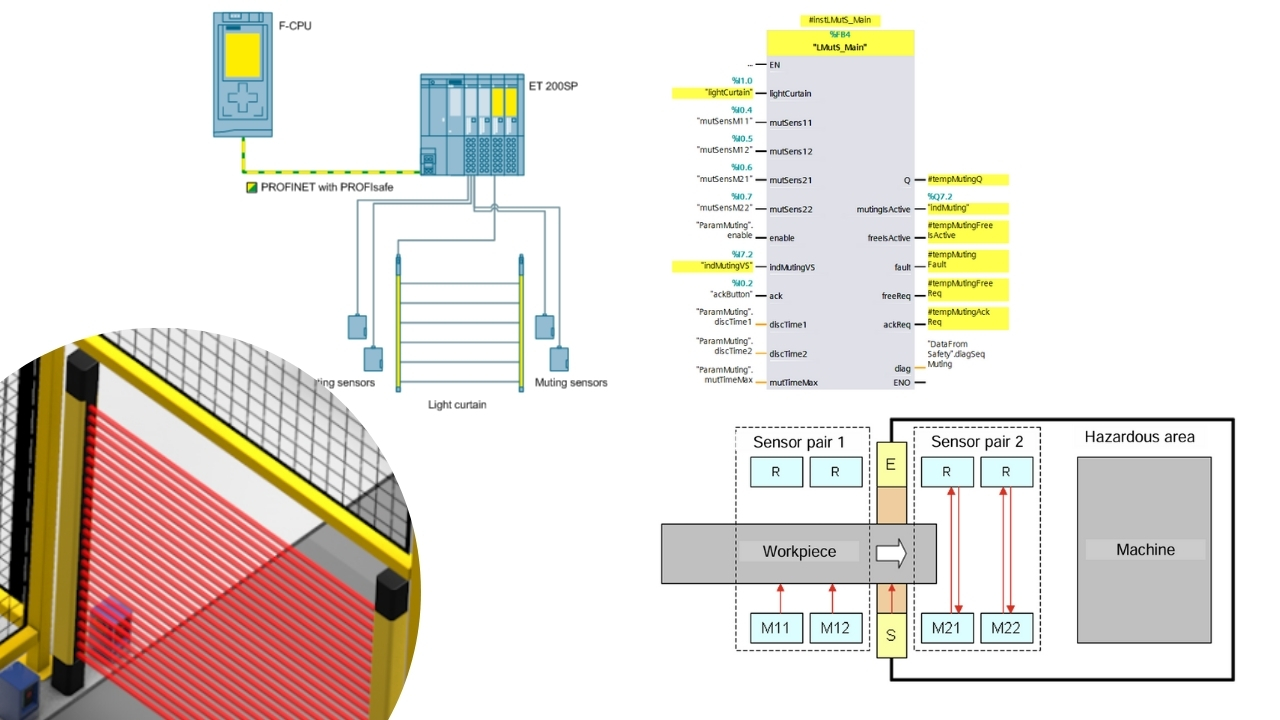
Light Curtains & Muting Function

Dynamic Safety Signal Muting

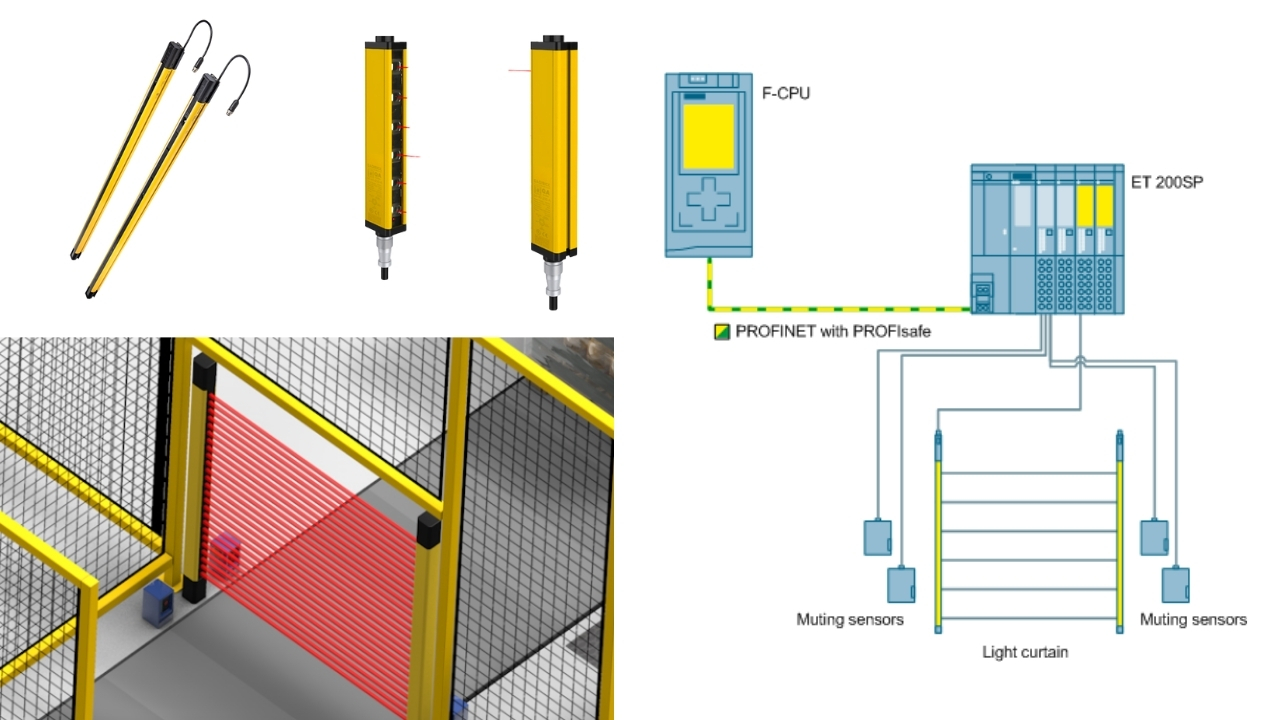
  • Dynamic muting of safety signals — allow material flow through the light curtain without stopping the machine
  • Configuration, programming and testing in TIA Portal

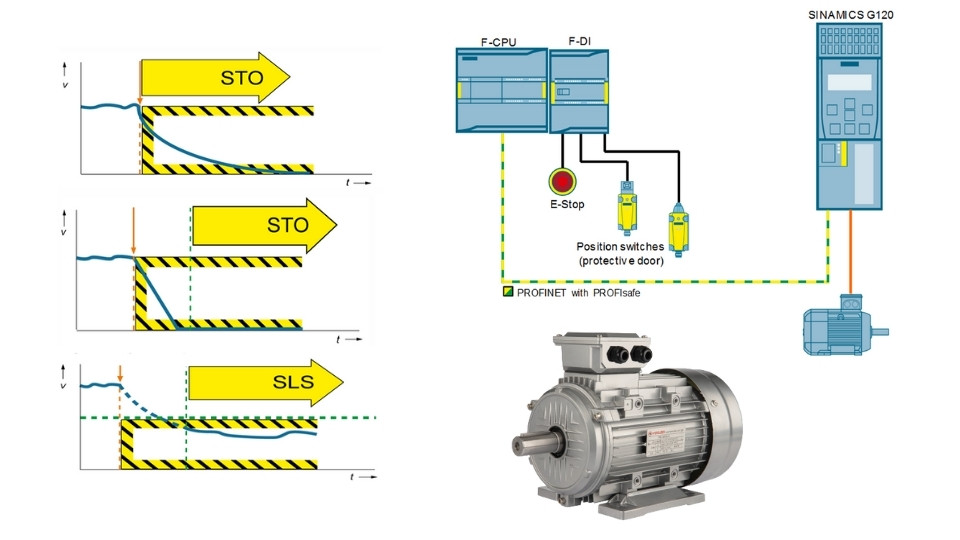
PROFIsafe Communication

Safe Communication Protocol

  • Safe communication between PLC and Safety devices — learn the PROFIsafe protocol
  • Configuration, diagnostics, and integration with SINAMICS G120 drives

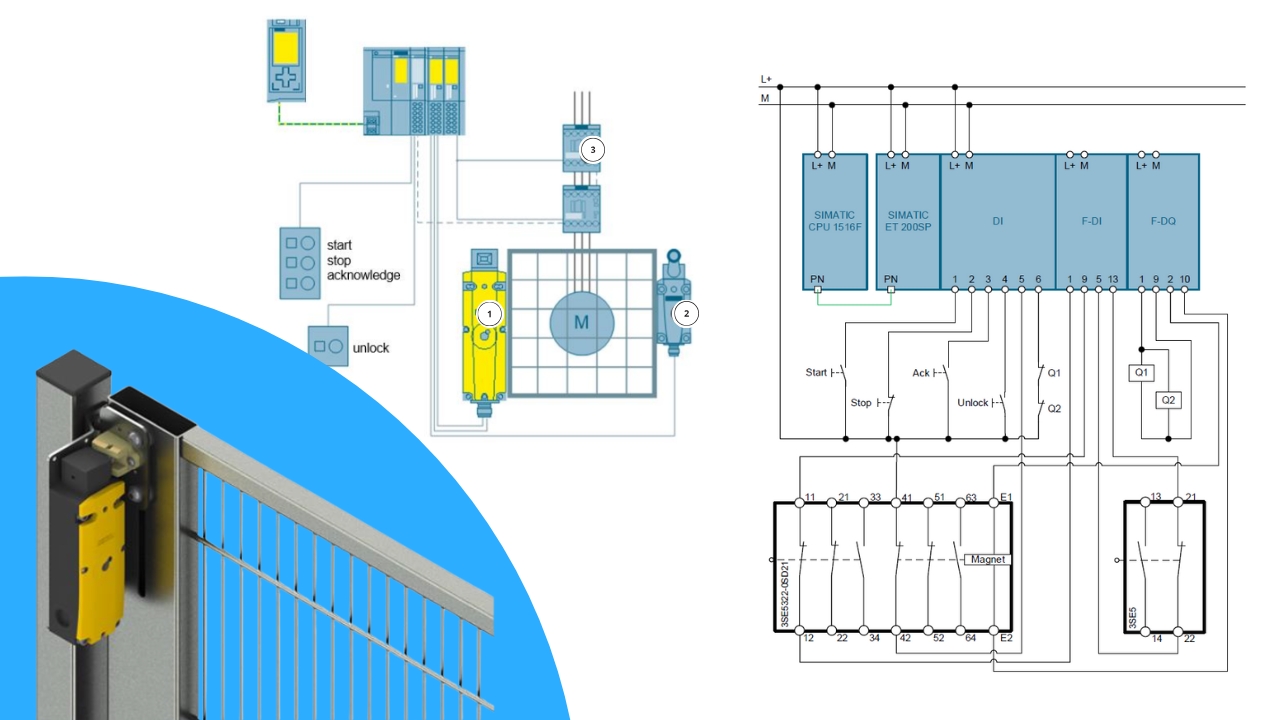
Solenoid Interlock Programming

Electromagnetic Lock Control

  • How to program locking function in TIA Portal
  • Monitoring solenoid coil operation
  • Supervision of mechanical interlock operation
  • Implementation and testing on S7-1200F / S7-1500F

Sample Lessons from the Course

Light curtain muting function

Door protection with solenoid interlock

+24V short-circuit detection and testing

Full Course Curriculum

1. Introduction 48 min · 2 lessons
  • Introduction to PLC programming course
  • How to get help? Join the Discord group for Automation Professionals and PLC Programmers!
2. How to get a certificate? 24 min · 1 lesson
  • How to get a certificate and share it on Linkedin
3. Safety PLC configuration and first program 48 min · 2 lessons
  • Safety PLC configuration and Safety Administration in TIA Portal
  • First safety program in TIA Portal
4. Configuration of safety digital inputs F-DI 3h 12min · 8 lessons
  • Introduction, overview of the Safety input module
  • Single-channel (1oo1) wiring, testing of short-circuit detection function
  • Dual-channel (1oo2) equivalent wiring – 2-channel equivalent
  • Testing and detection of short circuits to +24V, reintegration with ACK_GL and ACK_REI
  • Testing and detection of short circuits to 0V, cross-channel short circuit, discrepancy fault in 1oo2 evaluation
  • Dual-channel (1oo2) non-equivalent wiring – 2-channel non-equivalent
  • 1oo2 evaluation for a single sensor
  • 1oo2 evaluation of a circuit with three-wire sensors, non-equivalent
5. Configuration of safety digital outputs F-DO 48 min · 2 lessons
  • Connection of F-DO transistor digital outputs in 1oo2 evaluation
  • Configuration of F-DO outputs in TIA Portal and safety scenario testing
6. Configuration of relay digital outputs F-DO safety 48 min · 2 lessons
  • Wiring diagrams of relay digital outputs F-DO Safety
  • Configuration of relay digital outputs F-DO safety in TIA Portal
7. Safety I/O diagnostics in the PLC program 24 min · 1 lesson
  • Safety I/O diagnostics in the PLC program
8. TIA Portal installation and software preparation for training 24 min · 1 lesson
  • TIA Portal installation and software preparation for training
9. Emergency stop, implementation of ESTOP1 and FDBACK 1h 36min · 4 lessons
  • Program the ESTOP1 function block
  • Program the FDBACK function block
  • Manual reset function vs. start/restart function (EN ISO 13849-1 § 5)
  • Program the start/restart function and perform tests
10. Safety door monitoring, implementation of SFDOOR and LSafe_FDoor 2h · 5 lessons
  • Architecture and wiring diagram of door and access protection system
  • Hardware configuration, SFDOOR and LSafe_FDoor blocks
  • LSafe_FDoor – functional tests
  • SFDOOR – functional tests
  • Start/stop/reset logic in door monitoring safety function – homework assignment
11. Programming a system with protective door with interlocking 1h 12min · 3 lessons
  • Architecture and diagram of a protective door system with interlocking
  • Program for protective door with interlocking – implementation of FB ProtDoorWithInterlocking – Part 1
  • Program for protective door with interlocking – implementation of FB ProtDoorWithInterlocking – Part 2
12. Case Study: Programming and testing of a protective door with interlocking 48 min · 2 lessons
  • Case study: Wiring and configuration of protective door interlocking in TIA Portal
  • Case study: Safety function programming and testing for protective door interlocking
13. Integration of safety light curtains with reset function 48 min · 2 lessons
  • Wiring of the Pilz safety light curtain and configuration in TIA Portal
  • Safety function programming using a safety light curtain
14. Programming safety light curtain applications with muting 1h 12min · 3 lessons
  • How the muting function works for safety light curtains
  • Programming safety light curtain applications with muting in TIA Portal – part 1
  • Testing safety light curtain applications with muting, free function – homework
15. Laser scanner and zone monitoring for robotic cell 48 min · 2 lessons
  • Laser scanner and robot limit switches – configuration in the TIA Portal project for robotic cell
  • Program logic and library testing for scanner and zone monitoring for robotic cell
16. Drive safety integration – PROFIsafe in S7-1200 and SINAMICS G120 2h · 5 lessons
  • PROFIsafe – introduction, required software and Startdrive licenses
  • PROFIsafe – install required libraries: Drive_Lib, LDrvSafe
  • PROFIsafe – configuration of SINAMICS G120 in the PLC project
  • PROFIsafe – configuration of SINAMICS G120 in Startdrive and PROFIsafe functional tests
  • PROFIsafe – acceptance test in Startdrive

Course Price

Before we show you the price, see exactly what you get:

📹 50+ video lessons covering Safety programming step by step €200
✍️ Homework assignments — you'll need to show your creativity! €60
📋 Homework review & feedback from instructors €160
💬 Instructor contact via e-learning platform & Discord €50
🎥 Weekly live webinar consultations €75
👥 Private student community on Discord PRICELESS
Proven educational path (hundreds of graduates) PRICELESS
🎓 Course completion certificate in English & Polish PRICELESS

Ready to Master Safety Programming?

Join the waiting list and be the first to enroll when we open registration.

What Industry Experts Are Saying About Us

Dobot Robotics — Our Industry Partner

Automa.Net — Our Industry Partner

Get Your Certificate and Publish It on LinkedIn!

  • Gain a skill valued by employers. Publish on LinkedIn and your CV!
  • Want to advance your career in automation safety? You're in the right place!
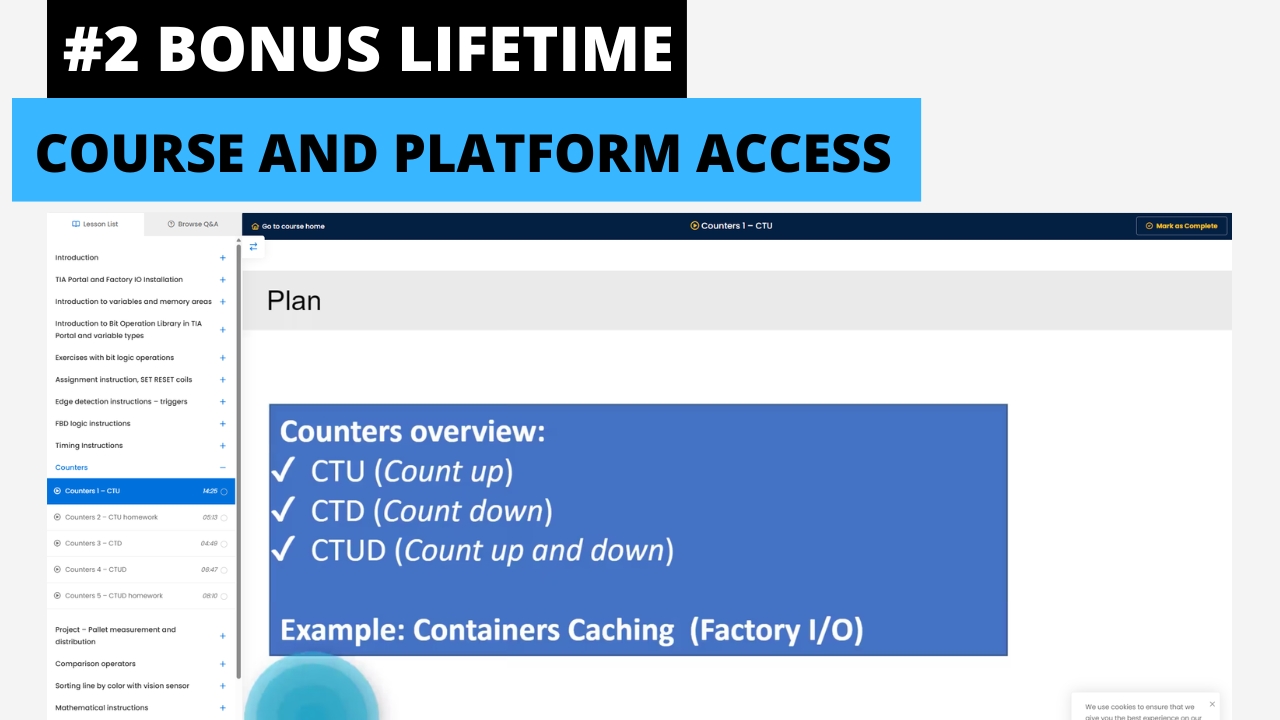
  • Lifetime access to materials on our platform
  • This learning path has been proven by hundreds of students in the industry!

Discord Support

Discord Community
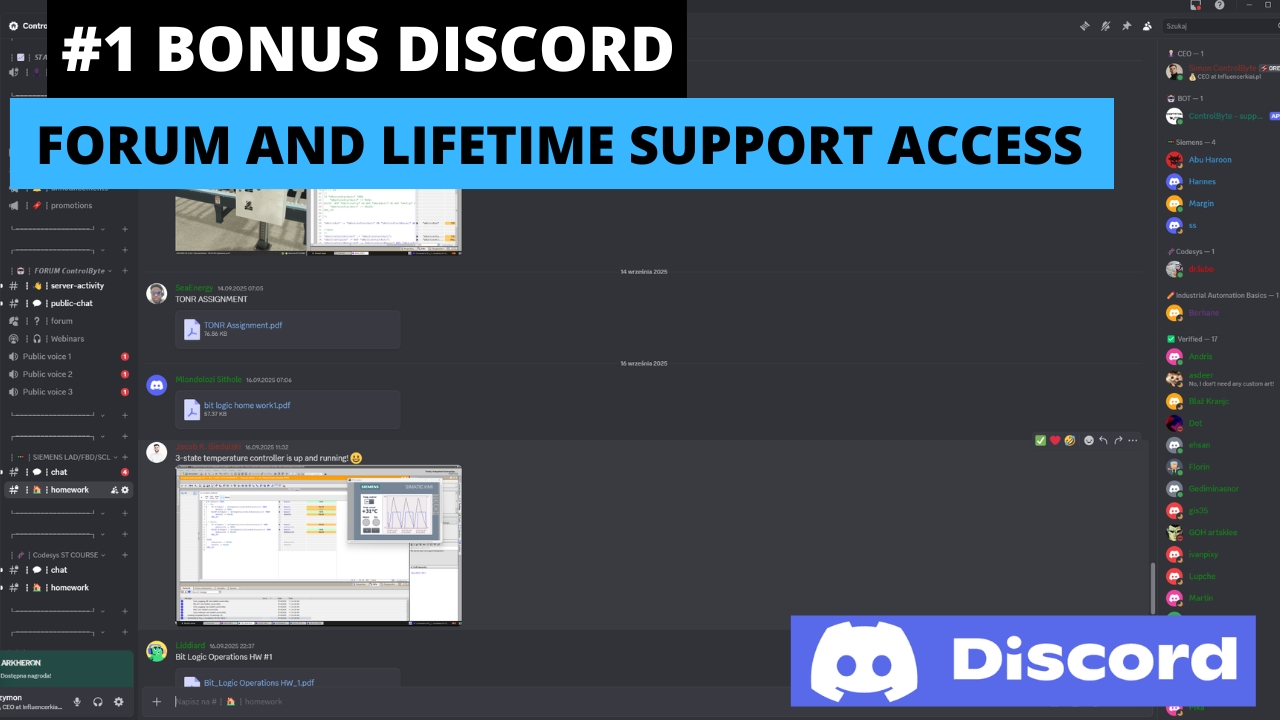
  • Course support via Discord chat and live meetups
  • Homework review and feedback through the channel
  • Chat with other Safety PLC programmers!

Bonuses Included

Discord Community

Discord Community

Join our private Discord server for PLC programmers. Get help, share projects, and network with fellow engineers.
Lifetime Access to Training & Support

Lifetime Access to Training & Support

Get permanent access to all course materials, updates, and lifetime support from the instructor.
BONUS: Safety Intro with Wieland Electric

BONUS: Safety Intro with Wieland Electric

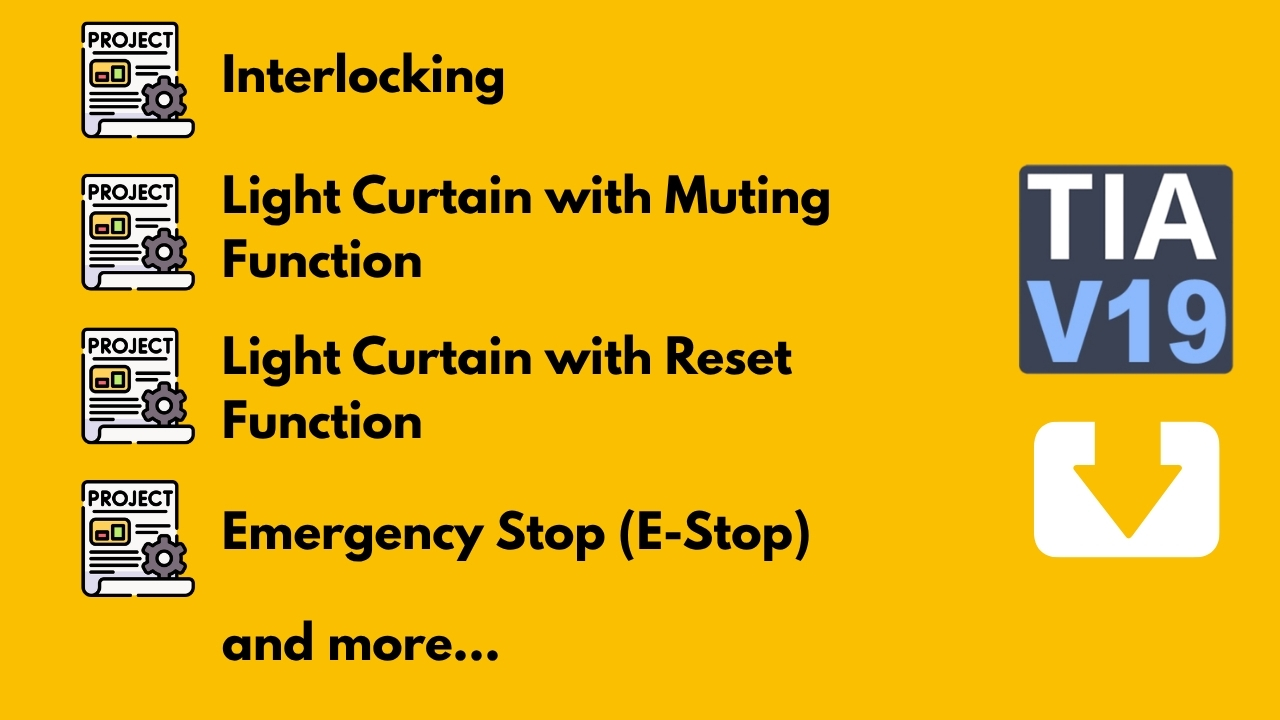
3.5 hours of bonus content on machine safety fundamentals and safety circuits in collaboration with Wieland Electric.
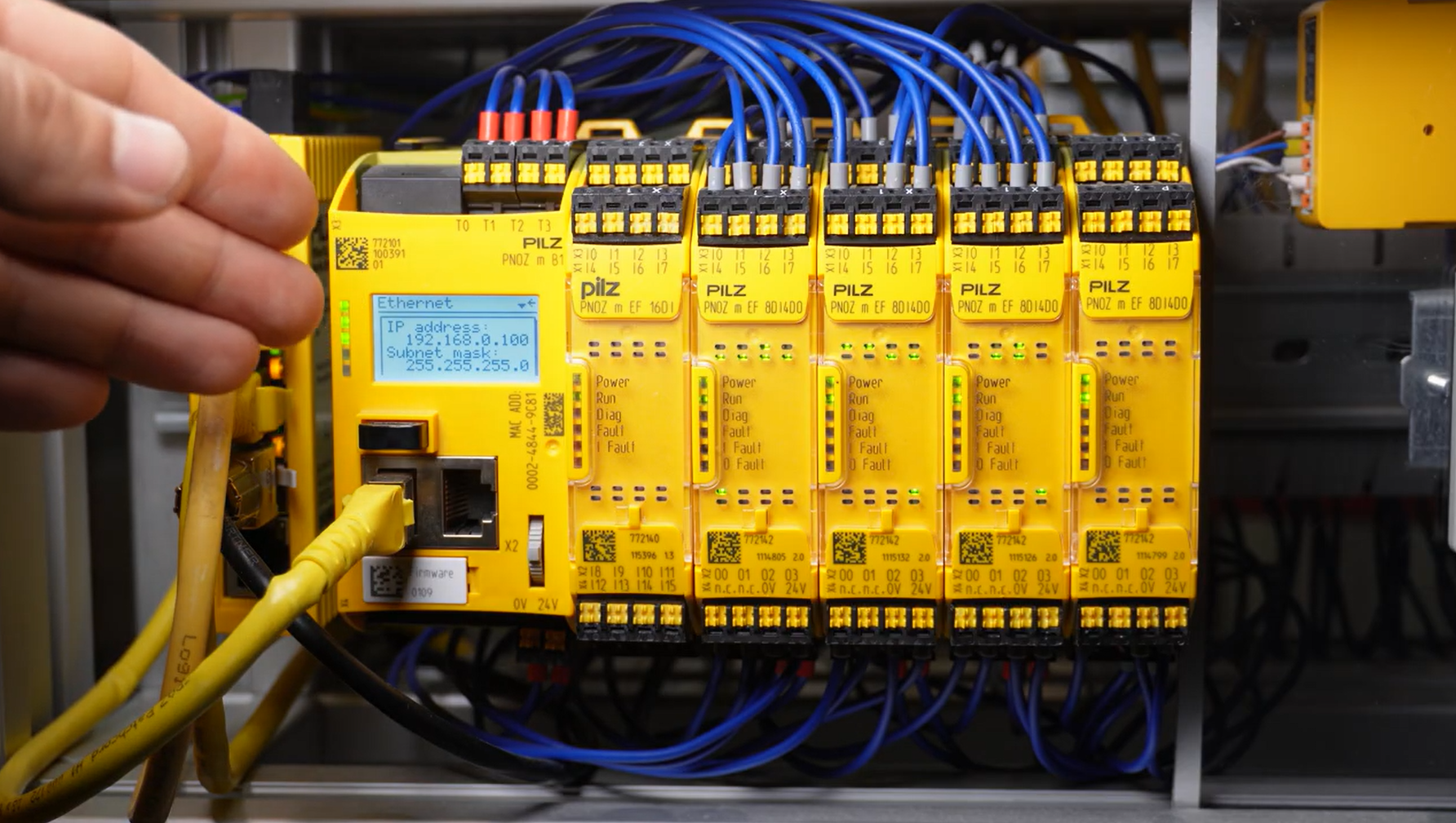
Safety Application Examples

Safety Application Examples

Real-world safety application examples and project templates ready to use in your own projects.

What Our Students Say

★★★★★
“The course is brilliantly structured and the first of its kind I've taken. Excellent level of detail on both TIA Portal and hardware. The homework assignments with live instructor support are phenomenal. I would choose it again without hesitation.”

Lukasz C.

PLC Programming Course — Siemens S7-1200/1500 LAD/FBD

★★★★★
“I was a complete beginner in PLC. The course helped me change jobs and get hired at a machine manufacturing company. Everything is well explained and you can practice on the simulator. I recommend it to everyone.”

Leszek K.

PLC Programming Course — Siemens S7-1200/1500 LAD/FBD

★★★★★
“A course at a very high level that met all my expectations. Video materials and contact with the instructor — pure professionalism. The flexible timeline lets you adapt the course to your own pace.”

Cezary L.

PLC Programming Course — SCL Language

★★★★★
“A truly great course with a massive amount of information in excellent quality. Knowledge delivered at the highest level. Using Factory IO is a huge plus, and contact with the instructors is a pleasure.”

Maciej P.

PLC Programming Course — Siemens S7-1200 Basic LAD

Frequently Asked Questions

How does the course work?

You get access to video lessons on our e-learning platform. You complete exercises following the video instructions, with project templates provided. You also have homework assignments to solve independently. Your homework projects are reviewed by instructors who provide detailed feedback.

Do I need a physical PLC controller?

No! The course uses the Siemens PLCSIM simulator, which is free and fully functional. We'll show you how to install and run it. All you need is your PC.

Will I receive a certificate?

Yes! After submitting all homework projects and passing instructor review, you'll receive a course completion certificate in both English and Polish, eligible for LinkedIn publication.

Is the number of spots limited?

Yes. We open groups of 50 students to ensure quality support for everyone. That's why joining the waiting list is the best way to secure your spot.

How long does the course take?

The average completion time is 2 to 6 weeks. You receive lifetime support on Discord. This is an ONLINE course — after purchasing access, you can study from anywhere with an internet connection.

Will I get instructor support?

Absolutely! We're in contact with you through the student chat on Discord, forum, and live webinar meetups. We'll support you with software installation, solving assignments, and your future professional career.

Don't Wait.
Master Safety Programming in TIA Portal.

Safety systems are critical in every automated machine. Join the waiting list and be among the first to master Safety PLC programming.

Reserve Your Spot

Limited to 50 students per group. Don't miss out.

Free to join. No commitment required.