What is Factory IO?
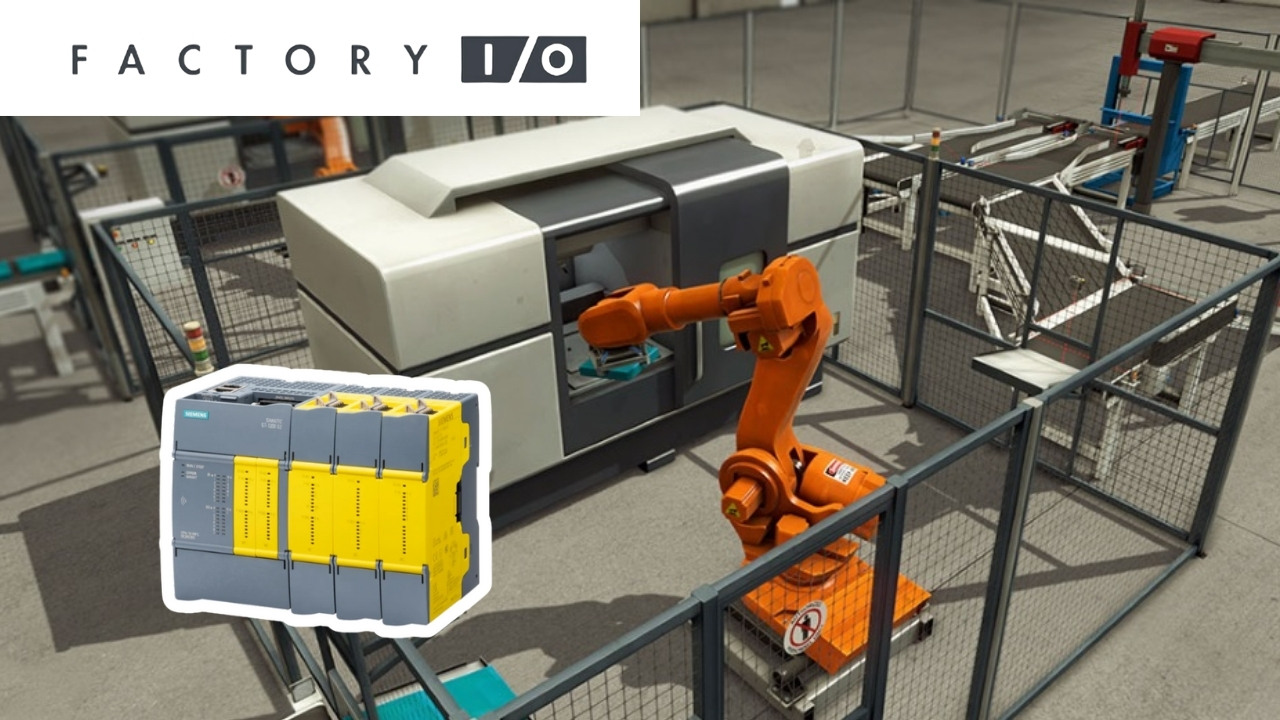
Factory IO is a three-dimensional virtual factory simulator. It is described as a “3D factory simulation for learning automation technologies” - a program that allows you to quickly build a virtual factory using typical industrial components. Its libraries include ready-made scenes inspired by real industrial applications, which means beginners can practice on simple conveyor lines, while advanced users can work with more complex processes.
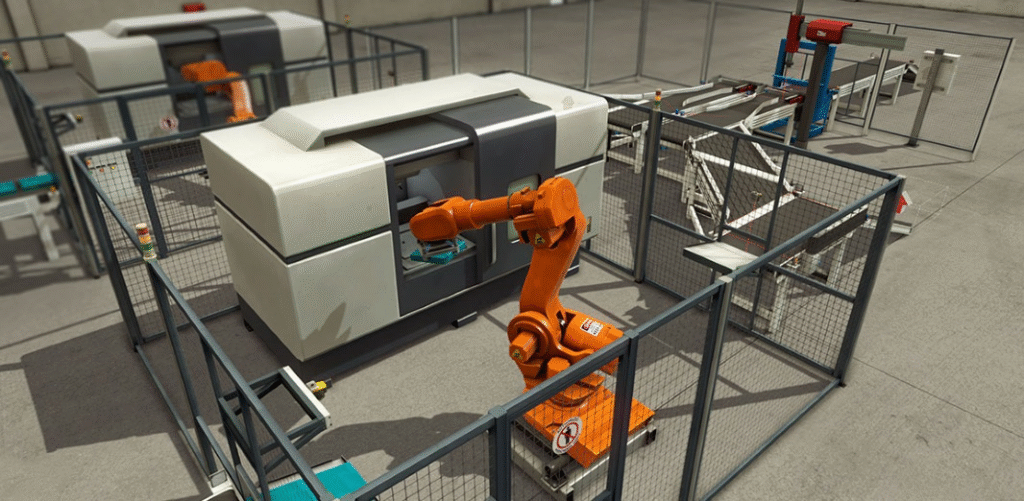
The platform was created for education and training purposes - most often it is used as a PLC training kit, but it can also be connected to microcontrollers, soft-PLCs, or devices communicating via Modbus.
The producer’s marketing emphasizes several key advantages:
- Turning an ordinary computer into a PLC training kit - without the risk of injury or equipment damage.
- Compatibility with any PLC controller and popular communication technologies, such as PLC simulators, Modbus, or OPC.
- A large library of components and scenarios, which allows you to create your own exercises and adjust the level of difficulty.
Why use Factory IO to learn PLC?
Learning in a safe environment
Programming PLCs in a real factory is challenging: mistakes can lead to costly downtime or pose safety risks to workers. Factory IO separates the programming layer from the physical equipment, so students can make mistakes without the risk of damaging machines. Thanks to 3D visualization, the effects of control are immediately visible - conveyors move, boxes get sorted, and sensor signals change color just like in a real factory.

Integration with real hardware
Factory IO is not just a simulator - it can communicate with real controllers. In the I/O Drivers menu, you’ll find a list of interfaces for the most popular PLC families: Allen-Bradley (Logix5000, Micro800, MicroLogix, SLC 5/05), Siemens (LOGO!, S7-200/300/400, S7-1200/1500, and S7-PLCSIM), as well as controllers from other vendors and communication protocols such as Modbus TCP/IP, OPC DA/UA, or Control I/O. This allows students to practice linking simulation with a physical PLC and later transfer the code into a real installation.
Ability to build your own scenes
The simulator is equipped with a library of elements: conveyors, sensors, feeders, robots, warehouses, etc. You can use them to design your own production lines and modify existing scenes. The built-in scenarios range from simple tasks (e.g., transporting a box to a sensor) to complex sorting or storage systems.
Source: https://docs.factoryio.com/
Siemens PLCs - especially S7-1200
In our training offer, we focus on Siemens S7-1200 controllers because they are popular in European industry, reasonably priced, and easy for beginners to use. Factory IO has a dedicated S7-1200/1500 driver. It enables Ethernet communication with S7-1200 and S7-1500 controllers and exports scene tag mapping as an XML file compatible with TIA Portal.
The configuration allows you to specify the controller model, IP address, select the appropriate network interface, and decide whether analog values should be encoded as WORD or DWORD. This flexibility makes it possible to reflect real I/O modules in the controller and better understand how PLCs process data.
S7-PLCSIM - PLC simulator
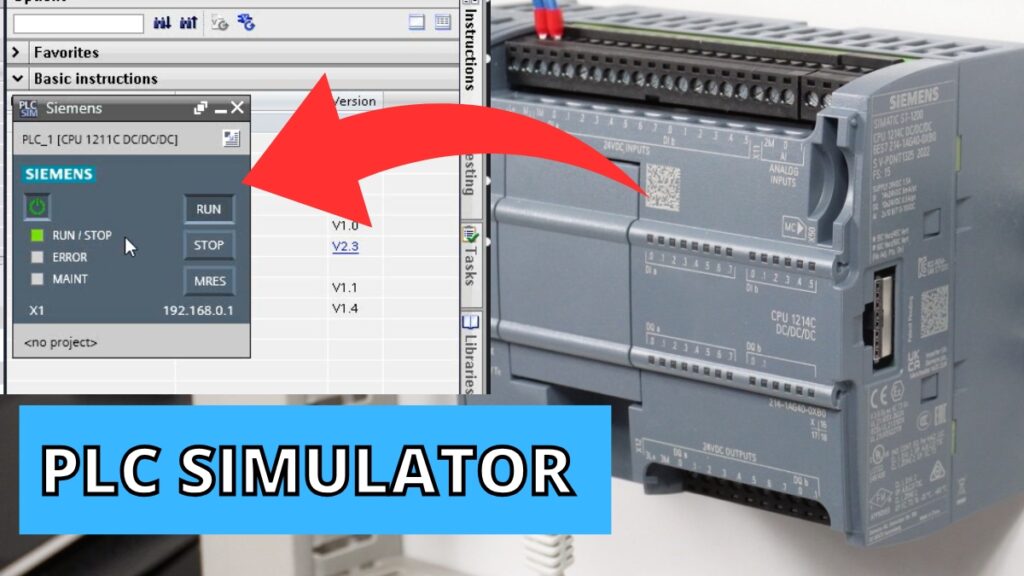
If you don’t have a physical controller, you can use S7-PLCSIM, software that simulates Siemens PLCs. Factory IO can communicate with it over Ethernet - an ideal solution if you want to practice programming without buying hardware.
Support for other controllers and technologies
Although our courses are based on Siemens, Factory IO is technically neutral. The I/O Drivers include connections to Allen-Bradley PLCs, Schneider Electric controllers via Modbus, soft-PLCs, and OPC. There are also dedicated editions of the program:
- Siemens Edition - supports all Siemens controllers and S7-PLCSIM.
- Modbus & OPC Edition - communication via Modbus TCP and OPC DA/UA.
- Allen-Bradley Edition - support for ControlLogix, CompactLogix, SoftLogix, and other Rockwell PLCs.
Modbus TCP - Factory IO also offers both client and server drivers for Modbus TCP/IP. This allows it to act as either a master or a slave device, enabling various communication scenarios to be tested.
Examples of simple training scenarios
- From A to B - transport a box to a sensor.
- Height sorting - using analog sensors and logical conditions.
- Color-based sorting - a task requiring sensors and scanners.
- Palletizer - a more advanced exercise using a robot or manipulator.
How to start learning?
- Install Factory IO - a free trial version with full functionality is available for 30 days.
- Choose a controller - preferably Siemens S7-1200, but you can also use the PLCSIM simulator or Modbus communication.
- Run a scene and program the PLC - start with simple exercises.
- Test and improve your code - observe the program’s effects in real time.
- Use courses - learning with an instructor helps you master configuration and programming faster.
Summary
Factory IO is a tool that brings the world of automation into virtual reality in an accessible way. It enables realistic PLC programming training without risks to people or machines, while allowing the use of Siemens, Allen-Bradley, or Schneider controllers.
If you want to start learning PLC programming in virtual factory - check out our Premium Siemens PLC Programming Training in LAD and FBD.
Author